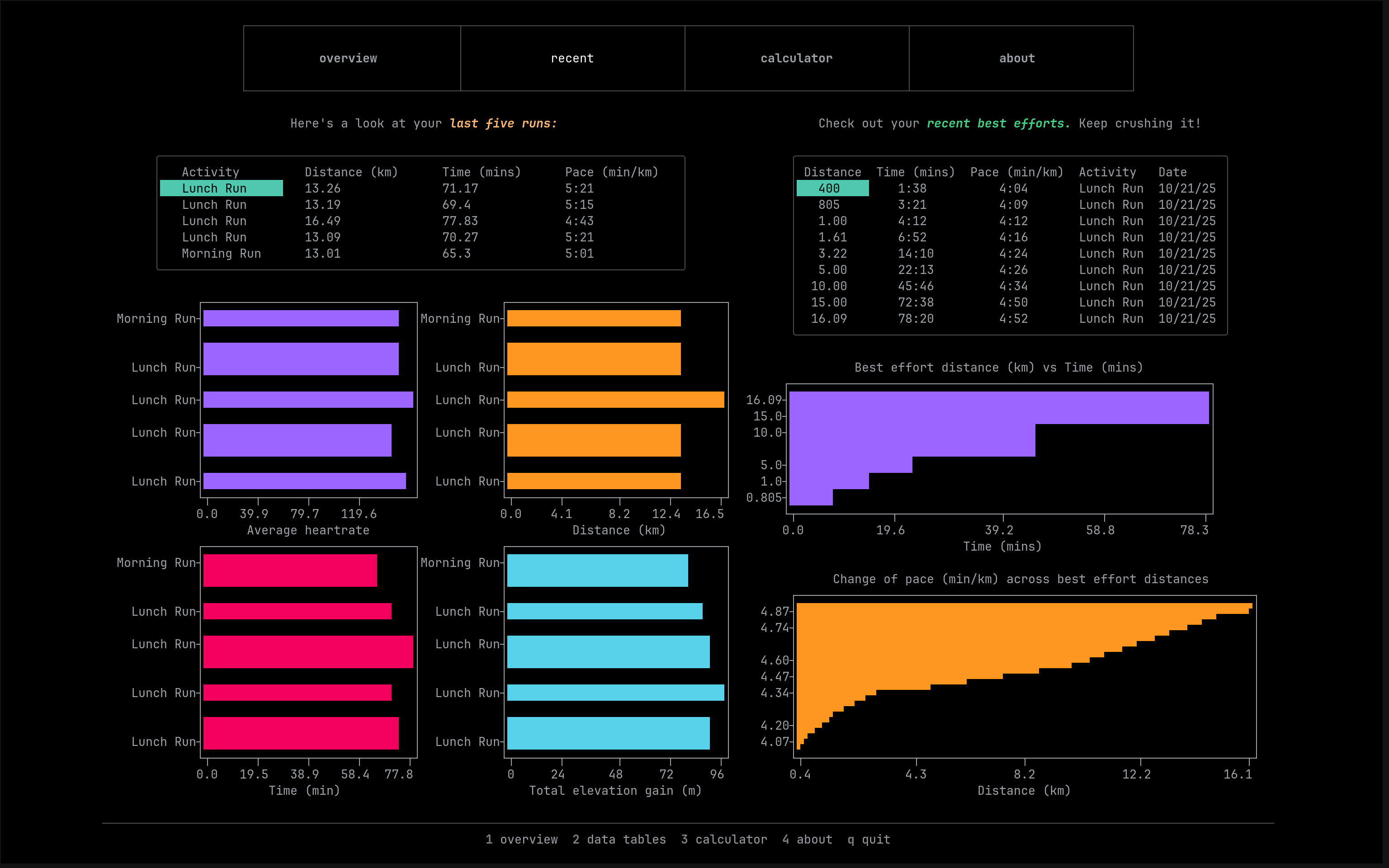
A TUI for viewing Strava run stats with a built-in race time prediction calculator
- Python >= 3.10
- textual (latest)
- textual-plotext (latest)
- rich (latest)
- stravalib (latest)
The Strava data fetching is done using the Strava V3
API and requires OAuth authorisation in order
to get an access token. To do this you first need to make a Strava application.
The steps to do so can be found
here. Once you've
made a Strava application you'll gain access to your Client ID and Client
Secret. Next, you can clone the repo and make a copy of the .env file:
git clone https://github.com/aymenhafeez/stravaTUI
cd stravaTUI
cp .env.example .env
Enter your Client ID and Client Secret into the .env file. Once you run the
authentication script, it will read these in order to generate an access token
and store the output in strava_token.json, which the app will read from to
pull your Strava stats. To authenticate:
pip install -r requirements.txt
make run
and go to the authorisation link. You'll be
prompted to login to Strava and allow authorisation access. Once you click
authorise you'll see a json output. This will save to strava_token.json, so
you can close the link and the authorisation script.
Once you've authorised, you can run the app:
python main.pySetup as above or run the server directly with uvicorn:
pip install -r requirements.txt
uvicorn api:app --host 0.0.0.0 --port 5042 --reload --ws nonepython main.pyRun from the root stravatui directory:
mypy stravatui/ stravatui/
├── main.py # Entry point
├── api.py # OAuth server
├── Makefile # Build and run the OAuth server
└── stravatui/
├── activity_utils.py # Data processing helpers
├── app.py # UI and data loading
├── app.tcss # Styling
├── auth.py # Strava client initialisation
├── config.py # Theme setup
├── data_manager.py # Strava API data fetching
├── formatters.py # Data formatting helpers
├── race_calculator.py # Race time prediction calculator
├── ui/
│ ├── plot_data.py # Data processing for plots
│ ├── plot_setup.py # Plot setup and configuration
│ ├── tables.py # Data tables
│ └── text_labels.py # UI text components
└── data/ # Cached JSON dataThe data pulled from Strava is cached in stravatui/data to reduce continuous
API calls every time the app runs.
activities.json    # activity data from the last 60 days
all_time_run.json  # all time run stats
ytd_run.json       # year-to-date run stats
best_efforts.json  # best effort data from the last 5 runs
The data gets purged if the app hasn't been run in the last 24 hours to get up to date data.
The access token that gets granted on authorisation expires every six hours. When
the app is run, a check is made to see if the access token is still valid, and
if it isn't, uses the corresponding refresh token to generate a new one. This
way the authorisation script only needs to be run on initial installation (see
stravatui/auth.py).
MIT License