##watch this video to get a view about the project
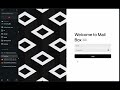
# MailBox - Modern Email Client

## Introduction

MailBox is a feature-rich email client built with React and Node.js, offering real-time inbox updates, email composition, and advanced search capabilities.

## Key Features

- Secure authentication
- Real-time inbox management
- AI-powered email content generation
- Advanced search functionality
- Responsive design

## Core Technologies

- Frontend: React, Base Web UI, GSAP
- Backend: Node.js, Express.js, Supabase
- Authentication: Custom implementation with Supabase
- AI: Google's Generative AI

## Setup

1. Clone and install dependencies:

   - git clone https://github.com/adhithyasimha/mail-box.git
   - cd mailbox
   - cd frontend && npm install
   - cd ../backend && npm install


2. Set up `.env` files in `frontend/` and `backend/` with necessary credentials.

3. Start development servers:
npm startPOST /api/send-email: Send an emailGET /api/supabase-sent: Fetch sent emailsPOST /api/ai: Generate AI email content
- Secure authentication with Supabase
- Automatic session timeout
- CORS configuration
- Set up production database
- Configure production environment variables
- Build frontend:
cd frontend && npm run build - Deploy backend to hosting platform
- Set up web server to serve frontend and proxy API requests
Contributions are welcome via Pull Requests.