Show website
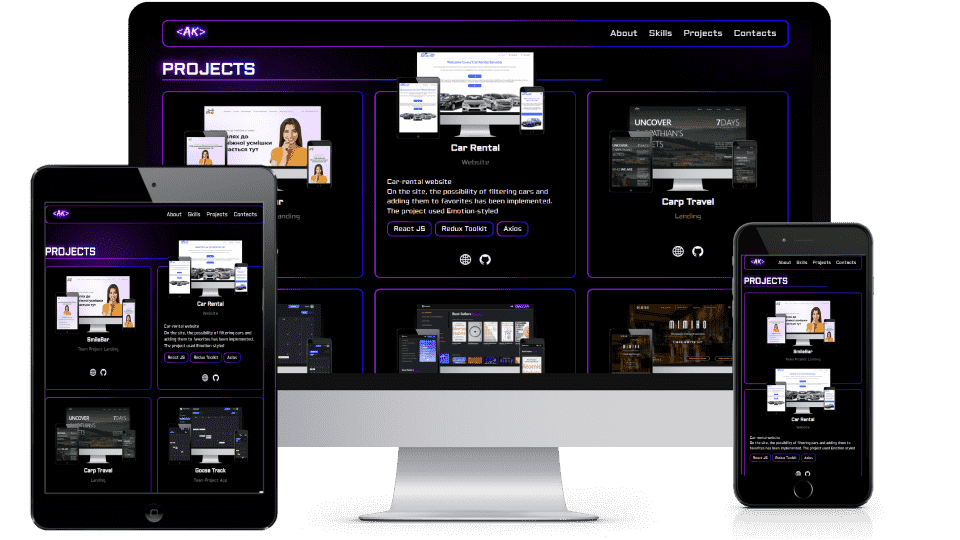
 📦 portfolio
 ┣ 📂 public            # Static assets (images)
 ┣ 📂 src
   ┣ 📂 app             # Next.js App Router (root of the application)
     ┣ 📂 fonts         # Custom fonts
     ┣ 📜 page.tsx      # Main page component (homepage)
     ┗ 📜 layout.tsx    # Root layout component (wrapping all pages)
   ┣ 📂 components      # Reusable UI components
   ┣ 📂 data            # Static/local data (e.g., JSON)
   ┣ 📂 lib             # Utility functions and API handlers
   ┣ 📂 sections        # Page sections (e.g., Hero, About, Contact)
   ┣ 📂 styles          # Global and shared styles
     ┣ 📜 globals.css   # Global styles
     ┗ 📜 variables.tsx # Style-related variables (e.g., theme settings)
   ┣ 📂 types
 ┗ 📜 README.md         # Project documentation
Next.js
This is a [Next.js](https://nextjs.org) project bootstrapped with [`create-next-app`](https://nextjs.org/docs/app/api-reference/cli/create-next-app).- About me
- Skills
- Projects
- Contacts
First, run the development server:
npm run dev
# or
yarn dev
# or
pnpm dev
# or
bun dev
Open http://localhost:3000 with your browser to see the result.
You can start editing the page by modifying app/page.tsx. The page auto-updates as you edit the file.
This project uses next/font to automatically optimize and load Geist, a new font family for Vercel.
To learn more about Next.js, take a look at the following resources:
- Next.js Documentation - learn about Next.js features and API.
- Learn Next.js - an interactive Next.js tutorial.
You can check out the Next.js GitHub repository - your feedback and contributions are welcome!
The easiest way to deploy your Next.js app is to use the Vercel Platform from the creators of Next.js.
Check out our Next.js deployment documentation for more details.
| Prop | Default | Description |
|---|---|---|
children |
undefined |
*required, any text content |
tag |
h2 |
h1, h2, h3 |
| Prop | Default | Description |
|---|---|---|
children |
undefined |
*required, any text content |
size |
normal |
small- 12px, normal- 16px, large- 20px,extra-large - 30px |
| Prop | Default | Description |
|---|---|---|
children |
undefined |
*required, any text content |
href |
undefined |
*required, string link URL |
use "react-scroll"
| Prop | Default | Description |
|---|---|---|
children |
undefined |
*required, any text content |
to |
undefined |
*required, string link anchor |
| Prop | Default | Description |
|---|---|---|
children |
undefined |
*required, any text content |
tag |
button |
button, scrollLink, link |
link |
"" | for tag scrollLink or link |
className |
"" | string, add custom or additional css class you'd need |
| Prop | Default | Description |
|---|---|---|
children |
undefined |
*required, any text content |
id |
"" | string, name of section (link in data/navigation.json) |
title |
"" | string, title of section |
| Prop | Default | Description |
|---|---|---|
type |
undefined |
*required, string, type of input |
name |
undefined |
*required, string, name of input |
label |
undefined |
*required, string, any text content |
placeholder |
undefined |
*required, string, example for input-value |
value |
"" | string, current input value (controlled input) |
onChange |
undefined |
function, event handler for input changes |