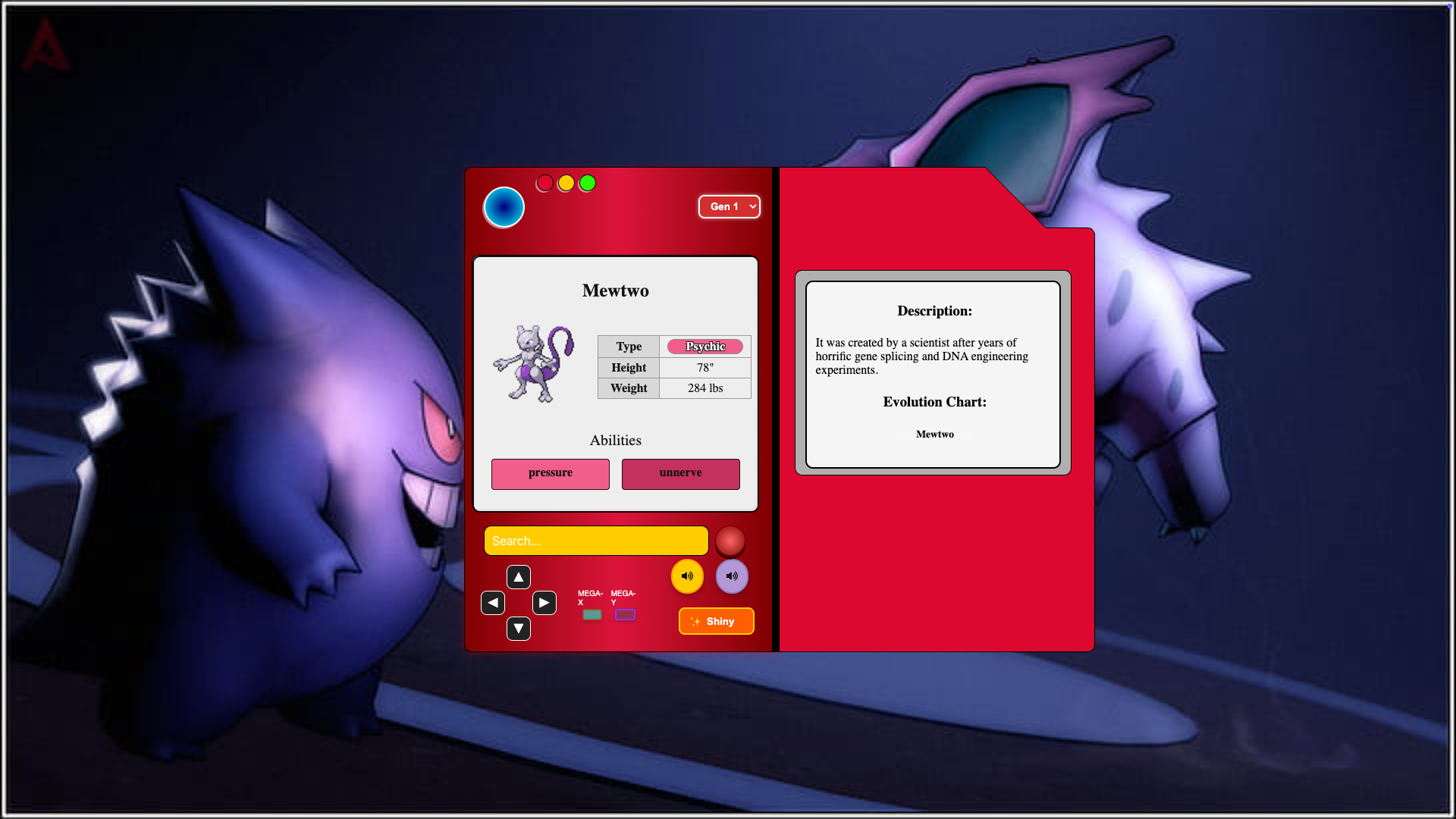
The Pokedex App is a Single Page Application (SPA) that allows users to enter any Pokemon name and display its image along with general stats from the Pokedex. It's built using React and leverages the PokeAPI to fetch Pokemon data and images.


- Frontend: React 18 + TypeScript
- Styling: CSS Modules
- State Management: React Hooks
- API: PokeAPI
- Build Tool: Vite
git clone https://github.com/your-username/pokedex-app.git
cd pokedexnpm installnpm run devhttp://localhost:5173/- PokeAPI Documentation: https://pokeapi.co/docs/v2
src/
├── components/          # Reusable UI components
│   ├── Pokedex/         # Main Pokedex shell
│   ├── PokedexScreen/   # Display screens
│   └── ...              # Other components
├── hooks/               # Custom hooks
│   ├── usePokemon.ts    # Pokemon data fetcher
│   └── ...              # Other hooks
├── services/            # API services
│   └── pokemonApi.ts    # PokeAPI wrapper
├── types/               # Type definitions
└── utils/ # Helper functions # Scripts para desarrolloThe Pokedex App allows users to search for a specific Pokemon by entering its name. The app fetches data from the PokeAPI and displays the Pokemon's image along with its general stats. Users can easily find information about their favorite Pokemon using this user-friendly interface.
-
Search by Name or ID
Instantly find any Pokémon using its name or Pokédex number. -
Detailed Stats & Info
View height, weight, types, abilities, base stats, and evolution chains. -
Authentic Pokémon Cries
Hear the original in-game cries of each Pokémon. -
Type Effectiveness Calculator
Understand strengths and weaknesses based on typing matchups. -
Generation Filter
Filter Pokémon by generation for targeted browsing. -
Animated Pokédex Interface
Enjoy a nostalgic, animated design inspired by the classic Pokédex. -
Responsive Design
Fully optimized for mobile, tablet, and desktop screens. -
User-Friendly Interface
Clean layout and intuitive navigation for a smooth user experience.
- Implemented efficient data fetching strategies using
async/awaitwith proper error handling. - Applied scalable component-based architecture using React and TypeScript.
- Strengthened strong typing practices across components, hooks, and services to improve maintainability.
- Created a polished, responsive UI inspired by the original Pokédex — with animations and accessibility in mind.
- Integrated real-time type-effectiveness calculations based on dual-type logic.
- Migrated from JavaScript to TypeScript, improving developer experience and catching type errors early.
- Leveraged Vite for fast development builds and optimized hot module replacement (HMR).
-
Q1: How do I search for a Pokemon?
-
A1: On the Pokedex App homepage, you'll find a search bar. Simply enter the name of the Pokemon you want to search for and press Enter. The app will fetch the data and display the Pokemon's image and general stats.
-
Q2: How accurate is the information displayed?
-
A2: The app fetches data from the PokeAPI, which provides accurate and up-to-date information about Pokemon.
-
Q3: Can I search for Pokemon using their Pokedex numbers?
-
A3: Yes, in addition to searching by Pokemon names, the app also supports searching by the Pokedex ID numbers of Pokemon. Simply enter either the name or the ID number in the search bar to retrieve information about the desired Pokemon.
Contributions, issues and feature requests are welcome!
Feel free to fork the repository and submit a pull request.
- Fork the project
- Create your feature branch (
git checkout -b feat/amazing-feature) - Commit your changes (
git commit -m 'feat: add amazing feature') - Push to the branch (
git push origin feat/amazing-feature) - Open a pull request
This project is licensed under the MIT License.