This pack collects, parses, and prepares Webex Admin Audit Events managing the mandatory 14-day token expiration enforced by Webex.
Unlike service-level OAuth, Webex requires interactive user consent to instsll apps and log collection must be tied to a user account. access_tokens are only valid for 14 days requiring a token refresh as these expire. The Cribl UI provides no way to provide a return URI for interactive consent or to perform this token exchange. This pack and the associated authentication/broker service closes those two gaps to allow you to collect WebEx logs un-interrupted.
- Collect Webex Audit logs without needing to create private Webex apps or manage code exchange.
- Collect these logs uninterrupted without having to manage token refresh workflows.
- Achieve s 5-6% ingest reduction with data shaping without dropping events or fields.
READ THIS SECTION CAREFULLY. This is what you are agreeing to when checking the box on the Authenticator page!
- I understand that Webex tokens are only valid for 14 days and VisiCore Technology Group will manage token refresh on my behalf Webex Developer/Token Documentation.
- I understand that, to effect the token brokerage, VisiCore Technology Group will broker my audit log events.
- I understand that VisiCore Technology Group must maintain the infeastructure for this brokerage and will add a
data_providerfield to my events. I understand this field may be removed with a service subscription. - I understand that tokens generated by this service are not usable against Webex APIs directly.
- I understand that I may delete my broker token at any time by contacting CriblPacks@visicoretech.com with a deletion request including the token value. A self-service option is coming soon.
- I understand that, by checking the box on the Webex Authenticator page linked below, I acknowledge I have read and accepted these considerations.
For questions on security or privacy, please contact CriblPacks@visicoretech.com. Tokens are stored securely in ConnectWise, our ticketing backend, to affect token refresh operations and your unique orgId value is never stored. Read more about ConnectWise's compliance certifications, including SOC 2, at their Industry and Regulatory Compliance page.
Without an orgId, it is impossible for anyone from VisiCore to access or identify an account for non-subscription tokens. Retrival of token management objects is limited to X10 platform admins.
To deploy this pack, well, first install it 😅. If you install from a file, Cribl may try to append the version number to the pack ID. This is designed to be an upgrade-in-place pack, so if your pack ID reads anything other than cc-stream-webex-audit-rest-io then please change it to that value. From there, you will need an access_token and Webex orgId. You may obtain your access token at VisiCore's Cribl Webex Authorization page.
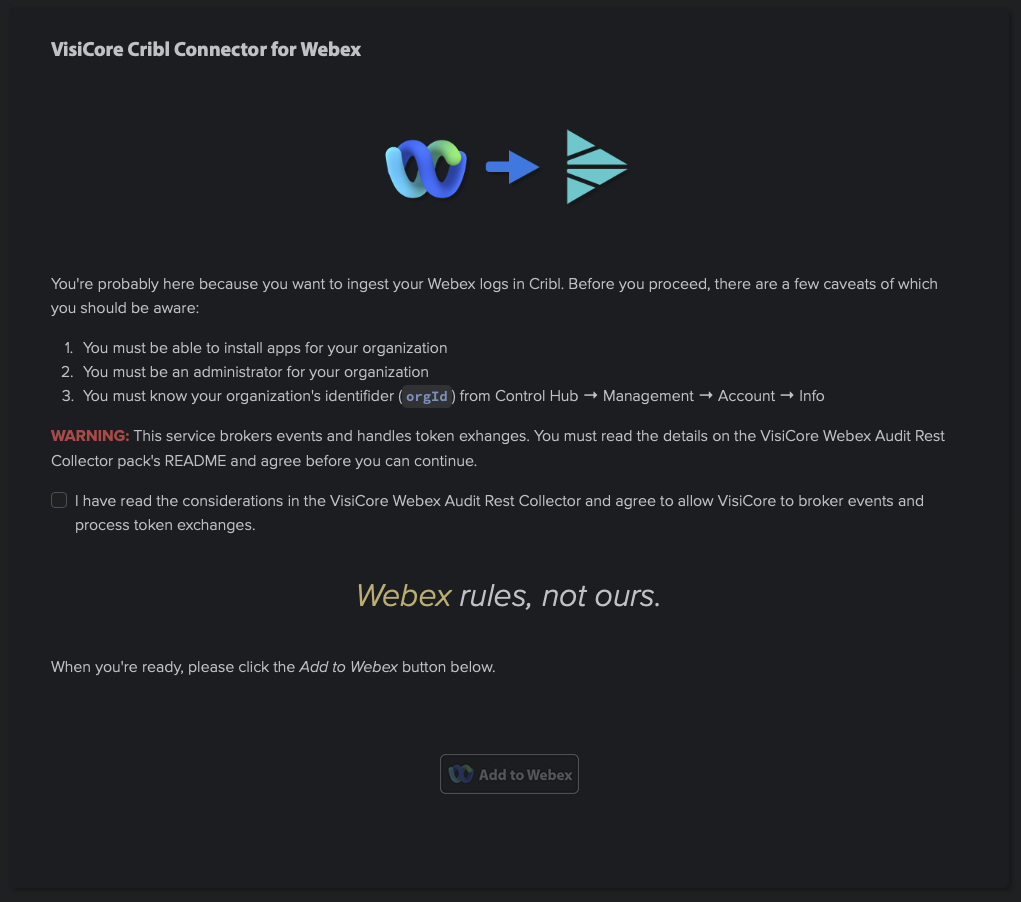
Please read this page carefully. If you agree, click the checkbox and then the Add to Webex button.
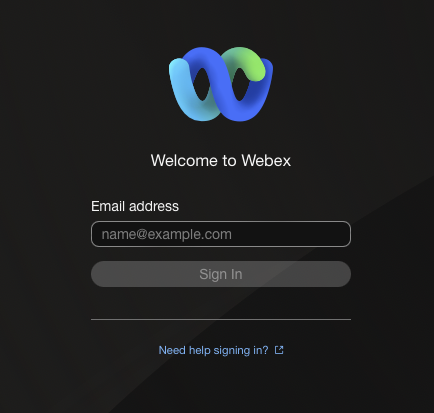
If you are not already signed into Webex, please do so. Follow the instructions in the Webex consent workflow and reach out to CriblPacks@visicoretech.com with any questions.
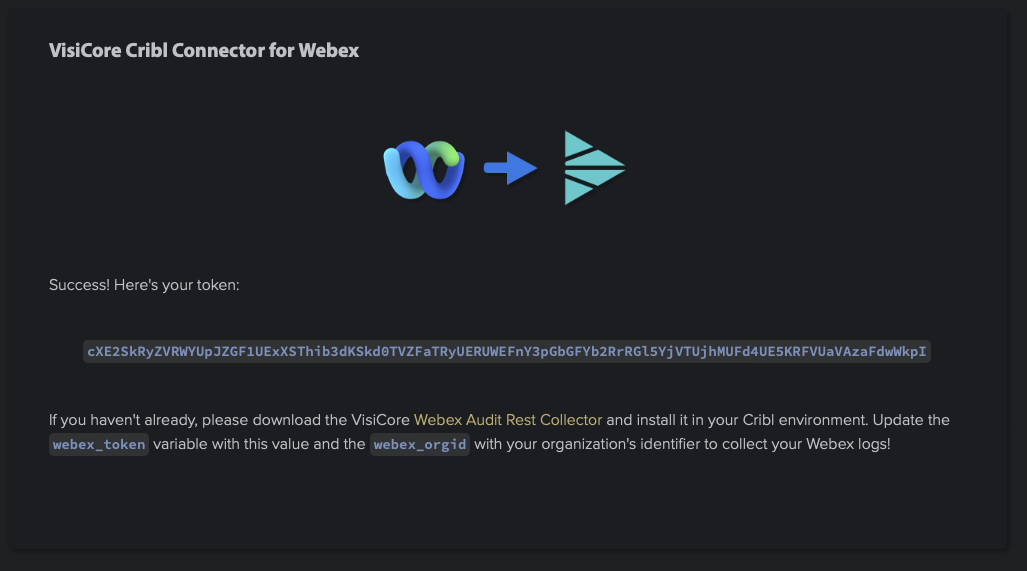
(you tried that token, didn'tcah? 😎)
??? Profit! Copy that token (it will only be displayed once and VisiCore cannot retrieve it once set) and update the value of the pack variable webex_token. If you haven't already, retrieve your organization's ID from Webex. The Authenticator provides a breadcrumb on how to find this value. Update the pack variable webex_orgid with this value.
Do not change the value of the x10_tenant pack variable unless instructed by VisiCore support.
Finally, if your System of Analysis supports the index metadata field, update the pack variable webex_index to reflect your target index.
This is a source pack. To route the data, configure a top-level route filtering on the pack's __inputId. Unless changed, that value should be __collectible.collectorId=='cc-stream-webex-audit-rest-io._in_vct_proxy_webex_audit'.
As a better practice, please do not modify sources, routes, or pipelines within the pack. All control is designed to be handled through pack variables. If you need functionality not present in the sources, routes, or pipelines, please reach out to CriblPacks@visicoretech.com to log a feature request. Modifying these core items can make upgrades... difficult.
To upgrade, use the Upgrade option through the Actions column on the packs page. If you upload/overwrite, it will destory any variable settings you have configured and you will need to re-authorize to get a new token. Tokens with no activity after 90 days will be deleted.
- Updated default header handling.
- Updated schedule earliest/latest from testing values.
- Clarified handling of pack ID on install and upgrade.
- Specified handling of the
x10_tenantpack variable in README. - README cleanup.
- Initial version. Adds support for OAuth interactive consent, token exchange, and events broker as well as light event processing and metadata processing.
- Internal beta - backend broker does not yet support token exchange or pagination.
To contribute to this Pack, or to report any issues or enhancement requests, please contact CriblPacks@visicoretech.com.
To contact us please email CriblPacks@visicoretech.com.
This Pack uses the following license: Apache 2.0.