Settings and Features\GUI Options
Settings and Features > GUI Options
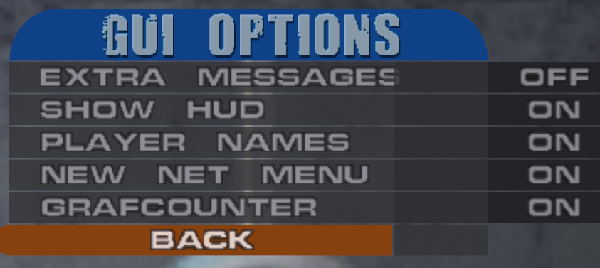
Allows to hide GUI messages that are triggered by extra and special tricks.
- Off = Works as original
- On = Messages Disabled
- Default: Off
Toggle HUD(Only part of it)
- Off = part of hud invisible
- On = Work as original
- Default: On
Toggle player names(This is only the nametag over the players)
- Off = Player Names invisible
- On = Work as original
- Default: On
Toggle the new net menu(accesable online by pressing esc)
- Off = Work as original
- On = New Net Menu Enabled
- Default: On
Toggle a UI showing number of tags in your combo(Only visible in grafitti mode)
- Off = Counter Disabled
- On = Counter Enabled
- Default: On
For more options see Tag counter options menu