A virtual reality experiment to investigate the influence of tool knowledge on anticipatory eye fixations featuring eye tracking and EEG support.
The Experiment application is used for the Gaze tool interaction Project of the Insitute of Cognitive Science
The experiment uses LSL data recording, an external recording tool that do not pose additional pressure on the VR system for data recording and allows for adding additional data streams , like those of EEG.
The standard SteamVR Grasping system has been extended for the tools in question, and allow for a more realistic grasp positioning.
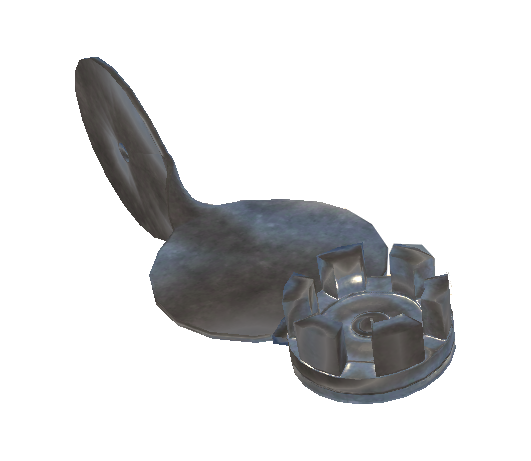
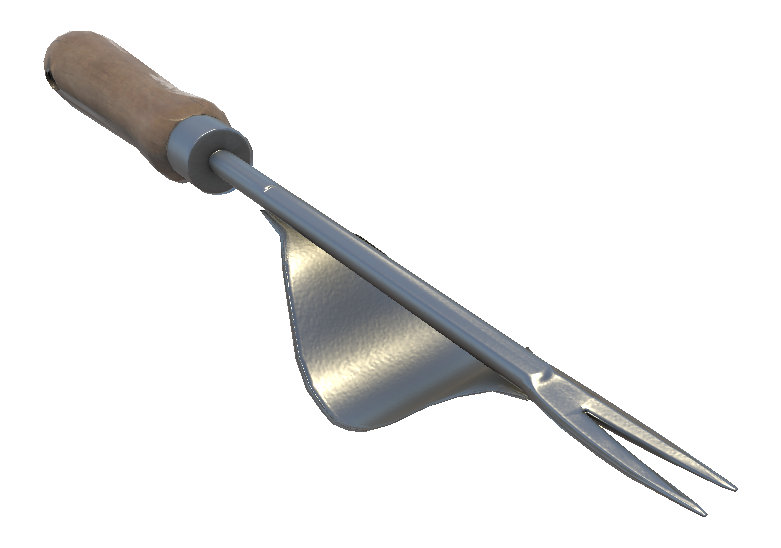
Some tools of the previous iteration of the experiment have been replaced with custom made 3D models by Tino Sauerland(https://www.artstation.com/ragnar_hrodgarson)
The experiment can be set to the custom needs of new experiments. Tools or block amount can be adjusted via the Unity editor. New Tools can be added by reusing the given structures for the already given tools. New experiment functions or process steps can be added by extending the NewExperiment logic.
trial.sample.mp4
In order to run the experiment either from the ViveSR runtime.
Lab stream layer need to be installed in order to record data from the experiment Lab stream layer.
SteamVR needs to be installed from Steam Store.
The Unity Project requires Unity Version 2019.2.14.f1. For running the application this is not required.
The build can be obtained by looking inside repositories from the build folder or downloading the "gti_index.zip" from the available download files
Before starting the application, please make sure you did a Standing only calibration in Steam VR.
Upon start of the application, sranipal will require access, please allow this for proper functional eye tracking.
once the application is started, it is recommend to access the LSL streams from the application and "register" to them via the LSL system. If the application needs to be stopped, it is recommend to also finish the recording, and restart, to access again the the streams of the application.
Once in menu, please head over to the Table Calibration, which allows to move the participant. Move the participant adjusting the offset vector in the menu. This can be done by changing the values manually. 1 unit refers to 1 meter in reality. Change the values accordingly. The application will save the setting for the next startup of the application.
After table calibration the real experiment can start. head back to the main menu, and start the experiment.
The "Start Experiment" will automatically start a tutorial session, that repeats the spawning of a tool until the participant is ready. Only the experimenter can continue the experiment by pressing "continue".
After that, the experiment is set in the Inbetween block (or in the before-the-actual-experiment phase). Here The user can calibrate the eyetracking. The eyetracking will start the standard Sranipal eyetracking, and afterwards a custom validation. The results of the validation indicate the error offset in degree. everything below 1° is acceptable for proper eyetracking recording. The eyetracking also offers a baseline check for synchronizing later data streams with EEG that can be performed. It initialize a 3 second period with a time stamp begin and time stamp of it's end.
In addition to the LeapMotion SDK and the ViveSR runtime, proper configuration files need to be present inside the Configuration folder in order to run the experiment. Default configuration files are provided.
After setting up the eye tracking, it is possible to run the actual experiment. randomized, all tools will be displayed in all orientations and with all tasks combinations. For each tool, the participant has to follow the experiment instructions according the experiment paragadime. Whenever the participant interacts with the button the former trial is finished and a new begins. In the standard setting the block consists of 48 trials. The procedure of the blocks is repeated for 6 blocks in total in it's standard setting. After all trials have been completed, the experimenter input is blocked completely.
With Alt+F4 the experiment can be closed.
The project can be added inside the Unity Hub and from there directly launched. It requires unity Version 2019.2.14f1.
If only minor changes are required, please look for the ExperimentManager(or the script NewExperimentManager) in the Scene Objects, and see if required changes can already be done in the inspector.
The project should already allow to add or remove tools, or tasks just from the inspector
If bigger changes are required, script manipulation utlizing C# is required. It is advisable to create additional scripts, that are then merged in the execution order inside the NewExperimentManager.
Code that orignates from the project and is not part of 3rd Party assets or plugins(please notice the Third-Party asset notice below), can be used in other projects. An notice about the origin of the code is favorable but not required.
Some of the used 3D models were obtained from online ressources. The following are licenced under a creative commons attribution 4.0.
- Adjustable Spannerwrench by CGWorker
- Emergency Stop Button by Miljan Bojovic
- Gardening Trowel by Matthew Meyers
- Hammer by FlukierJupiter
- Old Work Bench by Oliver Triplett
- Screw Driver by KleenStudio
- Tableware by Anthony Yanez
- Spoke Wrench created by Tino Sauerland (https://www.artstation.com/ragnar_hrodgarson)
- Paintbrush created by Tino Sauerland (https://www.artstation.com/ragnar_hrodgarson)
- Daisy Grubber created by Tino Sauerland (https://www.artstation.com/ragnar_hrodgarson)
- Flower cutter created by Tino Sauerland (https://www.artstation.com/ragnar_hrodgarson)

- The texture Planks Brown 10 by Rob Tuytel is licensed under the CC0 license.
Distribution of the plugins in object code form is permitted via the SDK license agreement. Running the build or the code as provided here will collect facial feature data of the user for the purpose of eye tracking and the eye tracking data will be stored on the user's local machine.
The SteamVR Unity plugin is licensed under the BSD 3-Clause "New" or "Revised" License.