UNDER DEVELOPMENT.
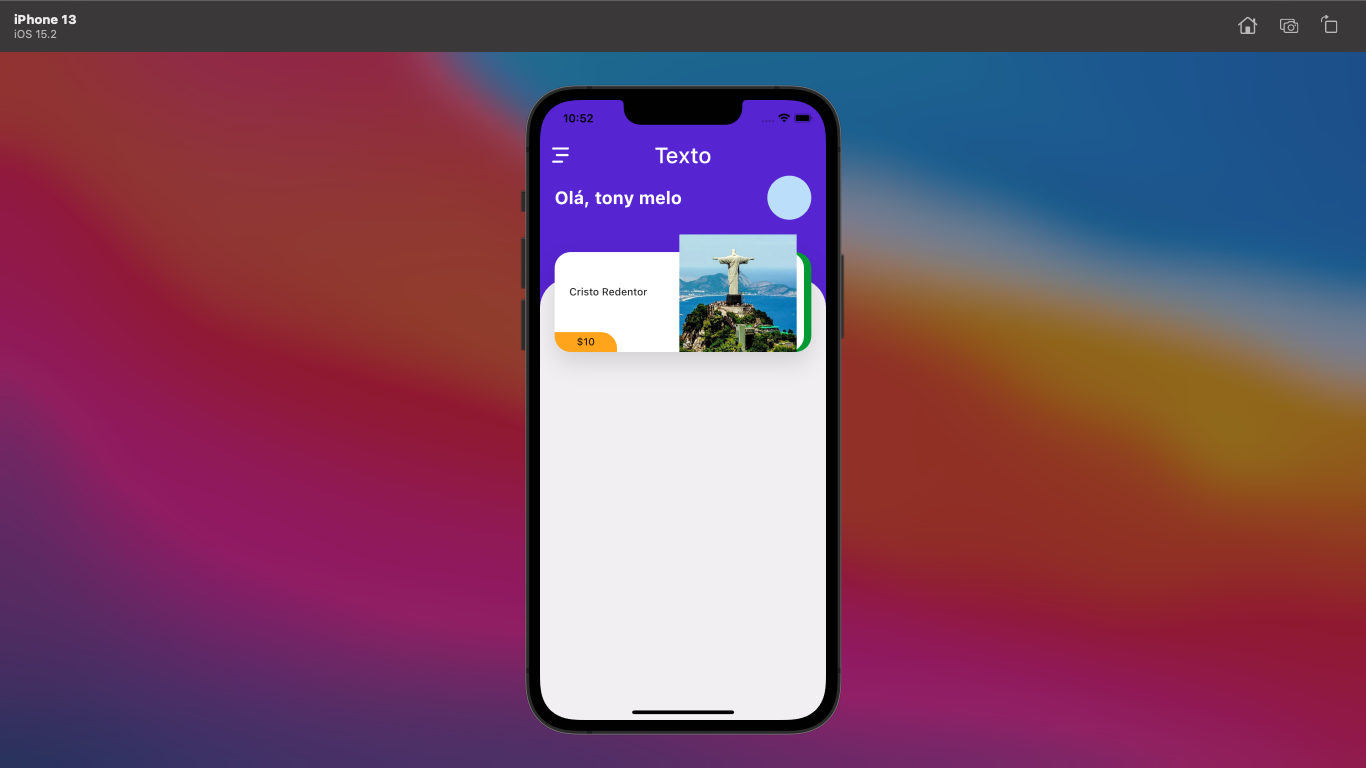
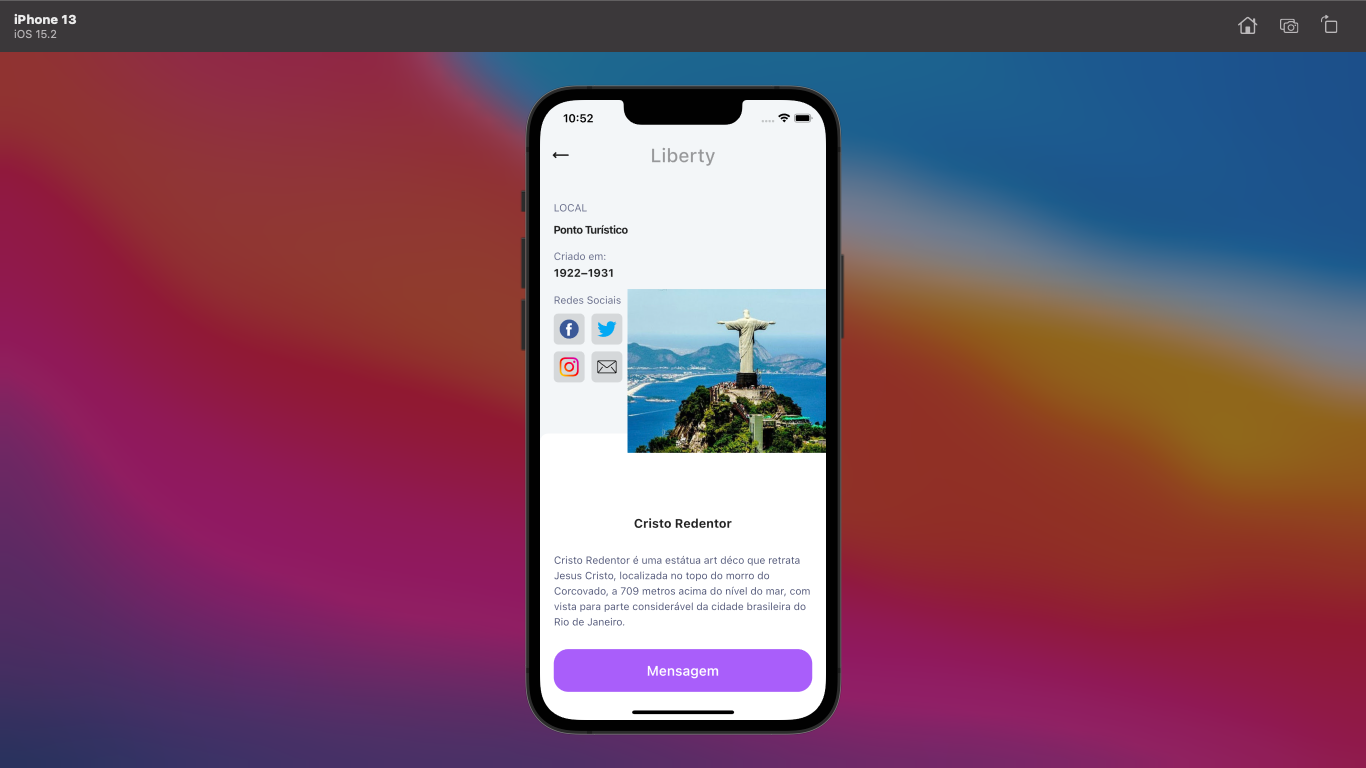
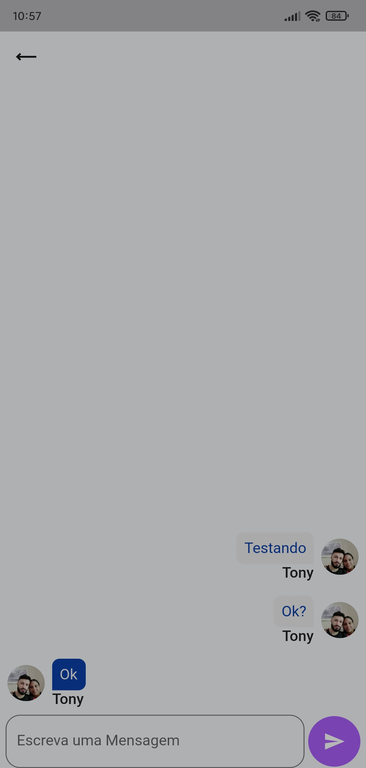
This project is an initiative aimed at providing users with information about tourist spots and memorable locations nearby based on geolocation. The idea behind this project is to offer details such as creation date, personal notes, and a brief description of each location, along with the ability to share experiences with other users through a messaging field.
Step 1: Firebase Setup
Access the Firebase Console (https://console.firebase.google.com/) and create a new project.
Within the project, go to the "Project Settings" section and add a Flutter app.
Follow the instructions to download the google-services.json file, which contains the Firebase configurations.
Step 2: Flutter Setup
In the directory of your Flutter project, add the downloaded google-services.json file to the android/app folder.
Open the android/build.gradle file and add the following dependency inside dependencies:
groovy
classpath 'com.google.gms:google-services:4.3.10'
Open the android/app/build.gradle file and add the following line at the end:
groovy
apply plugin: 'com.google.gms.google-services'
In the directory of your Flutter project, open the pubspec.yaml file and add the following dependencies:
yaml
dependencies: flutter: sdk: flutter firebase_auth: ^0.16.0 cloud_firestore: ^0.13.0
Run the command flutter pub get in the terminal to download the dependencies.
Step 3: Flutter Code Configuration
Import the following libraries in the Dart file where you want to use Firebase:
dart
import 'package:firebase_core/firebase_core.dart'; import 'package:firebase_auth/firebase_auth.dart'; import 'package:cloud_firestore/cloud_firestore.dart';
Initialize Firebase by adding the following code in the main() method:
dart
void main() async { WidgetsFlutterBinding.ensureInitialized(); await Firebase.initializeApp(); runApp(MyApp()); }
EM DESENVOLVIMENTO.
Este projeto é uma iniciativa que visa proporcionar aos usuários informações sobre pontos turísticos e locais memoráveis em sua proximidade com base na geolocalização. A ideia por trás desse projeto é oferecer detalhes como data de criação, notas pessoais e uma breve descrição de cada local, juntamente com a capacidade de compartilhar suas experiências com outros usuários por meio de um campo de mensagens.
Passo 1: Configuração do Firebase
Acesse o Console do Firebase (https://console.firebase.google.com/) e crie um novo projeto.
Dentro do projeto, vá para a seção "Configurações do projeto" e adicione um aplicativo Flutter.
Siga as instruções para baixar o arquivo google-services.json, que contém as configurações do Firebase.
Passo 2: Configuração do Flutter
No diretório do seu projeto Flutter, adicione o arquivo google-services.json baixado na etapa anterior à pasta android/app.
Abra o arquivo android/build.gradle e adicione a seguinte dependência dentro de dependencies:
groovy
classpath 'com.google.gms:google-services:4.3.10'
Abra o arquivo android/app/build.gradle e adicione a seguinte linha no final:
groovy
apply plugin: 'com.google.gms.google-services'
No diretório do seu projeto Flutter, abra o arquivo pubspec.yaml e adicione as seguintes dependências:
yaml
dependencies: flutter: sdk: flutter firebase_auth: ^0.16.0 cloud_firestore: ^0.13.0
Execute o comando flutter pub get no terminal para baixar as dependências.
Passo 3: Configuração do código Flutter
Importe as seguintes bibliotecas no arquivo Dart que deseja usar o Firebase:
dart
import 'package:firebase_core/firebase_core.dart'; import 'package:firebase_auth/firebase_auth.dart'; import 'package:cloud_firestore/cloud_firestore.dart';
Inicialize o Firebase adicionando o seguinte código no método main():
dart
void main() async { WidgetsFlutterBinding.ensureInitialized(); await Firebase.initializeApp(); runApp(MyApp()); }
A few resources to get you started if this is your first Flutter project:
For help getting started with Flutter, view our online documentation, which offers tutorials, samples, guidance on mobile development, and a full API reference.