
The project's main objective is to create a Twitch extension that allows streamers to play a game with their viewers. This component extension launches a game instance and stores the results in the leaderboards.
The primary focus of the project is to develop a Twitch extension that enables streamers to engage in gaming sessions with their viewers. The extension acts as a component, launching a game instance and storing the results in the leaderboards. Although the scope is currently limited to a single game for this codejam, the extension can be easily expanded in the future to support multiple games and game modes.
The game is implemented across three layers:
-
Twitch Extension Layer: The frontend is handled within the context of a Twitch extension. The application is rendered as an iframe within the streamer's window. The Extension Backend Service processes outbound API requests by validating the internal extension SSL certificate and JWT token.
-
Standalone Backend Layer: A standalone backend application on AWS EC2 is used to route and handle backend fetch requests. Alternatively, AWS Lambda or other serverless services can be utilized to achieve the same functionality.
-
Long-term Storage/Database Layer: Data is stored and managed in a MongoDB cluster on Mongo Atlas.
To use the extension, Twitch users need to be whitelisted and add the extension to their library. This allows them to see and interact with the extension during the stream, provided the streamer has enabled the extension component.
Setting up the extension or building upon this template requires some steps:
- Register the extension with Twitch.
- Populate the
config.jsonfile with the respective secrets after registration. - Add SSL certificates for the extension to handle outgoing HTTPS requests.
- Deploy the frontend by compressing the frontend files into a .zip file and uploading it to the extension. Complete the testing and publishing steps.
- Once the extension receives formal approval from Twitch staff, it can be added to the streamer's library.
For the backend, deploy it on a virtual machine. It is recommended to use NVM to download the latest version of Node.js. Run npm install to download the dependencies, followed by npm start to run the server. Note that the server requires signed SSL certificates stored under SSL. Ensure that DNS IP records are registered with the target domain.
There are no specific restrictions on the database layer. The database can be hosted on any cloud service or locally. In this case, a MongoDB cluster on Mongo Atlas was used to store the data. Based on the chosen database, the user may need to generate their own schema.
At its core, this project is a game running within the Twitch extension. For the purpose of this codejam, we have implemented a game called "Dino Time Crunch".
The link to the standalone game and play can be found Dino Time Crunch Repo.
This is a simple runner game where all actions can be controlled using the "Space" key. As the game starts, the Dino can acquire power-ups that accelerate the time cycle and change the environment between dawn, day, dusk, and night. It may sound straightforward, but things can get dicey when you go too fast and warp the space-time continuum. Hold on to your Dino and try to survive for as long as possible!

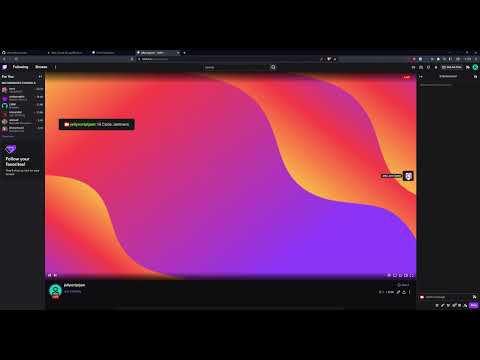
If this extension is approved, the streamer can decide how to curate the game. As long as the viewers are whitelisted on the extension, they should be able to join the game component and strive to make it onto the leaderboards.
This project is licensed under the MIT License - see the LICENSE.md file for details.
Team JellyScript Jam:
- uberecks
- akaremon
- henryiv
Music Contribution:
- ChrisPNugget (TimeEnjoyed Support Team)