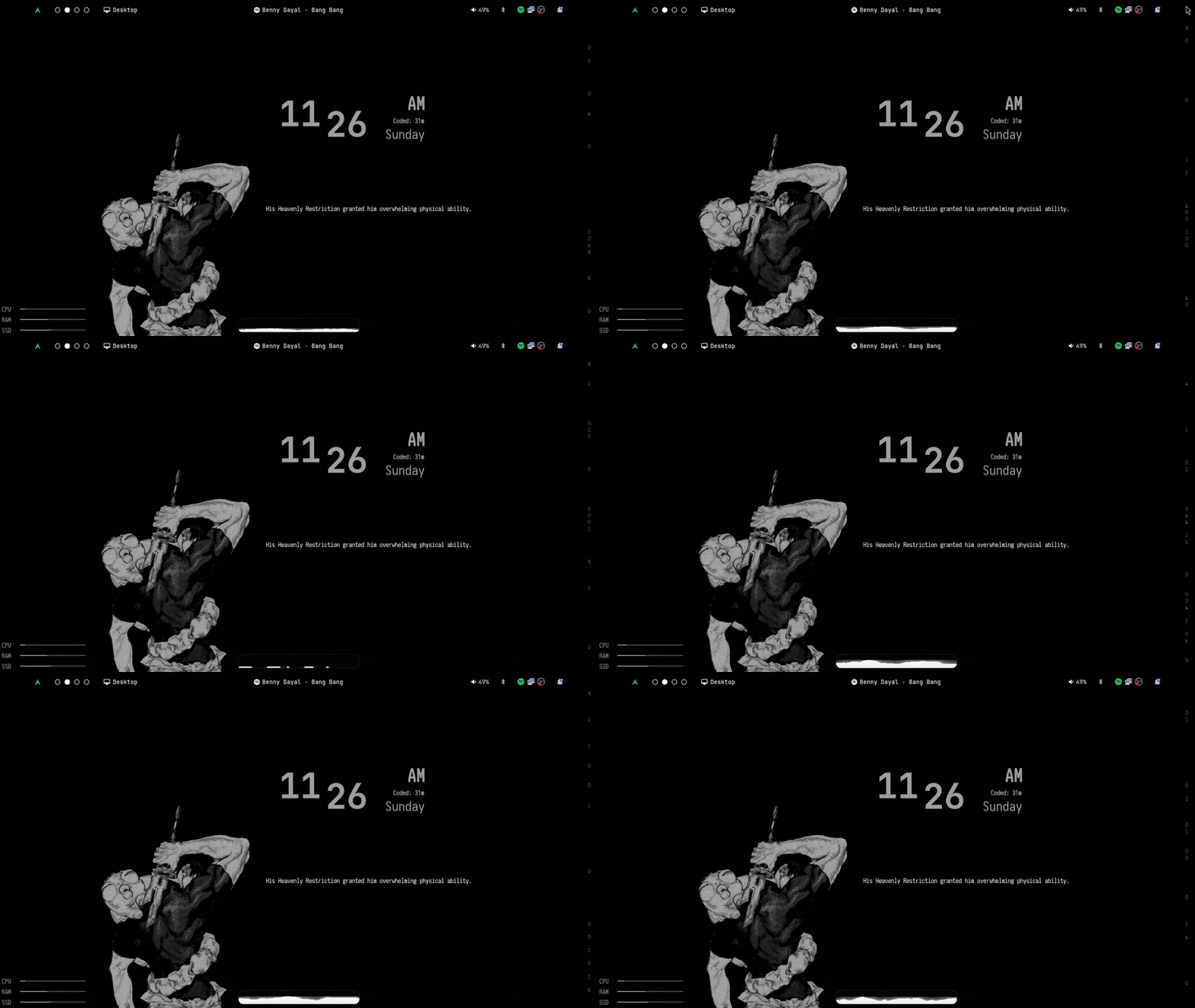
This is my Hyprland setup, what I actually run day to day, packaged with an install script so you don't have to copy every config file over by hand.
It's not trying to be a "rice framework" that works for everyone's setup out of the box. It's my setup: my keybinds, my topbar, the way I want wallpapers and workspaces to behave. If that lines up with what you're after, good, grab it. If not, fork it and bend it to your own taste — that's half the point of running Hyprland in the first place.
This was built around a 1360x768 screen. Run anything else and you'll probably see some layout glitches — bar sizing, widget spacing, stuff like that. Most of it's fixable by hand in the eww config (see Topbar below), but don't expect it to just look right on a different resolution yet. I'll get to making it resolution-independent eventually.
sudo pacman -S nano git
git clone https://github.com/thelinuxguy-ssh/hyprfect
cd hyprfect
chmod +x ./autoinstall.sh
./autoinstall.sh
That script pulls in the dependencies and drops the configs where they need to go. Read through autoinstall.sh before you run it if you want to know exactly what it touches on your system — you should do that with any stranger's install script, mine included.
If your mouse has a spare thumb button, bind SUPER to it. Speeds the whole workflow up a lot.
| Keys | Action |
|---|---|
| CTRL + X | close focused window |
| SUPER + F | toggle float |
| SUPER + J | toggle group |
| SUPER + L | lock screen |
| SUPER + SPACE | toggle fullscreen |
| Keys | Action |
|---|---|
| ALT + S | screenshot |
| SUPER + TAB | color picker |
| ALT + SPACE | app launcher |
| SUPER + W | wallpaper selector |
| SUPER + V | clipboard manager |
| SUPER + B | bluetooth manager |
| SUPER + T | terminal |
| SUPER + E | open files |
| Keys | Action |
|---|---|
| SUPER + [0-9] | switch workspaces |
| SUPER + scroll | cycle workspaces |
| SUPER + SHIFT + [0-9] | move focused window to workspace |
| SUPER + S | toggle special workspace |
Wallpapers — hit SUPER+W, or run hyprwall to open the picker yourself. Drop your own wallpapers into ~/.wallpapers and they show up there automatically, no extra config needed.
Monitors — run hyprdisplay for a TUI to manage your display setup. Don't forget to actually apply the config once you're done, or none of it sticks.
Topbar — run hyprbar to open its settings dialog, or go straight into .config/eww/eww.yuck and scroll to the bottom where the widget dimensions are defined if you need to adjust sizing for your screen. For the rest of the panel, run hyprpanel toggleWindow settings-dialog.
Grouped so it's not just a wall of package names:
Hyprland core hyprland, hyprdynamicmonitors-bin, hyprsunset, hyprwave, hyprpaper, swww
Shell zsh, zsh-autosuggestions, zsh-syntax-highlighting, zsh-theme-powerlevel10k
Bar, launcher, widgets eww, ags-hyprpanel-git, rofi-git, rofi-bluetooth-git, nwg-look
Login and session sddm, gdm, wlogout
Day-to-day utilities btop, fastfetch, fortune-mod, nautilus, gnome-disk-utility, wl-clipboard, cliphist, hyprpicker, hyprshot, bluez, pipewire, kitty, nano
Qt runtime bits some of the above need qt5-multimedia, qt5-graphicaleffects, qt5-quickcontrols2, qt5-declarative, qt6-svg, qt6-virtualkeyboard, qt6-multimedia-ffmpeg
You don't need to install these one by one — autoinstall.sh handles it. Just know what's landing on your system before you run it.