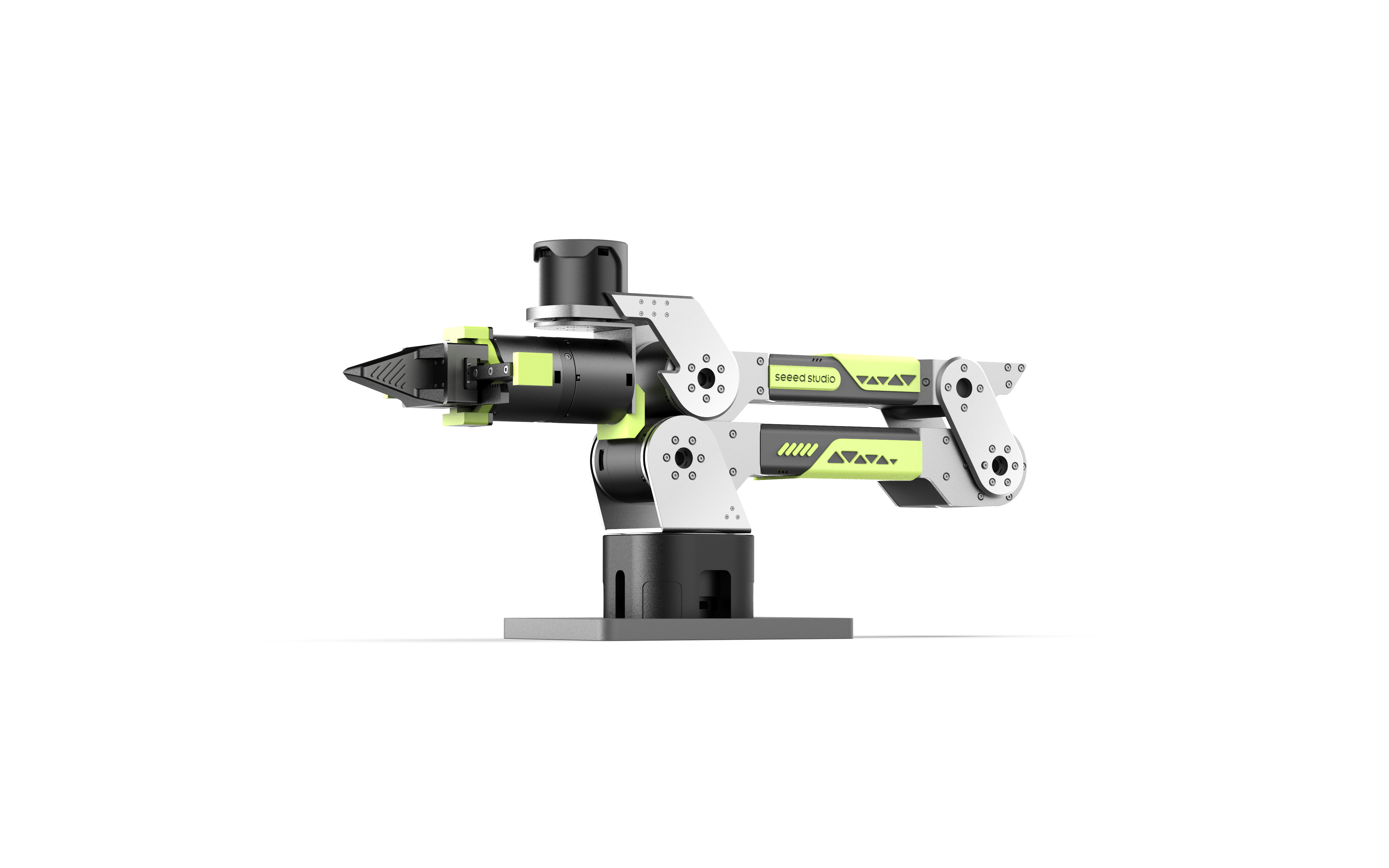





Depth Perception · Object Detection · Hand-Eye Calibration · Autonomous Grasping · Fully Open Source
reBot Arm B601 Visual Grasping Demo is a vision-based grasping demo built on the reBot Arm B601 robotic arm control library and RGB-D depth cameras. The system supports both DM and RS configurations of the B601 arm, uses a YOLO model to detect tabletop objects in real time, estimates grasp poses via OBB minimum bounding rectangles, transforms grasp points from camera space to robot base space through hand-eye calibration, and drives the arm to perform autonomous grasping.
- 📷 Depth Perception — Supports RGB-D depth cameras such as Orbbec Gemini 2 and RealSense D435i / D405
- 🔍 Object Detection — YOLO model-based recognition with open-vocabulary custom classes
- 📐 Pose Estimation — OBB short-axis direction for gripper orientation; depth quantile for grasp height
- 🔄 Coordinate Transform — TSAI hand-eye calibration (Eye-in-Hand) to map camera-frame grasp points to robot base frame
- 🦾 Motion Execution — reBotArm_control_py IK + trajectory controller with built-in gripper force-control state machine
| Component | Model / Requirement |
|---|---|
| Robotic Arm | reBot Arm B601 (DM / RS configurations) |
| Depth Camera | Orbbec Gemini 2, Intel RealSense D435i / D405 |
| Communication | USB2CAN serial bridge (arm); USB 3.0 (camera) |
| Host PC | Ubuntu 22.04+, Python 3.10, x86_64 |
Wiring
- Connect the depth camera to the host via USB 3.0
- Connect the USB2CAN adapter to the arm's CAN bus and plug it into the host
- Set device permissions:
sudo chmod a+rw /dev/bus/usb/*/*   # depth camera USB permissions
sudo chmod 666 /dev/ttyUSB0 # USB2CAN (adjust port as needed)Prefer the official Seeed-Projects repository:
git clone https://github.com/Seeed-Projects/reBot-DevArm-Grasp.git rebot_grasp
cd rebot_grasp
You can also use the current development repository:
git clone https://github.com/EclipseaHime017/reBot-DevArm-Grasp.git rebot_grasp
cd rebot_graspconda env create -f environment.yml
conda activate rebotarmDo not install pip pin>=3.9.0: the pip pin package may require numpy>=2.2,<2.3, which conflicts with this project and several vision / point-cloud dependencies that still use numpy<2.0.
cd sdk/reBotArm_control_py
pip install -e .
cd ../..
If pip install -e . reports Multiple top-level packages discovered in a flat-layout, add explicit package discovery to pyproject.toml in reBotArm_control_py, then run pip install -e . again:
[build-system]
requires = ["setuptools>=61.0", "wheel"]
build-backend = "setuptools.build_meta"

[tool.setuptools.packages.find]
include = ["reBotArm_control_py*"]
The DM and RS configurations of the B601 arm are selected through the SDK configuration. Edit hardware_yaml in sdk/reBotArm_control_py/config/rebotarm.yaml and choose the matching hardware file, for example:
hardware_yaml: rebotarm_dm.yamlor:
hardware_yaml: rebotarm_rs.yamlThe visual grasping programs read this SDK configuration and automatically select the matching arm control mode and gripper parameters.
This project supports RGB-D depth cameras such as Orbbec Gemini 2 and RealSense D435i / D405. Install the SDK that matches your camera; if your environment can already import the camera driver, you can skip this step.
Orbbec Gemini 2
Orbbec Gemini 2 depends on pyorbbecsdk — the Python wrapper for Orbbec SDK v2. Prefer installing the prebuilt Python package first:
Option 1: Install from pip (recommended)
pip install pyorbbecsdk2Option 2: Get it from GitHub
# Install build dependencies
sudo apt-get install -y cmake build-essential libusb-1.0-0-dev

cd sdk
git clone https://github.com/orbbec/pyorbbecsdk.git
cd pyorbbecsdk
pip install -e .
When installing from source, make sure the native extension has been built with CMake first so install/lib contains pyorbbecsdk*.so and the Orbbec shared libraries before running pip install -e ..
Mainland China users can use:
git clone https://gitee.com/orbbecdeveloper/pyorbbecsdk.gitIf all installation methods above fail, please refer to the official Orbbec documentation below.
Verify installation
python -c "import pyorbbecsdk; print('pyorbbecsdk OK')"RealSense D435i / D405
RealSense cameras depend on pyrealsense2. Usually you can install it directly with pip:
pip install pyrealsense2
python -c "import pyrealsense2; print('pyrealsense2 OK')"
If your system needs the full RealSense toolchain or udev rules, install librealsense2 by following the official RealSense SDK documentation.
Orbbec udev rules (required on first use)
cd sdk/pyorbbecsdk
sudo bash scripts/install_udev_rules.sh
sudo udevadm control --reload-rules && sudo udevadm trigger
OrbbecViewer (optional — verify camera)
Download the prebuilt package and run OrbbecViewer to confirm the camera connection and depth stream are working before running the demo.
- GitHub: https://github.com/orbbec/OrbbecSDK_v2/releases
- Gitee: https://gitee.com/orbbecdeveloper/OrbbecSDK_v2/releases
SDK Resources
| Resource | Link |
|---|---|
| Gemini 2 product page | https://www.orbbec.com/products/stereo-vision-camera/gemini-2/ |
| All developer resources | https://www.orbbec.com.cn/index/Download2025/info.html?cate=121&id=1 |
| Orbbec SDK v2 | https://github.com/orbbec/OrbbecSDK_v2 |
| SDK v2 API guide | https://orbbec.github.io/docs/OrbbecSDKv2_API_User_Guide/ |
| pyorbbecsdk | https://github.com/orbbec/pyorbbecsdk |
| pyorbbecsdk docs | https://orbbec.github.io/pyorbbecsdk/index.html |
| ROS2 Wrapper | https://github.com/orbbec/OrbbecSDK_ROS2/tree/v2-main |
| Intel RealSense SDK | https://github.com/realsenseai/librealsense |
You do not need GraspNet for scripts/main.py or scripts/ordinary_grasp_pipeline.py. Configure it only when you want to run scripts/graspnet_camera_demo.py or scripts/grasp.py, which require GraspNet baseline, CUDA-enabled PyTorch, the PointNet2/knn CUDA operators, and a pretrained checkpoint.
The GraspNet pointnet2 / knn extensions require a CUDA compiler. Before starting, make sure the active environment can find nvcc, and check that the CUDA version reported by nvcc matches the CUDA version used to build PyTorch:
nvcc --version
python -c "import torch; print(torch.__version__, torch.version.cuda)"
If nvcc is missing, or if the CUDA version reported by nvcc does not match torch.version.cuda, install a CUDA compiler that matches your current PyTorch CUDA version. For example, if PyTorch reports 13.0:
conda install -c nvidia cuda-nvcc=13.0You can also install a PyTorch build that matches your current nvcc version instead. The two versions must match, otherwise building pointnet2 / knn will fail with The detected CUDA version (...) mismatches the version that was used to compile PyTorch (...).
cd sdk
git clone https://github.com/graspnet/graspnet-baseline.git
cd graspnet-baseline

# Install PyTorch for your CUDA version first, then install GraspNet runtime dependencies
pip install open3d tensorboard Pillow tqdm

# Configure CUDA build paths before building the local operators.
export CUDA_HOME=$CONDA_PREFIX
export TORCH_CUDA_ARCH_LIST="12.0"
export CPATH=$CONDA_PREFIX/lib/python3.10/site-packages/nvidia/cu13/include:$CPATH
export CPLUS_INCLUDE_PATH=$CONDA_PREFIX/lib/python3.10/site-packages/nvidia/cu13/include:$CPLUS_INCLUDE_PATH
export LD_LIBRARY_PATH=$CONDA_PREFIX/lib/python3.10/site-packages/nvidia/cu13/lib:$CONDA_PREFIX/lib:$LD_LIBRARY_PATH

# Build CUDA operators
cd pointnet2
pip install . --no-build-isolation
cd ../knn
pip install . --no-build-isolation
cd ..

# Install GraspNet API
git clone https://github.com/graspnet/graspnetAPI.git
cd graspnetAPI
sed -i "s/'sklearn'/'scikit-learn'/" setup.py
pip install .
cd ../../..
Note: If you follow the official graspnet-baseline repository documentation and use python setup.py install, CUDA / PyTorch related errors may occur. We recommend using pip install . --no-build-isolation so the extension is built against the PyTorch and CUDA configuration already installed in the active conda environment.
If building fails with fatal error: cusparse.h: No such file or directory, run find $CONDA_PREFIX -name cusparse.h and make sure the directory that contains cusparse.h is included in CPATH / CPLUS_INCLUDE_PATH. If you installed CUDA headers from conda cuda-toolkit, the include path is usually $CONDA_PREFIX/targets/x86_64-linux/include instead of the pip nvidia/cu13/include path shown above.
In addition, GraspNet API dependencies may still use the sklearn package name. The sed command replaces it with scikit-learn to avoid the package-name warning during installation. Keep GraspNet API's numpy==1.23.4 pin unless you update that dependency stack, because transforms3d==0.3.1 still uses NumPy aliases such as np.float.
Refer to the official graspnet-baseline repository to download the official GraspNet pretrained weight, then place checkpoint-rs.tar at:
sdk/graspnet-baseline/checkpoints/checkpoint-rs.tarThen verify config/default.yaml:
graspnet:
  checkpoint: "checkpoint-rs.tar"
The checkpoint field supports three forms: a file name is resolved under sdk/graspnet-baseline/checkpoints/; a relative path is resolved from the project root; an absolute path is used directly.
rebot_grasp/
├── config/
│   ├── default.yaml              # Main configuration
│   └── calibration/
│       └── <camera_type>/
│           ├── intrinsics.npz    # Camera intrinsics
│           └── hand_eye.npz      # Hand-eye calibration result
├── drivers/
│   ├── camera/
│   │   ├── base.py               # Abstract camera base class
│   │   ├── orbbec_gemini2.py     # Gemini 2 driver
│   │   └── realsense.py          # RealSense driver (alternative)
│   └── robot/
│       └── grasp_driver.py       # Thin grasp helper around the arm SDK
├── calibration/
│   ├── aruco_pose.py             # ArUco pose estimation
│   └── hand_eye.py               # Hand-eye calibration solver
├── utils/
│   ├── ordinary_grasp.py         # OBB grasp estimation and visualization
│   └── transforms.py             # Coordinate transform utilities
├── scripts/
│   ├── main.py                   # Main grasping program
│   ├── ordinary_grasp_pipeline.py
│   ├── object_detection.py
│   └── collect_handeye_eih.py
├── sdk/
│   ├── pyorbbecsdk/              # Orbbec SDK Python wrapper
│   └── reBotArm_control_py/      # reBot Arm SDK
└── environment.yml               # Recommended conda environment
Edit config/default.yaml and verify the key parameters:
camera:
  type: orbbec_gemini2
  serial: null
  color_width: 1280
  color_height: 720
  fps: 30

calibration:
  aruco:
    marker_length_m: 0.1
    dict_id: 0
    target_marker_id: 0
  hand_eye_method: TSAI
  hand_eye_compensation_m:
    x: 0.00
    y: 0.0
    z: -0.01

detection:
  conf_threshold: 0.5
  iou_threshold: 0.45

robot:
  repo_root: null
  control:
    dm:
      arm_control_mode: posvel
    rs:
      arm_control_mode: mit
  gripper:
    dm:
      angle_open: 5.0
      counterclockwise: true
      tau_max: 1.5
      close_torque: 1.0
      default_force: 0.30
    rs:
      angle_open: 5.0
      counterclockwise: false
      tau_max: 1.5
      close_torque: 1.5
      default_force: 0.30
  ready_pose:
    x: 0.3
    y: 0.0
    z: 0.3
    roll: 0.0
    pitch: 0.7
    duration: 3.0

yolo:
  model_name: "yoloe-26l-seg.pt"
  device: "cpu"          # use "cuda:0" for GPU
  use_world: true
  custom_classes:
    - "yellow banana"
    - "water bottle"
    - "light blue coffee cup"
    - "cup"
    - "green object"
    - "tool"

grasp_pipeline:
  infer_every_live: 3
  grasp:
    depth_quantile: 0.5
    pregrasp_offset_m: 0.080
    insertion_depth_m: 0.015
    min_base_z_m: 0.00

graspnet:
  checkpoint: "checkpoint-rs.tar"
  num_point: 20000
  collision_thresh: 0.01
  min_depth: 0.05
  max_depth: 1.0
  top_k: 50
  target_class: null
  target_margin_px: 12
target_expand_ratio: 1.35camera.type: camera type. Available values:realsense_d435i,realsense_d405,orbbec_gemini2.camera.serial: specific device serial number;nullmeans use the first available device.calibration.aruco.marker_length_m: ArUco marker side length used for hand-eye calibration, in meters.calibration.hand_eye_compensation_m: manual XYZ translation compensation applied after hand-eye calibration, in the robot base frame and in meters. When all values are0.0, the compensation matrix is the identity matrix.detection.conf_threshold: YOLO confidence threshold.detection.iou_threshold: YOLO NMS IoU threshold.robot.repo_root: root directory ofreBotArm_control_py; whennull, the code usessdk/reBotArm_control_py.robot.control.dm/robot.control.rs: control-mode overrides selected according to the current SDK hardware configuration. By default, DM usesposveland RS usesmit.robot.gripper.dm/robot.gripper.rs: gripper parameters selected according to the current SDK hardware configuration.angle_open,close_torque, anddefault_forceare positive magnitudes.counterclockwisemarks the motor direction used for closing; the code derives the signed open angle and closing torque from it.tau_maxis the torque ceiling. Other gripper behavior parameters are defined indrivers/robot/grasp_driver.py.robot.ready_pose: the ready pose reached on startup and after each completed grasp.- To switch between the DM and RS arm, edit
hardware_yamlin the SDK filesdk/reBotArm_control_py/config/rebotarm.yamland chooserebotarm_dm.yamlorrebotarm_rs.yaml. grasp_pipeline.infer_every_live: run detection once every N frames during live preview to reduce CPU/GPU load.grasp_pipeline.grasp.depth_quantile: depth quantile used by the ordinary grasp pipeline; larger values usually place the grasp point deeper.grasp_pipeline.grasp.pregrasp_offset_m: distance, in meters, to retreat along the tool approach direction when generating the pre-grasp pose.grasp_pipeline.grasp.insertion_depth_m: additional insertion distance along the approach direction for GraspNet execution.grasp_pipeline.grasp.min_base_z_m: minimum allowed grasp height in the robot base frame.graspnet: GraspNet runtime parameters used byscripts/graspnet_camera_demo.pyandscripts/grasp.py.
YOLO models are loaded from rebot_grasp/models/. If the file is missing, Ultralytics will usually try to download it automatically.
Common choices:
| Model | Description |
|---|---|
yoloe-26l-seg.pt |
Open-vocabulary + segmentation, current default |
yoloe-26s-seg.pt |
Lighter and faster |
yolov8n-seg.pt |
Closed-set segmentation, small model |
yolov8s-seg.pt |
Closed-set segmentation, higher accuracy |
If the model name contains world or yoloe, and yolo.use_world=true, the program calls model.set_classes(custom_classes) and injects yolo.custom_classes as open-vocabulary categories. Standard yolov8*-seg.pt models ignore these open-vocabulary class entries.
python scripts/collect_handeye_eih.pyIn automatic mode, the arm traverses 50 preset poses and records a sample whenever the ArUco marker is detected stably. If the run finishes normally or is interrupted midway, the script still attempts to compute and save the calibration result; at least 5 samples are required, and 15 or more are recommended.
If you want to move the arm by hand during calibration, use:
python scripts/collect_handeye_eih.py --manualIn manual mode, the arm enters gravity-compensation mode. Push the end effector to a suitable viewpoint, press Enter to capture, and use c or q to finish and compute the result.
The full vision-grasping pipeline:
- Initialize the RGB-D camera and confirm the image stream is available
- Enable the arm and gripper, then move to the ready pose
- Live camera preview with YOLO object detection and instance segmentation
- OBB short-axis estimation for gripper orientation; depth quantile for grasp height
- Press
Gto freeze the frame; hand-eye transform computes the target arm pose - Arm moves to pre-grasp point → descends → gripper closes → lifts → returns to ready pose
Runs OBB grasp pose estimation and visualization without connecting to the arm. Useful for debugging the perception module in isolation.
Runs GraspNet 6D grasp pose estimation with only the RGB-D camera, without connecting to the robotic arm. The script keeps a live camera preview, uses YOLO bounding boxes to select the target area, and filters feasible GraspNet full-scene candidates by the target bbox. Press G or Space to infer the current frame, R to resume live preview, and Q or Esc to quit. After inference, Open3D can visualize the point cloud and grasp candidates.
python scripts/graspnet_camera_demo.pyConnects the GraspNet estimate to the robotic arm execution flow. YOLO selects the target, GraspNet outputs a 6D grasp pose, hand-eye calibration transforms it into the robot base frame, and the script checks IK reachability before running the pre-grasp, grasp, and retreat motion sequence. For debugging, start with --dry-run to print the target poses and candidate filtering result without moving the arm.
python scripts/grasp.py --dry-run
python scripts/grasp.py --target-class "light blue coffee cup"Pure YOLO detection with real-time bounding boxes and confidence scores. No grasping logic.
Eye-in-Hand hand-eye calibration using ArUco markers, with both automatic pose traversal and manual gravity-compensation sampling. Supports TSAI, PARK, and HORAUD solvers.
This usually means the robotic arm SDK dependencies are not installed in the current Python environment. Make sure the project environment is active, then update the environment and install the robotic arm SDK:
conda activate rebotarm
conda env update -n rebotarm -f environment.yml
cd sdk/reBotArm_control_py && pip install -e .Common causes include:
hand_eye.npzdoes not exist- The hand-eye calibration mode is not
eye_in_hand - The target pose is not reachable by IK
It is recommended to validate the perception result and target pose in dry-run mode first:
python scripts/main.py --dry-runCheck and adjust these items first:
grasp_pipeline.grasp.depth_quantile- The installation height of the camera relative to the workspace
- Reflective properties of the target surface
This usually means the local CUDA extension under sdk/graspnet-baseline/pointnet2 was not built in the active conda environment, or Python is resolving a different pointnet2 package. Make sure the project environment is active, then rebuild both pointnet2 and knn in that same environment:
conda activate rebotarm
cd sdk/graspnet-baseline/pointnet2
pip install . --no-build-isolation

cd ../knn
pip install . --no-build-isolation
Verify:
python -c "from pointnet2 import pointnet2_utils; print('Submodule import works')"If you see no kernel image is available for execution on the device, or PyTorch reports that the current GPU CUDA capability is unsupported, the installed PyTorch wheel likely does not include CUDA kernels for that GPU architecture. Install a PyTorch build that supports your current CUDA/GPU architecture, then rebuild the GraspNet local CUDA extensions.
python -c "import torch; print(torch.__version__, torch.version.cuda, torch.cuda.get_device_name(0))"

cd sdk/graspnet-baseline/pointnet2
pip install . --no-build-isolation

cd ../knn
pip install . --no-build-isolation
If you need to specify the build architecture manually, set TORCH_CUDA_ARCH_LIST before rebuilding. Choose the value according to your GPU architecture and PyTorch/CUDA version.
The sampling operators in pointnet2 only support CUDA tensors. Confirm that CUDA is available, the GraspNet network and input point cloud are on GPU, and pointnet2 / knn were built against the PyTorch version in the active environment.
python -c "import torch; print(torch.cuda.is_available())"If the output is False, fix the CUDA / PyTorch installation first. If it is True but the error remains, rebuild pointnet2 and knn.
- reBotArm_control_py — Robotic arm control library
- reBot-DevArm — reBot arm open-source project
- Orbbec Gemini 2
- Orbbec SDK v2
- pyorbbecsdk
- RealSense SDK
- graspnet/graspnet-baseline
- Ultralytics YOLOv11
- Technical Support: Submit an Issue
🌟 If this project helps you, please give us a Star!