Generally, it's challenging to drive 3D models in various engines using vertices. Therefore, this project draws inspiration from SAiD to directly predict blendshapes. Additionally, it utilizes SelfTalk based on the FaceFormer architecture, which offers the advantage of speed. By combining these two approaches, we can achieve fast driving of 3D characters to speak.
- Real-time Audio-Driven, latency less than 1 second
- Generalize pretty well for chinese and other languages
- Generalize pretty well for different metahuman character
- Generalizes well in any engine that supports blendshapes(UE,CC4,cocos,unity3d...)
Create conda environment
conda create -n talking_face python=3.9.18
conda activate talking_face
pip install torch==1.12.1+cu113 torchvision==0.13.1+cu113 torchaudio==0.12.1 --extra-index-url https://download.pytorch.org/whl/cu113
pip install -r requirements.txt
Due to the license issue of VOCASET, we cannot distribute BlendVOCA directly.
Instead, you can preprocess data/blendshape_residuals.pickle after constructing BlendVOCA directory as follows for the simple execution of the script.
mkdir BlendVOCA
BlendVOCA
   └─ templates
      ├─ ...
└─ FaceTalk_170915_00223_TA.plytemplates: Download the template meshes from VOCASET.
python preprocess_blendvoca.pyIf you want to generate coefficients by yourself, we recommend constructing the BlendVOCA directory as follows for the simple execution of the script.
BlendVOCA
  ├─ blendshapes_head
  │  ├─ ...
  │  └─ FaceTalk_170915_00223_TA
  │     ├─ ...
  │     └─ noseSneerRight.obj
  ├─ templates_head
  │  ├─ ...
  │  └─ FaceTalk_170915_00223_TA.obj
  └─ unposedcleaneddata
     ├─ ...
     └─ FaceTalk_170915_00223_TA
        ├─ ...
└─ sentence40blendshapes_head: Place the constructed blendshape meshes (head).templates_head: Place the template meshes (head).unposedcleaneddata: Download the mesh sequences (unposed cleaned data) from VOCASET.
And then, run the following command:
python optimize_blendshape_coeffs.py
This step will take about 2 hours.
We recommend constructing the BlendVOCA directory as follows for the simple execution of scripts.
BlendVOCA
  ├─ audio
  │  ├─ ...
  │  └─ FaceTalk_170915_00223_TA
  │     ├─ ...
  │     └─ sentence40.wav
  ├─ bs_npy
  │  ├─ ...
  │  └─ FaceTalk_170915_00223_TA01.npy
  │
  ├─ blendshapes_head
  │  ├─ ...
  │  └─ FaceTalk_170915_00223_TA
  │     ├─ ...
  │     └─ noseSneerRight.obj
  └─ templates_head
     ├─ ...
└─ FaceTalk_170915_00223_TA.objaudio: Download the audio from VOCASET.bs_npy: Place the constructed blendshape coefficients.blendshapes_head: Place the constructed blendshape meshes (head).templates_head: Place the template meshes (head).
python main.py
-
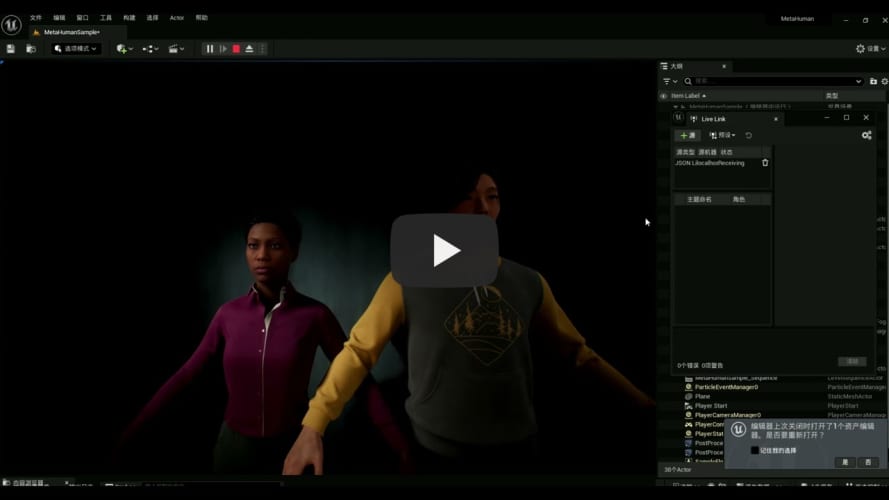
Prepare Unreal Engine5(test on UE5.1 and UE5.3) metahuman project
- Create default metahuman project in UE5
- Move jsonlivelink plugin into the Plugins of UE5 Animation
- Revise the blueprint of the face animation to cancel the default animation and rebuild
- Start jsonlivelink
- Run the level
-
Start the audio2face server, you can train and check your model under BlendVOCA, or download the model here:
python audio2face_server.py --model_name save_512_xx_xx_xx_xx/100_model
-
Drive the metahuman Unreal Engine:
cd metahuman_demo
python demo.py --audio2face_url http://0.0.0.0:8000 --wav_path ../test/wav/speech_long.wav --livelink_host 0.0.0.0 --livelink_port 1234
Since I deploy the metahuman project on my windows PC, so the livelink_host should be my PC's IP.
To optimize our model's performance on Chinese speech, we need to train it on a Chinese dataset. However, it's challenging to find high-quality open-source Chinese datasets on the internet, so we considered creating our own Chinese dataset. As is well known, dataset creation methods like VOCASET rely on expensive equipment and significant manpower, making such approaches prohibitively demanding.
We noticed that NVIDIA's Omniverse platform offers a high-quality 3D Audio2Face solution. With this, we only need to input audio to export the corresponding blendshape weights, allowing us to quickly produce large amounts of data that meet our format requirements. After verification, we found this approach to be effective. The model trained on our self-created Chinese dataset showed significantly better performance on Chinese speech compared to the model trained on BlendVOCA.
Check out lite-emo branch
To reduce the GPU memory when inference, We try to distill the model.
@misc{park2023said,
      title={SAiD: Speech-driven Blendshape Facial Animation with Diffusion},
      author={Inkyu Park and Jaewoong Cho},
      year={2023},
      eprint={2401.08655},
      archivePrefix={arXiv},
      primaryClass={cs.CV}
}
  @inproceedings{peng2023selftalk,
    title={SelfTalk: A Self-Supervised Commutative Training Diagram to Comprehend 3D Talking Faces},
    author={Ziqiao Peng and Yihao Luo and Yue Shi and Hao Xu and Xiangyu Zhu and Hongyan Liu and Jun He and Zhaoxin Fan},
    journal={arXiv preprint arXiv:2306.10799},
    year={2023}
  }