-
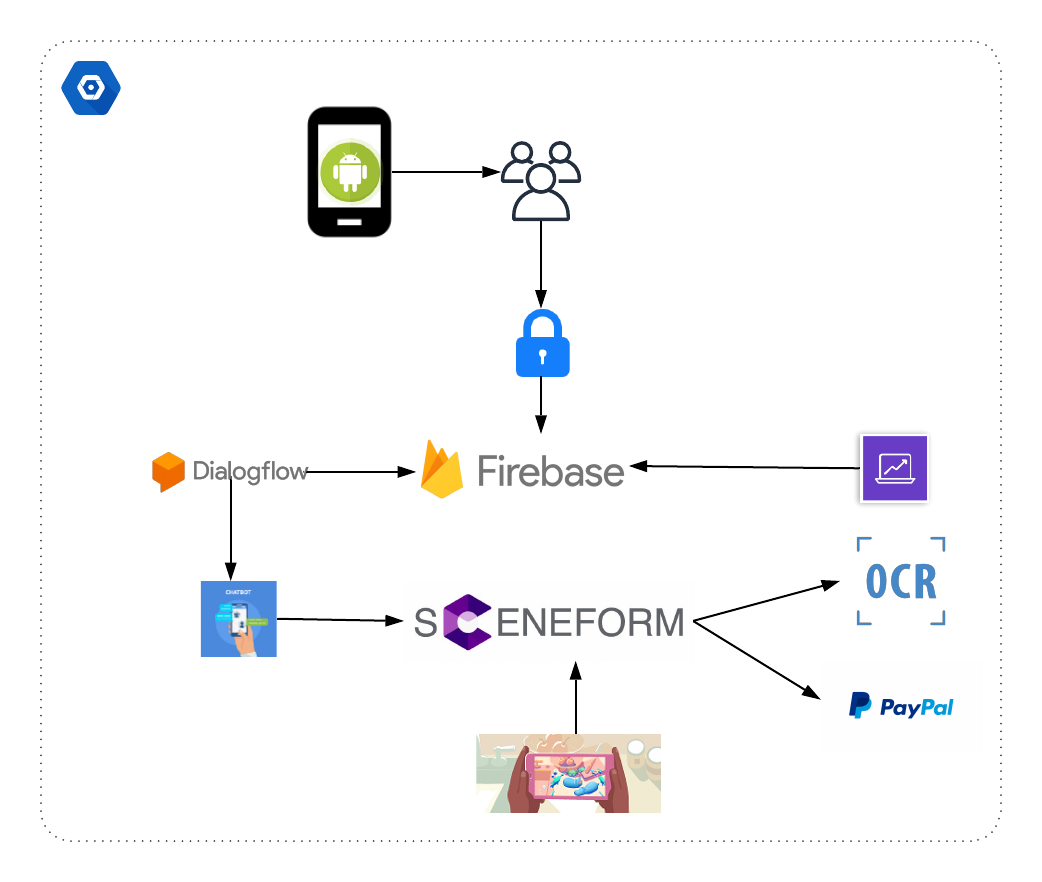
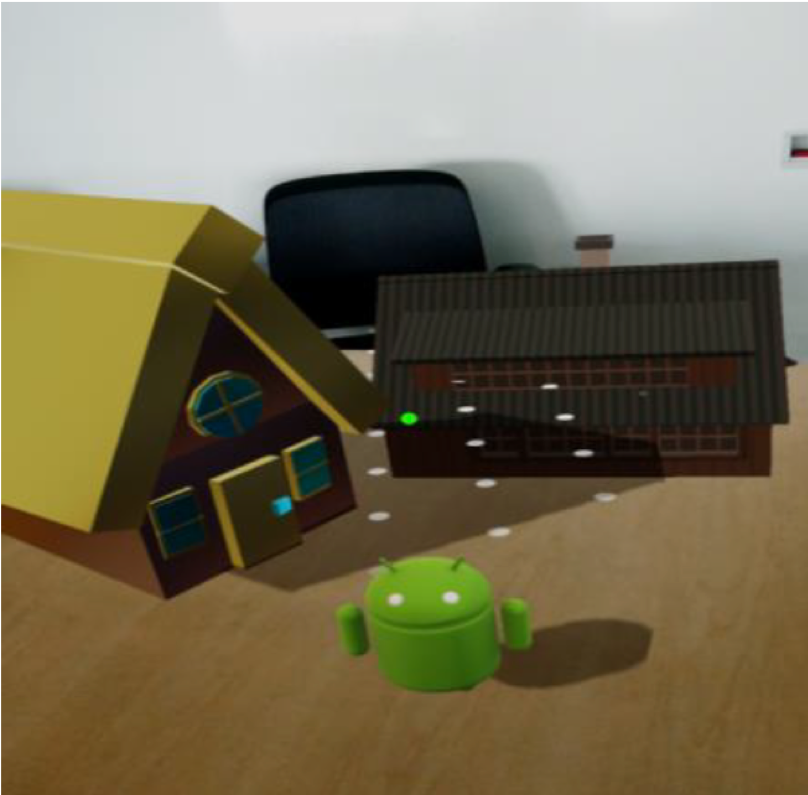
AR Shop Store is an Augmented Reality Shopping Application that enables the customer to envision the product closer to reality using Google AR Core - Google SceneForm.
-
Authentication using Google Firebase and storage using Firebase Real-time database.
-
Firebase inbuilt analytics to check the number of Users.
-
Integrated with a user-friendly chat bot via Google DialogFlow.
-
Optical Character Recognition [OCR] for the ease of payment.
-
Integrated with PayPal Sandbox.
- Download AR-Core from Google Play Store.
- Build the application on Android Studio.
- Run the application.
- Following are the dependencies Required in the build.gradle (Module: app) file:
dependencies {
implementation fileTree(dir: 'libs', include: ['*.jar'])
implementation 'com.android.support:appcompat-v7:28.0.0'
implementation 'com.android.support.constraint:constraint-layout:1.1.3'
implementation 'com.google.firebase:firebase-auth:16.0.3'
implementation 'com.google.firebase:firebase-database:16.0.1'
testImplementation 'junit:junit:4.12'
androidTestImplementation 'com.android.support.test:runner:1.0.2'
androidTestImplementation 'com.android.support.test.espresso:espresso-core:3.0.2'
implementation 'com.google.firebase:firebase-core:16.0.1'
implementation "com.google.ar.sceneform.ux:sceneform-ux:1.5.0"
//for paypal
implementation 'com.paypal.sdk:paypal-android-sdk:2.15.3'
//for text recognition using google ocr
implementation 'com.google.android.gms:play-services-vision:15.0.1'
implementation "com.google.android.gms:play-services-base:15.0.1"
//for items views
implementation 'com.android.support:recyclerview-v7:28.0.0'
implementation 'com.android.support:cardview-v7:28.0.0'
// for gif animation
compile 'pl.droidsonroids.gif:android-gif-drawable:1.2.3'
}
-
Ensure that the AR images are present in the "sampledata" folder.
-
Ensure that firebase is connected in Android Studio.
-
Ensure that the following permissions are present in the AndroidManifest.xml
- INTERNET
- CAMERA
- ACCESS_NETWORK_STATE
- WRITE_EXTERNAL_STORAGE
- READ_EXTERNAL_STORAGE