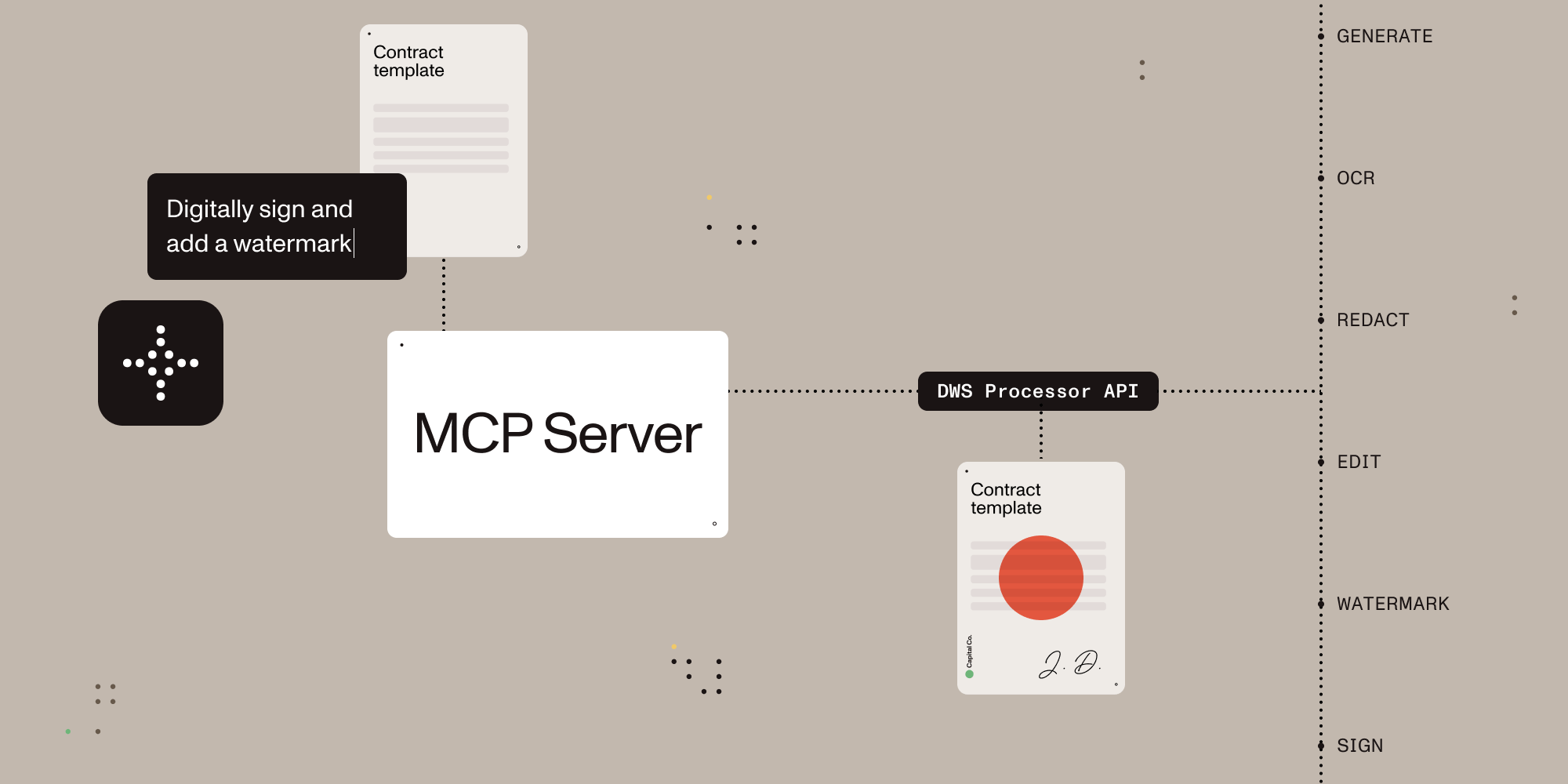

Give AI agents the power to process, sign, and transform documents.
A Model Context Protocol (MCP) server that connects AI assistants to the Nutrient Document Web Service (DWS) Processor API — enabling document creation, editing, conversion, digital signing, OCR, redaction, and more through natural language.
Once configured, you (or your AI agent) can process documents through natural language:
You: "Merge report-q1.pdf and report-q2.pdf into a single document" AI: "Done! I've merged both reports into combined-report.pdf (24 pages total)."
You: "Redact all social security numbers and email addresses from application.pdf" AI: "I found and redacted 5 SSNs and 3 email addresses. The redacted version is saved as application-redacted.pdf."
You: "Digitally sign this contract with a visible signature on page 3" AI: "I've applied a PAdES-compliant digital signature to contract.pdf. The signed document is saved as contract-signed.pdf."
You: "Convert this PDF to markdown" AI: "Here's the markdown content extracted from your document..."
You: "OCR this scanned document in German and extract the text" AI: "I've processed the scan with German OCR. Here's the extracted text..."
Sign up for free at nutrient.io/api.
Choose your platform and add the configuration:
Claude Desktop
Open Settings → Developer → Edit Config, then add:
macOS: ~/Library/Application Support/Claude/claude_desktop_config.json
Windows: %APPDATA%\Claude\claude_desktop_config.json
Cursor
Create .cursor/mcp.json in your project root:
{
"mcpServers": {
"nutrient-dws": {
"command": "npx",
"args": ["-y", "@nutrient-sdk/dws-mcp-server"],
"env": {
"NUTRIENT_DWS_API_KEY": "YOUR_API_KEY_HERE",
"SANDBOX_PATH": "/your/project/documents"
// "C:\\your\\project\\documents" for Windows
}
}
}
}Windsurf
Add to ~/.codeium/windsurf/mcp_config.json:
{
  "mcpServers": {
    "nutrient-dws": {
      "command": "npx",
      "args": ["-y", "@nutrient-sdk/dws-mcp-server"],
      "env": {
        "NUTRIENT_DWS_API_KEY": "YOUR_API_KEY_HERE",
        "SANDBOX_PATH": "/your/sandbox/directory"
        // "C:\\your\\sandbox\\directory" for Windows
      }
    }
  }
}VS Code (GitHub Copilot)
Add to .vscode/settings.json in your project:
{
"mcp": {
"servers": {
"nutrient-dws": {
"command": "npx",
"args": ["-y", "@nutrient-sdk/dws-mcp-server"],
"env": {
"NUTRIENT_DWS_API_KEY": "YOUR_API_KEY_HERE",
"SANDBOX_PATH": "${workspaceFolder}"
}
}
}
}
}Other MCP Clients
Any MCP-compatible client can connect using stdio transport:
NUTRIENT_DWS_API_KEY=your_key SANDBOX_PATH=/your/path npx @nutrient-sdk/dws-mcp-serverRestart the application to pick up the new MCP server configuration.
Drop documents into your sandbox directory and start giving instructions!
| Tool | Description |
|---|---|
| document_processor | All-in-one document processing: merge PDFs, convert formats, apply OCR, watermark, rotate, redact, flatten annotations, extract text/tables/key-value pairs, and more |
| document_signer | Digitally sign PDFs with PAdES-compliant CMS or CAdES signatures, with customizable visible/invisible signature appearances |
| sandbox_file_tree | Browse files in the sandbox directory (when sandbox mode is enabled) |
| directory_tree | Browse directory contents (when sandbox mode is disabled) |
| Feature | Description |
|---|---|
| Document Creation | Merge PDFs, Office docs (DOCX, XLSX, PPTX), and images into a single document |
| Format Conversion | PDF ↔ DOCX, images (PNG, JPEG, WebP), PDF/A, PDF/UA, HTML, Markdown |
| Editing | Watermark (text/image), rotate pages, flatten annotations |
| Security | Redact sensitive data (SSNs, credit cards, emails, etc.), password protection, permission control |
| Data Extraction | Extract text, tables, or key-value pairs as structured JSON |
| OCR | Multi-language optical character recognition for scanned documents |
| Optimization | Compress and linearize PDFs without quality loss |
| Annotations | Import XFDF annotations, flatten annotations |
| Digital Signing | PAdES-compliant CMS and CAdES digital signatures (via document_signer tool) |
This MCP server works with any platform that supports the Model Context Protocol:
- Claude Desktop — Direct MCP integration
- Cursor — AI-powered IDE with MCP support
- Windsurf — AI-powered IDE with MCP support
- VS Code + Copilot — GitHub Copilot MCP integration
- LangChain / LangGraph — Via MCP tool adapters
- OpenAI Agents SDK — Via MCP server integration
- Custom agents — Any MCP-compatible system
AI can read and understand documents — but most tools stop there. Nutrient gives AI agents the ability to actually manipulate documents: merge, redact, sign, watermark, convert formats, extract structured data, and more.
- Beyond PDF reading — Not just text extraction. Full document creation, editing, and transformation.
- Production-grade — Trusted by thousands of companies for mission-critical document processing.
- Standards-compliant — PAdES digital signatures, PDF/A archiving, PDF/UA accessibility.
- Cloud-native — No infrastructure to manage. Send documents to the API, get results back.
- Comprehensive redaction — Built-in presets for SSNs, credit cards, phone numbers, emails, dates, and more.
- Multi-format — Process PDFs, Office documents, images, HTML, and Markdown.
The server supports sandbox mode that restricts file operations to a specific directory. Set the SANDBOX_PATH environment variable to enable it:
export SANDBOX_PATH=/path/to/sandbox/directory
npx @nutrient-sdk/dws-mcp-serverWhen sandbox mode is enabled:
- Relative paths resolve relative to the sandbox directory
- All input file paths are validated to ensure they reside in the sandbox
- Processed files are saved within the sandbox
Note: If no sandbox directory is specified, the server operates without file path restrictions. Sandbox mode is strongly recommended for security.
Processed files are saved to a location determined by the AI. To guide output placement, use natural language (e.g., "save the result to output/result.pdf") or create an output directory in your sandbox.
| Variable | Required | Description |
|---|---|---|
NUTRIENT_DWS_API_KEY |
Yes | Your Nutrient DWS API key (get one free) |
SANDBOX_PATH |
Recommended | Directory to restrict file operations to |
Server not appearing in Claude Desktop?
- Ensure Node.js 18+ is installed (
node --version) - Check the config file path is correct for your OS
- Restart Claude Desktop completely (check Task Manager/Activity Monitor)
"API key invalid" errors?
- Verify your API key at dashboard.nutrient.io
- Ensure the key is set correctly in the
envsection (no extra spaces)
Files not found?
- Check that
SANDBOX_PATHpoints to an existing directory - Ensure your documents are inside the sandbox directory
- Use the
sandbox_file_treetool to verify visible files
Please see the contribution guidelines in CONTRIBUTING.md.
MIT License — see LICENSE for details.
{
  "mcpServers": {
    "nutrient-dws": {
      "command": "npx",
      "args": ["-y", "@nutrient-sdk/dws-mcp-server"],
      "env": {
        "NUTRIENT_DWS_API_KEY": "YOUR_API_KEY_HERE",
        "SANDBOX_PATH": "/your/sandbox/directory"
        // "C:\\your\\sandbox\\directory" for Windows
      }
    }
  }
}