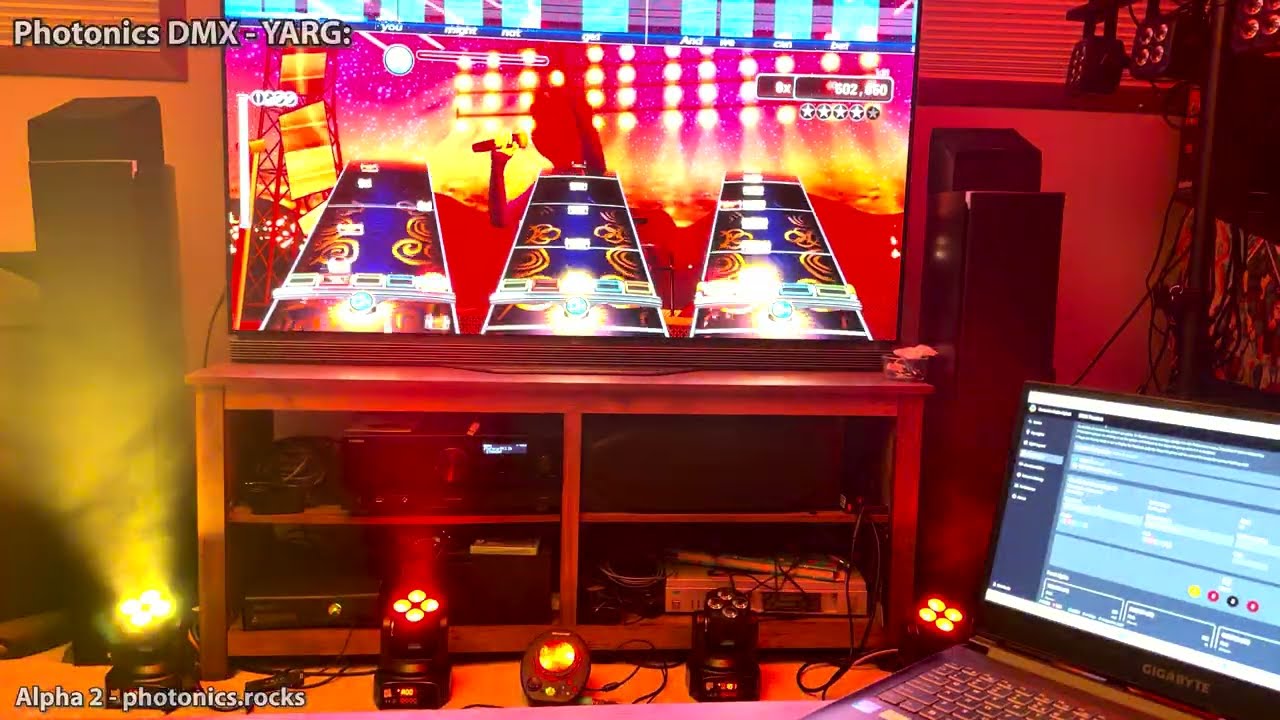
Photonics is a purpose built DMX light sequencer for use with YARG and Rock Band 3 Enhanced. It uses in-game lighting data to drive DMX lights in time to the music.
It utilizes a library of built-in lighting cues to create as close to a plug-and-play DMX experience as possible. If you're interested in using DMX lights, but don't want to create all the lighting cues yourself in applications like LightJams or QLC+, it might be the solution for you.
It sits somewhere between the original Rock Band Stage Kit and full blown DMX controllers like Lightjams and QLC+. Unlike YALCY Photonics only supports DMX lights and has support for Rock Band 3 (Enhanced).
DMX outputs: sACN, ArtNet, Enttec Pro USB, OpenDMX, plus a live DMX preview in the app.
For more information or the Quickstart guide please visit the project site: Photonics.rocks
If you have problems feel free to reach out in our Discord Server.
You can now download a build for MacOS. If you try to run it and get an error message:
“Photonics” is damaged and can’t be opened. You should move it to the Trash.
This is Gatekeeper blocking the app because it's not currently signed. To bypass this warning you need to open your terminal and run:
xattr -r -d com.apple.quarantine /Applications/Photonics.app
This should only need to be done once. After running that try opening Photonics again normally.
If this is your first foray into real-world lighting for rhythm games, and you primarily use YARG, you may wish to first take a look at the YALCY project.
YALCY is Yet Another Lighting Controller for YARG, and is the official way of integrating lighting effects with YARG. When used with the FatsCo Light Show and Strobe Light, this is by far the easiest way to get up and running!
How Photonics works is a bit different between the games:
YARG: Uses the same YARG data stream and cue triggers as YALCY. Currently you need the Nightly version of YARG to enable this feature.
See the Quickstart Guide for more on setting up YARG.
YARG supports multiple banks of cues (the visual effects): Stage Kit mimmics the original Stage Kit effects. Additional cue banks provide
alternative interpretations of these cues - they're inspired by, but do not match, the original Stage Kit. They tend to be less frenetic
than the original effects.
You can enable/disable the banks you like.
Rock Band 3 Enhanced: You need to edit the rb3e.ini configuration file to enable the lighting data over the network. Unlike YARG, RB3E
specifies the specific colours of each of the LEDs found on the original Stage Kit. Photonics maps this data against the available DMX lights
in your rig - using colour blending when two or more Stage Kit colour banks enable the same LED. E.g. Green 1 and Blue 1 on the Stage Kit
will become Cyan on DMX Light 1.
** If you are running RB3E you will need either 4 or 8 DMX lights ** - other combinations are unsupported.
Photonics now includes audio-reactive cues, acting as a visualizer for music coming from any audio source! This feature is aimed towards visualizing for rhythm games not directly supported, but can also be used as a general visualizer.
Create your own cues for YARG or Music Visualization. Photonics includes a powerful node-based cue editor.
Grab the release for your OS and install. For YARG you can run Photonics on the same computer as YARG.
Please take a look at the Quickstart Guide for instructions on getting up and running.
Photonics is still in its Alpha stages. The current release includes the node-based cue editor and will eventually replace code-based cues with JSON-defined cues. That said, there's more to come and the possibility of breaking changes ahead.
See the Project Status for more details.
Photonics is licensed under the GPLv3 (or later). See the LICENSE file for details.
Some libraries/assets that are packaged with the source code have licenses that must be included.
| Link | License | Use |
|---|---|---|
| dmx-ts | MIT license | ArtNet and Enttec Pro USB Support |
| sacn | MIT license | sACN DMX over network |
| @electron-toolkit/preload | MIT license | Electron preload utilities |
| @electron-toolkit/utils | MIT license | Electron utilities |
| jotai | MIT license | State Management |
| reactflow | MIT license | Node-based cue editor UI |
| ajv | MIT license | JSON schema validation for node cues |
| ajv-formats | MIT license | AJV format extensions |
| chokidar | MIT license | File watching for cue hot-reload |
| react-icons | MIT license | UI Icons |
| date-fns | MIT license | Date Formatting and Manipulation |
| uuid | MIT license | UUID Generation |
Photonics is built with Electron-Vite.
To build it yourself, clone the Git repo at: https://github.com/NullCarrierNC/photonics-dmx.git
$ npm install$ npm run dev# For windows
$ npm run build:win
# For macOS
$ npm run build:mac
# For Linux - completely untested to-date!
$ npm run build:linux$ npm run lint
$ npm run typecheck# Run all tests
$ npm test
# Run tests in watch mode (automatically re-run tests when code changes)
$ npm run test:watch
# Run tests with code coverage
$ npm run test:coverage