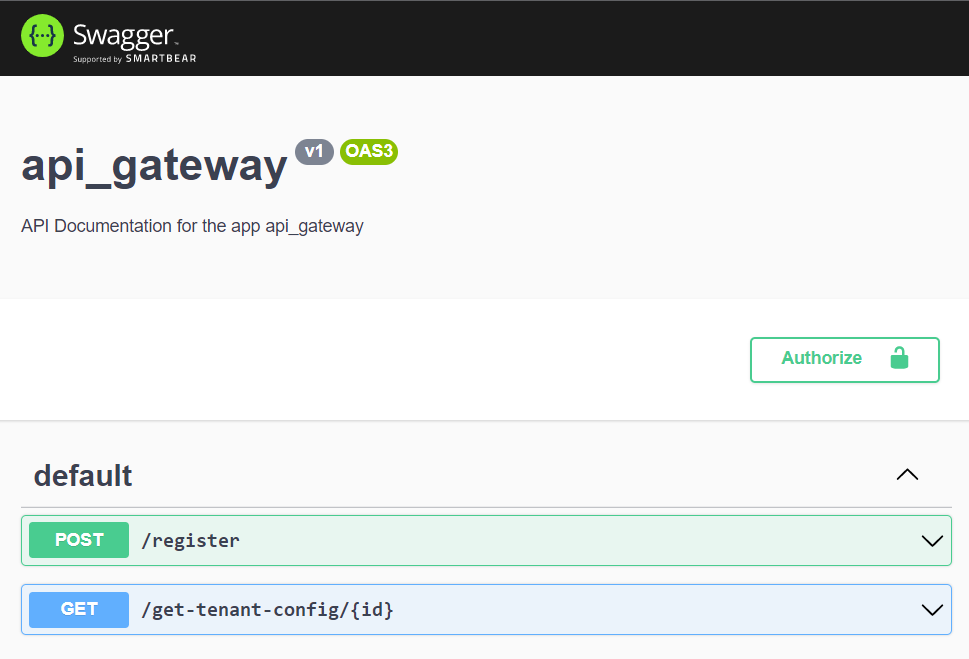
Multitenancy Rest Service
This multitenancy-rest-service has been included to interact with the tenant microservices and test its working. It has six endpoints namely
-
/register-HTTP POST: It registers a new tenant by consuming tenant-registration microservice -
/get-tenant-config/:id-HTTP GET: It retreives tenant config by consuming tenant-config-service microservice -
/all-tenants-HTTP GET: It retreives all the registered tenant information by consuming tenant-registration microservice -
/connect-database-HTTP GET: It generates the connection string to a tenant database and connects to it -
/description-HTTP PATCH: Sample API to update tenant configuration -
/delete-tenant-HTTP DELETE: Sample API to delete a tenant
First run this command to install all dependency
$ npm installThe controller includes end-points as is shown below in the code
# app.controller.ts
@Controller()
export class AppController {
  constructor(private readonly appService: AppService) {}

  @Post('register')
  @ApiBody({ type: RegisterTenantDto })
  registerTenant(@Req() req: Request, @Res() res: Response) {
    try {
      const tenant: RegisterTenantDto = req.body;
      const response = this.appService.register(tenant);
      response.subscribe((result) => res.send(result));
    } catch (e) {
      return e;
    }
  }

  @Get('get-tenant-config/:id')
  @ApiParam({ name: 'id', required: true, type: Number })
  getTenantConfig(@Req() req: Request, @Res() res: Response) {
    try {
      const tenantId: number = +req.params.id;

      const response = this.appService.getTenantConfig(tenantId);
      response.subscribe(async (result) => res.send(result));
    } catch (e) {
      return e;
    }
  }
  ...
}
These end point make calls to tenant microservice to communicate via TCP protocol as is shown below
# app.service.ts
export class AppService {
  constructor(
    @Inject('REGISTER_TENANT') private readonly client1: ClientProxy,
    @Inject('GET_TENANT_CONFIG') private readonly client2: ClientProxy,
  ) {}
  register(tenant: RegisterTenantDto) {
    return this.client1.send({ cmd: 'register-tenant' }, tenant);
  }
  getTenantConfig(id: number) {
    return this.client2.send({ cmd: 'get_config' }, id);
  }
  ...
}$ npm run startWe can interact with the API through swagger by navigating to http://localhost:5000/api/docs while the application is running