Training and Evaluation Pipeline for "PointWorld: Scaling 3D World Models for In-The-Wild Robotic Manipulation".






Wenlong Huang1,†,
Yu-Wei Chao2,
Arsalan Mousavian2,
Ming-Yu Liu2,
Dieter Fox2,
Kaichun Mo2,*,
Li Fei-Fei1,*
1Stanford University, 2NVIDIA
*Equal advising | †Work done partly at NVIDIA
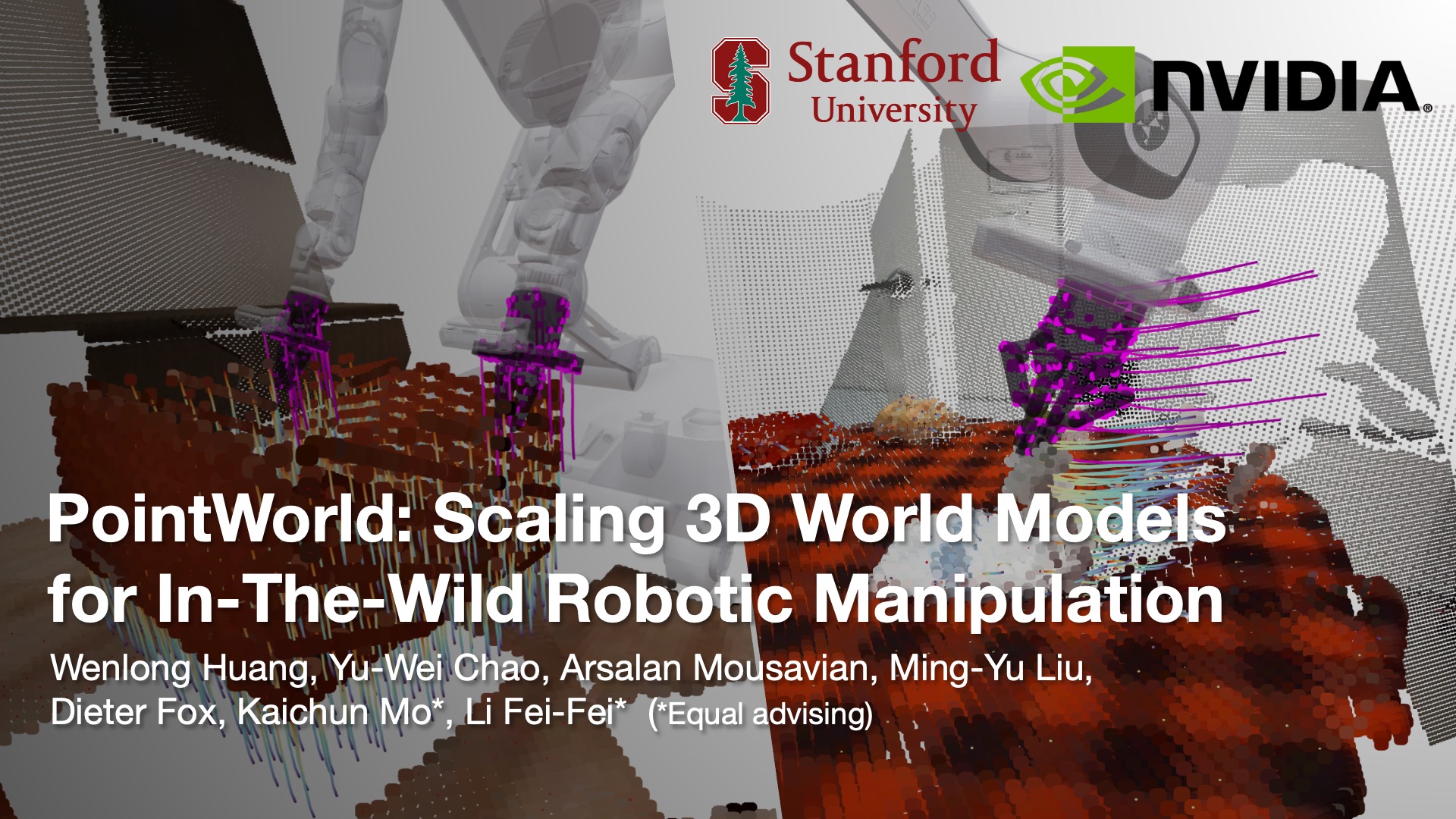
PointWorld is a large pre-trained 3D world model that predicts full-scene 3D point flows from partially observable RGB-D captures and robot actions, also represented as 3D point flows.
If you find this work useful in your research, please cite using the following BibTeX:
@article{huang2026pointworld,
  title={PointWorld: Scaling 3D World Models for In-The-Wild Robotic Manipulation},
  author={Huang, Wenlong and Chao, Yu-Wei and Mousavian, Arsalan and Liu, Ming-Yu and Fox, Dieter and Mo, Kaichun and Li, Fei-Fei},
  journal={arXiv preprint arXiv:2601.03782},
  year={2026}
}- Important Notes
- Setup
- Training
- Evaluation
- Visualization
- Known Limitations
- Acknowledgements
- Contributing
- Precomputed datasets and pretrained checkpoints are still under internal review at NVIDIA and are expected to be released in the next 1-2 months.
mainis the training/evaluation code branch for release.datais the dataset preparation pipeline branch.- Please first prepare the data using the
databranch. Then return tomainfor training and evaluation.
The main branch provides a self-contained conda setup with no local editable dependencies.
Recommended baseline for reproducibility in main:
- Linux
x86_64 - Python
3.10 - NVIDIA driver compatible with CUDA 12.4 wheels
Recommended setup:
# from repo root
conda env create -n pointworld-env -f environments/train_eval.yml
conda activate pointworld-env
# timm is used for PTv3 DropPath; install without pulling extra transitive deps
python -m pip install timm==1.0.19 --no-deps
# keep urdfpy-compatible graph deps on a Python 3.10-safe networkx release
python -m pip install networkx==3.4.2 --no-deps
If you also need visualization extras:
conda env update -n pointworld-env -f environments/train_eval_viz.yml --prune
# timm is used for PTv3 DropPath; install without pulling extra transitive deps
python -m pip install timm==1.0.19 --no-deps
# keep urdfpy-compatible graph deps on a Python 3.10-safe networkx release
python -m pip install networkx==3.4.2 --no-deps
Dependency layout:
environments/requirements.txt: canonical base dependency list for train/eval.environments/train_eval_viz.yml: optional visualization extras (matplotlib,open3d,viser).
Request access via the official DINOv3 release page first, then use the provided download URL.
git submodule update --init --recursive
mkdir -p third_party/dinov3/checkpoints
wget -O third_party/dinov3/checkpoints/<dinov3_vitl16_pretrain_*.pth> \
"<URL_FROM_DINOV3_ACCESS_EMAIL>"Use this directory layout for generated datasets consumed by main:
- DROID WDS:
/path/to/droid/wds - BEHAVIOR WDS:
/path/to/behavior/wds
The arguments.py defaults now follow this convention under LOCAL_DATASET_DIR:
droid->${LOCAL_DATASET_DIR}/droid/wdsbehavior->${LOCAL_DATASET_DIR}/behavior/wds
PointWorld release now supports three PTv3 variants:
smallbase(default)large
Set the variant explicitly with --ptv3_size=<small|base|large> in training/evaluation commands when needed.
python train.py \
  --domains=droid \
  --data_dirs=/path/to/droid/wds \
  --norm_stats_path=stats/droid \
  --batch_size=<BATCH_SIZE> \
  --num_workers=<NUM_WORKERS> \
  --eval_num_workers=<EVAL_NUM_WORKERS> \
  --eval_freq=-1
Replace /path/to/droid/wds and worker/batch settings with values that match your machine.
python train.py \
  --domains=behavior \
  --data_dirs=/path/to/behavior/wds \
  --norm_stats_path=stats/droid_behavior \
  --batch_size=<BATCH_SIZE> \
  --num_workers=<NUM_WORKERS> \
  --eval_num_workers=<EVAL_NUM_WORKERS> \
--eval_freq=-1python train.py \
--domains=droid,behavior \
--data_dirs=/path/to/droid/wds,/path/to/behavior/wds \
--norm_stats_path=stats/droid_behavior \
--batch_size=<BATCH_SIZE> \
--num_workers=<NUM_WORKERS> \
--eval_num_workers=<EVAL_NUM_WORKERS> \
--eval_freq=-1torchrun \
--standalone \
--nproc_per_node=<NUM_GPUS> \
train.py \
--distributed=true \
<your_train_args>By default, release evaluation targets the test split.
This step is only required if you want reliable filtered metrics on the DROID domain (full_eval/test/filtered_l2_moved/mean) and for reproducing the results in the paper.
python train.py \
  --domains=droid \
  --data_dirs=/path/to/droid/wds \
  --norm_stats_path=stats/droid \
  --train_splits=test \
  --exp_name=droid-test-expert \
  --batch_size=<BATCH_SIZE> \
  --num_workers=<NUM_WORKERS> \
  --eval_num_workers=<EVAL_NUM_WORKERS> \
--eval_freq=-1The key paper metric is:
full_eval/test/filtered_l2_moved/mean
To evaluate filtered metrics, generate expert confidence locally first.
- Set the expert checkpoint path (for example, from the
--train_splits=testrun above):
EXPERT_MODEL_PATH=/path/to/train_logs/droid-test-expert/model-last.pt- Generate confidence annotations on DROID test split:
python eval.py \
  --model_path "${EXPERT_MODEL_PATH}" \
  --domains=droid \
  --data_dirs=/path/to/droid/wds \
  --run_confidence_annotation=true \
  --confidence_thres=0.8 \
  --batch_size=1 \
  --eval_num_batches=-1
This writes expert_confidence-seed=42.h5 under /path/to/droid/wds/test/.
- Evaluate a target checkpoint using the generated confidence annotation:
MODEL_PATH=/path/to/train_logs/<run_name>/model-last.ptpython eval.py \
--model_path "${MODEL_PATH}" \
--domains=droid \
--data_dirs=/path/to/droid/wds \
--confidence_thres=0.8 \
--batch_size=1 \
--eval_num_batches=-1For quicker iteration, you can set --eval_num_batches=<N> (for example 100) instead of full-dataset evaluation.
BEHAVIOR evaluation does not require the expert-confidence annotation because the data is noiseless.
MODEL_PATH=/path/to/train_logs/<run_name>/model-last.ptpython eval.py \
--model_path "${MODEL_PATH}" \
--domains=behavior \
--data_dirs=/path/to/behavior/wds \
--norm_stats_path=stats/droid_behavior \
--batch_size=1 \
--eval_num_batches=-1PointWorld visualization is built on top of viser, which provides the live 3D viewer and GUI controls.
Use evaluation-time visualization by setting --eval_viz_num > 0:
python eval.py \
  --model_path "${MODEL_PATH}" \
  --domains=droid \
  --data_dirs=/path/to/droid/wds \
  --batch_size=1 \
  --eval_num_batches=100 \
  --eval_viz_num=8 \
  --viewer_port=8080
When running, open http://localhost:8080 in your browser.
Visualization includes these controls:
Frame: step through temporal evolution (frame-by-frame) across the sequence.Ground-truth: switch between model prediction and GT trajectories.Upsample: toggle between coarse and upsampled point rendering.Scene flow densityandRobot flow density: reduce/increase the number of rendered flow vectors.Scene Flow ThicknessandRobot Flow Thickness: adjust vector thickness for readability.Point size: adjust rendered point cloud size.Full overlay opacity: control overlay transparency.
Runtime behavior:
- After each visualized sample, the CLI prompts
Press ENTER to continue ...(typeqto stop). - This prompt requires an interactive TTY (a real terminal stdin). If stdin is redirected/captured, the prompt may fail.
- In headless setups, SSH with a terminal attached and forward the viewer port if needed.
If you want to run evaluation without visualization, set --eval_skip_viz=true (or leave --eval_viz_num=-1).
- Eval outputs are not deterministic on GPU; small run-to-run variation is expected even with fixed seeds.
- Partial-batch comparisons (
eval_num_batches < full dataset) are sensitive tonum_workersandeval_num_workers; match these settings when comparing runs.
We gratefully acknowledge the authors and maintainers of third-party projects that this repository depends on or adapts. Modifications have been made where noted, and the original license terms remain in effect.
Third-party OSS attribution and license references for distributed or adapted code are documented in THIRD_PARTY_LICENSES.md.
| Repository / Project | Usage in this repo | License |
|---|---|---|
| facebookresearch/dinov3 | Scene encoder backbone submodule (third_party/dinov3/) |
DINOv3 License |
| Pointcept/PointTransformerV3 | Vendored/adapted PTv3 components (ptv3/) |
MIT |
| facebookresearch/sonata | PTv3 lineage reference for adapted components | Apache-2.0 |
| StanfordVL/OmniGibson | Adapted transform utilities (transform_utils.py, deploy/transform_utils_torch.py) |
MIT |
| UT-Austin-RPL/deoxys_control | Additional adapted transform routines noted in transform_utils.py |
Apache-2.0 |
All external contributions must follow CONTRIBUTING.md in this repository.
In particular, commits must be signed off (git commit -s) to satisfy DCO requirements.