A modern, responsive web application for managing browser extensions with a beautiful dark/light theme interface built with React, TypeScript, and Tailwind CSS.
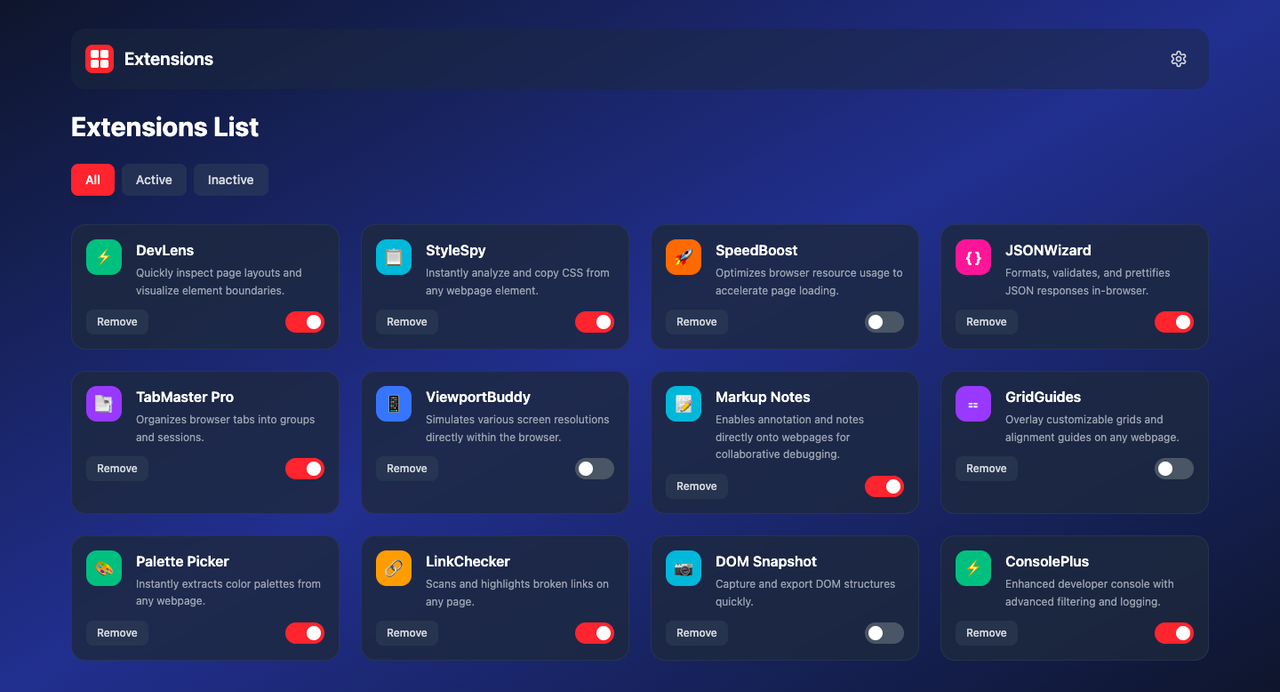
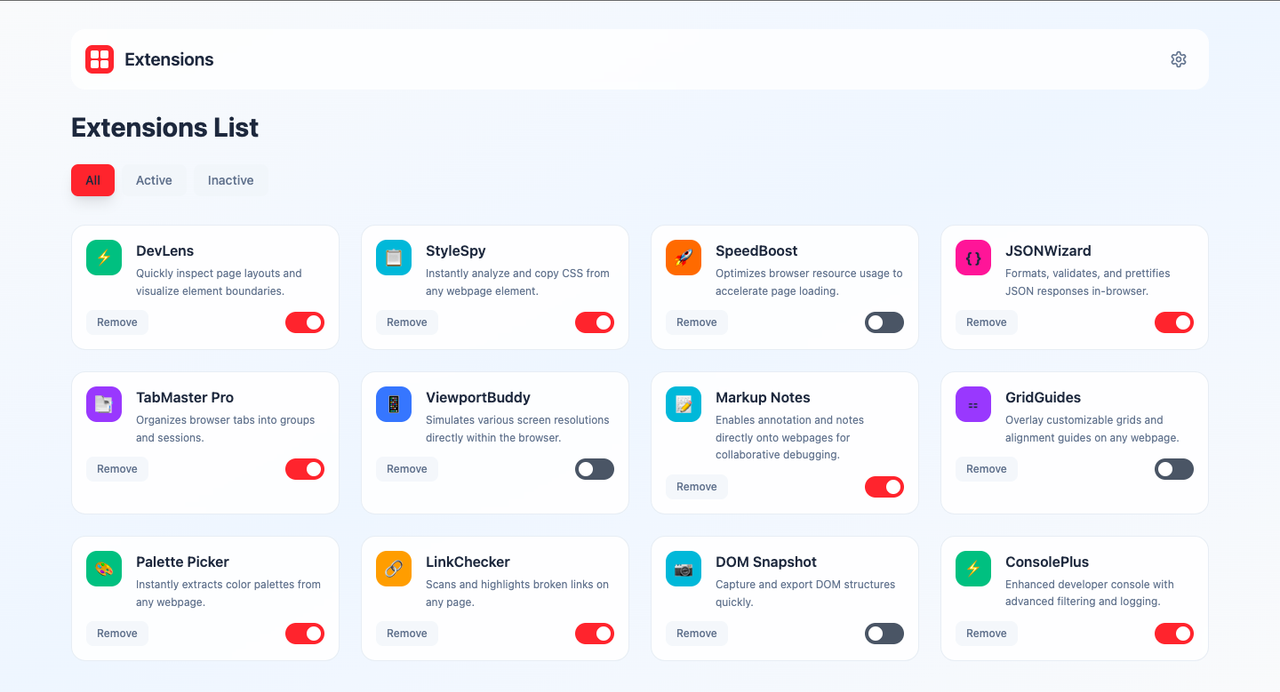
- Modern Design: Clean, professional interface with smooth animations
- Responsive Layout: Adapts seamlessly from mobile to desktop
- Theme Support: Light, Dark, and System preference themes
- Smooth Transitions: Polished animations and hover effects
- Toggle Extensions: Enable/disable extensions with interactive switches
- Filter Extensions: View All, Active, or Inactive extensions
- Remove Extensions: Clean removal with confirmation
- Compact View: Space-efficient layout option
- Theme Switching: Light/Dark/System theme selection
- View Options: Compact view toggle for better space utilization
- Data Management: Export settings and clear cache
- Developer Mode: Advanced debugging features
- Notification Controls: Manage update and security alerts
- Mobile First: Optimized for mobile devices
- Tablet Support: Perfect layout for medium screens
- Desktop Enhanced: Multi-column grid for large screens
- Touch Friendly: Large touch targets and smooth interactions
- Node.js (v16 or higher)
- npm or yarn package manager
-
Clone the repository
git clone <repository-url>
cd extensions-manager
-
Install dependencies
npm install
-
Start the development server
npm run dev
-
Open your browser Navigate to
http://localhost:5173to view the application
npm run buildThe built files will be in the dist directory.
src/
├── components/          # React components
│   ├── Header.tsx      # Main header with logo and settings
│   ├── FilterTabs.tsx  # Extension filter tabs
│   ├── ExtensionCard.tsx # Individual extension cards
│   ├── Toggle.tsx      # Toggle switch component
│   └── SettingsModal.tsx # Settings modal dialog
├── hooks/              # Custom React hooks
│   ├── useTheme.ts     # Theme management hook
│   └── useSettings.ts  # Settings management hook
├── data/               # Static data
│   └── extensions.ts   # Extension data
├── types/              # TypeScript type definitions
│   └── Extension.ts    # Extension interface
├── App.tsx             # Main application component
├── main.tsx           # Application entry point
└── index.css          # Global styles and theme variables
- View Extensions: Browse all your extensions in the main grid
- Filter Extensions: Use the filter tabs (All/Active/Inactive) to view specific sets
- Toggle Extensions: Click the toggle switch to enable/disable extensions
- Remove Extensions: Click the "Remove" button to uninstall extensions
- Open Settings: Click the settings icon (⚙️) in the header
- Change Theme: Select Light, Dark, or System theme
- Toggle Compact View: Enable for more extensions per row
- Export Settings: Download your configuration as JSON
- Reset Settings: Restore all settings to defaults
- Light Theme: Clean, bright interface for daytime use
- Dark Theme: Easy on the eyes for low-light environments
- System Theme: Automatically matches your OS preference
- React 18: Modern React with hooks and functional components
- TypeScript: Type-safe development with full IntelliSense
- Tailwind CSS: Utility-first CSS framework for rapid styling
- Vite: Fast build tool and development server
- Lucide React: Beautiful, customizable icons
- Local Storage: Persistent settings and preferences
- Primary: Red (#ef4444) for actions and highlights
- Background: Gradient from slate-900 to blue-900
- Cards: Semi-transparent slate with backdrop blur
- Text: White/Gray hierarchy for readability
- Headings: Bold, clear hierarchy
- Body Text: Readable sizes with proper line height
- Interactive Elements: Medium weight for emphasis
- 8px Grid System: Consistent spacing throughout
- Responsive Breakpoints: Mobile, tablet, and desktop optimized
- Touch Targets: Minimum 44px for mobile accessibility
- Mobile: < 768px (Single column layout)
- Tablet: 768px - 1024px (Two column layout)
- Desktop: > 1024px (Three column layout)
- Large Desktop: > 1280px (Optimized spacing)
No environment variables required for basic functionality.
- Extensions Data: Modify
src/data/extensions.tsto add/remove extensions - Theme Colors: Update CSS custom properties in
src/index.css - Component Styling: Tailwind classes can be customized throughout
- Fork the repository
- Create a feature branch (
git checkout -b feature/amazing-feature) - Commit your changes (
git commit -m 'Add amazing feature') - Push to the branch (
git push origin feature/amazing-feature) - Open a Pull Request
This project is licensed under the MIT License - see the LICENSE file for details.
- React Team: For the amazing React framework
- Tailwind CSS: For the utility-first CSS framework
- Lucide: For the beautiful icon set
- Vite: For the fast build tool
- TypeScript: For type safety and developer experience
If you have any questions or need help, please:
- Check the existing issues
- Create a new issue with detailed information
- Provide steps to reproduce any bugs
Built with ❤️ using React, TypeScript, and Tailwind CSS