



An Intel Unnati summer internship project !
Project PPT for detailed explanation »
View Demo
·
Report Bug
·
Request Feature
Table of Contents
TeleICU is designed to enhance patient care by leveraging technology to provide remote monitoring and support in intensive care units (ICUs). This project aims to bridge the gap between healthcare professionals and patients by providing real-time data and communication tools.
Here's why teleICU is important:
- Improved patient outcomes through continuous monitoring.
- Efficient use of healthcare resources.
- Enhanced collaboration among healthcare professionals.
This project presents an innovative system for analyzing ICU videos. The system leverages two machine learning models to achieve the following:
- People Detection and Classification: Identifies and categorizes individuals in the video into three categories: doctors, patients, and other personnel.
- Patient Action Detection: Detects and classifies the actions of patients in the ICU based on a sequence of video frames.
-
People Detection and Classification:
- Utilizes a YOLOv8 model trained on a manually annotated dataset of ICU show images.
- Categorizes individuals in the video into doctors, patients, and other personnel.
- Extracts portions of frames containing patients and creates a separate video.
-
Patient Action Detection:
- Uses a second model, an LSTM-based action detection model, to classify patient actions from the extracted video.
- Actions detected include clapping, sitting, standing still, and walking.
- Generates a final video showcasing the detected actions and a graph displaying action probabilities over time.
-
Graphical Representation:
- Displays a graph of action probabilities over time, with timestamps on the x-axis and activity percentage on the y-axis.
- Plots points for the highest probability action at each timestamp, with unique colors for different actions.
This section highlights the key frameworks and libraries that were instrumental in building the teleICU project. Each technology was carefully selected to ensure robust functionality, scalability, and real-time capabilities required for a teleICU system.






Description of each file/folder of the repo and its relevance.
AnnotationsYOLO: Web scraped dataset yolo annotations for person classification model.AnnotationsYOLO2: ICU webshow scraped dataset yolo annotations person classification model.DoctorImages: Web scrapped images person classification model. (first 800 images)DoctorImages2: Web scrapped images person classification model. (rest of images)ICU season 1: ICU webshow frames as images.ICU show annotations: ICU webshow images' json annotation.datasets: ICU webshow scraped images finished dataset.(Our current model trained on this)datasets2: Web scraped images finished dataset.(Our current model is not trained on this, was used in development stage)video test: Testing/inferencing videos.Believers-TeleICU.pdf: PPT for detailed explaination of the project.Doctors.ipynb: Training, testing and inferencing of person classification model notebook.Patient_classification_model.ipynb: Training, testing and inferencing of patient's activity classification model notebook.TeleICU.mp4: Infered video by the application.action_30.h5: Trained model for patient's activity classification.app.pyFinal inference code with streamlit interface.icu_show_images_model.pt: Trained model for patient's activity classification.model training data.txt: Training process data.requirements.txt: List of all dependencies for running the application.
To get a local copy up and running, follow these simple steps.
There are no special prerequisites required to use the teleICU project. The application is designed to be user-friendly and easy to set up. All necessary dependencies will be installed during the setup process.
The installation steps provided below will guide you through cloning the repository, installing dependencies, and configuring the project to get it running locally on your system.
- Clone the repo
git clone https://github.com/Jagdish9903/Intel-Project-TeleICU
- Navigate to the project directory
cd Intel-Project-TeleICU - Install dependencies with
requirements.txtfilepip install -r requirements.txt
- Run the Streamlit app:
streamlit run app.py
Demo Video of Working Application :
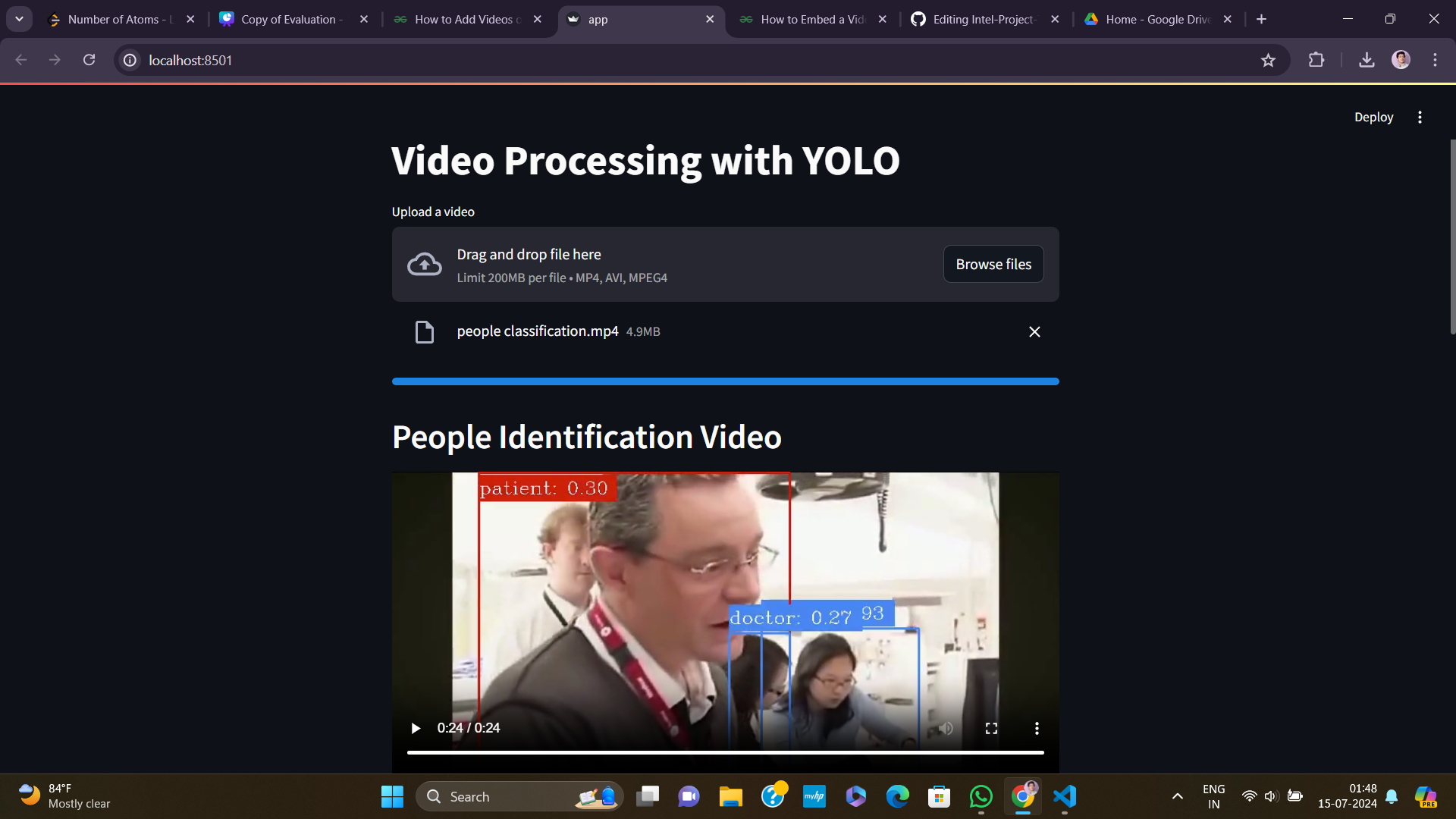
Here are some examples demonstrating how to use the Intel-Project-TeleICU:
1) Video Upload:
- The user uploads a video via the Streamlit interface.
- The system processes the video to detect and classify people into doctors, patients, and other personnel.
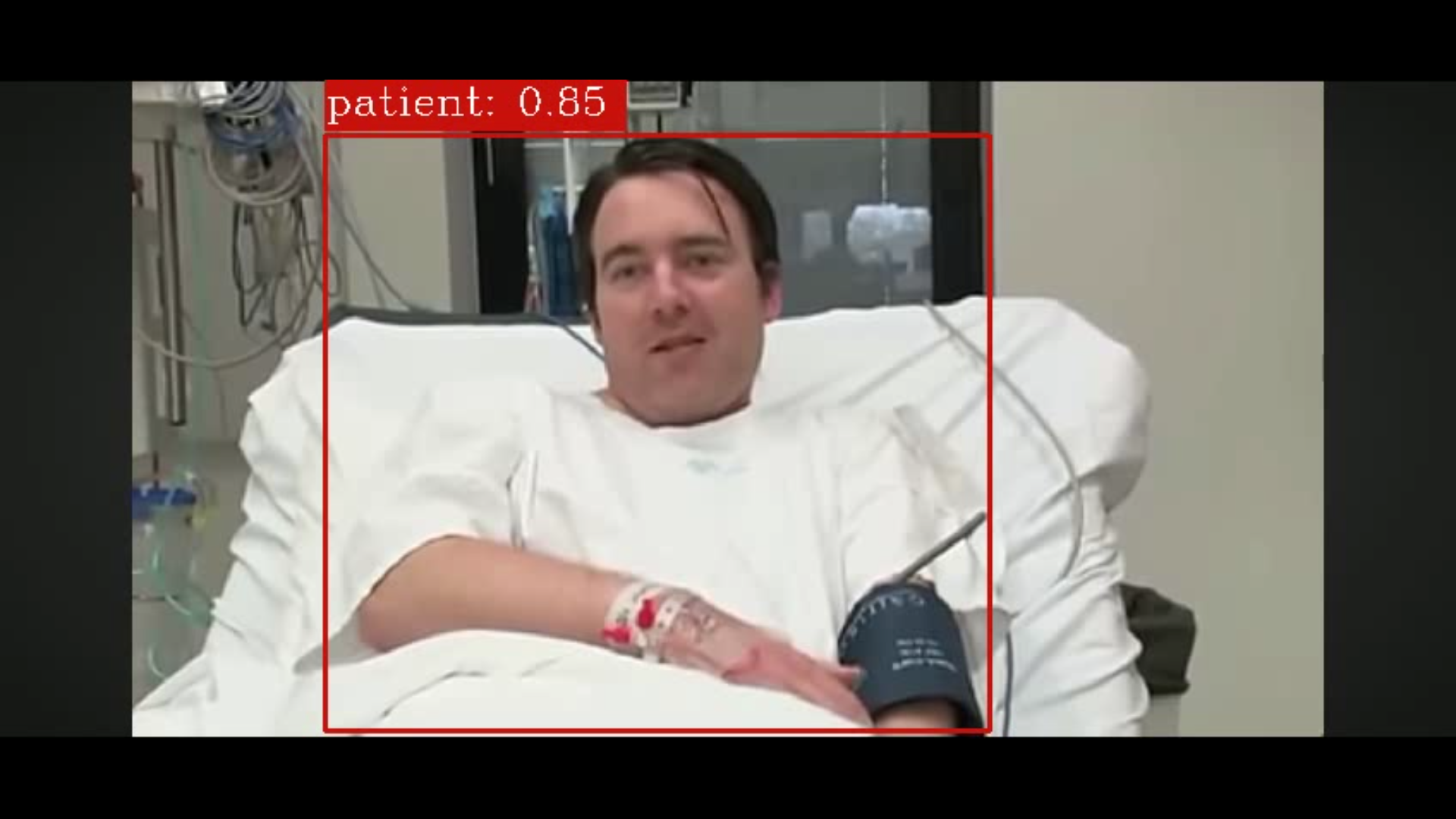
2) People Detection:
- The YOLOv8 model identifies and categorizes individuals in the video.
- Portions of frames containing patients are extracted and compiled into a new video.
People Detection Video Result
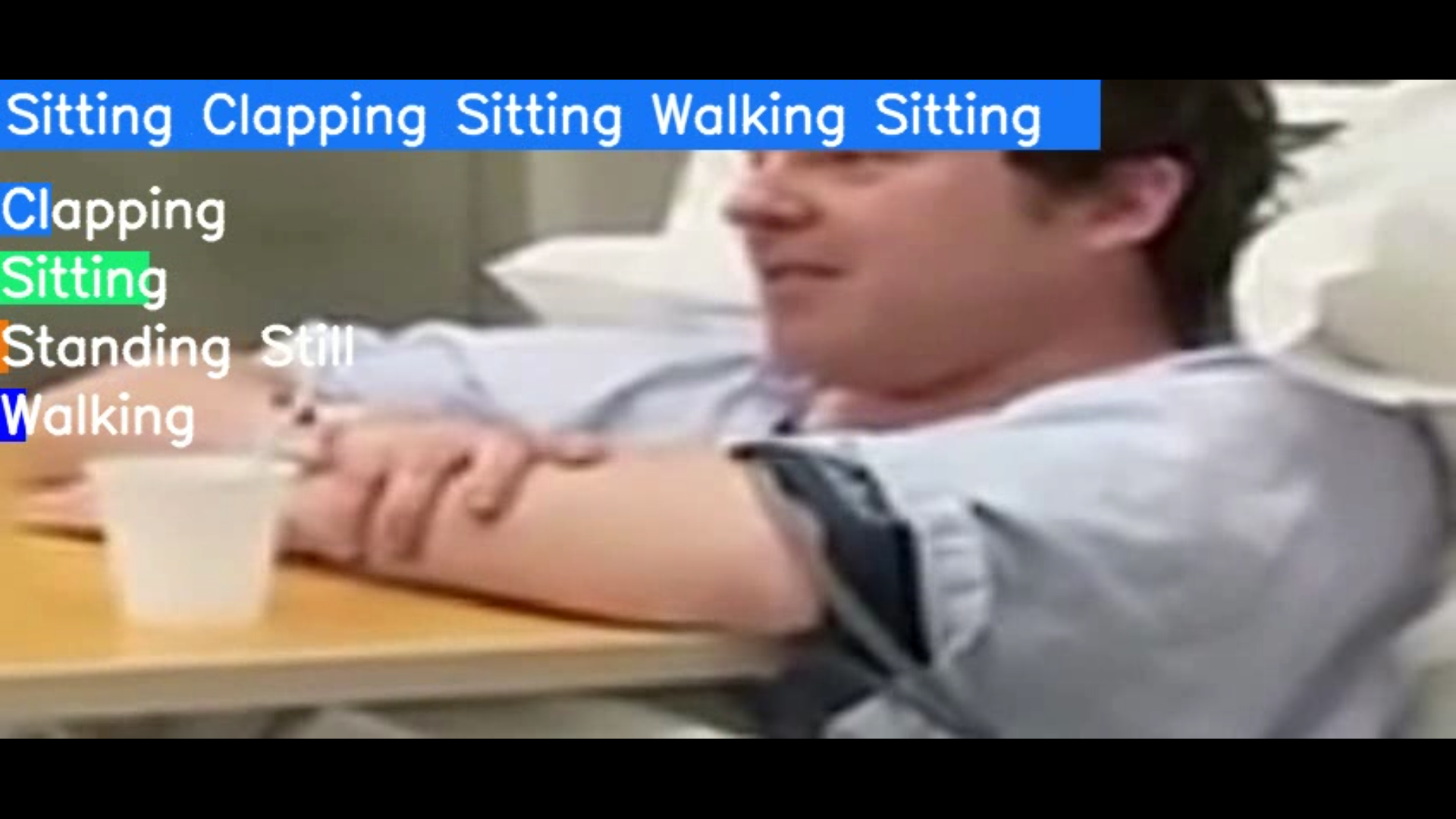
3) Action Detection:
- The LSTM-based model takes the patient-only video as input and detects actions based on 30-frame sequences.
- Due to the LSTM's sequence-based approach, action predictions occur after 30 frames of the actual action.
Patient Analysis Video Result
4) Graphical Representation:
- A graph is generated to display the probabilities of detected actions over time.
- The graph helps visualize the confidence and distribution of actions throughout the video.
Patient's Acitvity Graph Over Time

For the purpose of reducing inference time as much as possible, project splits the underlying model into two sub models.
-
Object detection model:
- We utilize YOLOv8 (You Only Look Once), a SOTA object detection model, for real-time detection of patients, doctors, and family members within the ICU environment. This model ensure precise and contineous tracking and monitoring of mentioned objects.
- It used Youtube@Holly Mullens
ICUwebshow as the dataset for training. - It uses frame skipping at the time of inference to quicken the process and it works wonders!
-
Patient's Activity Classification model:
- As there was lack of quality hospital data, the approach of classifying activities with keypoints was chosen.
- With this keypoints approach it doesn't really matter if the input is of particular ICU setting or not. So this allows us to train the classification model on well curated dataset of human actions. We used Kaggle's
human-activity-recognition-video-dataset. - For Human keypoints detection we used robust
mediapipepackage. We detected face mesh, pose and hands keypoints. - For spatiotemporal classification of actiities lstm model was used which was fed with 1662 keypoints per frame.
- The output to this model is 4 categories: 'standing still', 'walking', 'clapping' and 'sitting'.
- On this model we achieved accuracy of 92%.
- If this model gets a more intricate dataset containing more patient-like activities it can adapt with it quite easily and make application even better!
- Trained object detection model for identifying patients, doctors and others
- Trained video classification model for analyzing patient's activities
- Integrated both the models to generate quick inference
- Created streamlit interface to use the application
- Make an efficient alert system on top of it
- Integrate with hospital management systems
See the open issues for a full list of proposed features (and known issues).
-
Action Detection Accuracy:
- The action detection model's predictions are currently not ideal due to a limited training dataset.
- With a more extensive and diverse dataset, the accuracy of action detection can be significantly improved.
- Future work should focus on gathering more labeled data to train the action detection model.
-
Real-time Processing:
- Enhancements to the processing speed and real-time capabilities of the system can be made.
- Incorporating GPU acceleration and optimizing model performance can help achieve this goal.
The ICU Video Analysis System demonstrates the potential of using machine learning for automating the analysis of ICU videos. Despite the current limitations in action detection accuracy, the system lays a strong foundation for future improvements. With better datasets and optimized models, the system can provide accurate and real-time insights into patient activities, aiding in effective ICU monitoring and management.
We hope this project serves as a valuable step towards enhancing ICU monitoring systems and invites further research and development in this critical area. Contributions and feedback are welcome to improve the system's performance and capabilities.
Contributions are what make the open source community such an amazing place to learn, inspire, and create. Any contributions you make are greatly appreciated.
If you have a suggestion that would make this better, please fork the repo and create a pull request. You can also simply open an issue with the tag "enhancement". Don't forget to give the project a star! Thanks again!
- Fork the Project
- Create your Feature Branch (
git checkout -b feature/BetterFeature) - Commit your Changes (
git commit -m 'Add some BetterFeature') - Push to the Branch (
git push origin feature/BetterFeature) - Open a Pull Request
Jagdish Suthar - @Jagdish Suthar - 21it404@bvmengineering.ac.in
Manmeet Patel - @Mann7187 - 21it456@bvmengineering.ac.in
Project Link: https://github.com/Jagdish9903/Intel-Project-TeleICU