Version 0.12.0
By Guillaume Chereau guillaume@noctua-software.com



Official webpage: https://goxel.xyz
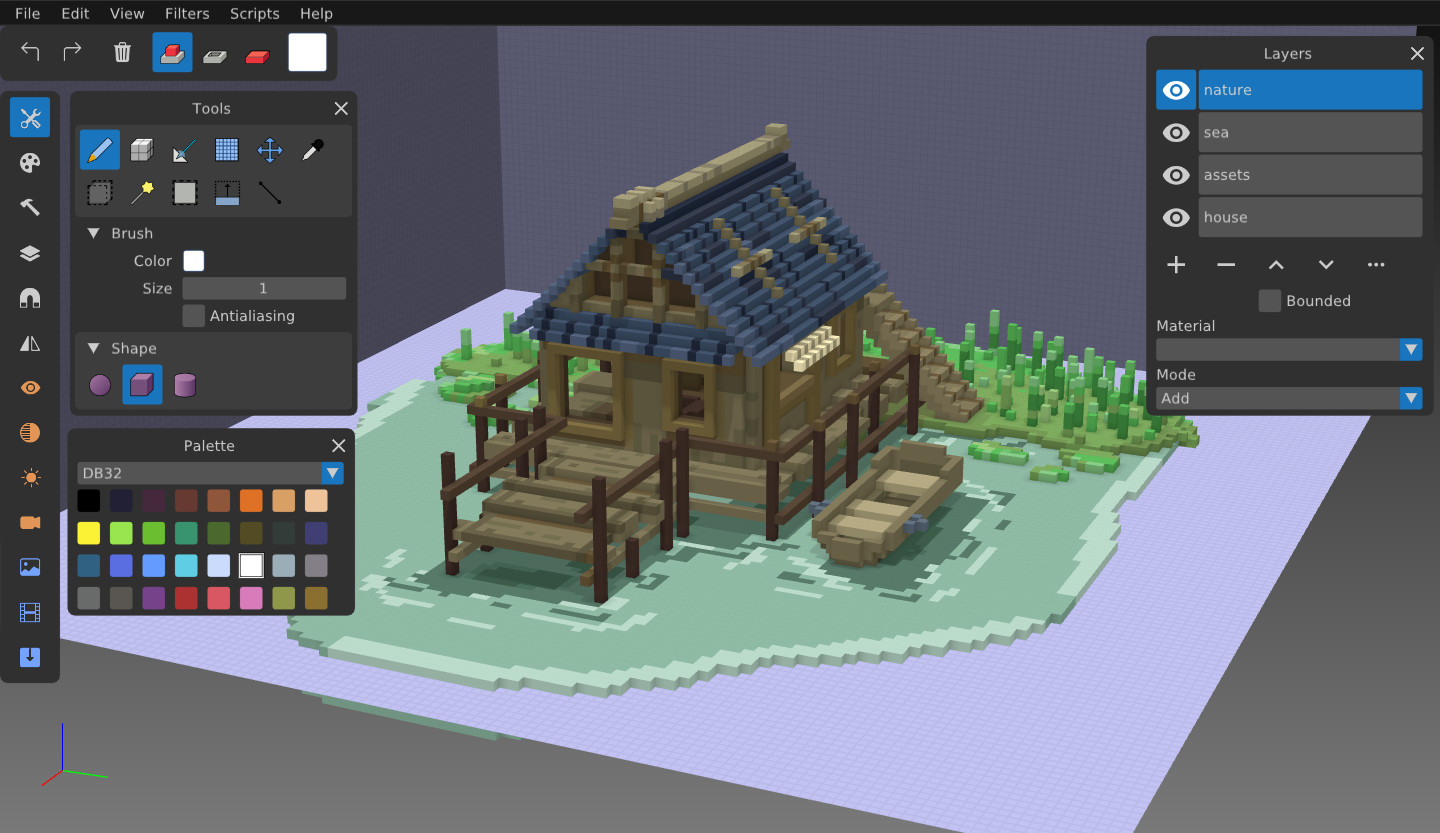
You can use goxel to create voxel graphics (3D images formed of cubes). It works on Linux, BSD, Windows and macOS.
The last release files can be downloaded from there.
Goxel is also available for iOS and Android.
Goxel is released under the GNU GPL3 licence. If you want to use the code with a commercial project please contact me: I am willing to provide a version of the code under a commercial license.
- 24 bits RGB colors.
- Unlimited scene size.
- Unlimited undo buffer.
- Layers.
- Marching Cube rendering.
- Procedural rendering.
- Export to obj, pyl, png, magica voxel, qubicle.
- Ray tracing.
- Tools
    - New doodad placer tool - select a file and place it at will
        - Can rotate the imported voxels non-destructively, offset from an origin point
        - Copy the current selection into the placer
        - Cut the current selection into the placer
        - History pane with previews of models
        - Options for randomised flip/rotates
        - Options for colour replacement within models to a fixed or random colour
    - New fill tool - floodfills current z with a colour, until it hits a boundary
    - Palettes can be added/removed/edited
    - Colour history bar stores 20 recent colours (and any noise settings), stored in the .gox file
    - Selection tool
        - Holding 'shift' temporarily switches to 'move' rather than 'resize' mode
        - 'Select entire layer' button
        - Copy the current selection into the placer
        - Cut the current selection into the placer
    - Brush can set width/height/depth separately
    - Move tool can do 'destructive rotation'
    - Fuzzy select can select layer-wide and fill with noise
- Layers
    - Layers panel permanently on right and scrolls internally
    - Merge layer down
- Colours
    - Colour picker also integrated directly into the tools panel for tools like the brush
    - Blend mode added
        - User = the user's chosen color
        - Inherited = the colour of the block beneath
        - Interpolated = USER <> INHERITED, the midpoint
    - Noise panel added - can add random noise to texture the brush
- Camera
    - First person camera (#)
        - Arrow keys for forward/back/left/right, Page Up/Down for up/down, RMB or MMB for look
        - Speed
        - FOV
        - Manual X/Y/Z
    - Player camera - with gravity and collisions
        - WASD to move, Space to jump, Ctrl to crouch, hold Alt for noclip fly
    - Rotational camera (default) FOV setting (and its base value is higher than it was before); it also pivots around the block under the cursor
- Image
    - "Crop to visible & reset origin", uses only visible layers, crops to the size of those layers, resets the origin
- Import/Export
    - Heightmap export .bmp file in greyscale, z0 = black, (zN = 8 + ((zN-1) * 4) = max 64 height
    - Colourmap export .bmp file
    - voxlap import (e.g. kvx) no longer retains bounding box bg on import
    - Imports now automatically add to a new layer, which is named after the file
    - hmap + cmap import - combines a black and white heightmap with a colourmap into a layer
    - colourmap import - applies image to current layer down z
- Hotkeys
    - Move plane up/down = < >
    - Plane visibility = /
    - FPV/Player Camera = #
    - Select layer under cursor = '
- UI
    - Always add arrows to number fields < >
    - Layer pane docked to the right
    - Snap panel visible in top bar for tools that are affected by it
- Left click: apply selected tool operation.
- Middle click: rotate the view.
- right click: pan the view.
- Left/Right arrow: rotate the view.
- Mouse wheel: zoom in and out.
The building system uses scons. You can compile in debug with 'scons', and in release with 'scons mode=release'. On Windows, currently possible to build with msys2 or try prebuilt goxel package directly. The code is in C99, using some gnu extensions, so it does not compile with msvc.
Install dependencies using your package manager. On Debian/Ubuntu:
- scons
- pkg-config
- libglfw3-dev
- libgtk-3-dev
Then to build, run the command:
make release
You need to install msys2 mingw, and the following packages:
pacman -S mingw-w64-x86_64-gcc
pacman -S mingw-w64-x86_64-glfw
pacman -S mingw-w64-x86_64-libtre-git
pacman -S mingw-w64-x86_64-glew
pacman -S mingw-w64-x86_64-libpng
pacman -S scons
pacman -S make
Then to build:
make release
In order for your contribution to Goxel to be accepted, you have to sign the Goxel Contributor License Agreement (CLA). This is mostly to allow me to distribute the mobile branch goxel under a non GPL licence.
Also, please read the contributing document.
I you feel like it, you can support the development of Goxel with a donation at the following bitcoin address: 1QCQeWTi6Xnh3UJbwhLMgSZQAypAouTVrY