Troubleshooting guide for Linux/Steam Play #1
Conversation


This file contains instructions to play Dungeon Siege II on Linux using Steam Play.
It also contains instructions to enable Broken World on Linux, which differ slightly From Killah's.

|
Thanks for your contribution, I think I'm not gonna merge it but add an option in the BAT to generate a REG file instead. I'll add the command-line options for the game and the instructions to merge the REG on Linux. Was the current BAT working fine besides the fact that the entries were added to the 64-bit key? |
|
Adding this for reference: https://www.gog.com/forum/dungeon_siege_series/winelinux_dungeon_siege_series_and_ultima_remakes |

Up to you! I will probably continue updating the guide on my side. I need to find the time to do it though.
Current BAT was running; but I couldn't verify any of the key changes in registry. I can try again to see if something actually happens in the wrong key or not. Using |
|
Just pushed a change in master to export entries to a REG file, could you check it out? |
|
@PL4typus Did you have time to test the above changes? |

|
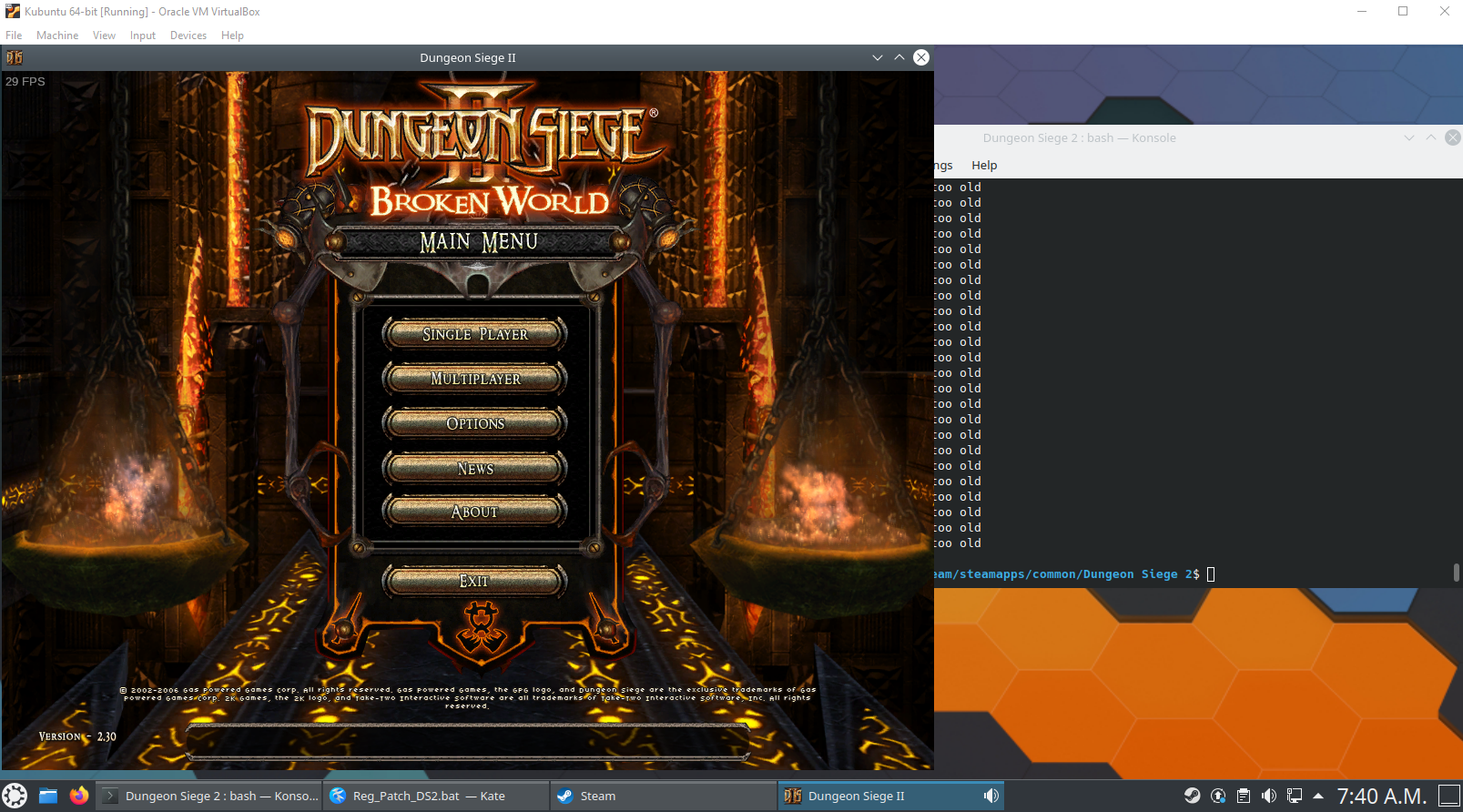
Started doing some testing in a VM, the reg patch is completely broken lol. Found what was wrong and fixed it locally. I managed to make BW run but I'm gonna have to find a cleaner way to do what I did. I'm also not gonna bother making MP work.
|
|
Download the latest DS2 reg patch at https://github.com/GenesisFR/RegPatches and follow these instructions:
If you wish to play MP:
Note: the compatdatapath may change from a system to another, this is how mine was on the Kubuntu VM that I used. For instructions about Steam Deck, please follow Princesa Zanahoria's guide here: https://steamcommunity.com/sharedfiles/filedetails/?id=2833687253 |

|
Hi, I receive the following error I try to do step number 5: WINEPREFIX="/media/aaron/Games/SteamLibrary/steamapps/compatdata/39200/pfx" wineconsole |
|
I can't help you much, maybe your compatdatapath wasn't created, you have permission issues, or it might even be an NTFS partition, I have no clue really. |

|
Is it possible to run elys succubus mod manager? I tried everything and it always says it couldn't launch because the the game couldn't be found. Game runs fine without it. |
|
You have to select option 2 in the reg patch for Elys to find the game. |
I did that and it wouldn't work. If I use "path to exe" %command% to launch elys its using the wrong wine prefix. I added WINEPREFIX="path" into my steam launch options and its working now. One minor issue though. The UI looks pretty bad. If I change the game .exe for elys .exe the UI looks as it does on windows. Even if I use STEAM_COMPAT_TOOL_PATH to point to the same proton version as the game uses the UI is still wonky. Proton seems to be applying some kind of fix to the game which fixes elys UI except when I call it directly from the steam launch options. |
|
I couldn't help you more, I only tested the game without third party tools for the sake of troubleshooting the reg patch. |
4 participants


This file contains instructions to play Dungeon Siege II on Linux using Steam Play.
It also contains instructions to enable Broken World on Linux, which differ slightly from Killah's guide at one point.
I thought it would be clearer to have a separate file, so it doesn't bloat
README.mdwith instructions that 90% of people probably won't need. Most people probably play on WIndows.TO DO: Add more detailed instructions for using regedit on
linuxTO DO: Better credits.