- 1. Project Description
- 2. Build and Installation
- 3. Configuration
- 4. Theming
- 5. Usage
- 6. Integration
- 7. Translations
Quoted from upstream: Labwc stands for Lab Wayland Compositor, where lab can mean any of the following:
- lightweight and *box-inspired
- sense of experimentation and treading new ground
- inspired by BunsenLabs and ArchLabs
- your favorite pet
LabFyre can do all of this and more, it's a soft fork of labwc with support for shell script control, among a host of other features.
LabwFyre is a wlroots-based window-stacking and tiling compositor for Wayland, built from [labwc] and has support for Openbox themes.
It is light-weight and independent with a focus that can range from simply stacking windows well to a tiling layout and keybinds for each device and application. It still holds support for a no-bling/frills approach, yet animations are still in the works. It relies on clients for panels, screenshots, wallpapers and so on to create a full desktop environment.
LabFyre has no reliance on any particular Desktop Environment, Desktop Shell or session. Nor does it depend on any UI toolkits such as Qt or GTK.
Firstly, upsteam devs believed that there is a need for a simple Wayland window-stacking compositor which strikes a balance between minimalism and bloat approximately at the level where Window Managers like Openbox reside in the X11 domain. Most of the core developers were accustomed to low resource Desktop Environments such as Mate/XFCE or standalone Window Managers such as Openbox under X11. Labwc aimed to make a similar setup possible under Wayland, with small and independent components rather than a large, integrated software eco-system.
Secondly, the Wayland community has achieved an amazing amount so far, and the upstream devs want to help solve the unsolved problems to make Wayland viable for more people. Labwc only understood wayland-protocols & wlr-protocols, and it could not be controlled with dbus, sway/i3/custom-IPC or other technology.
This was quite limiting for some scripts we wanted to make, specifically sticky keys and universial copy/paste, as well as the fact that some other features were limited such as virtual outputs being purely tied to actions within rc.xml. We extend this to be triggerable via shell commands, so it makes scripting a lot easier.
This is from the upstream Labwc, and a lot of themes have support for it GTK and QT themes can still be used to some extent, but should be Server side over client.
All the triggers and extensions are triggerable via flags sent to the binary. This allows you to use any language to make plugins.
Bash, Zsh, Xonsh, python, go, java, zig... so long as it can trigger system commands you can write a plugin for it.
See scope for full details on implemented features.
The obligatory screenshot (origionally from mainline:
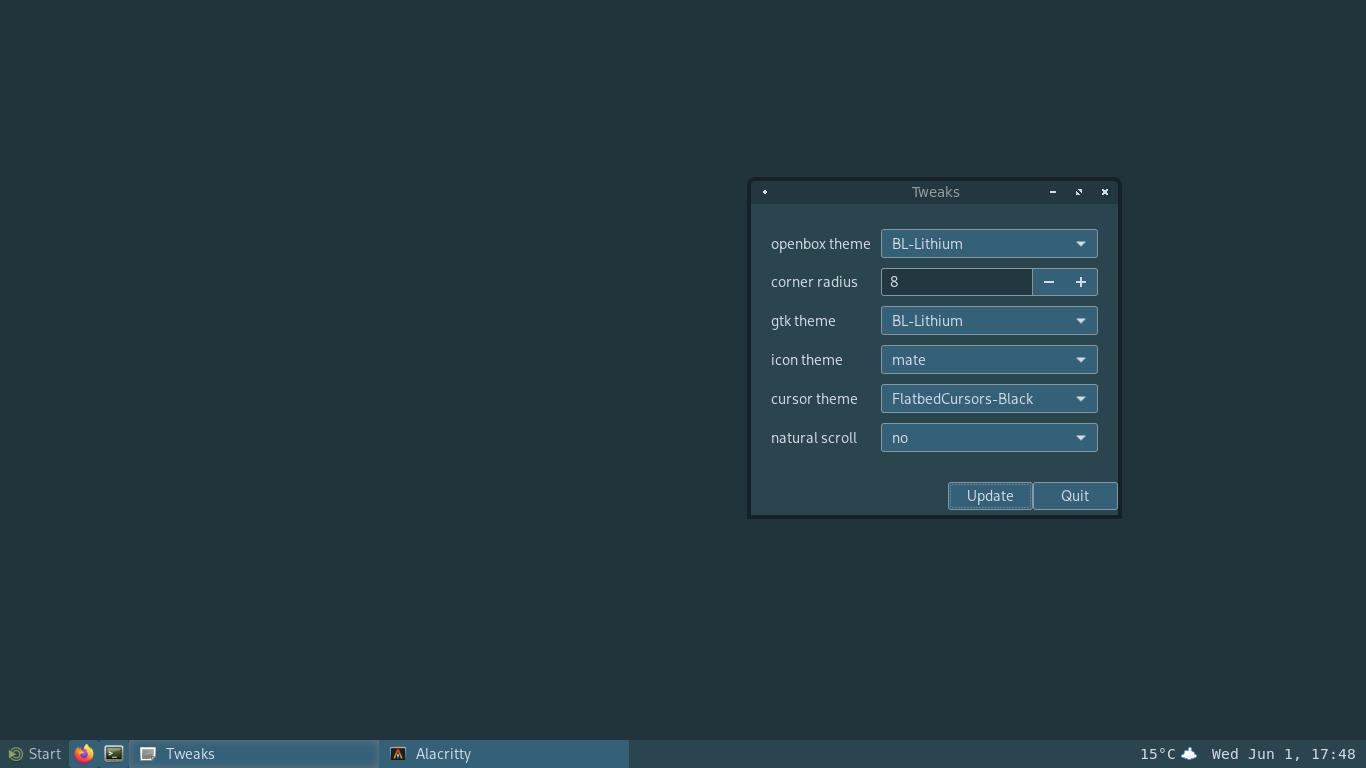
Screenshot description
To build, simply run:
meson setup build/
meson compile -C build/
Run-time dependencies include:
- wlroots, wayland, libinput, xkbcommon
- libxml2, cairo, pango, glib-2.0
- libpng
- librsvg >=2.46 (optional)
- libsfdo (optional)
- xwayland, xcb (optional)
Build dependencies include:
- meson, ninja, gcc/clang
- wayland-protocols
Disable xwayland with meson -Dxwayland=disabled build/
For OS/distribution specific details see wiki.
If the right version of wlroots is not found on the system, the build setup
will automatically download the wlroots repo. If this fallback is not desired
please use:
meson setup --wrap-mode=nodownload build/
To enforce the supplied wlroots.wrap file, run:
meson setup --force-fallback-for=wlroots build/
If installing after using the wlroots.wrap file, use the following to prevent installing the wlroots headers:
meson install --skip-subprojects -C build/
User config files are located at ${XDG_CONFIG_HOME:-$HOME/.config/labwc/}
and system configs can be stored at /etc/xdg/labwc/
with the following seven files being used: rc.xml, menu.xml, autostart, [reconfigure],
shutdown, environment and themerc-override.
Run labwc --reconfigure to reload configuration and theme.
For a step-by-step initial configuration guide, see getting-started.
Themes are located at ~/.local/share/themes/\<theme-name\>/labwc/ or
equivalent XDG_DATA_{DIRS,HOME} location in accordance with freedesktop XDG
directory specification.
For full theme options, see labwc-theme(5) or the themerc example file.
For themes, search the internet for "openbox themes" and place them in
~/.local/share/themes/. Some good starting points include:
- https://github.com/addy-dclxvi/openbox-theme-collections
- https://github.com/the-zero885/Lubuntu-Arc-Round-Openbox-Theme
- https://github.com/BunsenLabs/bunsen-themes
./build/labwc [-s <command>]
NOTE: If you are running on NVIDIA, you will need the
nvidia-drm.modeset=1kernel parameter.
If you have not created an rc.xml config file, default bindings will be:
| combination | action |
|---|---|
alt-tab |
activate next window |
alt-shift-tab |
activate previous window |
super-return/enter |
lab-sensible-terminal |
alt-F4 |
close window |
super-a |
toggle maximize |
super-mouse-left |
move window |
super-mouse-right |
resize window |
super-arrow |
resize window to fill half the output |
alt-space |
show the window menu |
XF86_AudioLowerVolume |
amixer sset Master 5%- |
XF86_AudioRaiseVolume |
amixer sset Master 5%+ |
XF86_AudioMute |
amixer sset Master toggle |
XF86_MonBrightnessUp |
brightnessctl set +10% |
XF86_MonBrightnessDown |
brightnessctl set 10%- |
A root-menu can be opened by clicking on the desktop.
Suggested apps to use with Labwc:
- Screen shooter: grim [slurp]
- Screen recorder: wf-recorder
- Background image: swaybg [swww]
- Panel: waybar, lavalauncher, sfwbar, xfce4-panel
- Launchers: bemenu, fuzzel, wofi
- Output managers: wlopm, kanshi, [shikane], wlr-randr
- Screen locker: swaylock, [gtklock]
- Gamma adjustment: gammastep
- Idle screen inhibitor: [swayidle], sway-audio-idle-inhibit
- Compositor Control: [wlrctl]
See integration for further details.
The default window bar menu can be translated on the weblate platform.
