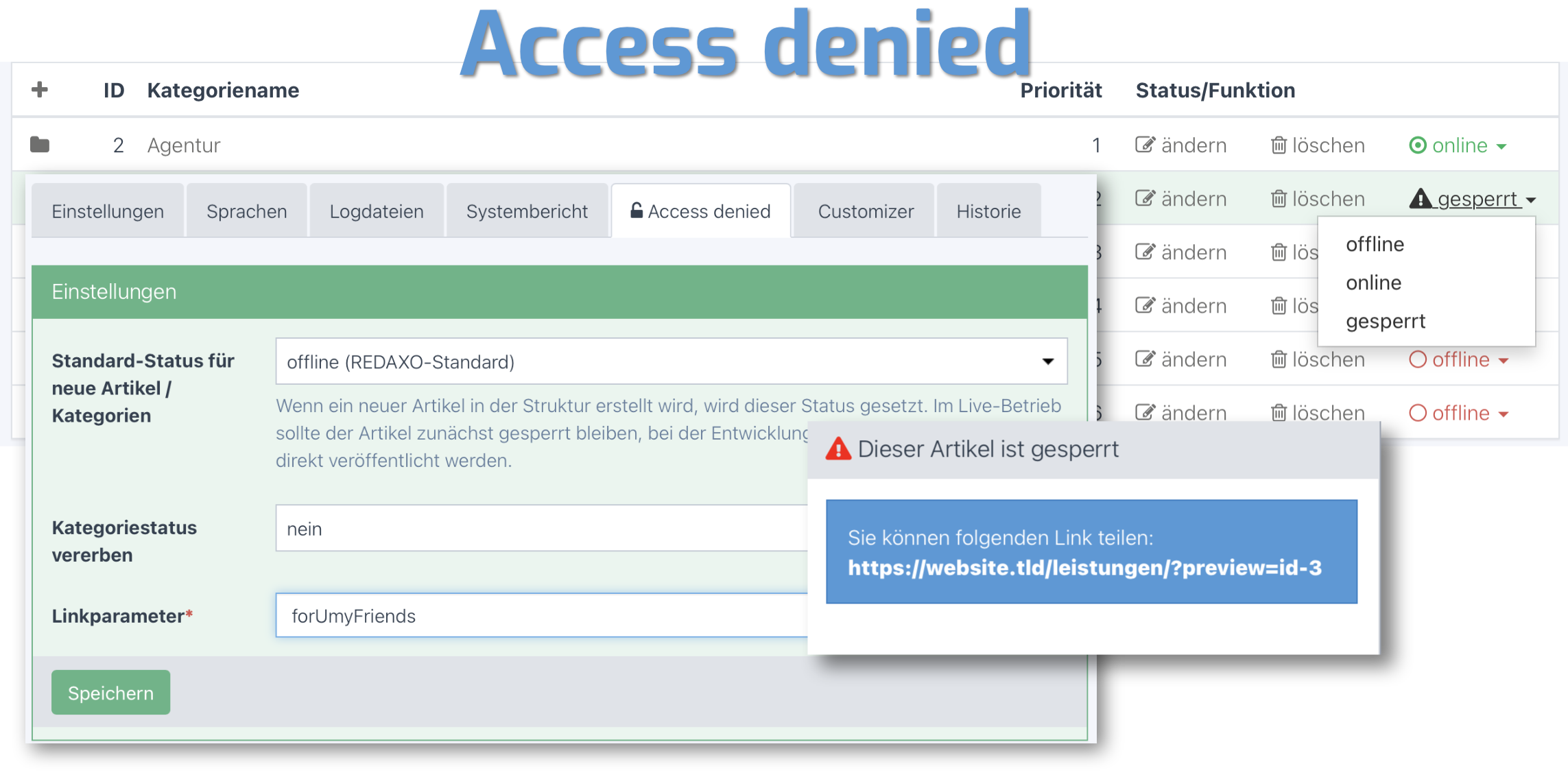
Access Denied extends REDAXO articles and categories with a third "restricted" status. While offline content remains technically accessible in the frontend, restricted content is blocked and visitors are redirected automatically to the "not found" article.
- Restricted status: Articles and categories can be set to restricted — frontend access is blocked and visitors are redirected to the "not found" article
- Preview links: A copyable preview link is generated in the article sidebar, allowing restricted content to be shared without backend access
- Configurable link parameter: The URL parameter name for the preview link is freely configurable (default:
preview) - Inheritance: Restricting a category can optionally propagate to all subcategories and articles
- Inherited lock indicator: When an article is locked via category inheritance, the sidebar panel shows a direct link to the restricting category so editors can navigate and unlock it immediately
- IP allowlist: IP addresses (e.g. office network, staging environment) can always access restricted content without a preview link or backend login
- Add my IP: The current user's IP is shown on the settings page and can be added to the allowlist with one click
- Search-it integration: Restricted articles are excluded from the search index automatically
- Pulsing warning icon: The backend sidebar panel uses an animated icon to make restricted articles immediately recognizable
- REDAXO
>= 5.10 - PHP
>= 8.4 - AddOn
structure/content >= 2.1
Settings are located under System → Access Denied:
| Setting | Description |
|---|---|
| Default status | Status applied to newly created articles/categories (offline, online, restricted) |
| Inheritance | Propagate restriction to subcategories and articles (yes/no) |
| Link parameter | URL parameter name for the preview link (default: preview) |
| IP allowlist | One IP address per line — these IPs can always access restricted content |
- When using search_it, regenerate the search index after restricting an article or category
- In multi-domain environments, REDAXO users must be logged in under the appropriate domain to view restricted content in the frontend — see issue #22
- The yrewrite AddOn is used for URL generation if available — it is not a required dependency
Upon uninstallation, all restricted articles are set to offline.
Friends Of REDAXO
- Website: redaxo.org
- GitHub: FriendsOfREDAXO
- Thomas Skerbis
- Alexander Walther (@alxndr-w)
- Initial REDAXO 4 version: Koala (Sven Eichler)
- REDAXO 5 port: @Hirbod
- Default status: Alexander Walther (@alxndr-w)
- Inheritance and sharing: @skerbis