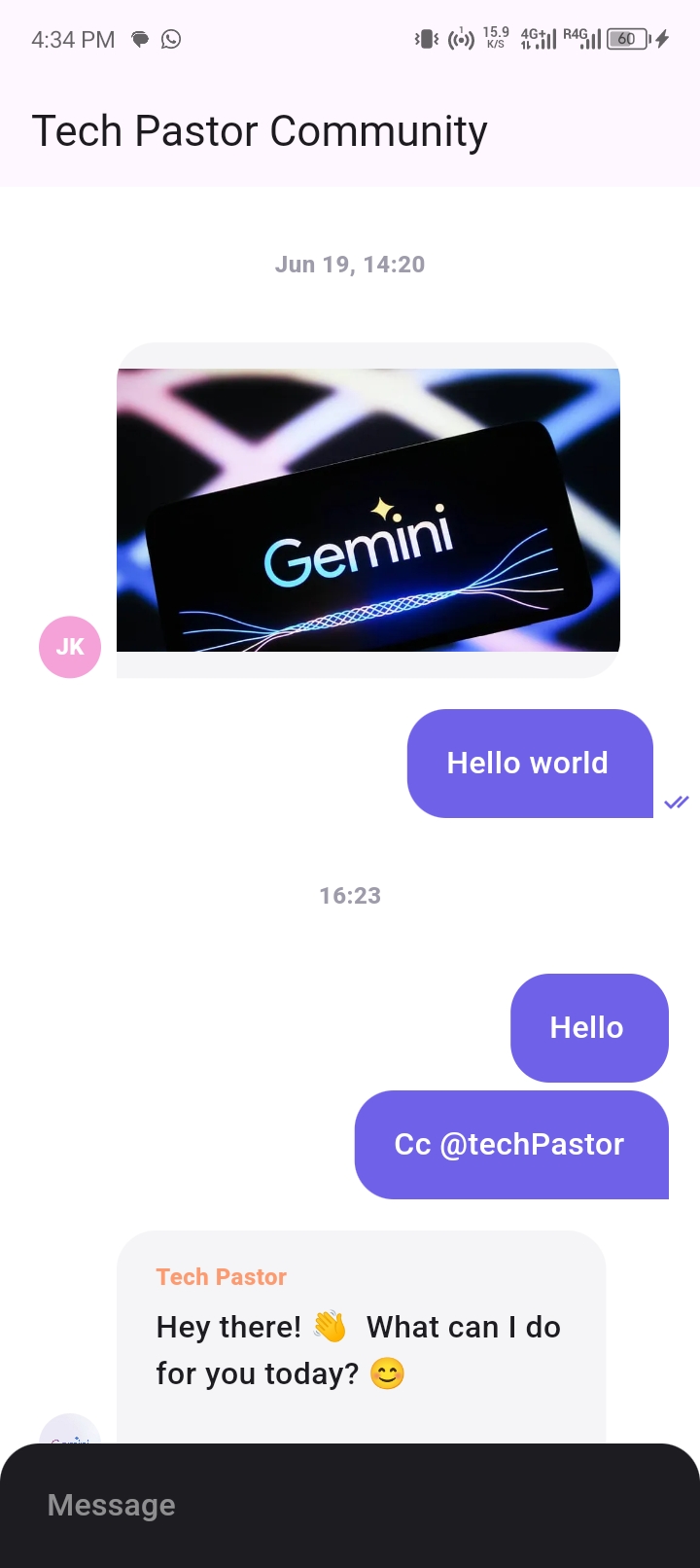
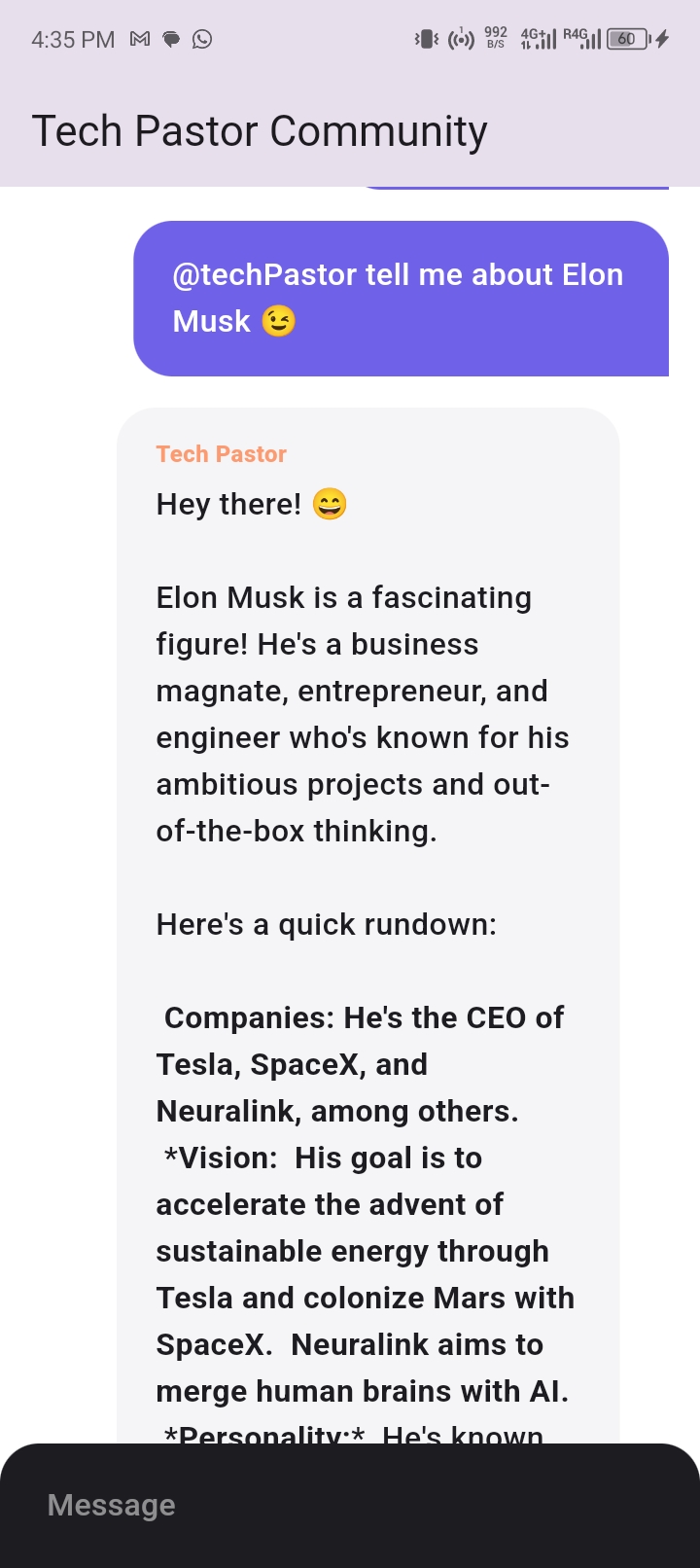
Tech Pastor is a Flutter project demonstrating how to use Google Gemini AI to create an intelligent chat interaction. The AI can be invoked in the chat using @techPastor, similar to the Meta AI feature in WhatsApp. This project is designed to show how to integrate and call an AI in a chat application.

Before you begin, ensure you have the following installed on your machine:
- Flutter SDK: Installation Guide
- Git: Installation Guide
- A code editor (recommended: VS Code)
- flutter_riverpod : State management
- flutter_chat_ui : Chat UI
- flutter_dotenv : .env
- uuid : custom gen
- google_generative_ai : Gemini AI
- Open your terminal or command prompt.
- Clone the Git repository using the following command:
git clone https://github.com/Docteur-Parfait/flutter_gemini_help_chat.git- Navigate to the project directory:
cd flutter_gemini_help_chatTo run the project correctly, you need to add a .env file containing your Google Gemini AI API key. Follow these steps to set up your .env file:
- In the project's root directory, create a file named
.env. - Add the following line to the
.envfile, replacingYOUR_GEMINI_API_KEYwith your actual API key:
API_KEY=YOUR_GEMINI_API_KEY
Once you have set up the .env file, you can run the Flutter project using the following commands:
flutter pub get
flutter runIn the chat application, you can invoke the Tech Pastor AI by typing @techPastor followed by your message. The AI will automatically detect that the message is addressed to it and will respond accordingly.
Contributions are welcome! If you would like to contribute, please follow these steps:
- Fork the repository
- Create a branch for your feature (
git checkout -b feature/AmazingFeature) - Commit your changes (
git commit -m 'Add some AmazingFeature') - Push to the branch (
git push origin feature/AmazingFeature) - Open a Pull Request
- Parfait Toke - In : @parfait-toke
This project is licensed under the MIT License. See the LICENSE file for details.