Made with CocoRobo X-AI Module, built on MaixPy (MicroPython).
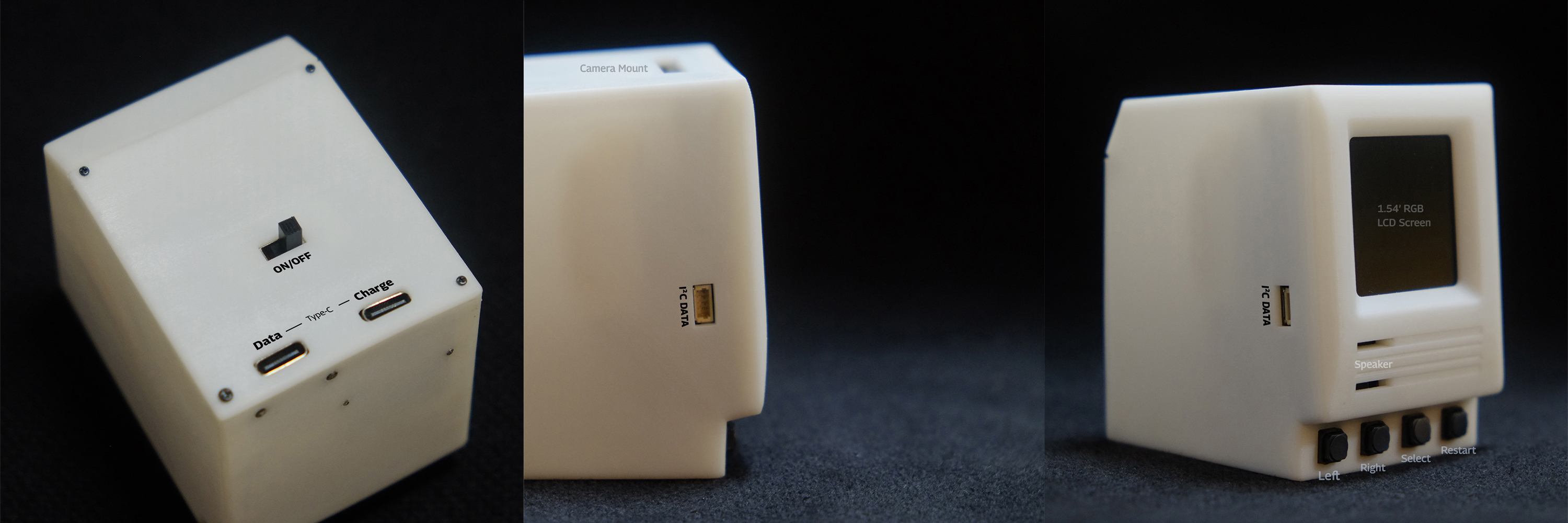
- For specs: https://tjtl.io/Startup (scroll down to the The 2nd Generation: “CocoRobo X” section.)
- To program:
- MaixPy IDE: https://wiki.sipeed.com/soft/maixpy/zh/get_started/env_maixpyide.html?highlight=ide
- CocoBlockly X, Block Mode: https://x.cocorobo.cn
- CocoBlockly X, Code Mode: https://x.cocorobo.cn/python
- To learn:
- MaixPy Docs: https://wiki.sipeed.com/soft/maixpy/zh/
- Blockly for X-AI Module Docs: https://x-help.cocorobo.cn
- Burning firmware:
- To be edited.
To create customized font from common font file (.otf, .ttf, etc.) to .Dzk, read here for more information.
To use customized font based on the 3type version of the CocoRobo X Module firmware, read custom-font-display.py.
- Go to
https://x.cocorobo.cn/python - Paste the code from
custom-font-display.pyto the code area of the loaded page - Click
Runto see the output immidiately. Or clickUploadto upload this code file to the module, you can run the uploaded code by clicking theRun Lastbutton on the bootup interface.