To make the usage of the Openstack dashboard easier, you need to first get familiar with some useful terms and components you will encounter later on.
An instance is a Virtual machine. You can specify its resources through the use of flavours.
Images are disk images used to launch instances. It's the starting point of the virtual machine that, after its creation, will use the local disk of the hypervisor, the physical server in which the instance is running, to store its local disk. Once an instance is destroyed, its local storage will be deleted too. If you want to keep its data, but not the instance itself, you can make a snapshot which will create a new image based on the instance disk.
To achieve storage persistence (storage not deleted after destroying an instance), we need volumes that act as real disks. You can tell your instance to use a volume as its "root" disk, or attach and detach volumes to instances as secondary disks. Volumes are independent of instances, so if you destroy an instance with a volume attached, you will have the volume available to use with other instances.
Networks in openstack are private networks. They can be connected to the outside world (Openstack ext-net) using a router. Each network has at least a subnet which defines the various options of the network, such as the ip address, dns servers, gateway, etc. Different networks don't "see" each other unless specified by the user (through advanced use of Openstack routers).
A Project is a personal area accessible only by users with the necessary permissions. Each project has its own quota, the maximum amount of resources (CPU, RAM, etc) usable by the project.
In the access & security section, you can specify information helpful to connect to the instances you create. You can add your key pairs, public ssh key used to access a virtual machine, specify security groups to open ports for your instances (by default all ports are closed for virtual machines) and manage your floating IPs, public addresses that you can "attach" to an instance.
Stacks are a group of operations defined through the use of a yaml template. For example, you can create a cluster of multiple instances without having to start each one manually.
- Project: the basic item that an OpenStack user can manage. The project will contain all the resources that have to be assigned to a specific project to work;
- User: an identity inside OpenStack that can manage projects. It can have roles and other attributes;
- Quota: is a specific limit imposed to a resource;
- Instance: a created VM (Virtual Machine) in a certain state (running, suspended etc.);
- Flavour: type of an Instance (could be a set of characteristics);
- Image: a collection of files that represent the initial state of the VM created (Server). It is possible to create personalized image of several OSs (Operative Systems);
- Snapshot: a copy of a system volume or image at a precise moment;
- Volume: a data storage managed like a disk storage;
- IP address: Internet Protocol address, a unique number that identifies a computer in a Network (Internet etc.);
- Network: a virtual network that provides connectivity among entities;
- Subnet: logical subdivision of a Network (IP);
- Router: a physical or virtual network device that can manage network traffic between different networks;
- Floating IP: an IP address associated with a specific instance, that is public and doesn't change each time the VM boots;
- Security Group: a set of traffic filter rules applied to a specific instance;
- Key Pair: a set of a public and a private key used in several fields like authentication and file signing;
- Stack: a collection of OpenStack resource managed by the Orchestration service according to a given template;
- Template: a Heat Orchestration Template (HOT) is a configuration file in the format native to OpenStack.
For other terms consult the OpenStack Glossary.
- Keystone: Authentication and authorization service
- Glance: Image service
- Nova: Compute service
- Neutron: Network service
- Cinder: Volumes and persistent storage service
- Heat: Orchestration service
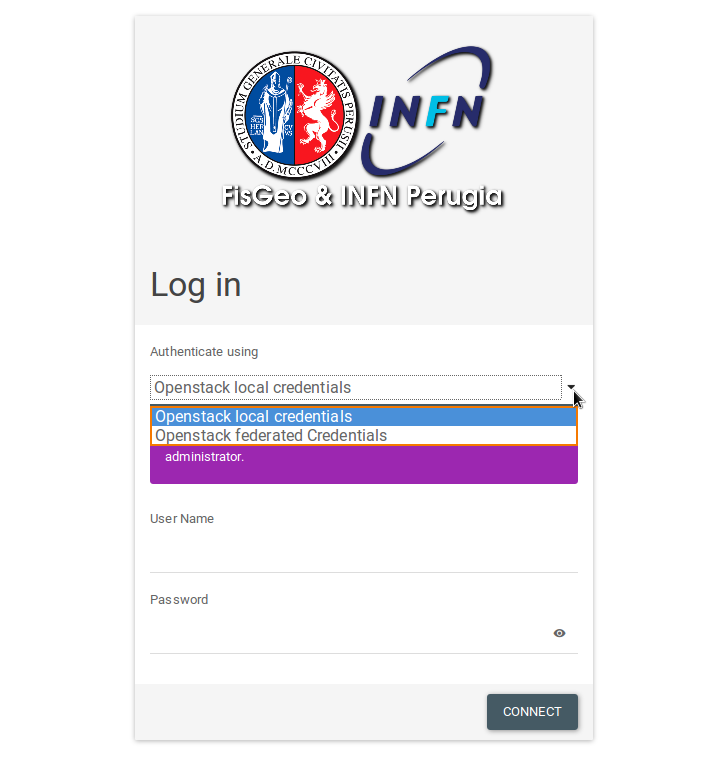
Open a web browser and go to the FisGeo & INFN Perugia Openstack homepage
Select Openstack local credentials from the dropdown menu and use your credentials to login.
The Project section is where you can manage all your environment.
Next section: Networking