Authentication workflow built with the MERN stack, Redux Toolkit & TypeScript. Project demo here
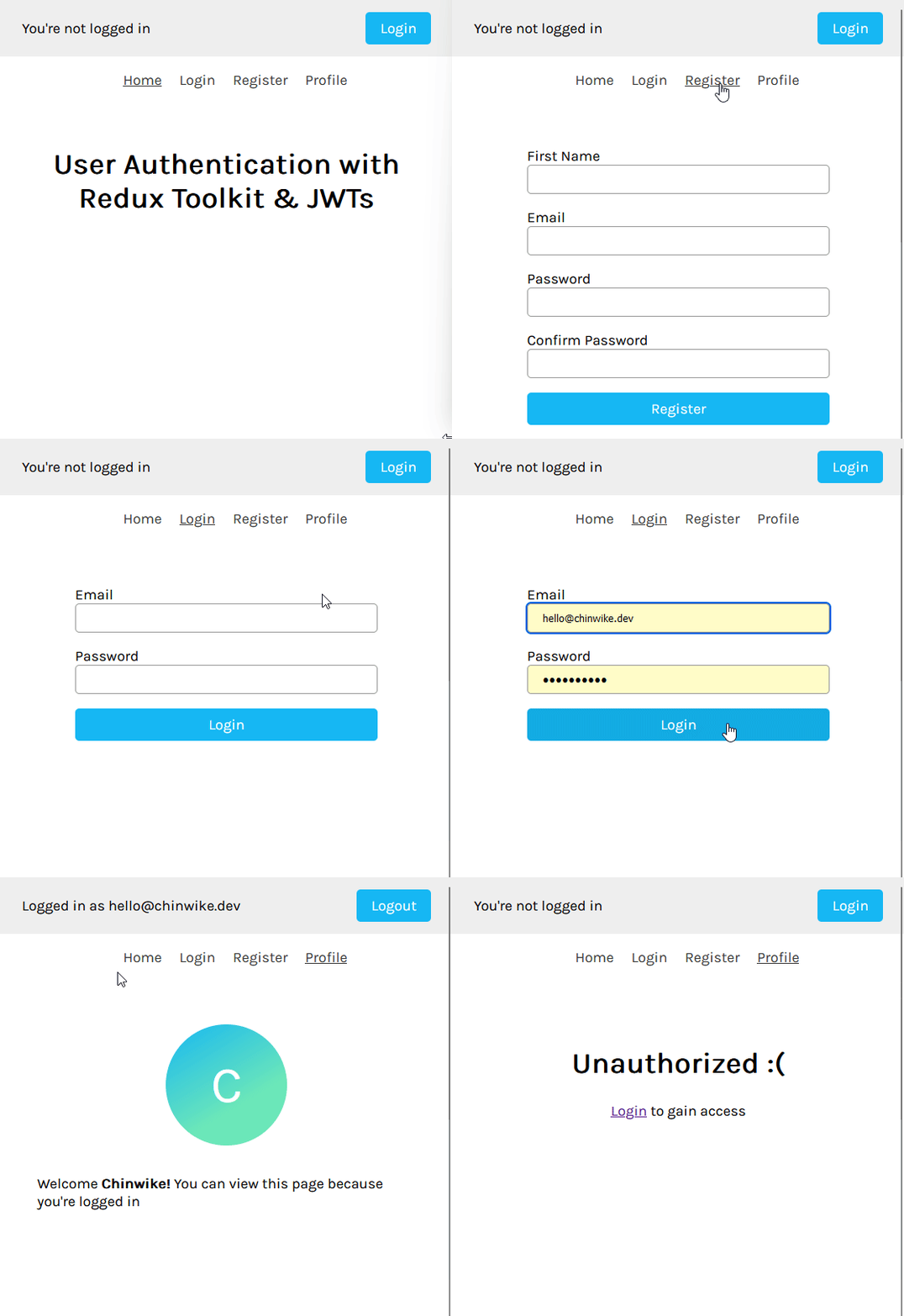
- User Authentication — Login & Register
- MongoDB
- Application context with Redux Toolkit
- Data fetching with RTK Query
- Protected routes with React Router v6
- JWT storage with localStorage
- Automatically fetches user details on page load — Header.tsx
- TailwindCSS v4 with Dark Mode
If you're following along with the blog post, clone the starter-files branch with the following command:
git clone --branch starter-files --single-branch https://github.com/Chinwike1/redux-user-auth.gitFollow this guide on "Getting started with MongoDB Atlas" to setup your database.
Environment variables are shown in .env.example files.
Run this command first in both dev and production to install dependencies in root, /backend & /frontend:
pnpm run install:all# Run frontend (:5173) & backend (:5000)
pnpm run dev
# Run backend only
pnpm run dev:server
# Run frontend only
pnpm run dev:client# Build both backend and frontend
pnpm run build
# Build backend only (TypeScript compilation)
pnpm run build:backend
# Build frontend only (Vite production build)
pnpm run build:frontend# First, build the project
pnpm run build
# Start the production server (serves built frontend)
pnpm startYou can also deploy using Docker and Docker Compose:
# Build and run with docker compose
docker compose up --build
The container runs on port 5000. Make sure to set the required environment variables (MONGO_URI, JWT_SECRET) either in a .env file or pass them directly to Docker Compose.
GPL-3.0 — Open source license. Software can be used, copied, modified, e.t.c, free of charge.