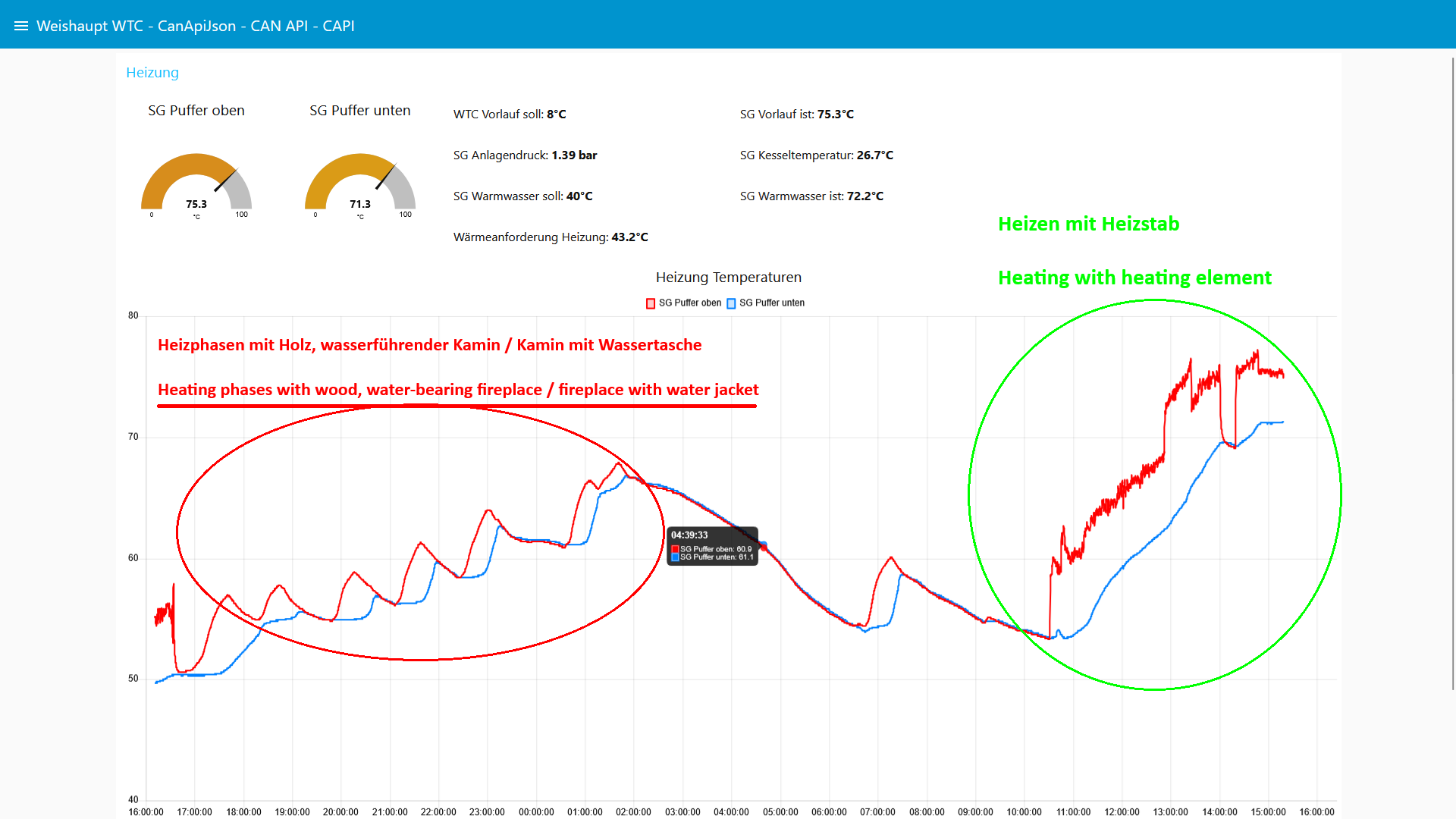
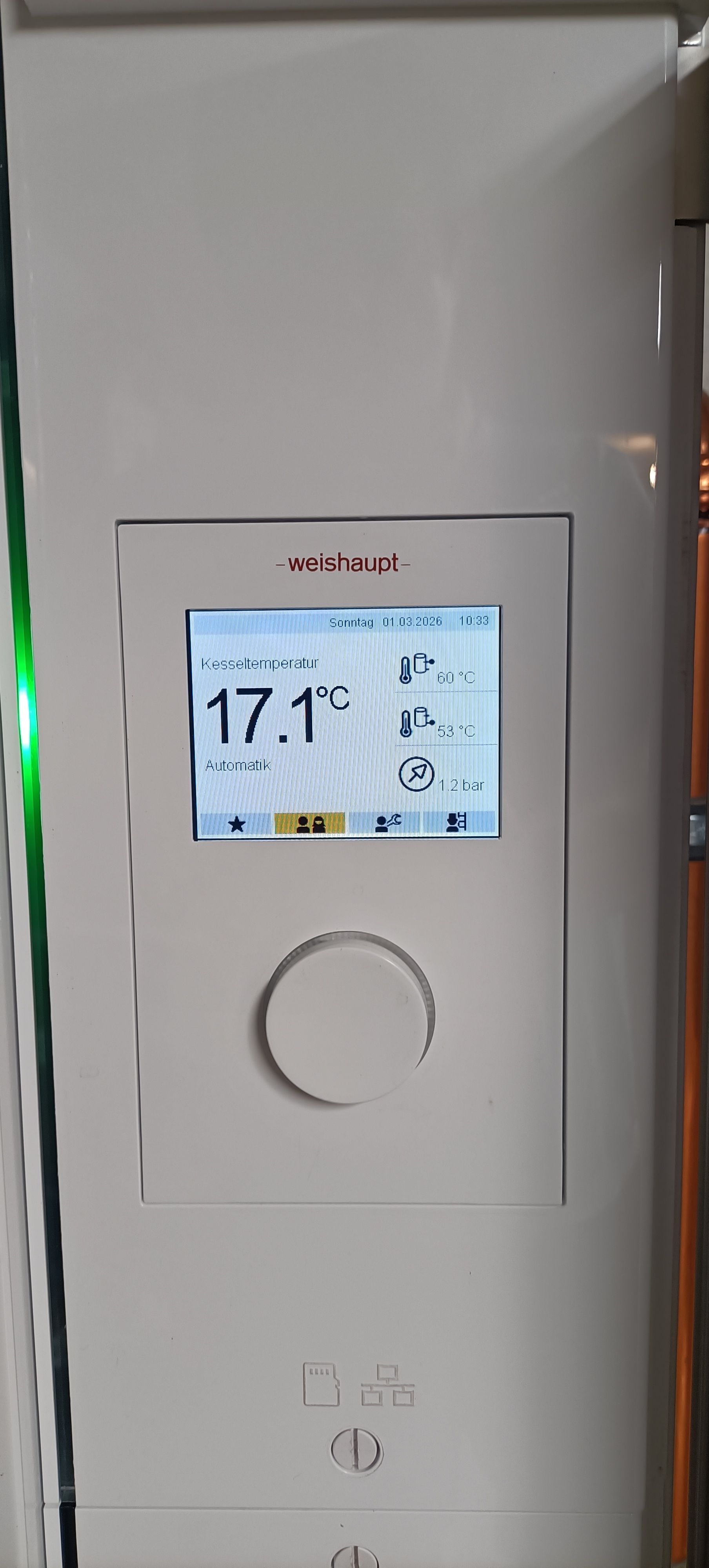
Weishaupt WTC - Weishaupt CAPI - Weishaupt CanApiJson - Weishaupt CANAPI - Weishaupt CANopen-like protocol, Weishaupt CAN API - Weishaupt Command API
(e.g.: {"ID":"12345678","SRC":"SYS","CAPI":{"NN":1,"N01":{"VG":"020201258202000101"}}})
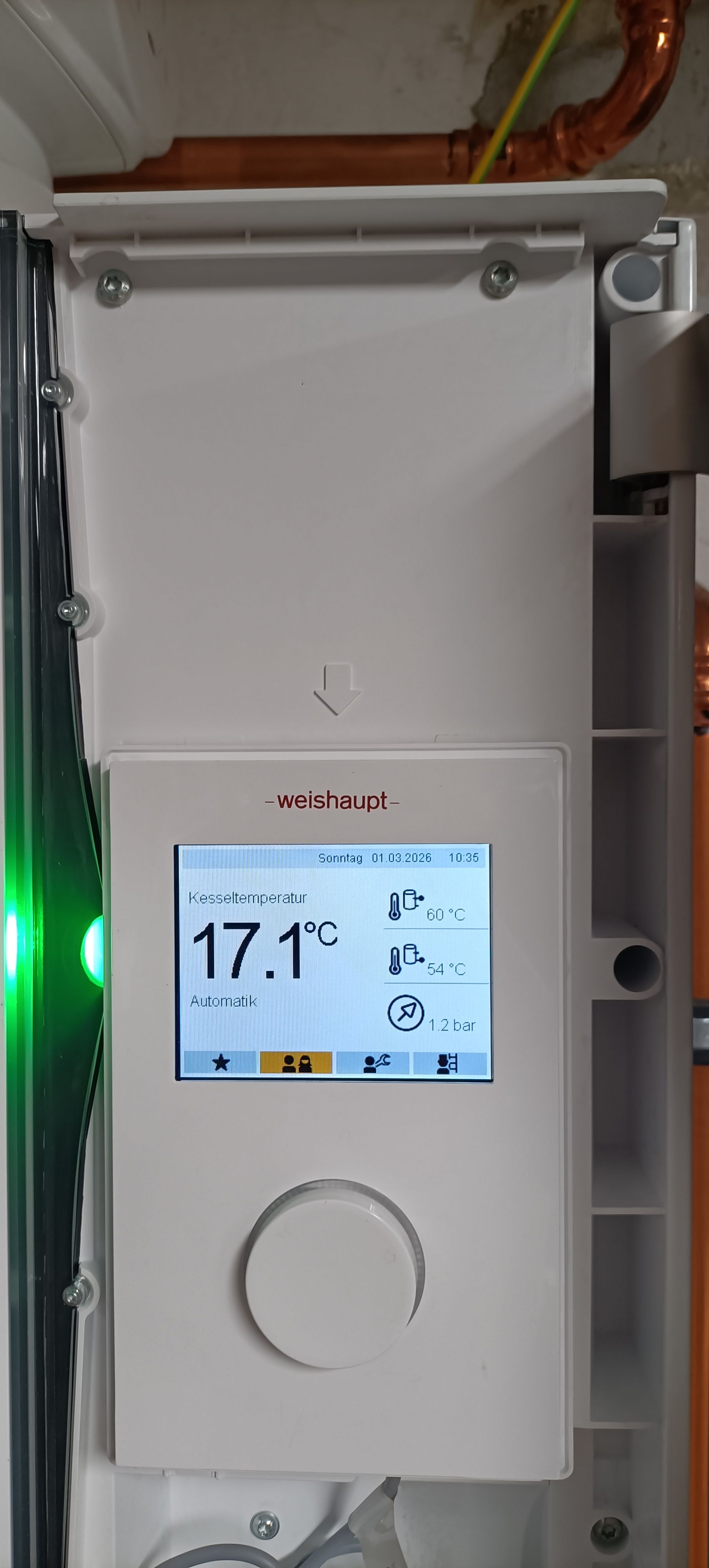
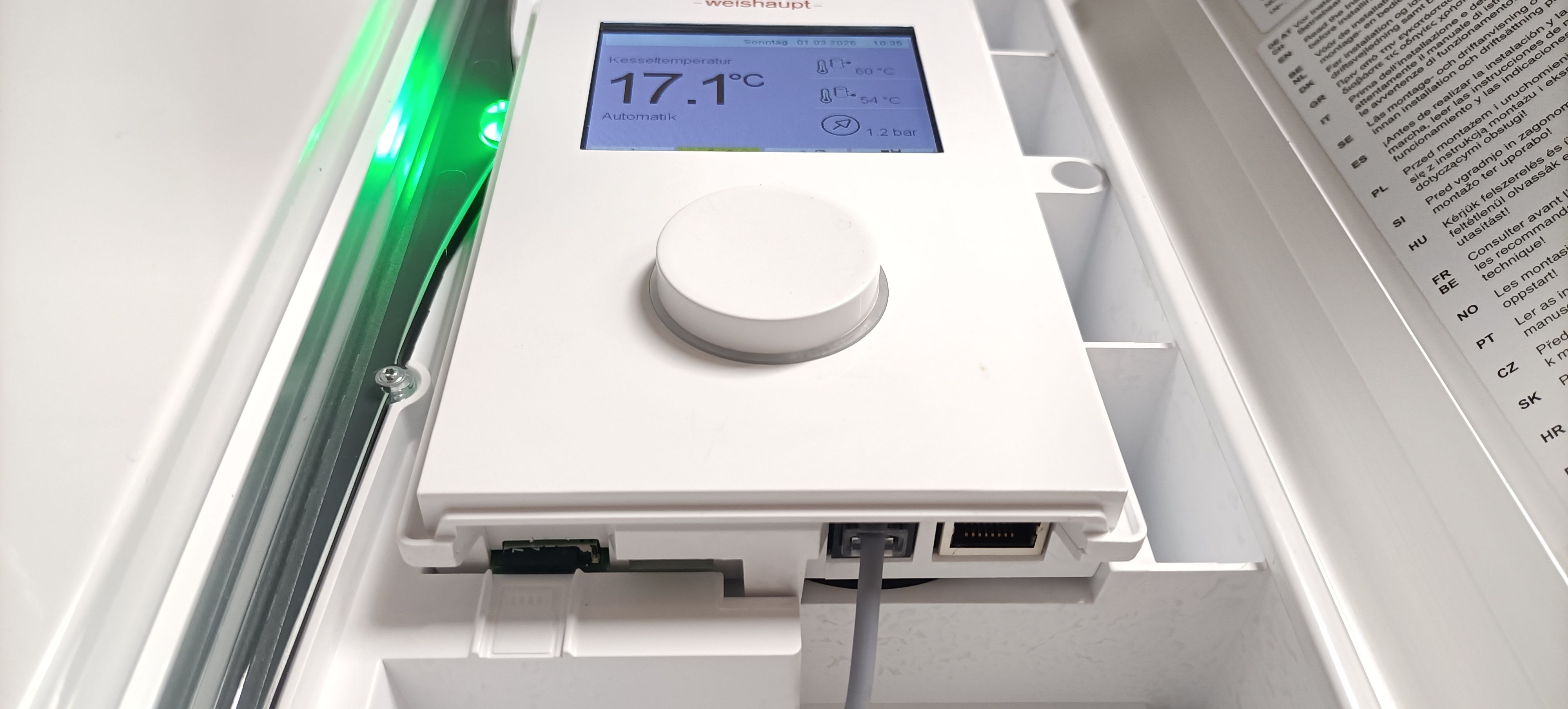
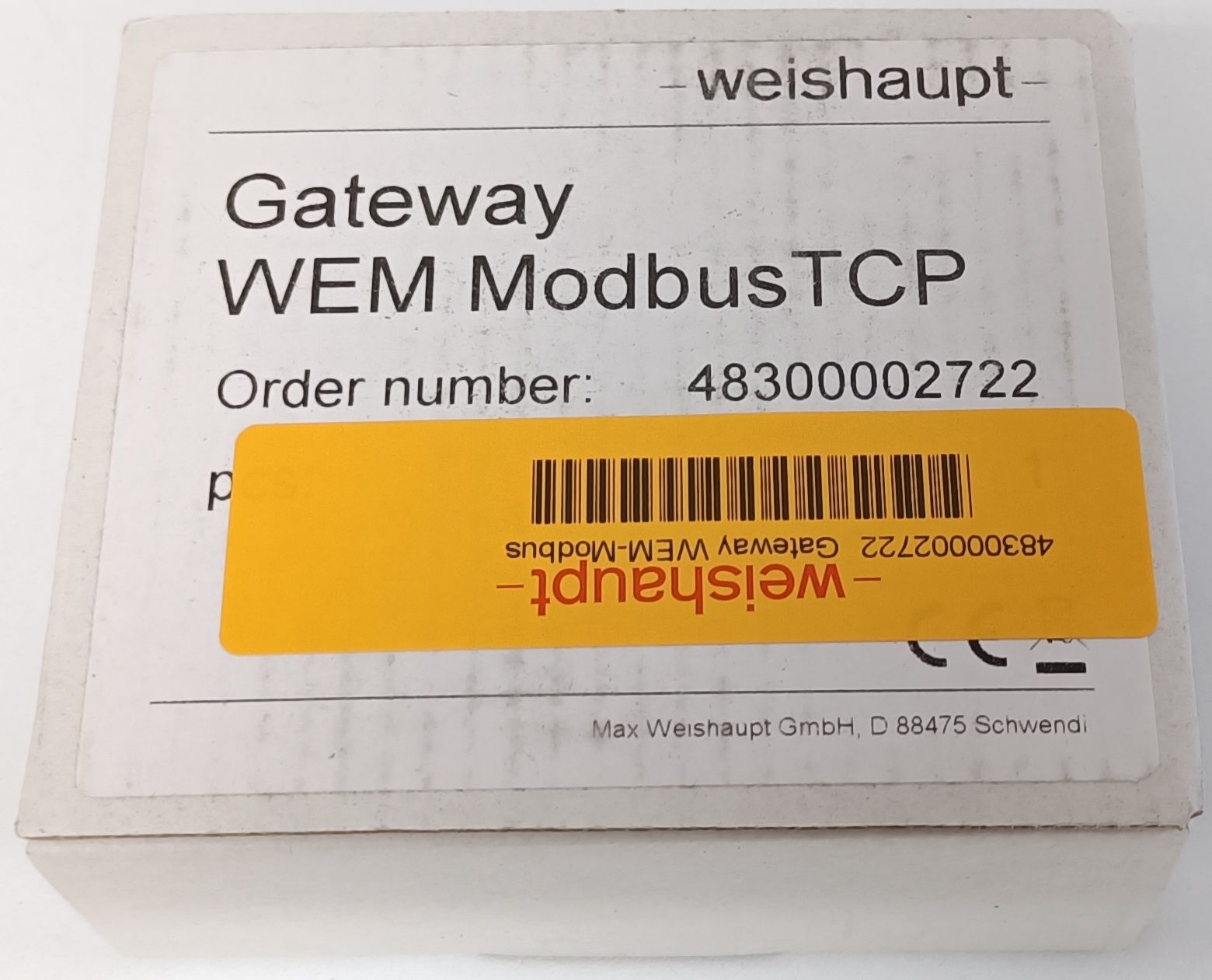
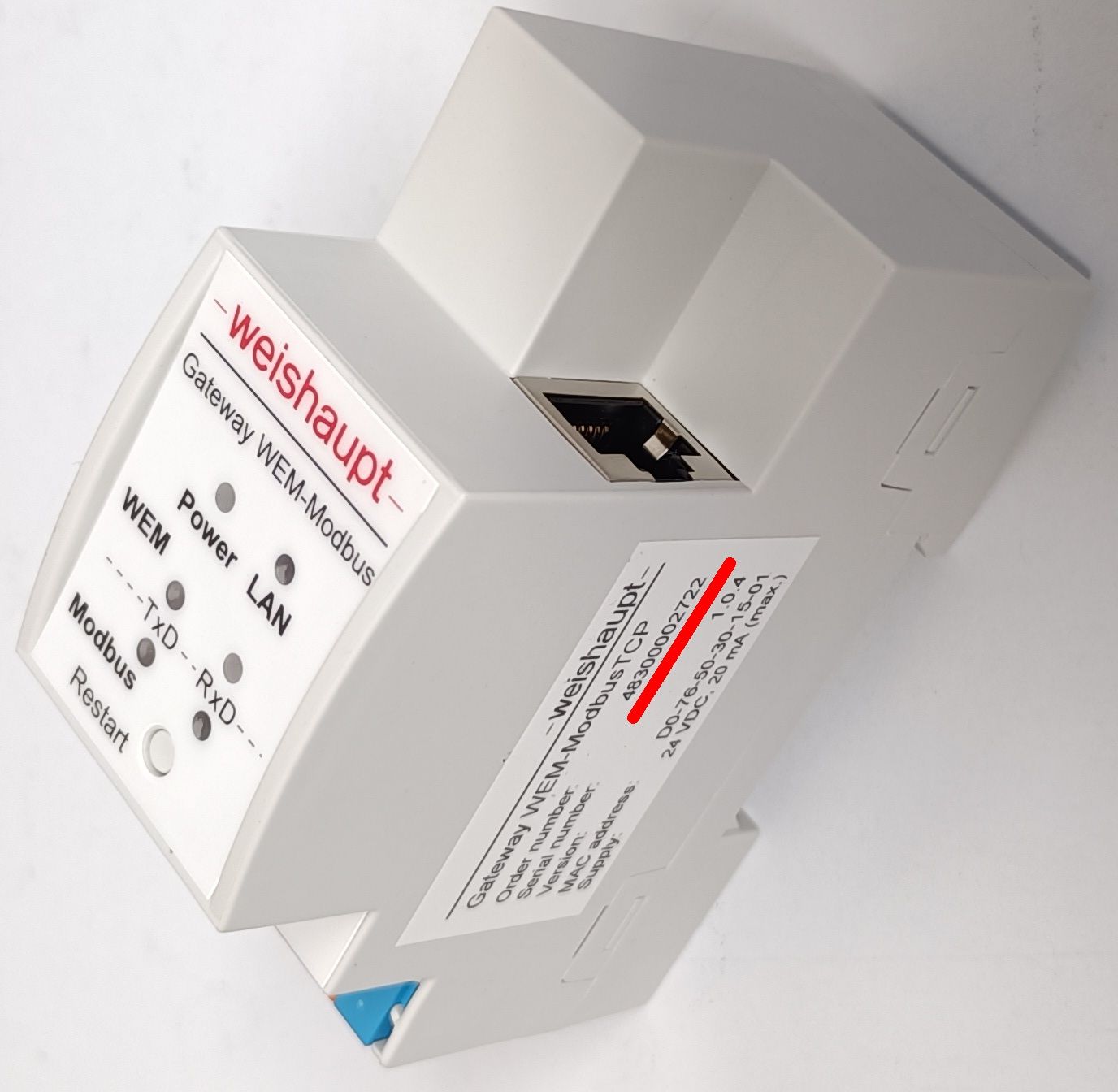
!!! Anything you do with your Weishaupt gas boiler or system unit and/or compatible devices in connection with the information published here is at your own risk !!!
!!! No liability is accepted for damages !!!
Short:
Read values from and control your Weishaupt gas heating device, oil heating system or heat pump with:
Curl (AmigaOS, DOS, Windows, Linux, OpenWrt, AIX, BeOS, DragonFly BSD, FreeBSD, Haiko, iOS, IRIX, OS/2, QNX, RISC OS, Unix, ...) ;-)
Controlling your Weishaupt device with:
FHEM,
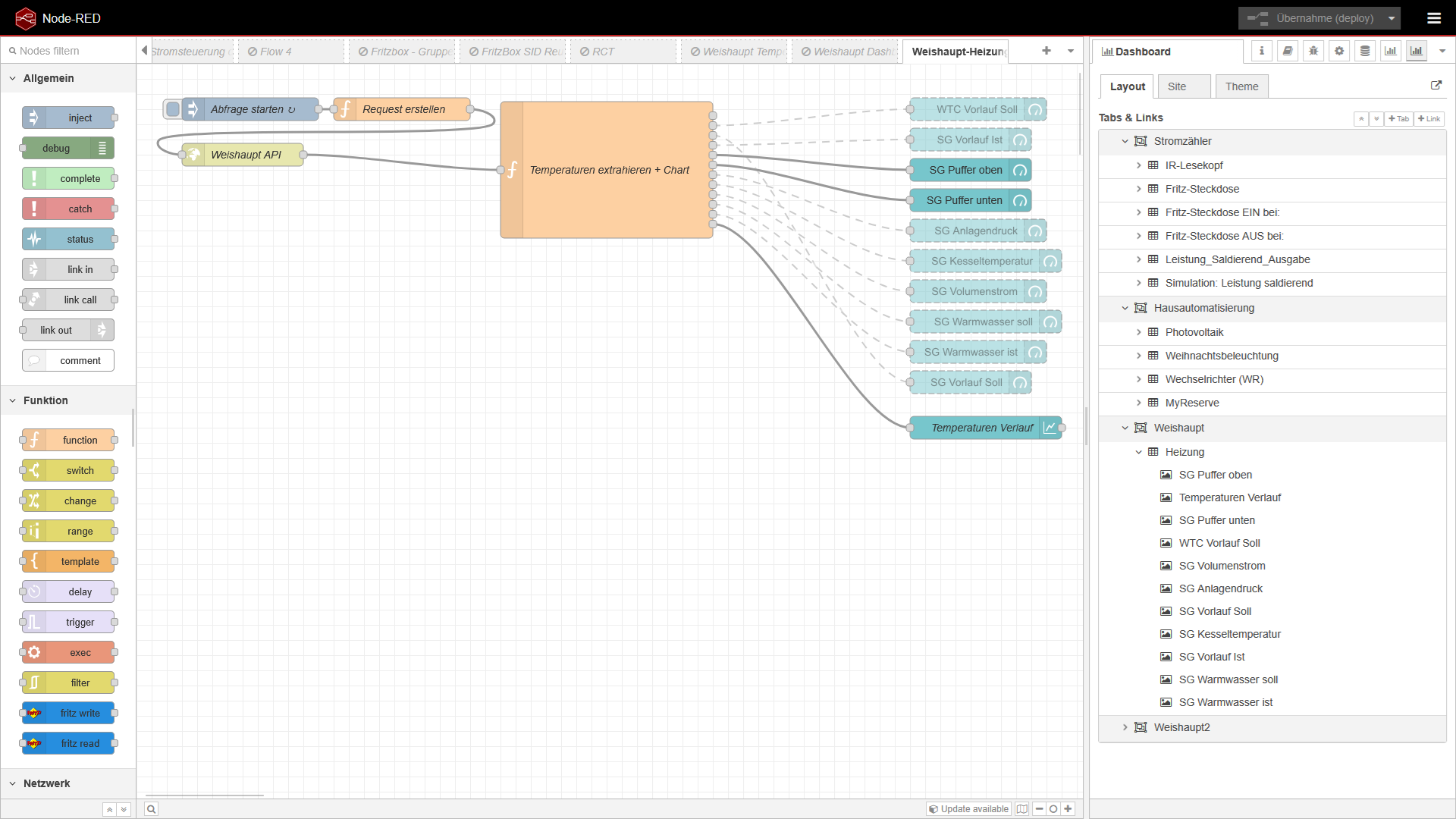
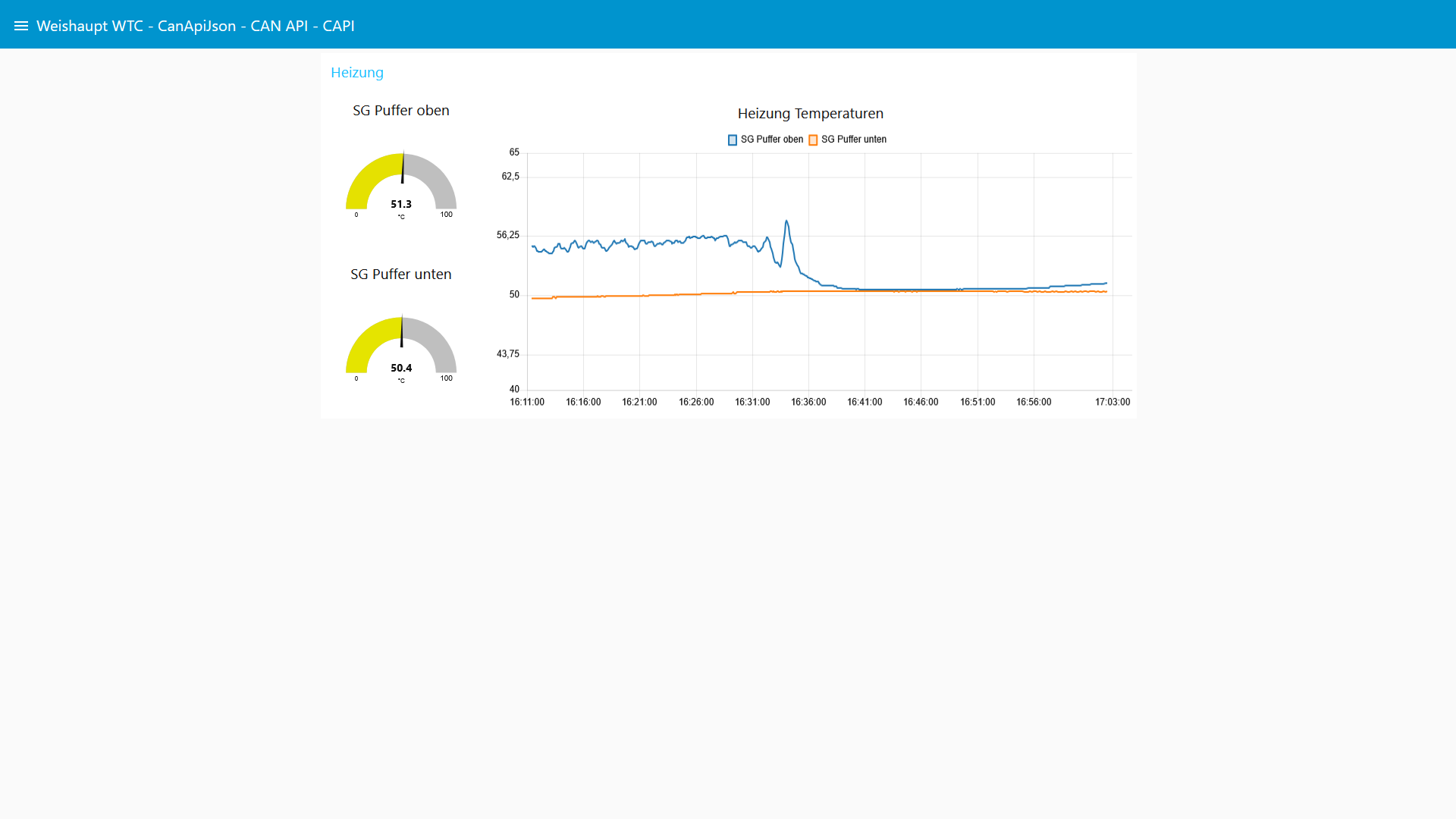
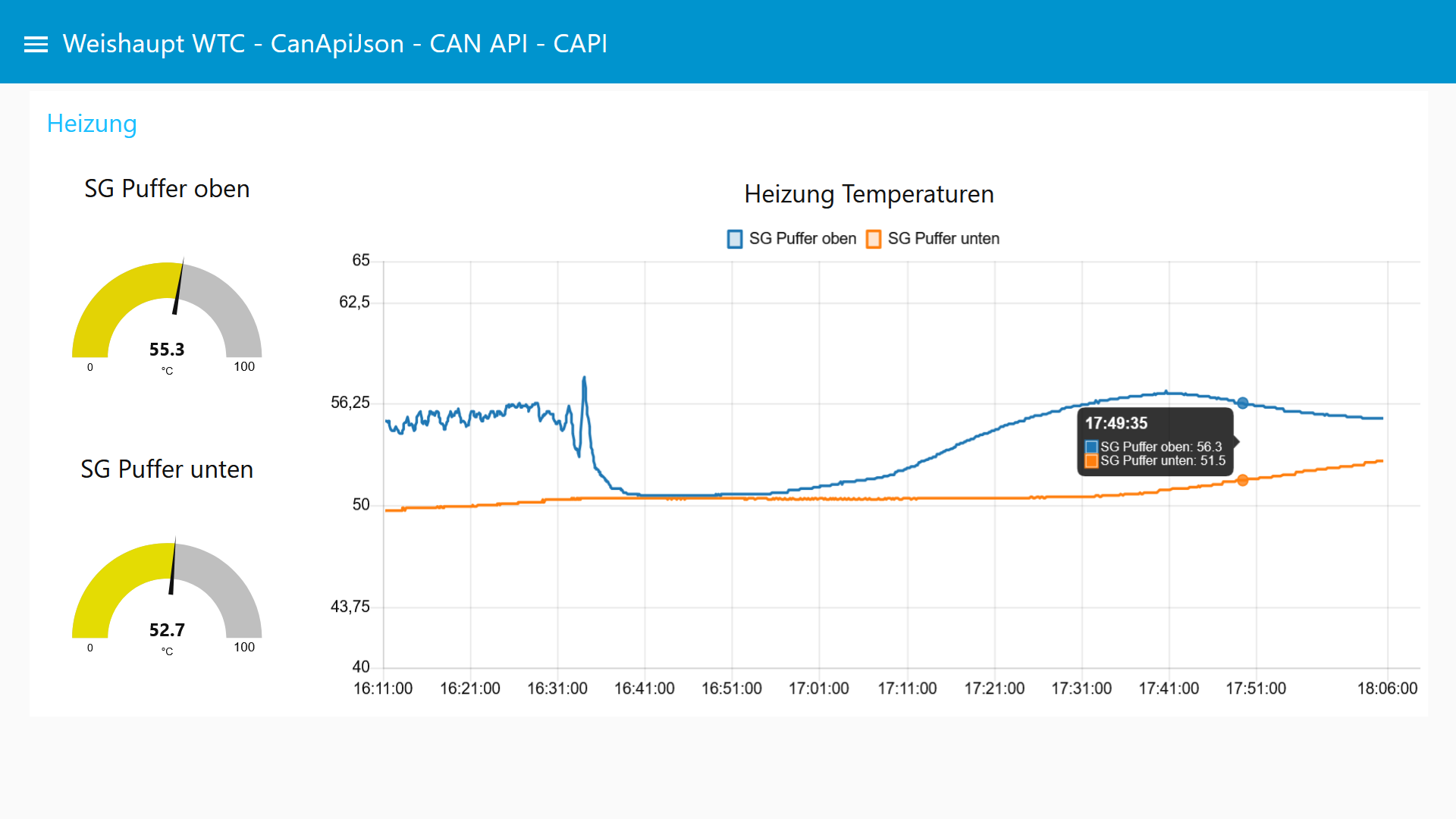
Node-RED,
openHAB,
ioBroker,
Home Assistant
...should work without any issues.
Basically, you only need to understand the CanApiJson CAPI / VG datagram structure and the corresponding mapping table (magic patterns):
See below / see:
CanApiJson-extracted_formatted.ods
(https://github.com/BorgNumberOne/Weishaupt_CanApiJson/blob/main/CanApiJson-extracted_formatted.ods)
and:
CanApiJson-extracted_formatted.pdf
(https://github.com/BorgNumberOne/Weishaupt_CanApiJson/blob/main/CanApiJson-extracted_formatted.pdf)
Update:
Node-RED example is here: #3
Home Assistant Integration is available here: https://github.com/kraiz/hassio-weishaupt
Important:
Using the Weishaupt WEM portal and local control at the same time is not possible.
You can either use the Weishaupt WEM portal or local control.
https://www.wemportal.com/Web/Documents/FAQ/FAQ.de.pdf?lang=de
So, you cannot use both (WEM Portal and local access / local acces through the protocol converters (ModBus TCP / KNX)) at the same time:
Search for: Gateway und WEM-Portal-Nutzung schließen sich gegenseitig aus
(Gateway WEM-Modbus / Gateway WEM-KNX and Weishaupt WEM Portal usage are mutually exclusive.)
a)
https://www.badexo.de/weishaupt-gateway-wem-knx-zur-umsetzung-des-wem-bus-protokolls-auf-knx-standard
-->
KNX-Gateway und WEM-Portal-Nutzung schließen sich gegenseitig aus.
b)
https://web.archive.org/web/20241202114520/https://www.loebbeshop.de/weishaupt/zubehoer/gateway-von-wem-auf-modbus-tcp-48300002722/
-->
Einsetzbar für die Brennwertsysteme WTC-G 15 bis 150.
Ausgeführt als Hutschienengerät.
Modbus-Gateway und WEM-Portal-Nutzung schließen sich gegenseitig aus.
Furthermore, control, configure, read, and modify the settings of the "Systemgerät" itself (http://admin:Admin123@wem-sg/) is also handled via the Weishaupt CanApiJson / Weishaupt CAPI in the background via the web interface:
Just analyze the content of:
http://admin:Admin123@wem-sg/script/einstellung.js
http://admin:Admin123@wem-sg/script/Form_eth_log.js
...for example with ChatGPT: :)
-->Weishaupt CanApiJson / Weishaupt CAPI command - get IP address:
curl.exe --http1.1 -H "Connection: keep-alive" -H "User-Agent:" -H "Accept:" -H "Referer: http://wem-sg/" -H "Content-Type:" -u admin:Admin123 -d "{\"ID\":\"12345678\",\"SRC\":\"DDC\",\"CAPI\":{\"NN\":1,\"N01\":{\"VG\":\"010600250800000400\"}}}" http://wem-sg/ajax/CanApiJson.json
--> response:
{"ID":"12345678","SRC":"SYS","CAPI":{"NN":1,"N01":{"VG":"0206002508000004c0a8b27c"}}}
--> c0 a8 b2 7c
--> 192.168.178.124
-->Weishaupt CanApiJson / Weishaupt CAPI command - get hostname:
curl.exe --http1.1 -H "Connection: keep-alive" -H "User-Agent:" -H "Accept:" -H "Referer: http://wem-sg/" -H "Content-Type:" -u admin:Admin123 -d "{\"ID\":\"12345678\",\"SRC\":\"DDC\",\"CAPI\":{\"NN\":1,\"N01\":{\"VG\":\"110600250500001000\"}}}" http://wem-sg/ajax/CanApiJson.json
--> response:
{"ID":"12345678","SRC":"SYS","CAPI":{"NN":1,"N01":{"VG":"1206002505000010WEM-SG"}}}
--> WEM-SG
Long: just keep reading
Weishaupt CanApiJson - CAN bus-like / CANopen-like protocol via JSON is a communication protocol between:
"Systemgerät" (48301122172, 48301122242, 48301122512, 48301122522)
and other Weishaupt (compatible) devices like a:
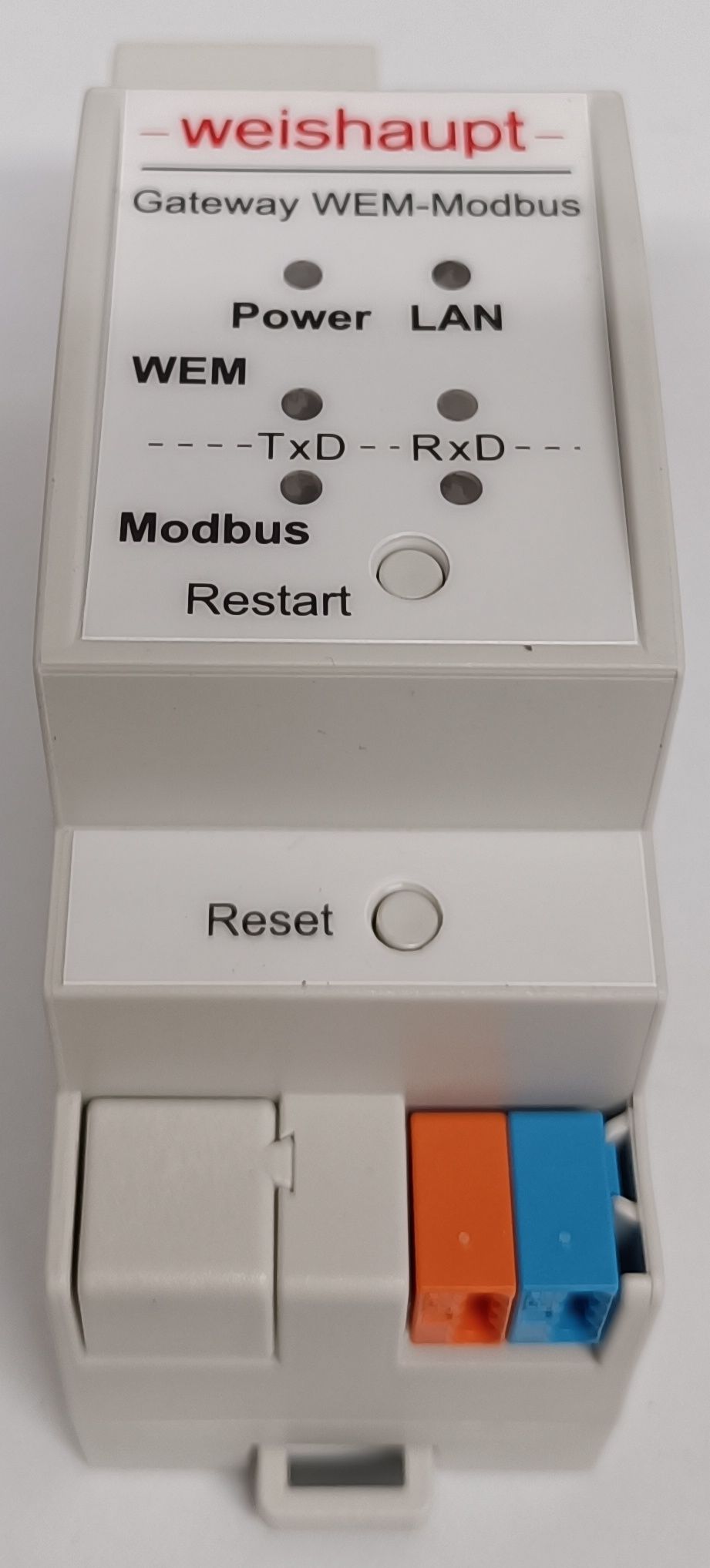
"Gateway WEM-Modbus" data protocol converter ( 48300002722 ) or a:
"Gateway WEM-KNX" data protocol converter ( 48300002012 ) or a:
"Set Kopierschutzstecker PC-Tool WEM- Diagnose-Dongle mit Kabel für Heizungsb." ( 48300000722 )
specifications/declarations (some kind of):
WEM = Weishaupt Energy Manager / Weishaupt Energy Management
Weishaupt WEM bus protocol = "Weishaupt WEM-Bus-Protokoll"
(Weishaupt) CanApiJson protocol = Weishaupt CanApiJson - CAN bus-like / CANopen -like via JSON -protocol
(Weishaupt) CanApiJson register/object number = Weishaupt CanApiJson block address number or CanApiJson register/object number = Weishaupt WEM CanApiJson register/object number
The resulting generated block address/register number(magic pattern - see mapping table below) on the Weishaupt CanApiJson protocol side may vary or could look different and it could depend on the way of presence of your Weishaupt devices or on your constellation of Weishaupt devices:
WTC (WTC1 / WTC2 / ...)
SG (SG 1 / SG 2 /...)
HK (HK 1 / HK 2 /...)
WW (WW 1 / WW 2 /...)
Sol (SOL 1 / SOL 2 /...)
RF, RG1, RG2, KA
It is therefore very likely that the “Gateway WEM-Modbus” (or a “Gateway WEM-KNX”) first needs/reads the Weishaupt SG1 system table:
http://admin:Admin123@wem-sg/sd/systable.csv
to generate suitable Weishaupt CanApiJson block address/register number specification to create functioning JSON telegrams.
This document contains research results on the structure and functionality of the communication interface ("JSON") of a Weishaupt system device / control unit ("Systemgerät" - "SG"/"SG1").
If you have any Weishaupt CanApiJson related news or corrections or any updates, please feel free to improve this documentation.
This document makes it easy to integrate, read, control, and modify parameters of Weishaupt devices that use this CanApiJson protocol (gas boiler, heat pump, etc.) in DOS, Windows, AmigaOs, OpenWRT, Node-RED, Home Assistant, FHEM, ioBroker, etc.
CSV files on the Weishaupt Systemgerät micro SD card
The first indications of the CANopen-like protocol used by the Weishaupt "Systemgerät" (system device) can already be found in the .CSV files on the micro SD card, which is located in the micro SD card slot on the underside of the Weishaupt "Systemgerät" (system device).
Example content of:
19121201.CSV:
DP-Nr;DP01;DP02;DP03;DP04;DP05;DP06;DP07;DP08;DP09;DP0a
MI;02;03;07;07;07;09;07;09;07;02
MX;00;00;00;00;00;01;00;01;00;02
OX;2503;2529;2545;2534;2536;2615;2533;2613;2537;2507
OS;00;02;00;00;00;02;02;02;00;00
INT;0028;0028;0028;0028;0028;0028;0028;0028;0028;0028
UNIT;01;01;01;03;01;01;01;06;01;01
FF;0a;0a;0a;64;0a;0a;0a;01;0a;0a
Date;Value
12.12.19 11:38:46;0,4;13,4;57,0;98,4;13,0;11,1;10,4;806,0;14,2;;;;;;;;;;;
...
12.12.19 11:56:46;0,4;29,4;57,0;100,1;49,3;50,1;21,8;802,0;38,8;;;;;;;;;;;
Files on the SD card are mapped to:
http://admin:Admin123@wem-sg/sd/
Example in this case:
http://admin:Admin123@wem-sg/sd/19121201.CSV
The filename is composed as follows:
YY | MM | DD | xx | .CSV (xx can be: 01 or 02)
Inside the example .CSV file there you can already see the data fields used / the identifiers of the data fields: MI, MX, OX, OS
This structure and the data fields/data field labels within the .CSV files are also used in the VG telegrams within the Weishaupt CANopen-like protocol / the CanApiJson protocol.
The Weishaupt CAPI - CANopen-like protocol / datagram:
If the JSON function is enabled in the settings of the Weishaupt "Systemgerät" (SG / SG1 - Weishaupt control unit for the gas boiler/heat pump/...) and the Weishaupt "Systemgerät" is connected to the local network via the RJ-45 interface (DHCP server enabled or manually assigned IP address), then this address can be accessed with a browser:
http://admin:Admin123@wem-sg/ajax/CanApiJson.json
Well, accessing this address with a browser is primarily for testing purposes only.
Actual writing/reading values from the "Systemgerät" / the heating control unit works differently:
via POST requests (e.g., using curl)
See details below.
Furthermore a Weishaupt Gateway WEM-Modbus can be used to connect the world of Weishaupt WEM protocol with the world of Modbus TCP protocol.
This can also be used to find out which specific Modbus TCP register (and which documented function/specific value of the heating control[temperatures, pressures, operating states, etc.]) is transferred to the equivalent data point of the Weishaupt CanApiJson protocol.
WEM-Systemgerät 2.5 -- Weishaupt Ersatzteil komplett mit SD-Karte - ersetzt: 48301122172, 48301122242, 48301122512
Weishaupt WEM-Systemgerät 2.6 kpl. mit SD-Card: 48301122522
00:23:7e:??:??:?? [Elster_??:??:??] (Kuhlmannstrasse 10, 31785 Hameln, DE)
hostname: WEM-SG
http://wem-sg (sg = Systemgerät)
http://wem-sg.local/
http://admin:Admin123@wem-sg/
http://admin:Admin123@wem-sg.local/
http://admin:Admin123@wem-sg/script/einstellung.js
http://admin:Admin123@wem-sg/script/Form_eth_log.js
http://admin:Admin123@wem-sg/script/ajax.js
http://admin:Admin123@wem-sg/ajax/CanApiJson.json -->JSON content changes every 30 seconds (polling).
http://admin:Admin123@wem-sg/sd/systable.csv --> could be figured out with the help of network packet sniffing between "Systemgerät" and "Gateway WEM-Modbus"
http://admin:Admin123@wem-sg/sd/19121201.CSV --> (example gas heating device logging file)
http://admin:Admin123@wem-sg/sd/DLOG_ACT.CSV
http://admin:Admin123@wem-sg/sd/FAC_TEST.TXT --> content: --SDCARD FACTORY TEST ABCDEFGHIJKLMNOPQRSTUVWXYZ0123456789--
http://admin:Admin123@wem-sg/upload.html
http://admin:Admin123@wem-sg/css/msdropdown/dd.css
http://admin:Admin123@wem-sg/css/msdropdown/flags.css
http://admin:Admin123@wem-sg/css/upload.css
http://admin:Admin123@wem-sg/script/jquery/jquery-1.9.0.min.js
http://admin:Admin123@wem-sg/script/msdropdown/jquery.dd.min.js
http://admin:Admin123@wem-sg/script/server.js
d0:76:50:3?:??:?? [TAPKOTechnol_?:??:??] (TAPKO Technologies GmbH, Im Gewerbepark A15, 93059 Regensburg, Bayern, DE)
http://mod-whgw-301501:8080/index.shtml
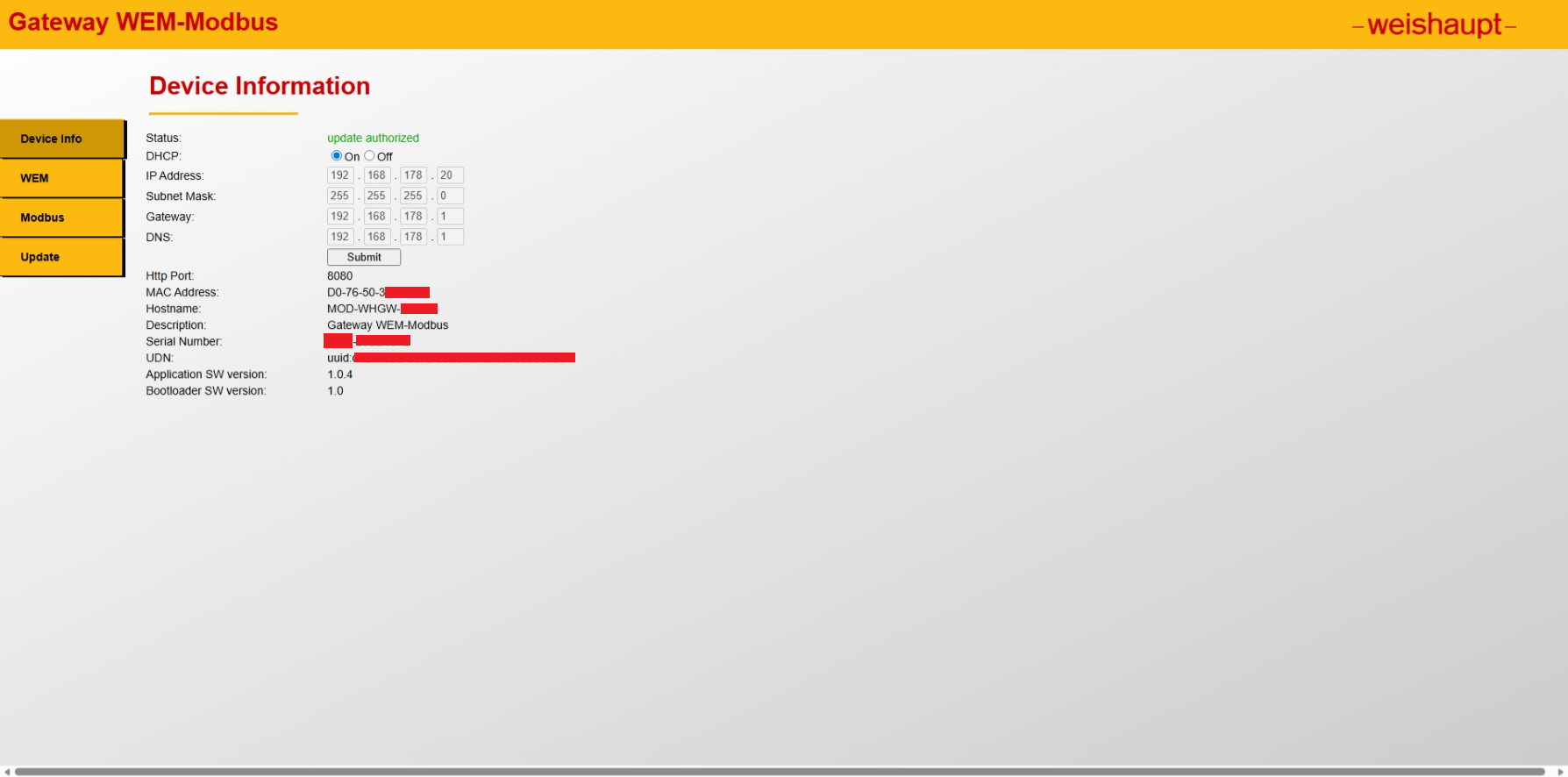
http://mod-whgw-301501:8080/wem.shtml - before configure the IP setting to the Weishaupt Systemgerät:
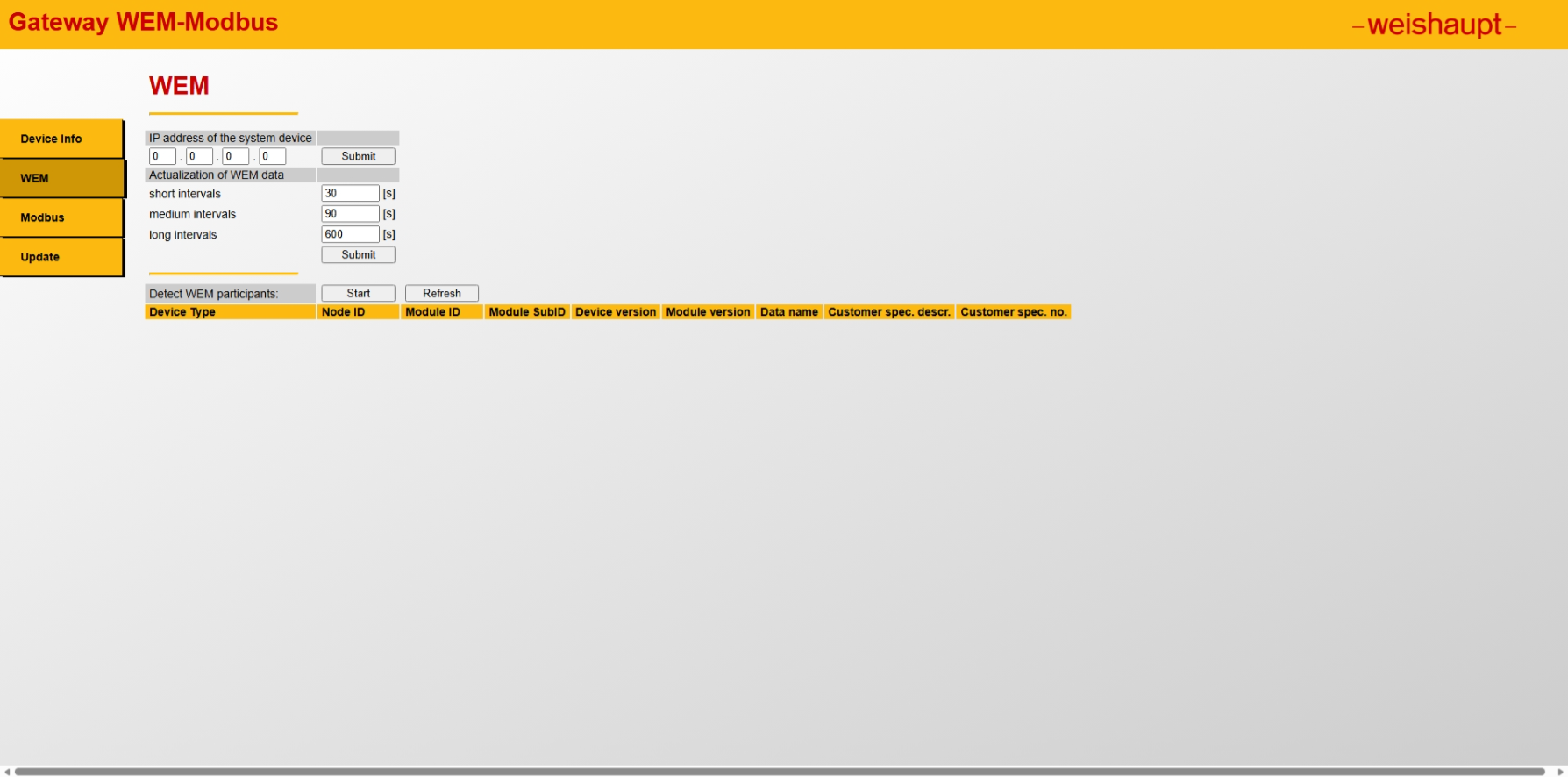
http://mod-whgw-301501:8080/wem.shtml - after configure the IP setting to the Weishaupt Systemgerät:
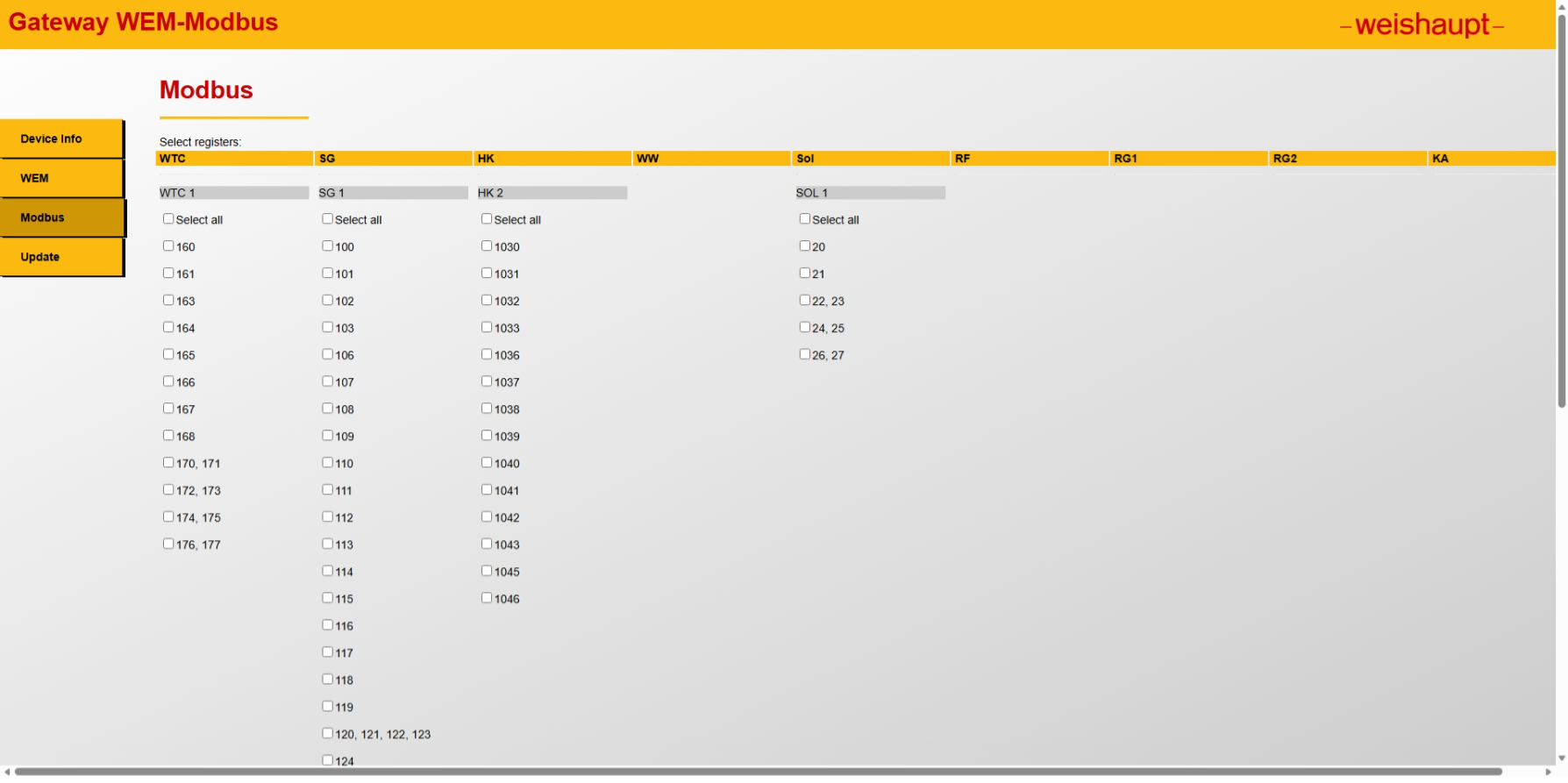
http://mod-whgw-301501:8080/modbus.shtml
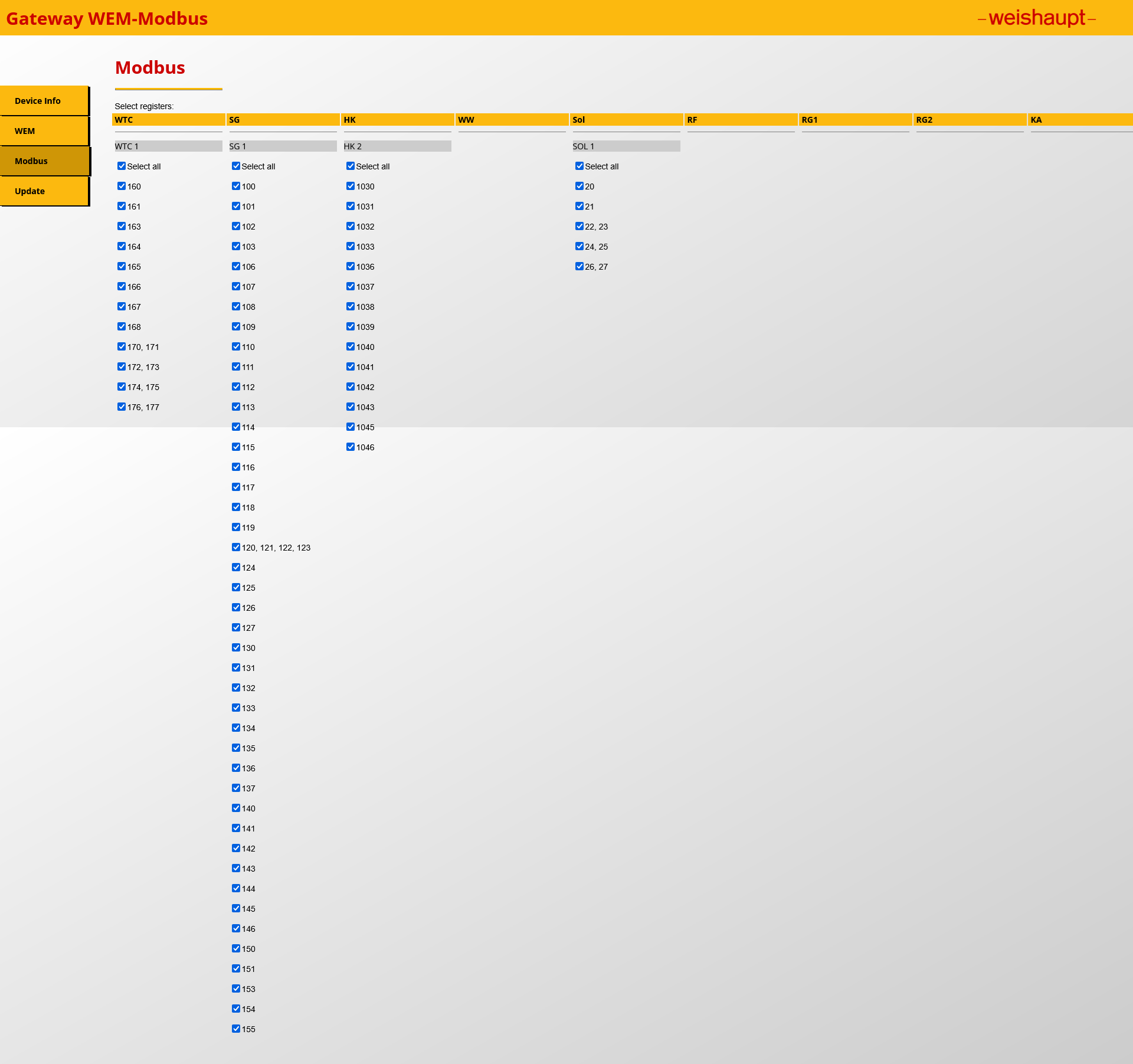
hostname: MOD-WHGW-xxyyzz (xxyyzz = second part of the MAC address)
http://MOD-WHGW-xxyyzz:8080
http://MOD-WHGW-xxyyzz.local:8080
open:
http://admin:Admin123@wem-sg/ajax/CanApiJson.json in your browser.
Then, you should see something like this:
{"ID":"12345678","SRC":"SYS","CAPI":{"NN":1,"N01":{"VG":"020201258202000101"}}}
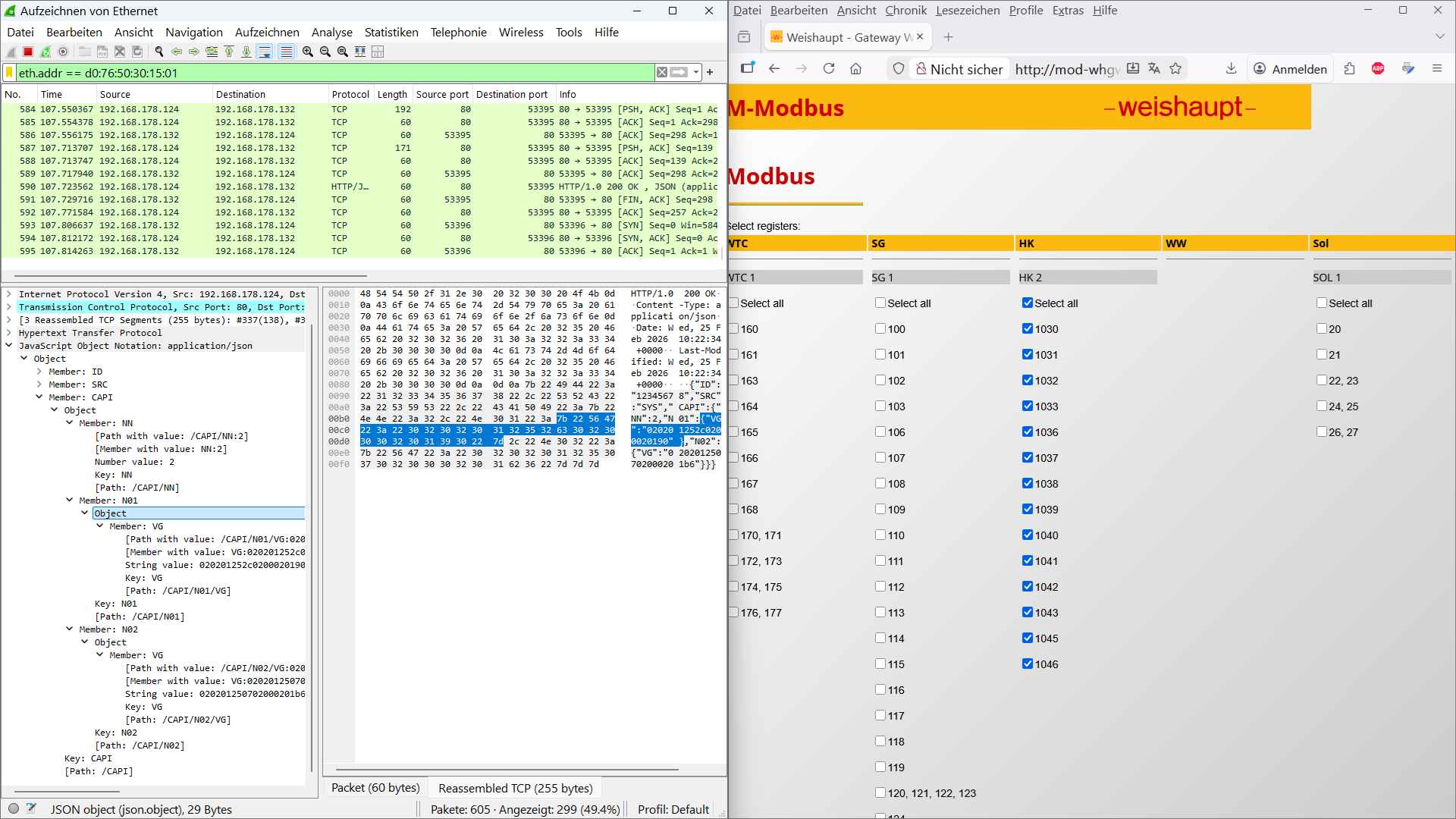
If you have a compatible device, which can communicate to the Weishaupt system device / control unit ("Systemgerät" - "SG"/"SG1"), then you can place a computer between the two devices and bridge the two network interfaces.
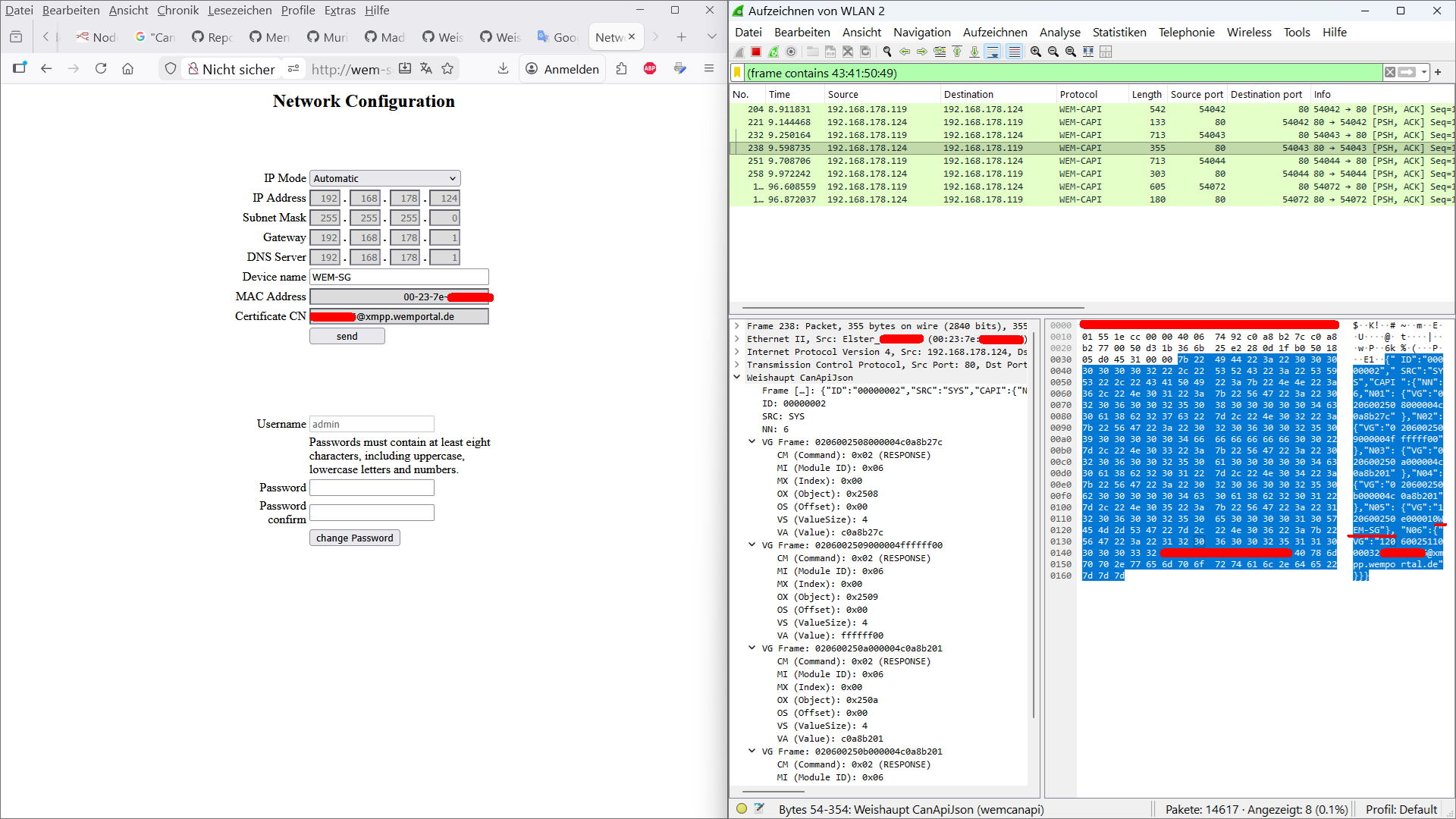
Then you can use Wireshark to see what happens between both devices.
--> schematics:
Weishaupt SG1 <--> network interface 1 of your computer|your computer|network interface 2 of your computer <--> another device that can communicate to the Weishaupt SG1 (Weishaupt Gateway WEM-Modbus / WEM-KNX)
The device which can understand the Weishaupt WEM / CAN bus-like protocol and which can communicate to the Weishaupt SG1 will "POST" a message like this as a request to the Weishaupt SG1:
POST /ajax/CanApiJson.json HTTP/1.1
Host: 192.168.178.124 (example Weishaupt SG1 IP address)
Authorization: Basic YWRtaW46QWRtaW4xMjM=
Referer: http://192.168.178.124/
Content-Length: 215
Connection: keep-alive**
{"ID":"12345678","SRC":"DDC","CAPI":{"NN":5,"N01":{"VG":"010700254100000100"},"N02":{"VG":"010700253200000200"},"N03":{"VG":"010700253302000200"},"N04":{"VG":"010700253700000200"},"N05":{"VG":"010901263900000100"}}}
Then there will be a response from SG1:
HTTP/1.0 200 OK
Content-Type: application/json
Date: Sun, 22 Feb 2026 19:29:43 +0000
Last-Modified: Sun, 22 Feb 2026 19:29:43 +0000
{"ID":"12345678","SRC":"SYS","CAPI":{"NN":5,"N01":{"VG":"020700254100000100"},"N02":{"VG":"020700253200000200b2"},"N03":{"VG":"020700253302000200ab"},"N04":{"VG":"020700253700000200c4"},"N05":{"VG":"020901263900000100"}}}
As you can see, JSON is used for the CAN / CANopen like Weishaupt WEM communication protocol - explanations:
ID = ID_number --> appears to be the same every time. (Did Weishaupt forget to implement something here - why so unique: "12345678"?)
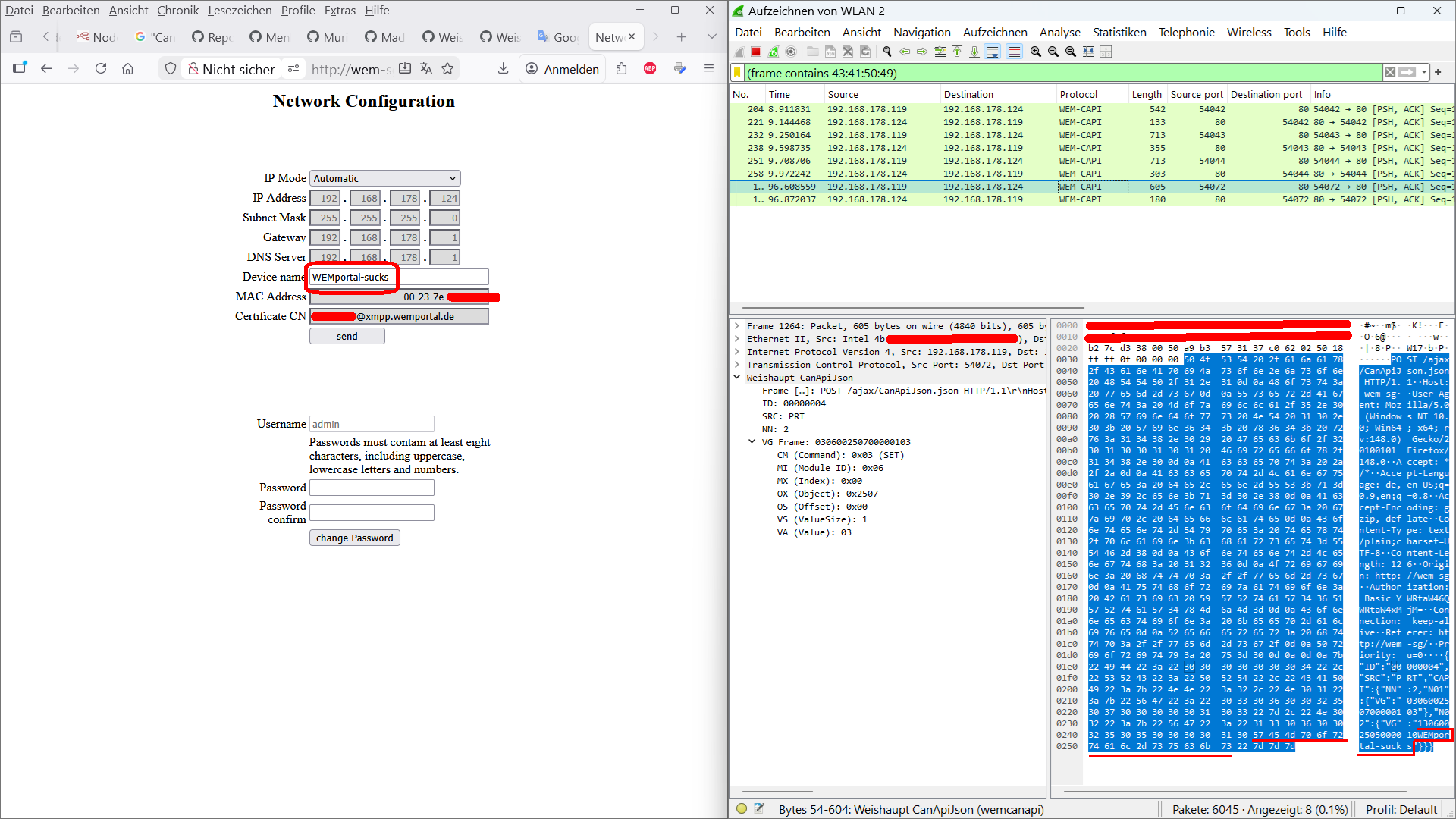
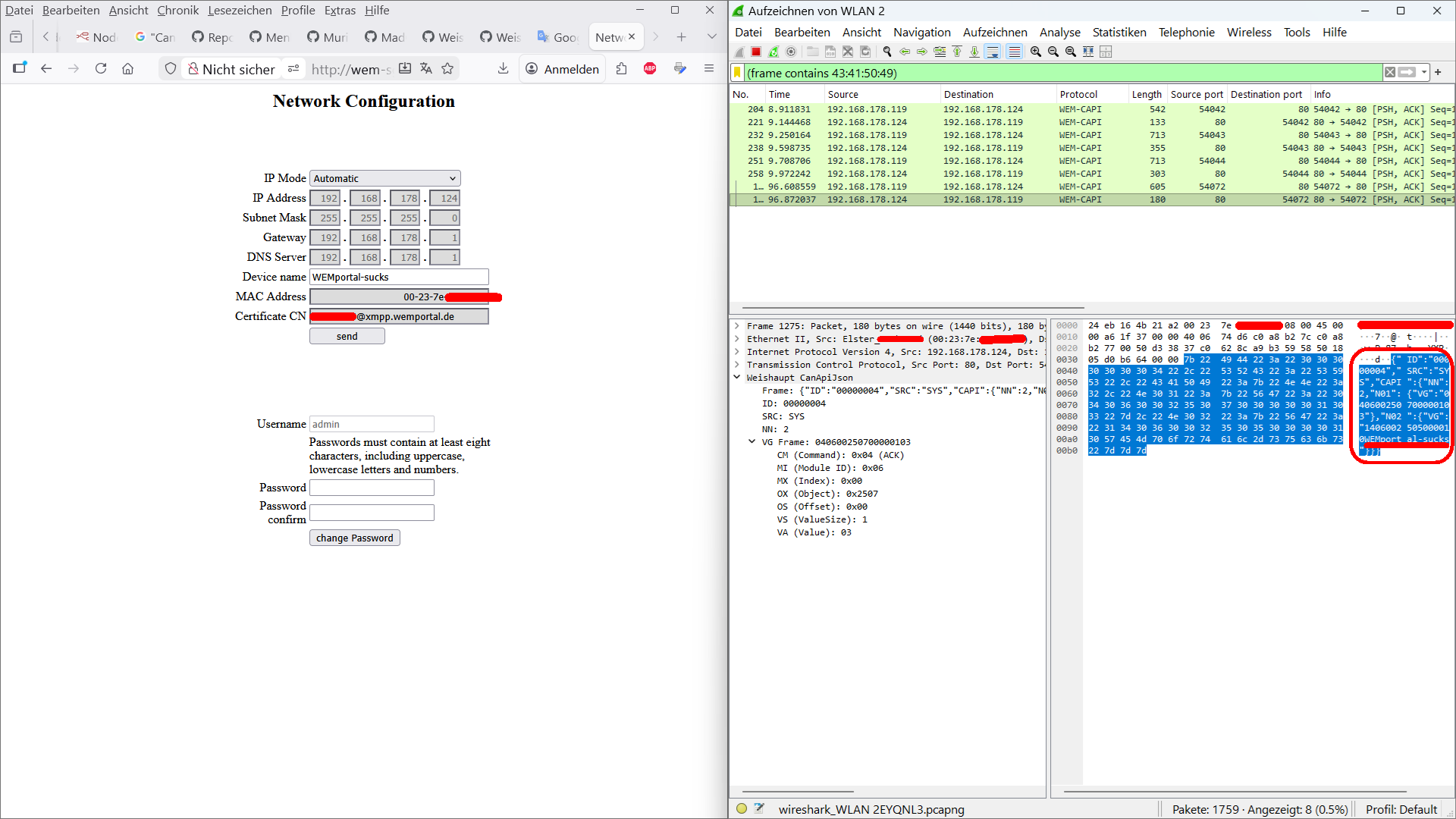
SRC = Source of the message/telegram (DDC/SYS / PRT<--(http://admin:Admin123@wem-sg/script/Form_eth_log.js))
PRT = ID_name of the Portal (Web interface / Browser : if you change settings at: http://admin:Admin123@wem-sg/ then PRT will be used as ID_name)
DDC = ID_name of the Weishaupt Gateway Modbus-WEM (Direct Digital Control / Direct Digital Controller - Building automation / Gateway)
SYS = ID_name of the Weishaupt "Systemgerät" (SG / SG1)
NN = amount/number of following VG telegrams / VG messages (max. value seen in the wild: "NN":10)--> "N01","N02","N03",...,"N10" ("NN":10 means: "N01"{ },...,"N10"{ })
VG = ?VG stands for what? --> signals that a CAN frame / message / telegram with data will follow
...could stand for:
Value Group (Telegram contains multiple values together)
Variable Group (Multiple variables in the CAN frame)
Virtual Group (Logical grouping of data points)
Value / Variable Gateway (Gateway / translator)
Verband- / Verknüpfungsgruppe (German words for: Association / Linked Group)
The main part / the most important thing is the message/telegram following: "VG" - e.g. {"VG":"02 07 00 2533 02 0002 00ab"} and here is what I could find out:
| CM | MI | MX | OX | OS | VS | VA | (official descriptions and field size: http://wem-sg/script/Form_eth_log.js)
| 1 byte | 1 byte | 1 byte | 2 bytes | 1 byte | 2 bytes | x byte(s) | (field size)
CM cases:(CoMmand)
case 1 (0x01): //GET - numeric value (in this case: "DDC" wants to GET numeric data)
case 2 (0x02): //Response (in this case: "SYS" wants to Response numeric data)
case 3 (0x03): //SET - numeric value
case 4 (0x04): //ACK
case 5 (0x05): //ERROR (details see below in the old research results)
case 17 (0x11): //GETS (get a string)
case 18 (0x12): //RESPONSE STRING
(case 18 (0x12): was incorrectly commented out in: http://admin:Admin123@wem-sg/script/Form_eth_log.js --> "case 18: //GETS" )
case 19 (0x13): //SETS (set a string)
case 20 (0x14): //ACK STRING`
1 byte | CM | command
1 byte | MI | CAN ID/group - Module Index : 02 / 07
1 byte | MX | CAN sub-ID/sub-group - Member Index - Module Extension : 00 / 01 /
2 bytes | OX | Object - Object Index : 2541 / 2532 / 2533 / 2537 / 2639 /
1 byte | OS | Offset - Object - Sub-object Index
2 bytes | VS | Value Size - amount of bytes to send / to receive: 01 / 02 / 04 / 08 /...
x byte(s) | VA | Value(s) inside the data point / register (temperatures, pressures, states, date, time, etc...)
If you have better information or any relevant technical terms (perhaps from the CANopen / CAN bus world), please let us know.
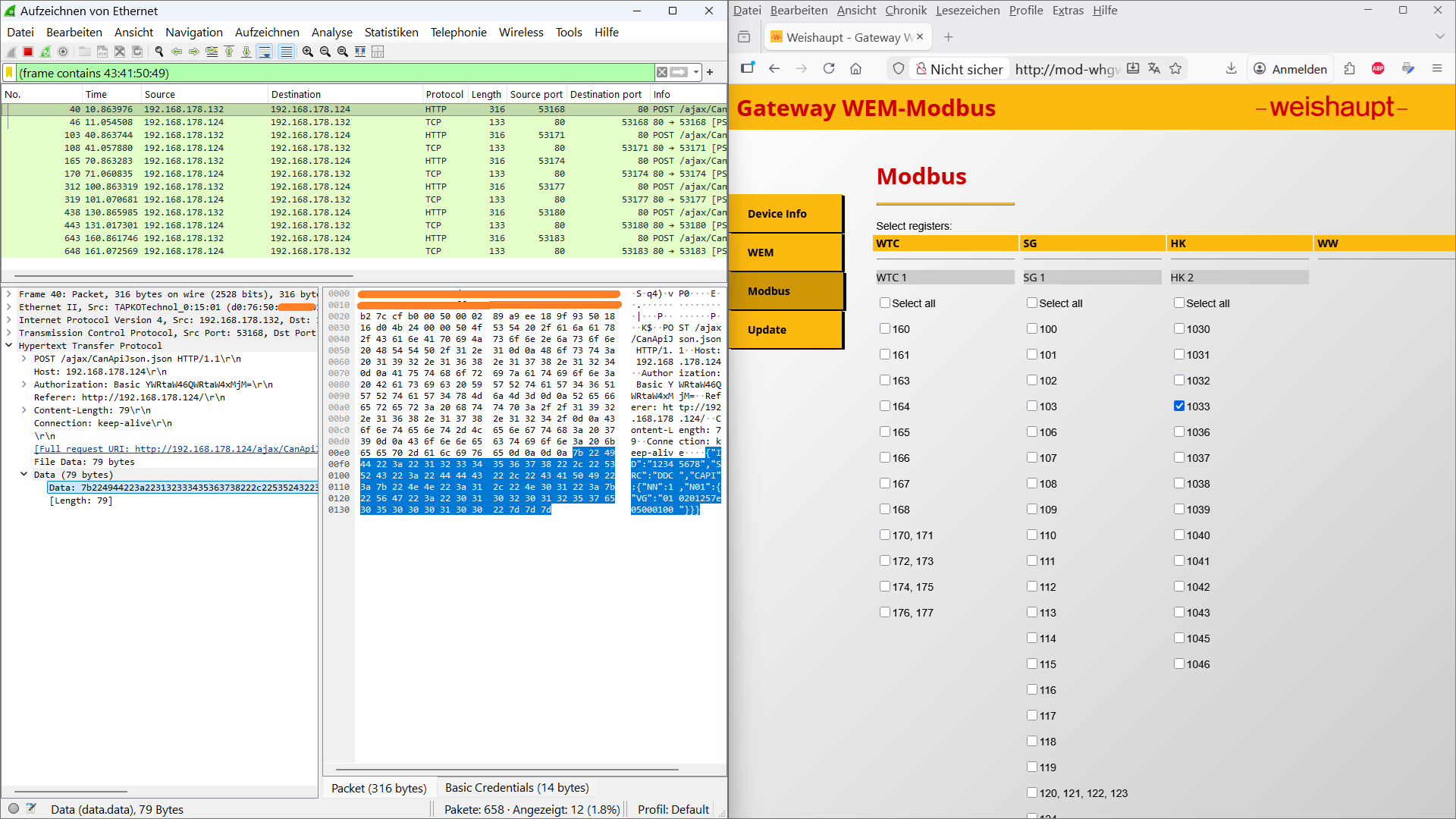
Inside the Weishaupt "Gateway WEM-Modbus" I did select just one Modbus TCP register and did sniff the network with the help of Wireshark.
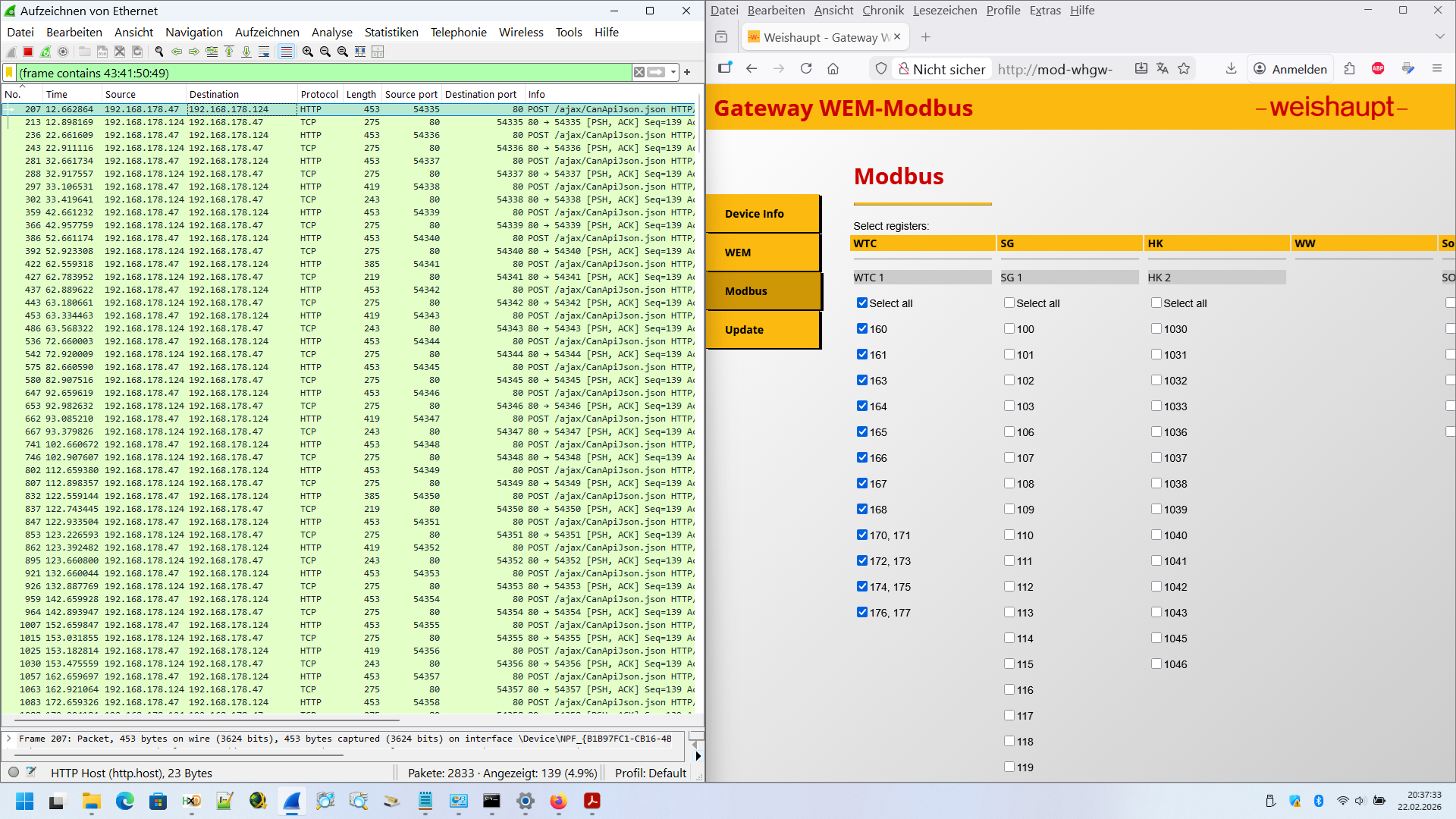
In Wireshark, I did use this display filter: (frame contains 43:41:50:49 / frame contains "CAPI") to just see the frames with: "CAPI".
So, I did repeat this for every single selectable Modbus TCP register in the web interface of the Weishaupt Gateway WEM-Modbus:
a) on the Weishaupt Gateway WEM-Modbus web interface: selection of just one/next Modbus TCP register which has to be transferred/converted to the Weishaupt WEM CanApiJson world
b) sniffing the network - 6 request/response pairs ("DDC"/"SYS" messages) while using the wireshark filter: "(frame contains 43:41:50:49)"
c) storing the result into a .pcapng file
d) disable the previously selected Modbus TCP register in the Weishaupt Gateway WEM-Modbus web interface
e) go to step "a)"
Different request-response pairs (“DDC”/“SYS” message block/pair) have different cycle times.
To ensure the consistency and uniqueness of the Weishaupt CanApiJson messages (nothing else is sent from the gateway)
and to figure out the cycle/polling time and to clearly determine both,
6 request-response pairs (“DDC”/“SYS” message block/pair) for each individual activated Modbus TCP register were dumped/sniffed.
For example (see mapping table below):
Modbus register: 1030 (Weishaupt CanApiJson block/register/address: 25_3302) will be polled every 30 seconds by the Weishaupt Gateway WEM-Modbus.
Modbus register: 114 (Weishaupt CanApiJson block/register/address: 27_f902) will be polled every 10 seconds by the Weishaupt Gateway WEM-Modbus.
Then I did use a script to keep just the important things inside the .pcapng network packet dump files and to make some reformatting changes for clarity.
So you can see below that each object/register on the Weishaupt CanApiJson side has a suitable register on the Modbus TCP side.
Then you can check the meaning of each Modbus register here:
https://www.loebbeshop.de/weishaupt/zubehoer/gateway-von-wem-auf-modbus-tcp-48300002722
-->
https://www.loebbeshop.de/media/67944/file/static/pdf/weishaupt/manual-wem-modbustcp.pdf
Now, there is a direct Weishaupt WEM CanApiJson register/object number <--> Modbus TCP register conversation possible.
As you can see in the dump/mapping table below, the value of the: Modbus register 118 (Weishaupt WEM block/register/address: 2560_02_0002) is: 0235.
--> Regarding the pdf file (https://www.loebbeshop.de/media/67944/file/static/pdf/weishaupt/manual-wem-modbustcp.pdf)
the Modbus register 118 is: heating water buffer tank temperature_top ("Pufferspeicher Temperatur oben").
--> The value is: 0235[HEX] = 565 = 56,5 °C --> This value matches the heating water buffer tank temperature_top while sniffing the communication.
https://web.archive.org/web/20241202114520/https://www.loebbeshop.de/weishaupt/zubehoer/gateway-von-wem-auf-modbus-tcp-48300002722/
-->
Einsetzbar für die Brennwertsysteme WTC-G 15 bis 150.
Ausgeführt als Hutschienengerät.
Modbus-Gateway und WEM-Portal-Nutzung schließen sich gegenseitig aus.
https://www.loebbeshop.de/weishaupt/regelungszubehoer?i=2&o=10&v=list
https://www.heizbude.de/heizung/zubehoer/gateway-wem-modbus-48300002722-von-weishaupt-hb-188258
https://www.heizbude.de/heizung/zubehoer/gateway-wem-knx-zur-umsetzung-des-wem-bus-protokolls-auf-knx-standard-48300002012-von-weishaupt-hb-188249
https://www.badexo.de/weishaupt-gateway-wem-knx-zur-umsetzung-des-wem-bus-protokolls-auf-knx-standard
-->
Weishaupt Gateway WEM-KNX zur Umsetzung des WEM-Bus-Protokolls auf KNX-Standard
Gateway WEM-KNX
Gateway zur Umsetzung des WEM-Bus-Protokolls auf KNX-Standard.
Einsatzmöglichkeit:
Auslesen und Bereitstellen von definierten Datenpunkten aus dem WEM-System für die KNX-Anwendung
Schreibender Zugriff auf definierte Datenpunkte des WEM-Systems durch die KNX-Anwendung Einsetzbar für die Brennwertsysteme WTC-G 15 bis 100.
Ausgeführt als Hutschienengerät.
KNX-Gateway und WEM-Portal-Nutzung schließen sich gegenseitig aus.
https://www.haustechnikdialog.de/Forum/t/273123/Regelung-Weishaupt-Biblock?page=2&PostSort=0
( Handbuch für ein Modbus Gateway. Sehr interessant dabei ist, das dort auch die Modbus Registeradressen enthalten sind. Dort wird auch die Anzahl der Schreibzyklen mit 100.000 angegeben. Mit entsprechenden Hinweis behutsam mit Schreibefehlen umzugehen.
Ich habe es bei den technischen Dokumenten der WAB gefunden. )
Well, the Weishaupt Gateway devices...:
“Gateway WEM-Modbus” (Weishaupt 48300002722)
“Gateway WEM-KNX” (Weishaupt 48300002012)
...are becoming increasingly rare.
The Internet address...:
https://www.loebbeshop.de/weishaupt/zubehoer/gateway-von-wem-auf-modbus-tcp-48300002722/
...has not been available for several days.
Archived version:
https://web.archive.org/web/20241202114520/https://www.loebbeshop.de/weishaupt/zubehoer/gateway-von-wem-auf-modbus-tcp-48300002722/
Furthermore, there are/were more original supplier links for the gateways ("Gateway WEM-Modbus," "Gateway WEM-KNX"):
https://www.heizbude.de/heizung/zubehoer/gateway-wem-modbus-48300002722-von-weishaupt-hb-188258
https://www.heizbude.de/heizung/zubehoer/gateway-wem-knx-zur-umsetzung-des-wem-bus-protokolls-auf-knx-standard-48300002012-von-weishaupt-hb-188249
https://www.loebbeshop.de/weishaupt/zuebhoer/gateway-wem-knx-48300002012/
https://www.loebbeshop.de/weishaupt/zubehoer/gateway-von-wem-auf-modbus-tcp-48300002722/
https://www.badexo.de/weishaupt-gateway-wem-knx-zur-umsetzung-des-wem-bus-protokolls-auf-knx-standard?number=WH-48300002012
https://web.archive.org/web/20250428194946/https://www.haustechnik-handrich.de/weishaupt-systemtechnik/heizsysteme-fuer-gas-und-oel/zubehoer/gas-bodenstehend/
-->
https://web.archive.org/web/20250428194946/https://www.haustechnik-handrich.de/weishaupt-systemtechnik/weishaupt-gateway-wem-modbus (729.60 €)
https://web.archive.org/web/20250428194946/https://www.haustechnik-handrich.de/weishaupt-systemtechnik/weishaupt-gateway-wem-knx-zur-umsetzung-des-wem-bus-protokolls-auf-knx-standard (425,70 €)
( https://www.drehfutterverkauf.com/product/gateway-wem-modbus/
https://www.diybuildsupplies.com/product/gateway-wem-modbus-48300002722-von-weishaupt/
https://www.armaturenheiztechnik.com/product/gateway-wem-modbus-48300002722-von-weishaupt/ )
---new---
https://github.com/BorgNumberOne/Weishaupt_CanApiJson/raw/refs/heads/main/CanApiJson-extracted_formatted.ods
--new--
---old research results---
--> a certain Weishaupt address/object on the Weishaupt CanApiJson -side consists of:
ID group sub-group object
--> additional information like: "register 1030 - HK - HK2"
are the information from the "Gateway WEM-Modbus" web interface --> http://mod-whgw-301501:8080/modbus.shtml
"SRC":"...", "VG":"ID group sub-group object number-of-bytes data", modbus register - Weishaupt device group - device name:
"SRC":"DDC", "VG":"01 0201 25 3302 0001 00", register 1030 - HK - HK2
"SRC":"SYS", "VG":"02 0201 25 3302 0001 02"
T_cycle: 30 s
---old---
reading:
Reading the heating water buffer tank temperature_top ("Pufferspeicher Temperatur oben") (CanApiJson address/group pattern: 2560 02 --> see mapping table)
(Modbus TCP register: 118):
reading with CURL in Windows console/terminal:
curl.exe --http1.1 -H "Connection: keep-alive" -H "User-Agent:" -H "Accept:" -H "Referer: http://wem-sg/" -H "Content-Type:" -u admin:Admin123 -d "{\"ID\":\"00000001\",\"SRC\":\"DDC\",\"CAPI\":{\"NN\":1,\"N01\":{\"VG\":\"010100256002000200\"}}}" http://wem-sg/ajax/CanApiJson.json
-->this is the request
response:
{"ID":"00000001","SRC":"SYS","CAPI":{"NN":1,"N01":{"VG":"02010025600200020212"}}}
--> As you can see, ID: 1 is also possible (not only the default ID: 12345678)
--> {"VG":"........212 = 212Hex = 535 decimal = 53,5 deg. celsius
--> working perfectly.
writing & confirm/response writing:
Writing the: "Pre-flow set temperature - Comfort" ("Vorlaufsolltemperatur Komfort") (CanApiJson address/group pattern: 25_6b02 --> see mapping table)
(Modbus TCP register: 110 on the Gateway WEM-Modbus side):
I did enable just the register 110 in the Weishaupt Gateway WEM-Modbus data protocol converter web interface.
Then, I used PowerHud modbustester software
--->IP-address: the WEM-Modbus data protocol converter|Port: 501|Slave ID: 1|Register Start: 110(Vorlaufsolltemperatur Komfort)|Count: 1
and changed the mode from 03-Read Holding Registers to: 06-Write Single Register.
After this, I changed the default value from 700 (→ 70,0 °C = 02BC [HEX]) to 655 (→ 65,5 °C = 028F [HEX]).
In Wireshark I could sniff/dump these Weishaupt CanApiJson frame packets:
Weishaupt Gateway WEM-Modbus data protocol converter ----> Weishaupt SG (Systemgerät):
{"ID":"12345678","SRC":"DDC","CAPI":{"NN":1,"N01":{"VG":"**03**0200256b020002**028F**"}}}
Weishaupt SG (Systemgerät) ----> Weishaupt Gateway WEM-Modbus data protocol converter:
{"ID":"12345678","SRC":"SYS","CAPI":{"NN":1,"N01":{"VG":"**04**0200256b020002**028F**"}}}
You can see the payload of: 028F (→ 65,5 °C = 028F [HEX]) and you can see the new commands: 03/04
03 seems to be: write request
04 seems to be: write response/confirmation
05 seems to be: error / something went wrong
try this:
curl.exe --http1.1 -H "Connection: keep-alive" -H "User-Agent:" -H "Accept:" -H "Referer: http://wem-sg/" -H "Content-Type:" -u admin:Admin123 -d "{\"ID\":\"12345678\",\"SRC\":\"DDC\",\"CAPI\":{\"NN\":1,\"N01\":{\"VG\":\"010200256002000200\"}}}" http://wem-sg/ajax/CanApiJson.json
and you will get:
{"ID":"12345678","SRC":"SYS","CAPI":{"NN":1,"N01":{"VG":"**05**020025600200020001"}}}
--> 010 2 00256002000200 in the request frame was wrong
--> 010 1 00256002000200 in the request frame would be right
writing with CURL:
curl.exe --http1.1 -H "Connection: keep-alive" -H "User-Agent:" -H "Accept:" -H "Referer: http://wem-sg/" -H "Content-Type:" -u admin:Admin123 -d "{\"ID\":\"12345678\",\"SRC\":\"DDC\",\"CAPI\":{\"NN\":1,\"N01\":{\"VG\":\"030200256b020002028a\"}}}" http://wem-sg/ajax/CanApiJson.json
response: (from the Weishaupt SG)
{"ID":"12345678","SRC":"SYS","CAPI":{"NN":1,"N01":{"VG":"040200256b020002028a"}}}
---> changing "Vorlaufsolltemperatur Komfort" to 028a (650 = 65,0 °C) was successfully.
Conclusion:
With the help of the pattern/mapping table you can read/write everything from/to your CanApiJson compatible Weishaupt gas heating system, oil heating system, or heat pump.
Now everything is possible using Home Assistant, Node-RED, Linux terminal (curl), Windows command line, etc.
Old research /draft:
The ID is every time the same --> did Weishaupt forget to implement something unique?
After set up and configured the Weishaupt Gateway WEM-Modbus, the device will send a packet ("DDC") to the "Systemgerät":
POST /ajax/CanApiJson.json HTTP/1.1
Host: <IP of the "Systemgerät">
Authorization: Basic YWRtaW46QWRtaW4xMjM= (Base64)
Referer: http://<IP of the "Systemgerät"> /
Content-Length: 386
Connection: keep-alive
{"ID":"12345678","SRC":"DDC","CAPI":{"NN":10,"N01":{"VG":"01010027f902000200"},"N02":{"VG":"010100261f02000200"},"N03":{"VG":"010100259c01000200"},"N04":{"VG":"010100259d01000200"},"N05":{"VG":"01010026fe02000200"},"N06":{"VG":"010100256202000100"},"N07":{"VG":"010100256203000100"},"N08":{"VG":"010200252c02000200"},"N09":{"VG":"010200250702000200"},"N10":{"VG":"010300254902000100"}}}
After this, the "Systemgerät" will send packets ("SYS") to the Weishaupt Gateway WEM-Modbus (polling every 30 seconds):
{"ID":"12345678","SRC":"SYS","CAPI":{"NN":10,"N01":{"VG":"0203002529020002026e"},"N02":{"VG":"020300255102000100"},"N03":{"VG":"020700254100000100"},"N04":{"VG":"020700253200000200b6"},"N05":{"VG":"020700253302000200ab"},"N06":{"VG":"020700253700000200c2"},"N07":{"VG":"020901263900000100"},"N08":{"VG":"020201252c0200020190"},"N09":{"VG":"020201250702000201d0"},"N10":{"VG":"02040025010000028000"}}}
{"ID":"12345678","SRC":"SYS","CAPI":{"NN":7,"N01":{"VG":"020201255802000200d2"},"N02":{"VG":"020201256b02000202bc"},"N03":{"VG":"020201256a0200020258"},"N04":{"VG":"020201256902000201c2"},"N05":{"VG":"020201255902000201cc"},"N06":{"VG":"02040025020000020264"},"N07":{"VG":"020400252a02000400000000"}}}
{"ID":"12345678","SRC":"SYS","CAPI":{"NN":10,"N01":{"VG":"05010027f90200020001"},"N02":{"VG":"020100261f0200028000"},"N03":{"VG":"020100259c01000201cc"},"N04":{"VG":"020100259d0100020000"},"N05":{"VG":"02010026fe0200028000"},"N06":{"VG":"020100256202000113"},"N07":{"VG":"020100256203000134"},"N08":{"VG":"020200252c0200020190"},"N09":{"VG":"02020025070200020262"},"N10":{"VG":"020300254902000100"}}}
possible declarations/meanings:
DDC:
Direct Digital Control (commonly in HVAC/Building automation)
Digital Data Conversion/Converter
Direct Digital Control
Data Device Corporation
SRC:
Source
Serial Reference Clock / Service Channel
CAPI:
CAN API
CAN bus API
controller area network API
(surely not: Common ISDN Application Programming Interface)