TASK REQUIREMENTS
- Create a single page application in Java (Frameworks allowed) that uses the provided database (SQLite 3) to list and categorize country phone numbers. Phone numbers should be categorized by country, state (valid or not valid), country code and number.
The page should render a list of all phone numbers available in the DB. It should be possible to filter by country and state. Pagination is an extra.
Topics to take into account:
- Try to show your OOP skills
- Code standards/clean code
- Do not use external libs to validate the numbers.
- Unit Tests
Regular expressions to validate the numbers:
Cameroon | Country code: +237 | Regex = (237)\ ?[2368]\d{7,8}$
Ethiopia | Country code: +251 | Regex = (251)\ ?[1-59]\d{8}$
Morocco | Country code: +212 | Regex = (212)\ ?[5-9]\d{8}$
Mozambique | Country code: +258 | Regex = (258)\ ?[28]\d{7,8}$
Uganda | Country code: +256 | Regex = (256)\ ?\d{9}$
This task has two implementations, Backend service and Frontend service.
The backend is implemented in the Spring boot framework and the Frontend is implemented in React.
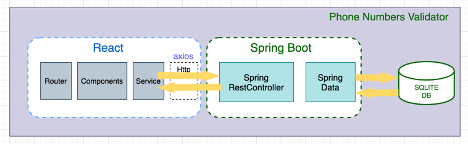
– Spring Boot exports REST Apis using Spring Web MVC & interacts with Database using Spring Data.
– React Client sends HTTP Requests and retrieves HTTP Responses using Axios, showing data on the components. React Router is used for navigating pages.
This task was done in Spring boot for Java and it's using Maven for dependency management.
To run and test the working of this solution, git clone the below public repositories from here.
| Repository Name | Location |
|---|---|
| phone-numbers-validator-backend | https://github.com/Bobiology/phone-numbers-validator-backend.git |
| phone-numbers-validator-frontend | https://github.com/Bobiology/phone-number-validator-frontend.git |
Before running this spring boot application, ensure the below have been installed and configured accordingly.
-
Maven
-
JDK 11+
-
Docker (optional)
- Git clone the repository below.
https://github.com/Bobiology/phone-numbers-validator-backend.git
- Open a shell terminal & navigate to the root of the phone-numbers-validator-backend spring-project.
- While on the terminal issue the below command and hit Enter key:
mvn clean install

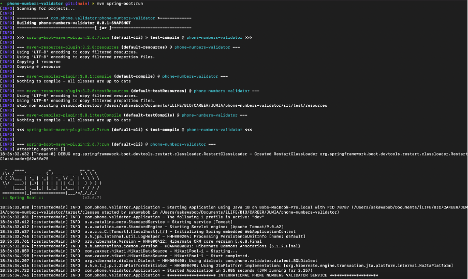
- After a successful build, issue the command below to start the application.
mvn spring-boot:run

- The application will start on port 8081. If another service is using that port, locate the application.properties file at ‘src/main/resources/’ and assign the server.port property to a different port.
Remember to also change the same in the Frontend Application.
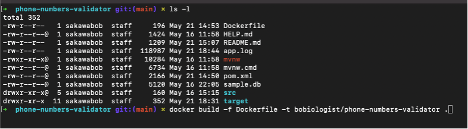
- To build a docker image from this project navigate to the root directory then issue the below command.
docker build -f Dockerfile -t phone-numbers-validator .

OR
docker pull bobiologist/phone-numbers-validator:latest

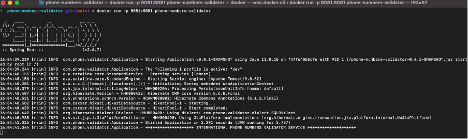
To start the application from a docker image issue the command below in a terminal.
docker run -p 8081:8081 phone-numbers-validator
Interact with the API Using POSTMAN Client
ENDPOINT :http://localhost:8081/customers
METHOD : GET

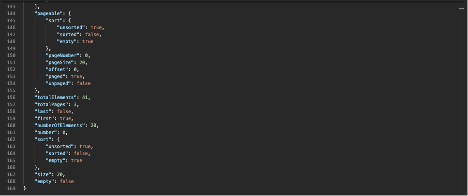
The UI is written in React and it is meant to complement the Phone Number Validator API by displaying the API contents in a user-friendly interface.
- NodeJS V17.9
To start this UI, from the shell terminal, navigate to the root directory of the cloned project repo.
Type the below command and hit the ENTER key.
npm install

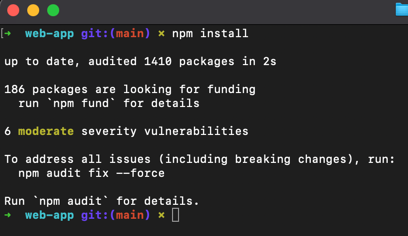
After a successful installation of dependencies, run the command below to start the UI.
npm start
The application will start on port 3000 by default.
On the browser type the below URL to access the UI.
http://server:3000 => http://localhost:3000 and hit the Enter key.

To sort , click on any the name of the column of interest. Sorting can be in ascending or descending orders.
Countries sorted in Ascending order
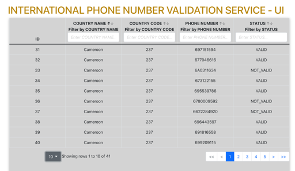
Countries sorted in Descending Order
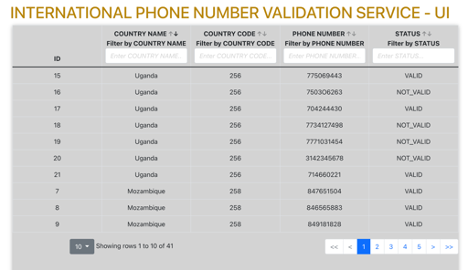
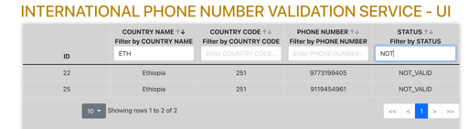
To filter , type in the text field below the column name of interest.
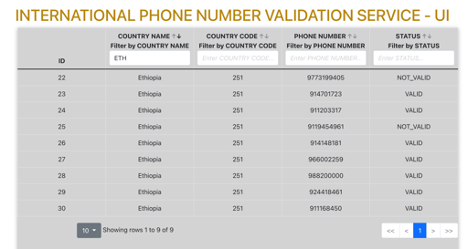
Filtering using multiple columns
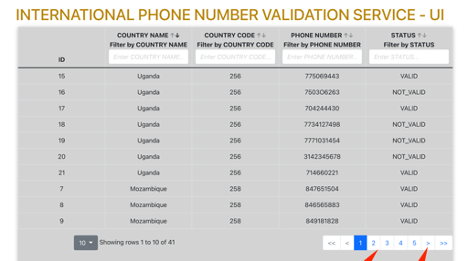
To navigate to the next page, click on the next page marker ( > ) or page number below the list page.
END