This third assignment consists in a robot simulation based on ROS environment and in c++ language. Gazibo and Rviz environment has been downloaded from Prof. Carmine Recchiuto's repository for Robotics Engineering students of UNIGE.
Some parameters has been already set in slam_gmapping package needed for this simulation.
At first, install the above package in your ROS workspace by executing in terminal:
git clone https://github.com/CarmineD8/slam_gmapping
Since ROS noetic is used, make sure to also have the 'ros navigation stack' installed by executing:
apt-get install ros-noetic-navigation
Switch on the noetic branch of the packeges by executing:
git checkout noetic
At last, download this package and build the workspace by executing catkin_make command.
Now, to run the simulation digit respectively in three different terminals:
roslaunch final_assignment simulation_gmapping.launch
roslaunch final_assignment move_base.launch
rosrun final_assignment interface_node
Gazebo and RViz environment is now available.
For this assignment a software architecture for the control of the robot is developed. This architecture is defined as an user interface that takes user requests and then execute the corresponding controlling mode. There are three different robot control modalities:
- autonomously reach a position in the environment passed as input by the user
- the user takes full control of the robot and drives it with the keyboard
- the user takes control of the robot, but it is assisted to avoid collisions
This interface is developed as a node that subscribes and publish to different topics and it implements different functions for every modality. The following flowcharts describe the scripts of one possible solution implemented:
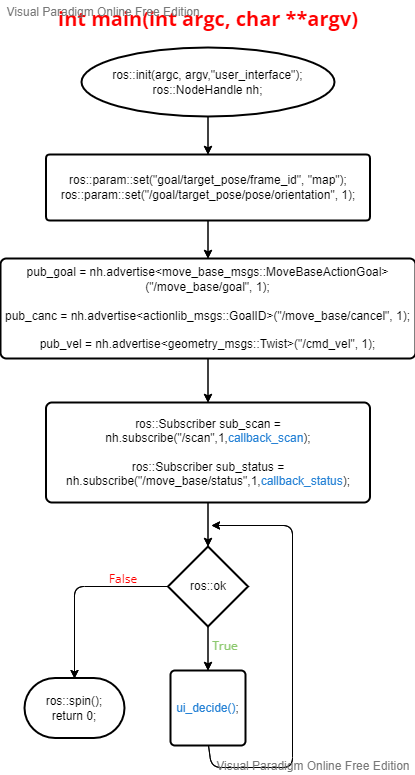
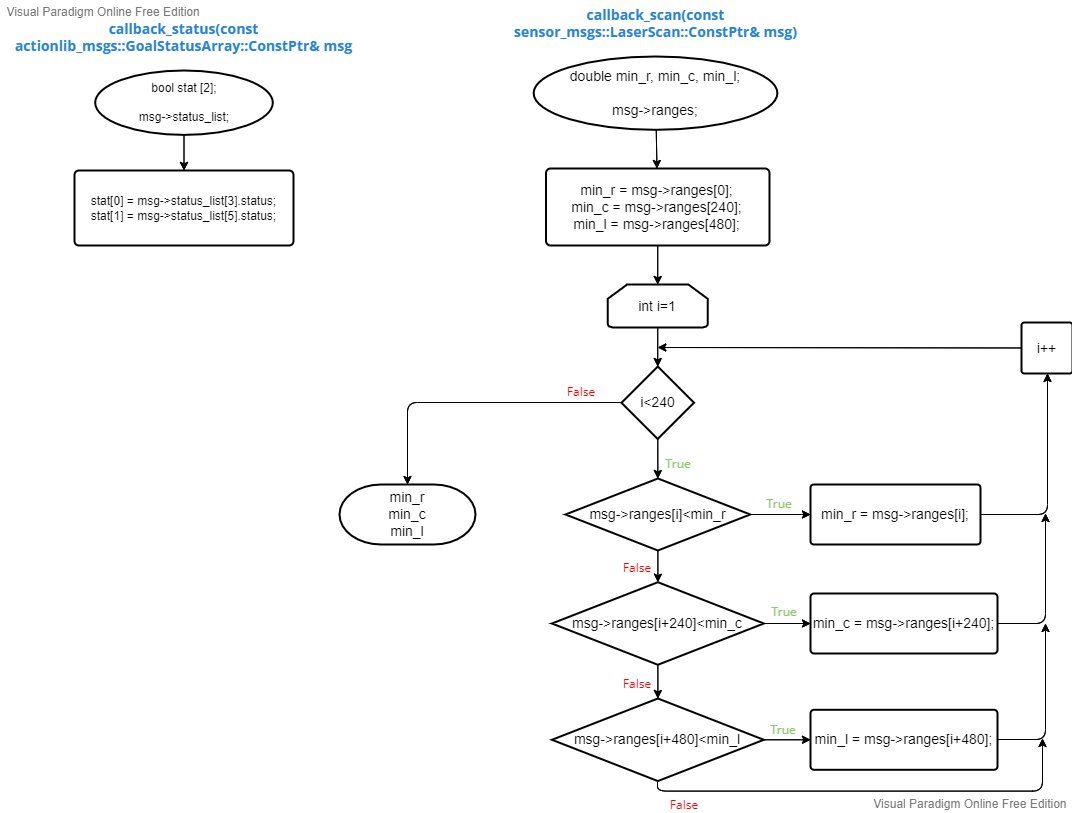
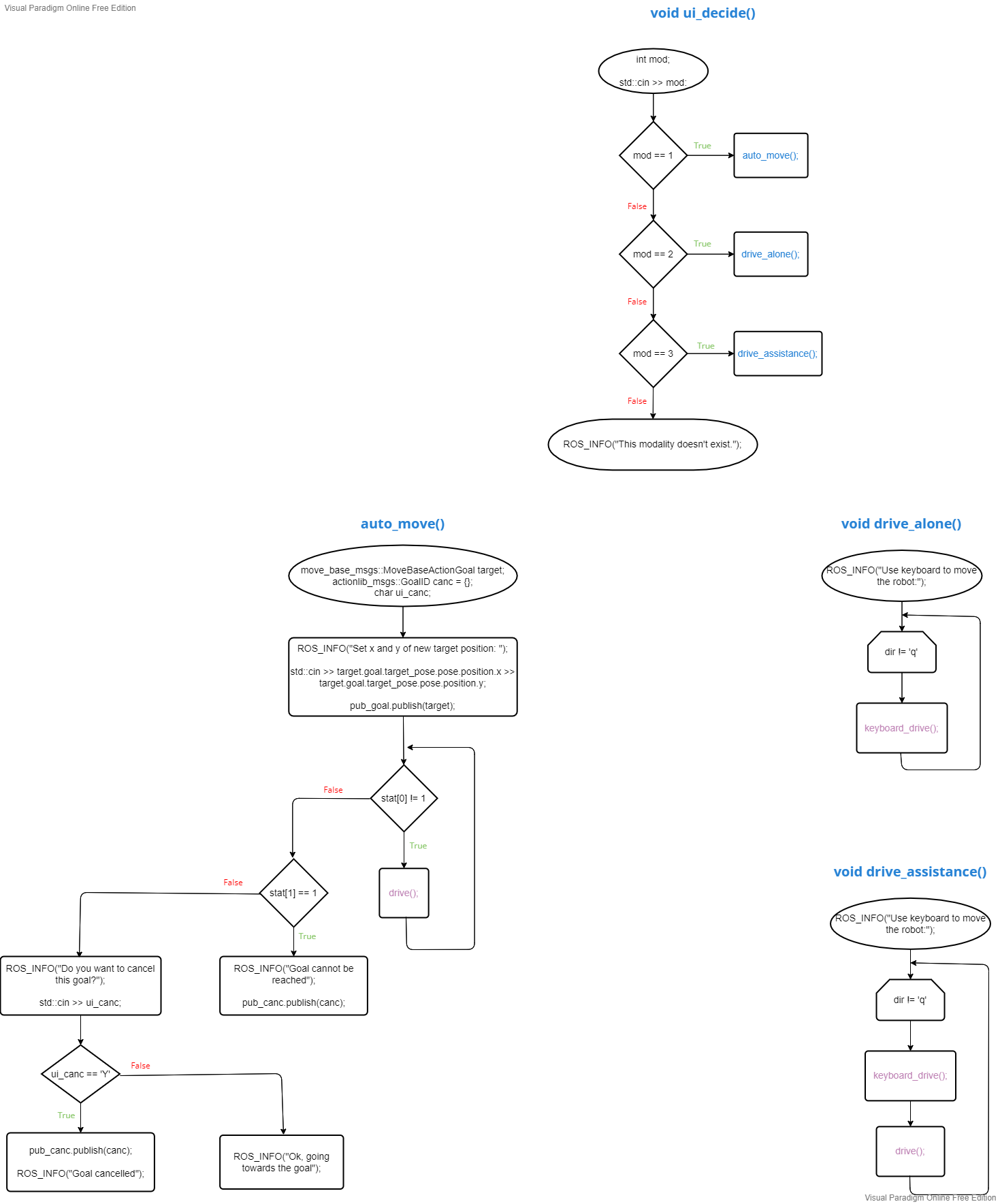
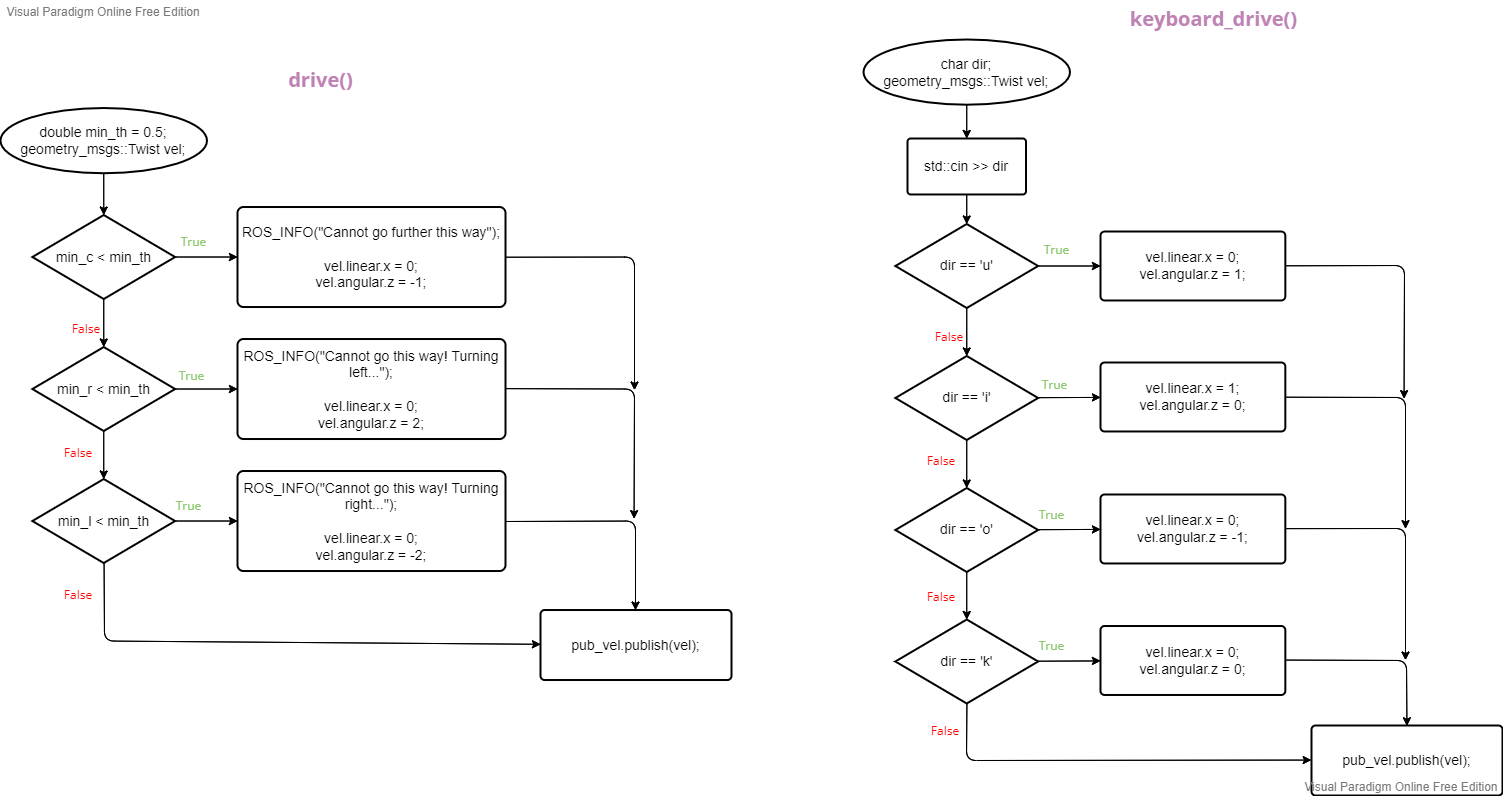
By publishing in move_base/goal topic, the user can give (x,y) position of the target he wants the robot to reach. For this purpouse the user need to access to the following fields of the topic:
- goal
- target_pose
- pose
- position
And then the following fields can be modify:
- x,y: target new coordinates
This topic type is move_base_msgs/MoveBaseActionGoal.
By subscribing to move_base/status topic, the node has access to many fields among which status_list is used to get information about the state of the goal. In this boolean array two elements are important:
- SUCCEDED: is 1 whenever the goal is satisfied
- REJECTED: is 1 whenever the goal is unreachable
This topic type is actionlib_msgs/GoalStatusArray.
By publishing in move_base/cancel topic, the current goal can be cancelled both by the user and if the goal is unreachable. It only needs to publish an empty request.
This topic type is actionlib_msgs/GoalID.
By subscribing to the scan topic, the node has access to many fields among which rages is used to get the information needed: it is an array of 721 elements which contains the distances from the nearest obstacles in a [0 180]° vision range.
This topic type is sensor_msgs::LaserScan.
By publishing into the /cmd_vel topic, the node can modify its fields:
- linear: linear velocity array
- x,y: direction of the linear velocity
- angular: angular velocity array
- z: direction of the angular velocity
This topic type is geometry_msgs::Twist.