This project is a Sparta simulator that checks the general performance of the company over different months under random circumstances. The simulator generates a random number of trainees, Sparta academy centres and clients over a period of time chosen by the user in months. Depending on how the company is doing, centres might close and clients might not require company services anymore. However, new centres are open every two months and new clients can contract Sparta's services.
The dependencies used for this project are:
- org.junit.jupiter:5.8.2 - For testing.
- org.apache.logging.log4j:2.17.1 - For logging.
- mysql:8.0.25 - For database connection and update.
The approach for this project was to follow the Data Access Object (DAO) design pattern to abstract and encapsulate all access to the data source. This design pattern manages the connection with the data source to obtain and store data. It implements the access mechanism required to work with the data source.
Factory for Data Access Objects Strategy:
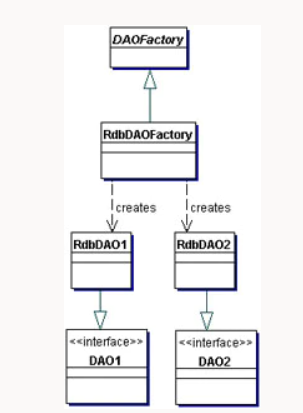
In order to have access to the database, the database has to be created first. For simplicity, it has to be created first in MySQL as shown:
CREATE DATABASE IF NOT EXISTS trainees;
USE trainees;
The mySQL dependency is used with all its associated methods to work on IntelliJ:
<dependency>
   <groupId>mysql</groupId>
   <artifactId>mysql-connector-java</artifactId>
   <version>8.0.25</version>
</dependency>
The TraineeDAO's openConnection() method creates the connection between the IntelliJ and MySQL after passing the information from the mysql.properties file:
dburl=jdbc:mysql://localhost:3306/trainees
dbuserid=root
dbpassword=[MYSQL_SERVER_PASSWORD]
Once the connection is set, the program will work on the TraineeDAO instance created during the simulation. This will allow performing actions through the methods provided in that Class such as retrieving information or updating the database.
- Project download & set-up
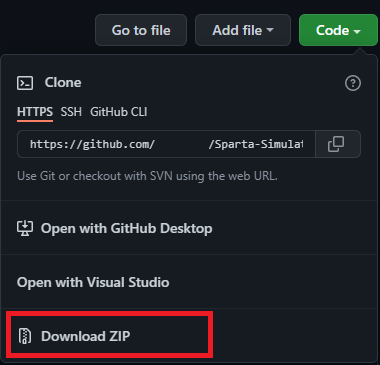
The first thing the user has to do is download the compressed project on GitHub as shown:
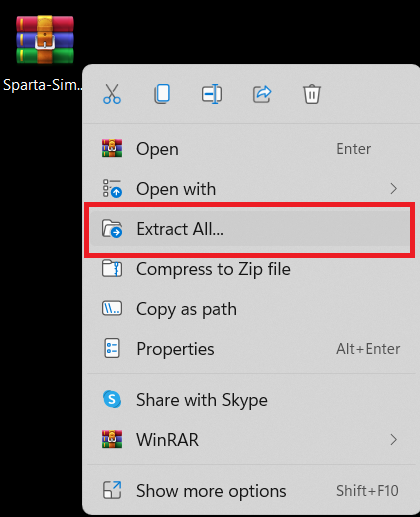
Once is in the local machine, it has to be extracted to be used:
Then, the user has to open the file in their local program. In this case, it's being used IntelliJ to run the program:
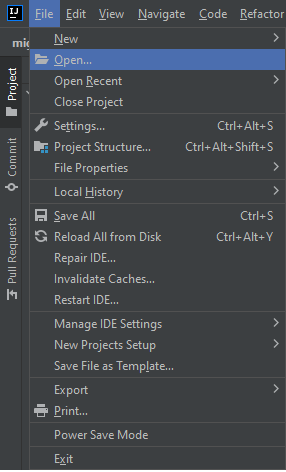
After that, the user must find the project folder in the right directory so, it can be loaded:
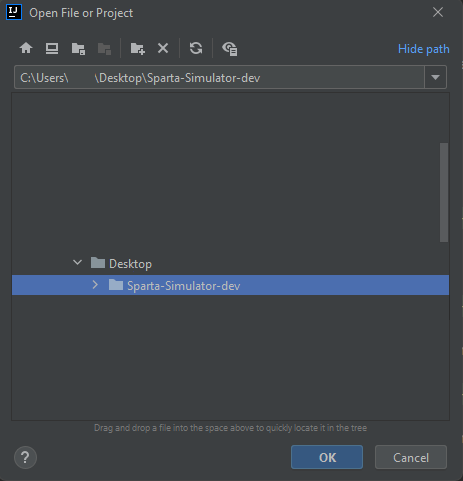
- Using the program
To start the simulation, the Main must be run. Then, the program will ask the user how long they want the simulation to be run:

The second question will be how the user wants the information to be displayed, monthly or at the end of the simulation:

This should be an example of the information displayed breakdown by type of course. This should include number of centres open, closed and full and trainees being trained and waiting to be trained:
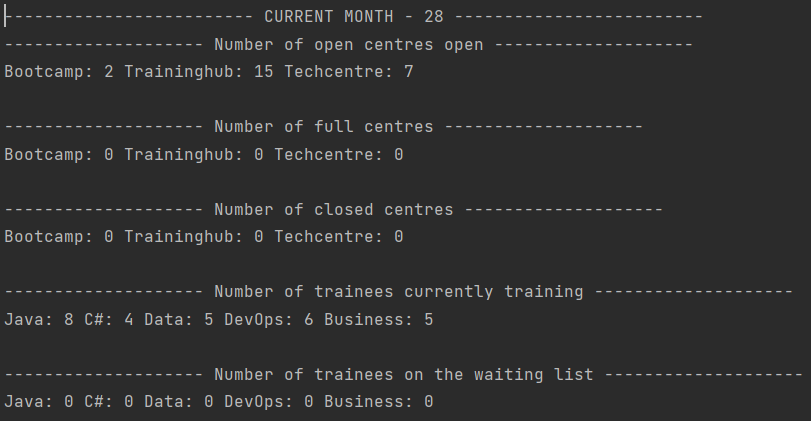
This project goes through 3 phases:
- Phase 1 - Setting-up the simulation:
- The simulation will ask for how long the user wants to run it.
- A random number of trainees are generated every month and, they are distributed among the different centres depending on their capacity. If there is no room for them in any centre, they will be moved to a waiting list and following the FIFO system.
- A new training centre is open every two months and can train up to 100 trainees.
- Phase 2 - Adding new centres and type of courses:
- The simulation should now offer the choice of data at the end of the simulation or a running output updated each month.
- The information displayed is separated by:
- Number of centres open, closed and full (breakdown for each type).
- Number of trainees being trained and waiting to be trained (breakdwon for each type).
- Trainees will be now distributed among different random specialties (Java, C#, Data, DevOps or Business).
- There are three types of centres:
- Training Hub: Can train up to 100 trainees. One to three centres can be open every month.
- Bootcamp: Can train up to 500 trainees. This centre can close if attendance is fewer than 25 trainees after three months. Only two Bootcamps can be open at a time.
- Tech Centre: Can train up to 200 trainees but only teaches one course at a time. The course taught is random selected.
- Phase 3 - Clients:
- Clients will begin to be randomly created after one year of simulation. And they will have a minimum requirement of 15 trainees in one speciality.
- A client will take a random number of trainees trained from one up to full requirement. If the client's needs are satisfied within a year, they will renew the contract, if not they won't do it.
- If a trainee has been in training for three months, they are suitable to be placed into a client.
Tests covered different areas:
- Different user inputs can be handled by the program, including edge cases.
- The connections between the program and IntelliJ works as expected and methods create tables, insert, update and retrieve data.
- The Trainee Factory create new trainees and retrieve them as expected.
- The Trainee class handles their information as expected.
| Test Type | Test Results | Test Coverage |
|---|---|---|
| Client | 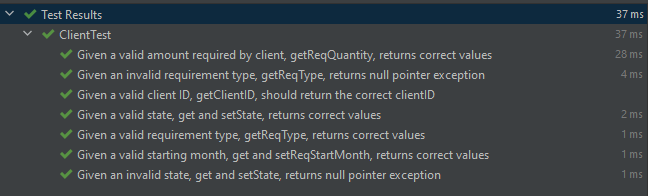 |
 |
| Course |  |
 |
| Input Parser | 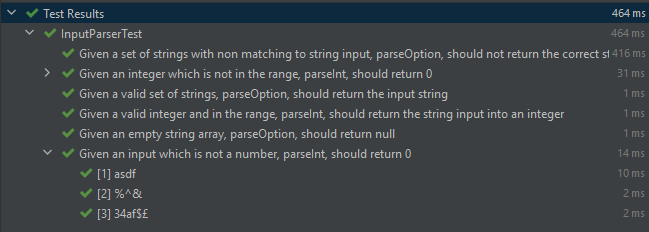 |
 |
| Trainee DAO | 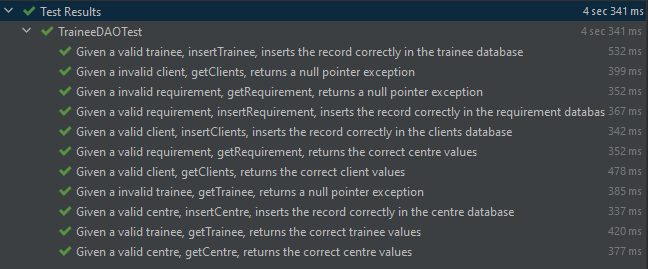 |
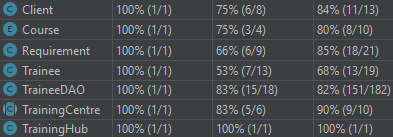 |
| Trainee Factory |  |
 |
| Trainee | 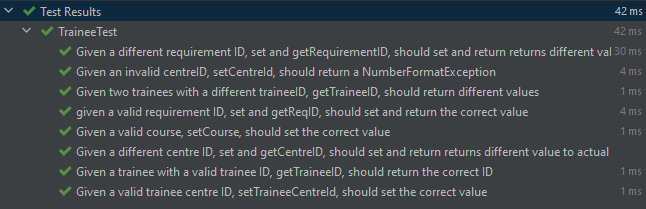 |
 |
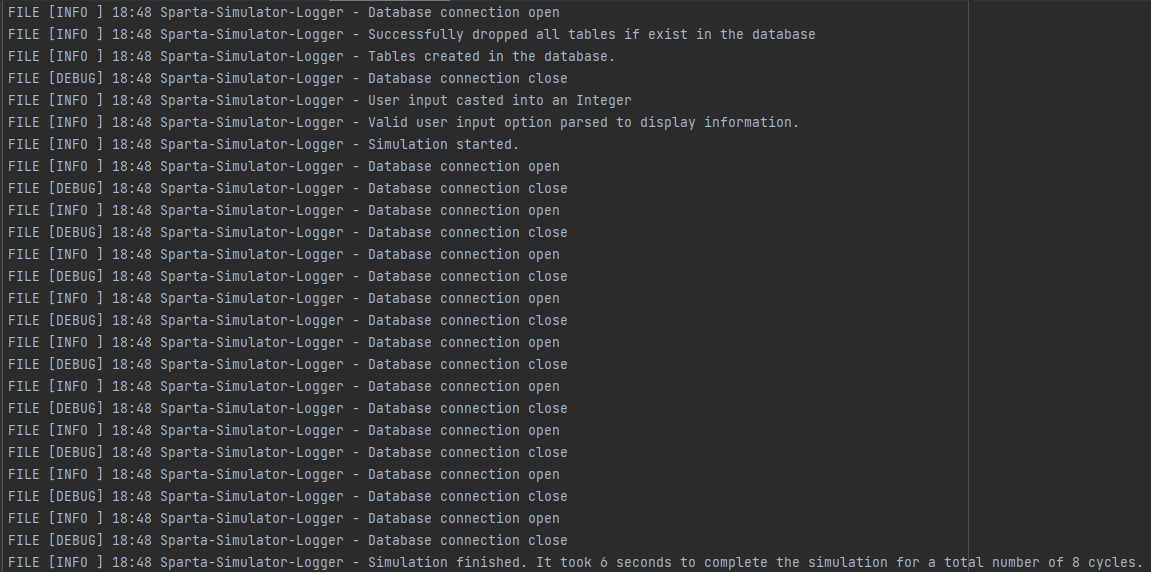
We can check the program activity through logging. This can help the programmers to track the steps that the program follows until is completed. Furthermore, this can help to see if there is any potential issue when it's being run.
There are two levels covered:
- Info - It logs when the program has started or finished.
- Error - It logs when a SQL haven't been able to be executed.
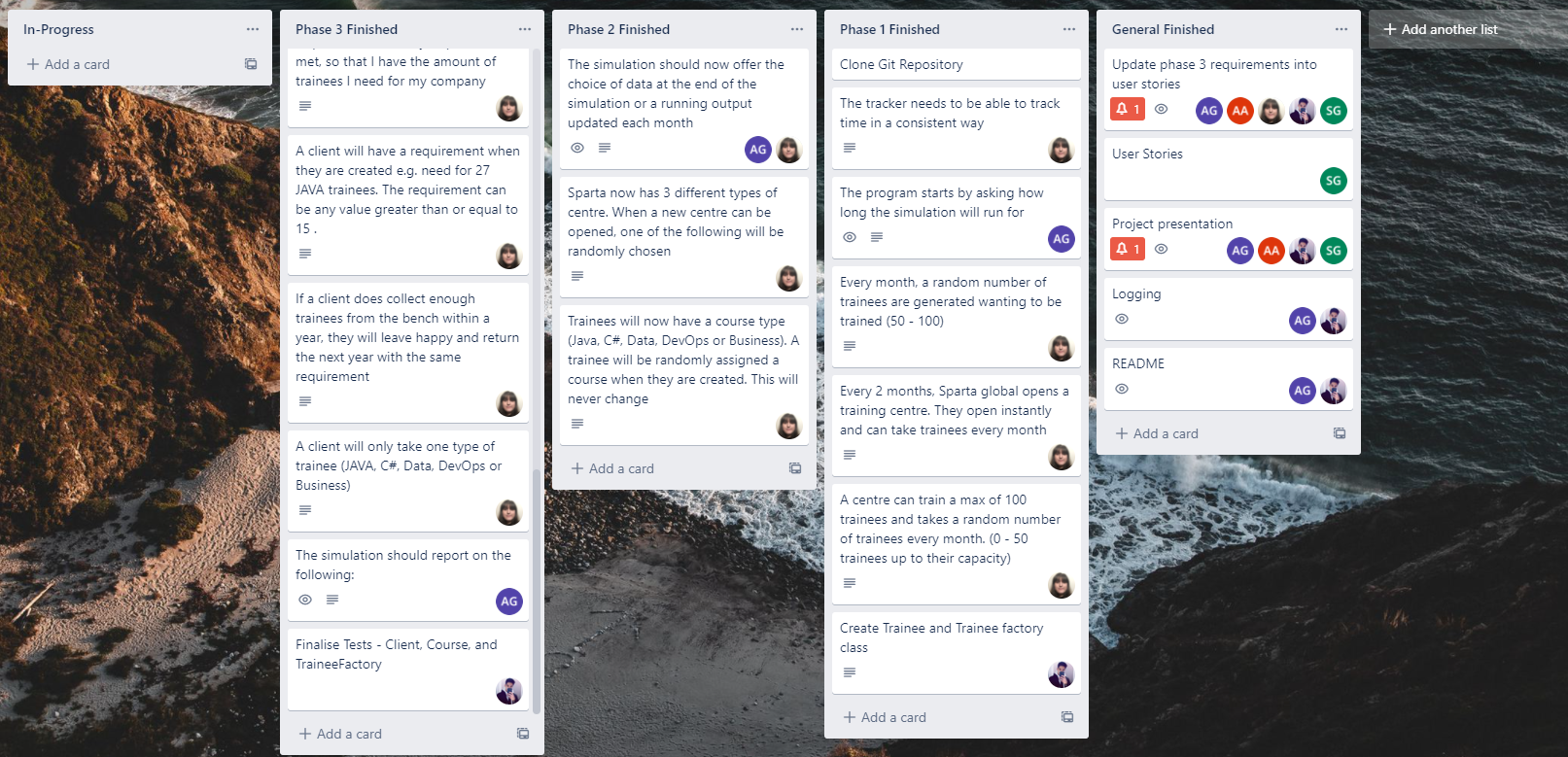
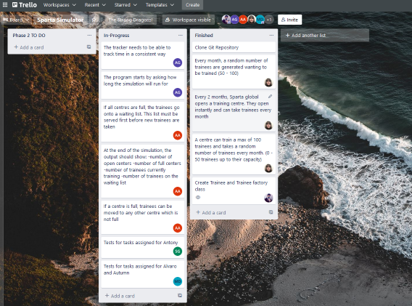
The team was able to track the tasks and requirements assigned to each team member thanks to Trello. These tasks were split into different lists (Project phases) and cards (individual task for each phase). This way, everyone could know what other members were working on so, they could effectively communicate in the scenario of co-dependent tasks emerged.
The team scheduled meetings every day at 10:00, 13:45 and 17:00 to keep updated everyone about individual progress. This also helped to share possible problems about the structure of the project or potential failures. Thanks to these meetings, many issues were solved before they escalated.
The scrum master made sure that everyone had a task to fulfill and, alongside with the Trello manager, they made sure that the trello board was updated in every session.
This is the image of one of the very first stages of the project:
This image shows all the phases successfully completed at the end of the project: