Stop wrestling with the command line. Start creating.
A clean, fast, VRAM-friendly GUI for Stable Diffusion 1.5 — built with PyQt6.




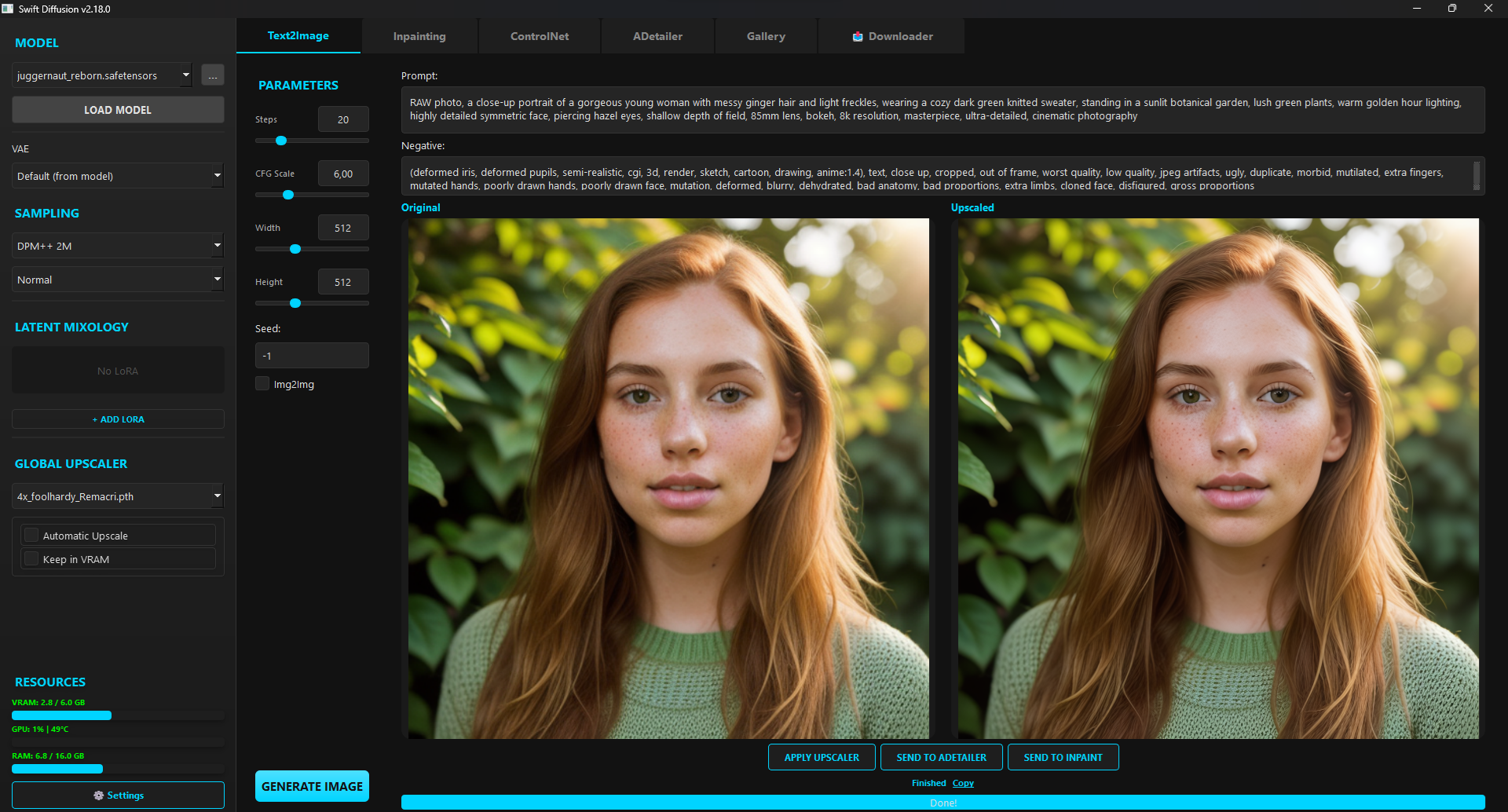
Main generation window
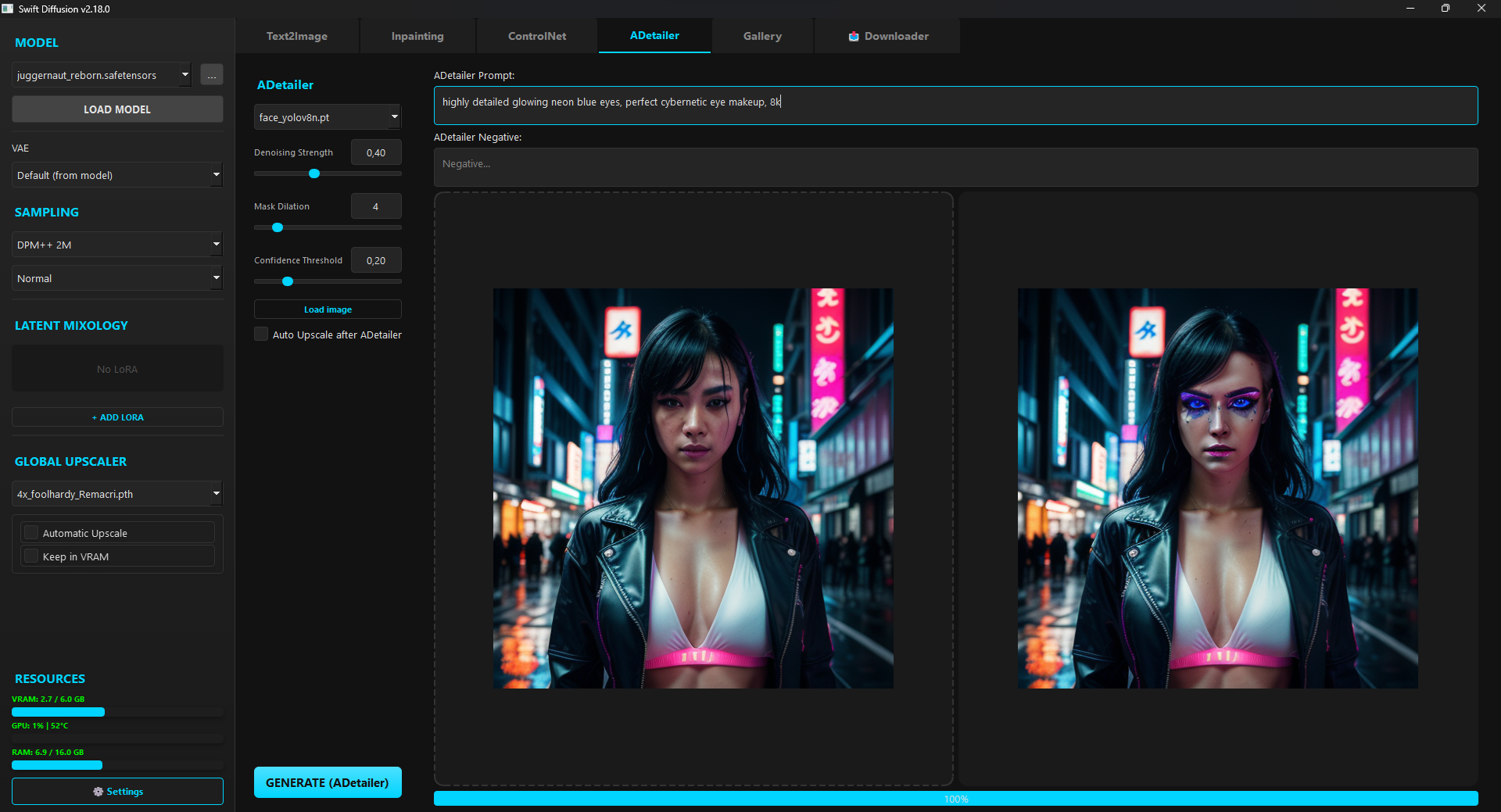
ADetailer — automatic face enhancement
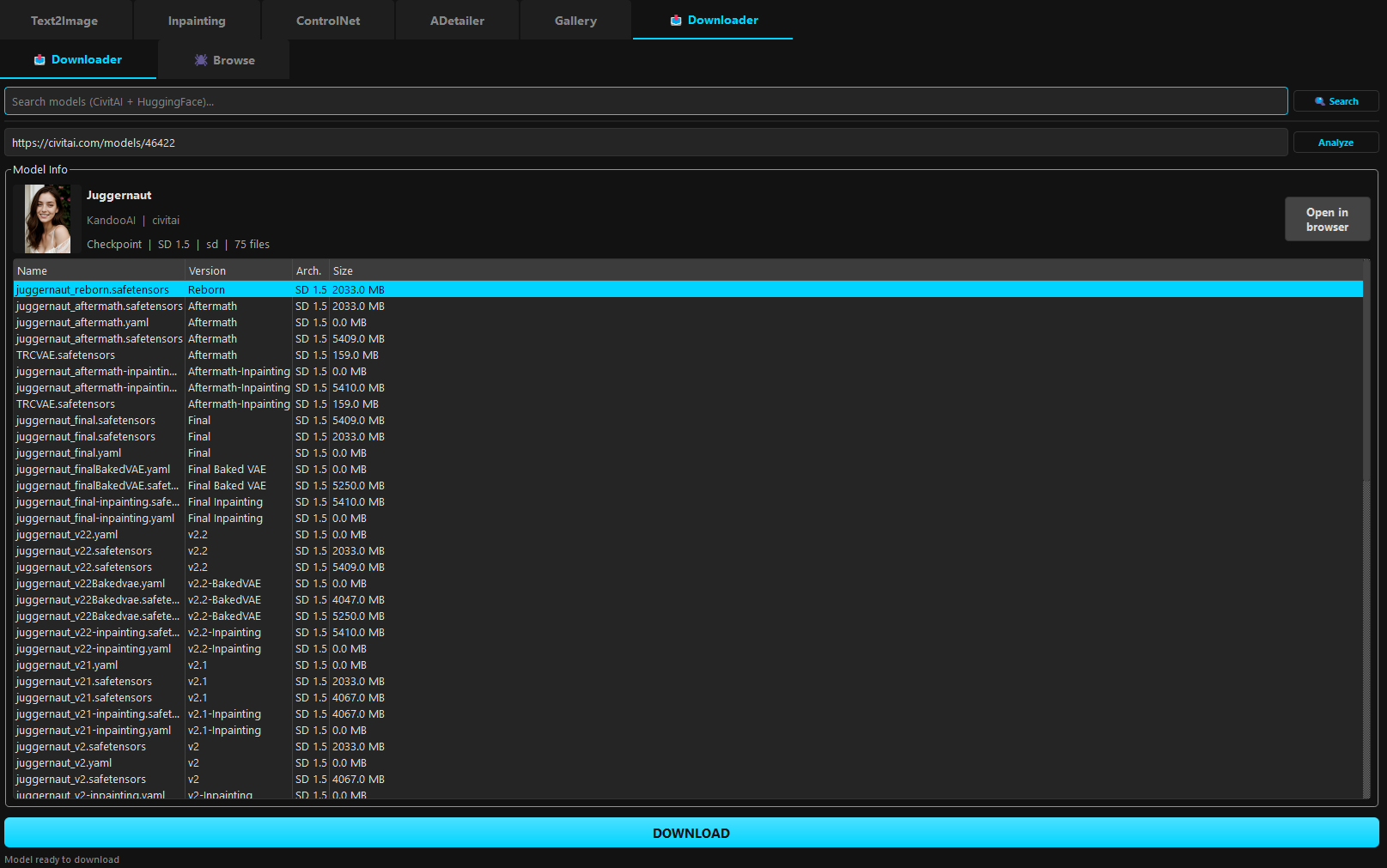
Built-in model downloader for CivitAI & HuggingFace
- Wildcards — use
__token__syntax in your prompt; replaced with a random line fromwildcards/token.txteach generation - Prompt Builder — compose prompts visually from tag categories (quality, style, lighting, artists) with a single click
- Prompt weighting (compel) — fine-tune the influence of words and phrases using standard
(word:1.2)syntax, no extra setup required - Textual Inversion embeddings — drop
.pt/.bin/.safetensorsfiles intomodels/embeddings/; they appear automatically in the Prompt Builder and are ready to use after model load - Prompt Builder — built-in tag manager with categorized tags (positive and negative), live preview for both, and one-click copy to T2I. Save and restore prompt combinations via history (
prompts_history.json, last 20) and favorites (prompts_favorites.json, unlimited). Separate Load/Copy/Delete actions per entry per both tag sets. 🎲 Random button picks configurable tags per positive category. - Tag search — filter all tag buttons (positive and negative) by typing in a search field. Matching results appear in a dedicated tab with synced toggle state.
- Wildcards tab — browse and toggle wildcards from the
wildcards/folder directly in Prompt Builder. Each.txtfile appears as a checkable button; tooltip previews the first 5 lines. Selected wildcards use__name__syntax and are restored from history/favorites. - Custom tag categories — drop your own
.jsonfile intotags/with{"label": "My Tags", "tags": ["tag1", "tag2"]}and it appears as a new tab immediately, no restart needed. Built-in categories stay in their original order; your files are added alphabetically below them. - Style Presets — one-click tag sets in
tags/presets/. Each file is one preset:{"name": "My Style", "icon": "✨", "tags": ["tag1", "tag2"]}. Add or remove files anytime — changes appear instantly. Presets are exclusive (selecting one replaces the other). - Batch generation — generate up to 10 images sequentially with a single click. Each item uses a different seed. Auto upscale is applied per-item. After completion, a scrollable thumbnail bar lets you browse all results and compare raw vs upscaled versions.
- CLIP Interrogator — built-in prompt reverse engineering. Load a CLIP model (ViT-B/32 or ViT-L/14), drop any image, and get a ranked list of matching terms across 8 categories — quality, colors, medium, artist, style, lighting, effects, composition. Custom
.jsoncandidate files supported. GPU/CUDA toggle. One-click copy to Text2Image.
| Mode | What it's for |
|---|---|
| Text2Image | Generate from a prompt with full control over sampler, scheduler, CFG, steps, and dimensions |
| Img2Img | Transform an existing image guided by your prompt |
| Inpainting | Paint a mask over any area and regenerate just that part — with full Undo/Redo (Ctrl+Z/Y) |
| ControlNet (Canny) | Guide generation using the edge structure of a reference image |
| ADetailer | Automatically detect and enhance faces using YOLOv8 — zero extra VRAM cost |
| Upscaler | High-quality upscaling via the spandrel library |
| CLIP Interrogator | Analyze any image and reverse-engineer its prompt — detects quality, colors, medium, artist, style, lighting, effects, and composition |
- First Launch Wizard — choose your language and theme before anything else
- 7 dark themes — Dark, Amber, Nord, Dracula, Monokai, Forest, Ocean — with optional custom accent color
- Performance controls — VRAM Slicing, Attention Slicing, Tiled VAE, CPU Offloading, auto VRAM clear
- Fully translatable — add any language by dropping a JSON file into
locales/
- URL Downloader — paste a CivitAI or HuggingFace link and SwiftDiffusion handles the rest: downloads, categorizes, and makes the model available instantly
- Live refresh — add a model or embedding to disk and the UI picks it up automatically, no restart needed (
QFileSystemWatcher) - Latent Mixology Station — blend up to 5 LoRA adapters simultaneously with a visual weight mixer
- Auto-detects
.safetensors,.pth,.onnx, and other common formats
- Browse generated images in the built-in file explorer
- One-click recall — read prompt, seed, and all settings from PNG metadata and restore them to the pipeline instantly
- Floating HTML guides for ControlNet and Inpainting
- SDXL was evaluated but dropped —
from_single_file()crashes on 6 GB GPUs without an error message. SwiftDiffusion is optimized and tested exclusively for SD 1.5.
Real-time VRAM, RAM, GPU load, and temperature — visible in the sidebar at all times.
1. Clone or download this repo
2. Run install.bat
3. Run start.bat
install.bat sets up a virtual environment, installs PyTorch with CUDA 12.8 support, and pulls all dependencies automatically.
pip install -r requirements.txt
python main.py| Python | 3.12.10 |
| GPU | CUDA-compatible, 6 GB VRAM recommended (GTX 1060 or better) |
| OS | Windows / Linux (PyQt6 required) |
SwiftDiffusion/
├── main.py                    # UI skeleton & entry point
├── boot.py                    # CUDA health check on import
├── engine.py                  # Diffusion pipeline logic
├── worker.py                  # Background QThread workers
├── model_manager.py           # Model loading, LoRA, file watchers
├── generation_controller.py   # T2I / Img2Img / Upscale orchestration
├── mode_controllers.py        # Inpaint / ControlNet / ADetailer controllers
├── config.py                  # Settings & i18n loader
├── widgets/                   # UI component package
│   ├── __init__.py
│   ├── dialogs.py             # Settings, gallery, about dialogs
│   ├── inpaint_canvas.py      # Mask editor canvas
│   ├── widgets_common.py      # ClickableLabel, sliders, LoRA items
│   ├── model_downloader.py    # CivitAI / HF downloaders
│   ├── flow_layout.py         # Custom FlowLayout for Prompt Builder
│   ├── prompt_builder.py      # Prompt Builder tab
│   ├── resource_monitor.py    # Live VRAM/RAM monitor widget
│   └── clip_interrogator.py   # CLIP Interrogator tab
├── models_registry.py         # Model scanner & registry
├── url_downloader.py          # Legacy downloader helpers
├── scraper.py                 # Model search scraper
├── install.bat                # Windows installer (bilingual)
├── start.bat                  # Windows launcher
├── locales/                   # Translation files (en, pl, …)
├── wildcards/                 # Wildcard text files
├── tags/                      # Prompt Builder tag categories
└── docs/                      # Floating HTML guides
If SwiftDiffusion saves you time, consider buying me a coffee:
