


Marketer-facing admin tooling for Optimizely Graph site-search on Optimizely CMS 12 and CMS 13. Pinned-result curation, synonym management, a per-channel try-it playground, and click-through / zero-result insights — all integrated into the CMS shell. Distributed as the NuGet package UmageAI.Optimizely.GraphSearchTools.
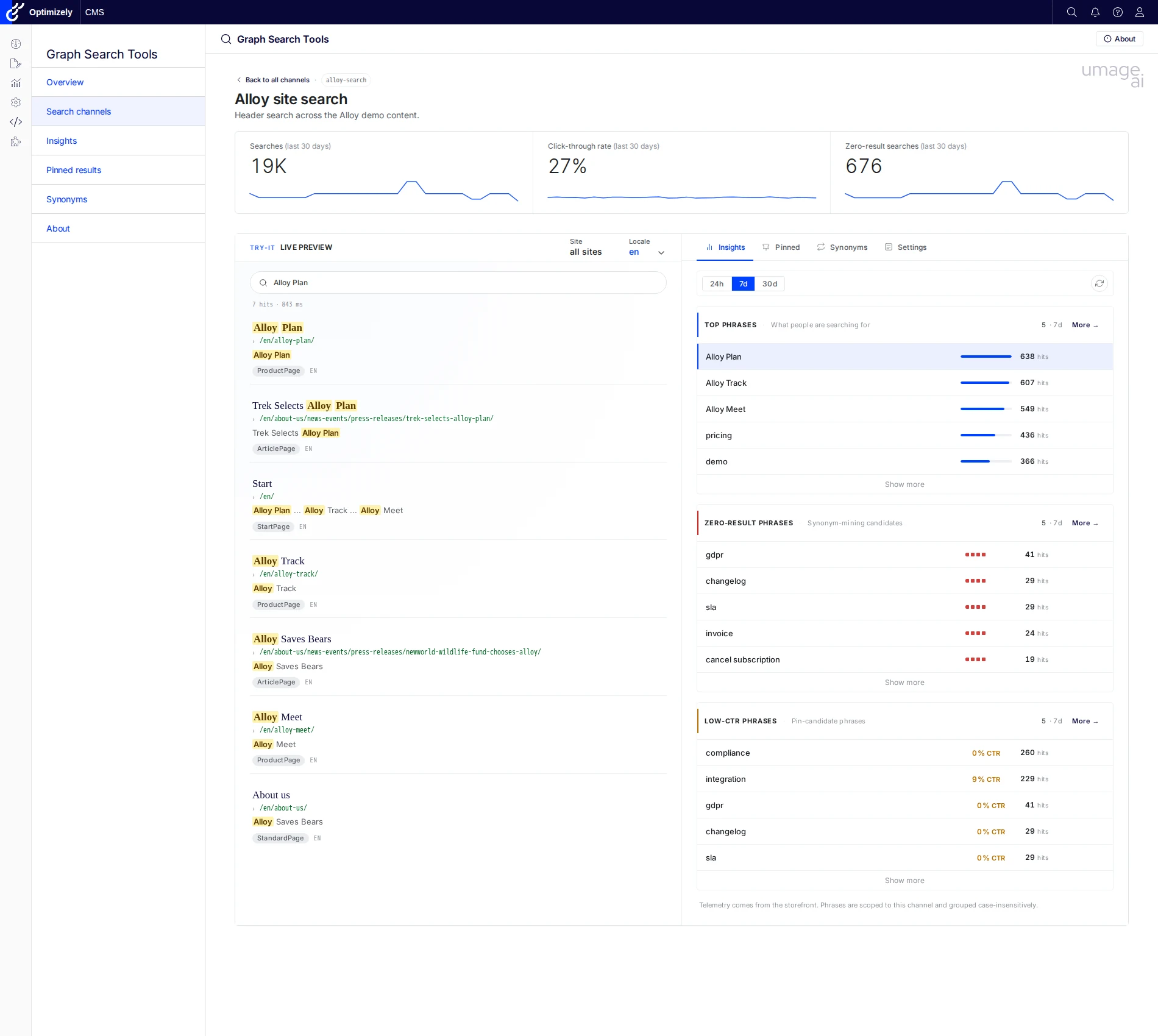
Six menu entries under a top-level Graph Search Tools section in the CMS shell:
| Tool | Description |
|---|---|
| Overview | Landing dashboard with quick-access cards for the other tools. |
| Search channels | Per-surface tuning index. Each registered search channel gets a detail page with KPI strip, Try-it live preview, and Insights / Pinned / Synonyms / Settings tabs scoped to that surface. |
| Insights | Cross-channel marketer dashboard. Top phrases, zero-result candidates, low-CTR phrases, filterable by channel and locale over a 24h / 7d / 30d window. |
| Pinned results | Tenant-wide pin browser with Pins / Collections / Changelog tabs. Filter pins by collection or locale; jump to the owning channel with one click. Hits / CTR / zero-result columns surface coverage signals (unpublished targets, expired pins, low-CTR pins) inline. |
| Synonyms | Replacement and equivalent synonym rules with a Rules + Changelog tab strip. Filter by scope (per-locale and tenant-global pools). Activity column shows last-30-days impact, and unused / missing-synonym signals surface in the same grid. |
| About | Colophon: version, license, included tools, links. |
Behind the scenes the addon also exposes a public ingest beacon (POST /api/telemetry/searchlog) feeding a self-contained DDS sink — the data source for every analytics surface above. No external pipeline required.
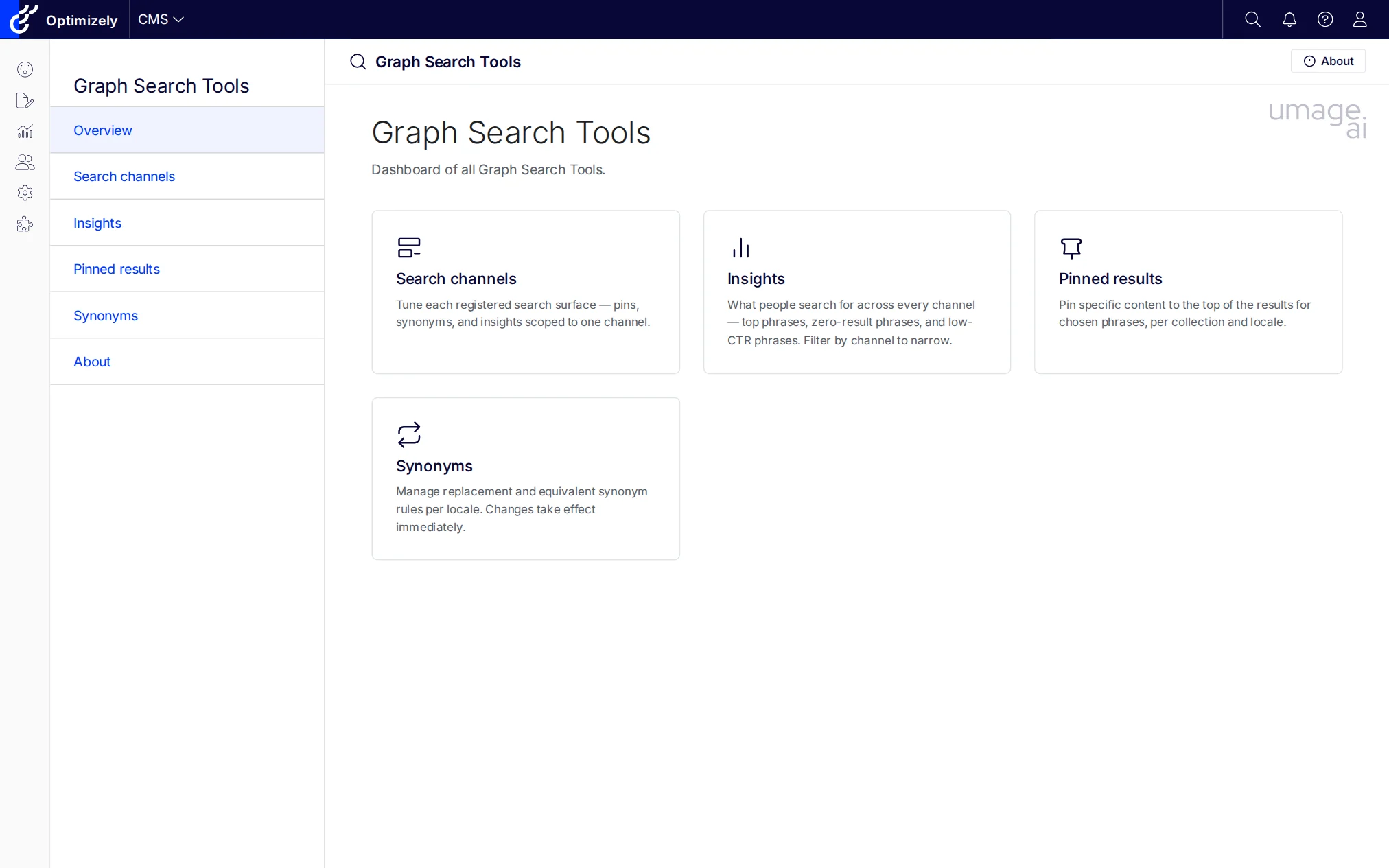
Dashboard of all Graph Search Tools, with quick-access cards for each surface.
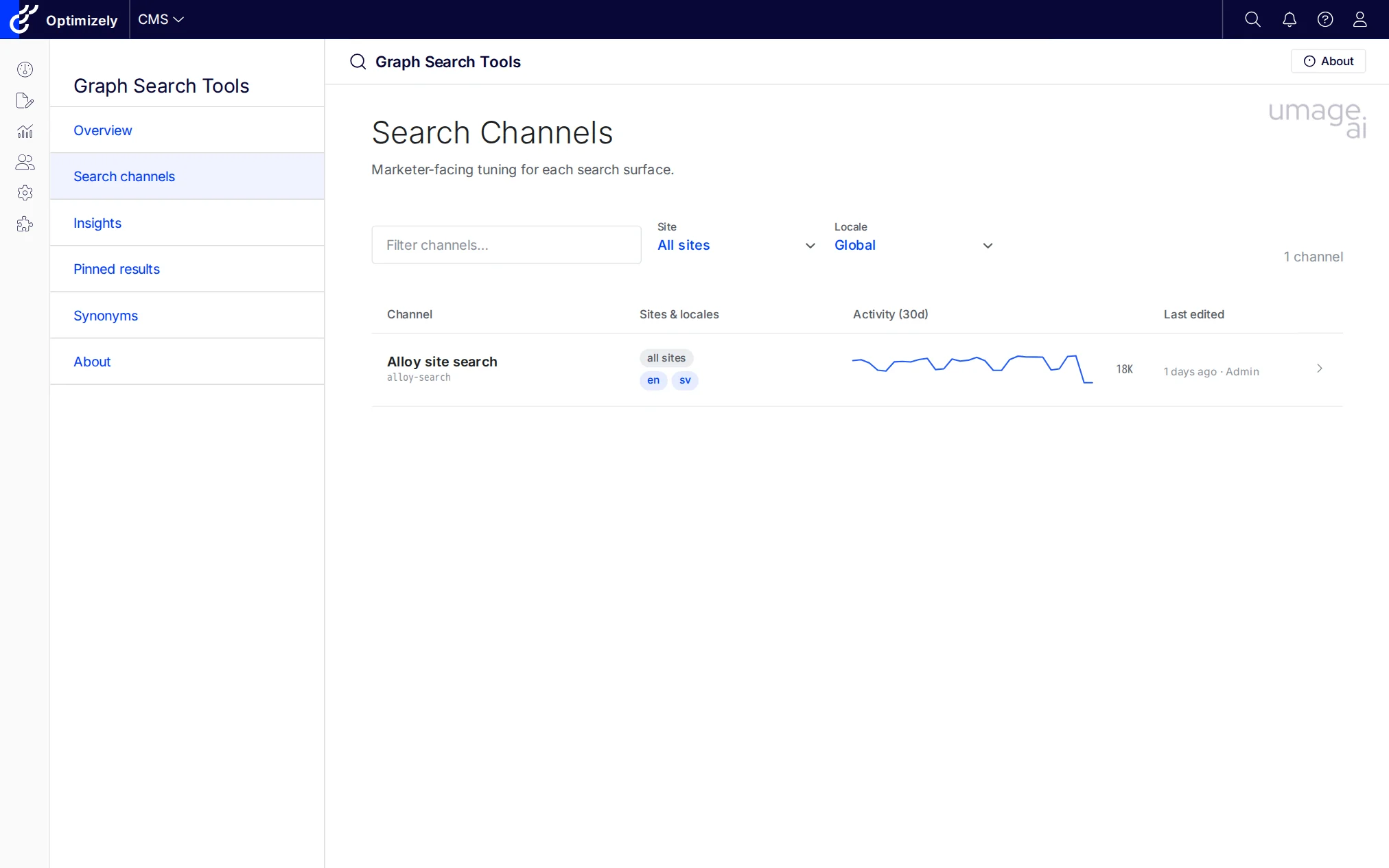
Index of every registered channel. Filter by site or locale. Activity sparkline and totals come from the search-log table so you can spot dormant surfaces at a glance.
KPI strip (searches / CTR / zero-result) plus a Try-it live preview that runs the same GraphQL document your production storefront fires. The right pane swaps between Insights (per-channel top phrases / zero-result / low-CTR) and Pinned / Synonyms / Settings tabs without losing the preview state.
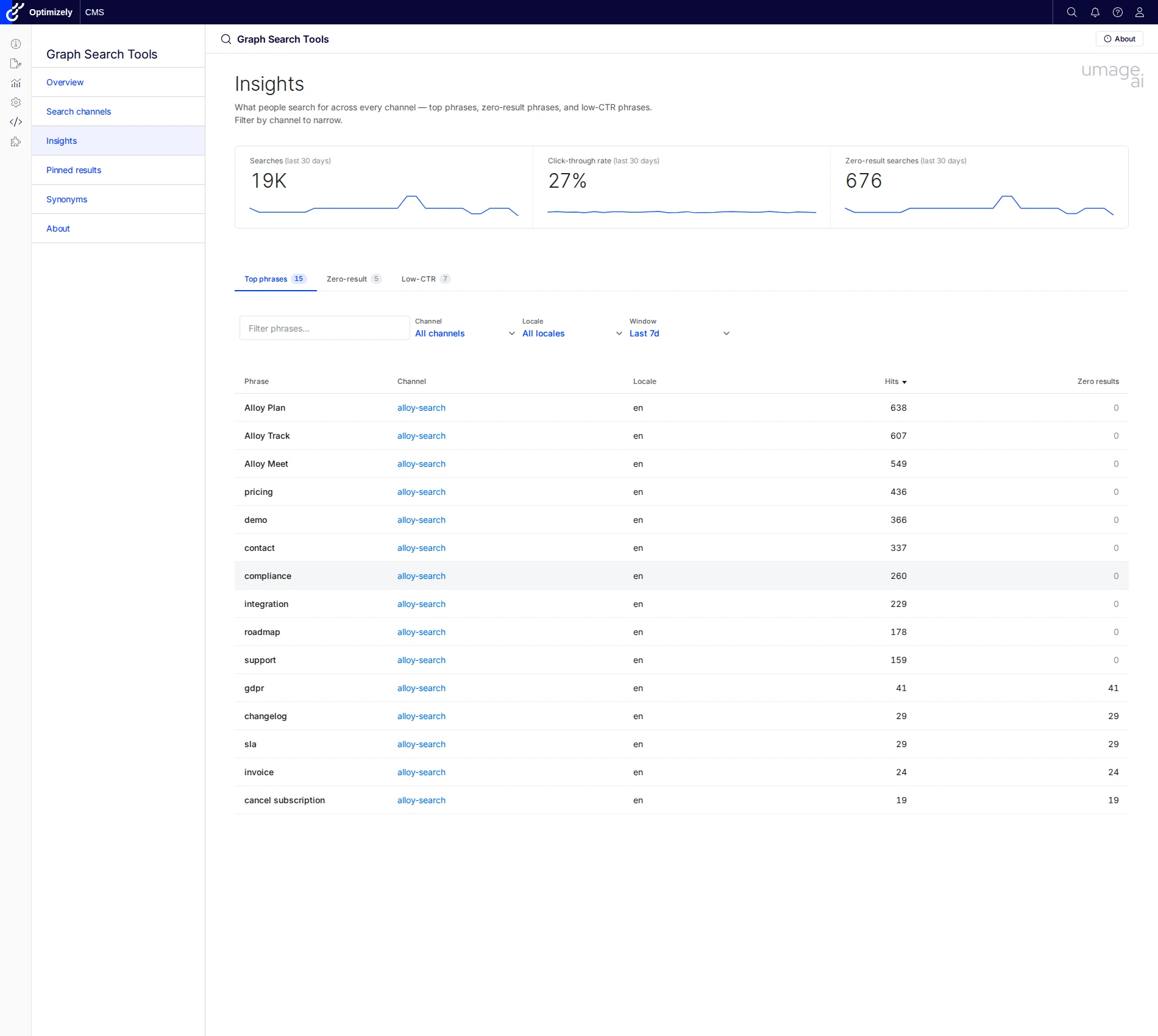
Cross-channel marketer dashboard. Switch tabs between Top phrases, Zero-result phrases, and Low-CTR phrases; filter by channel, locale, and 24h / 7d / 30d window. The same window set scopes the Insights tab inside each Channel detail page, where it shares state with the Try-it preview.
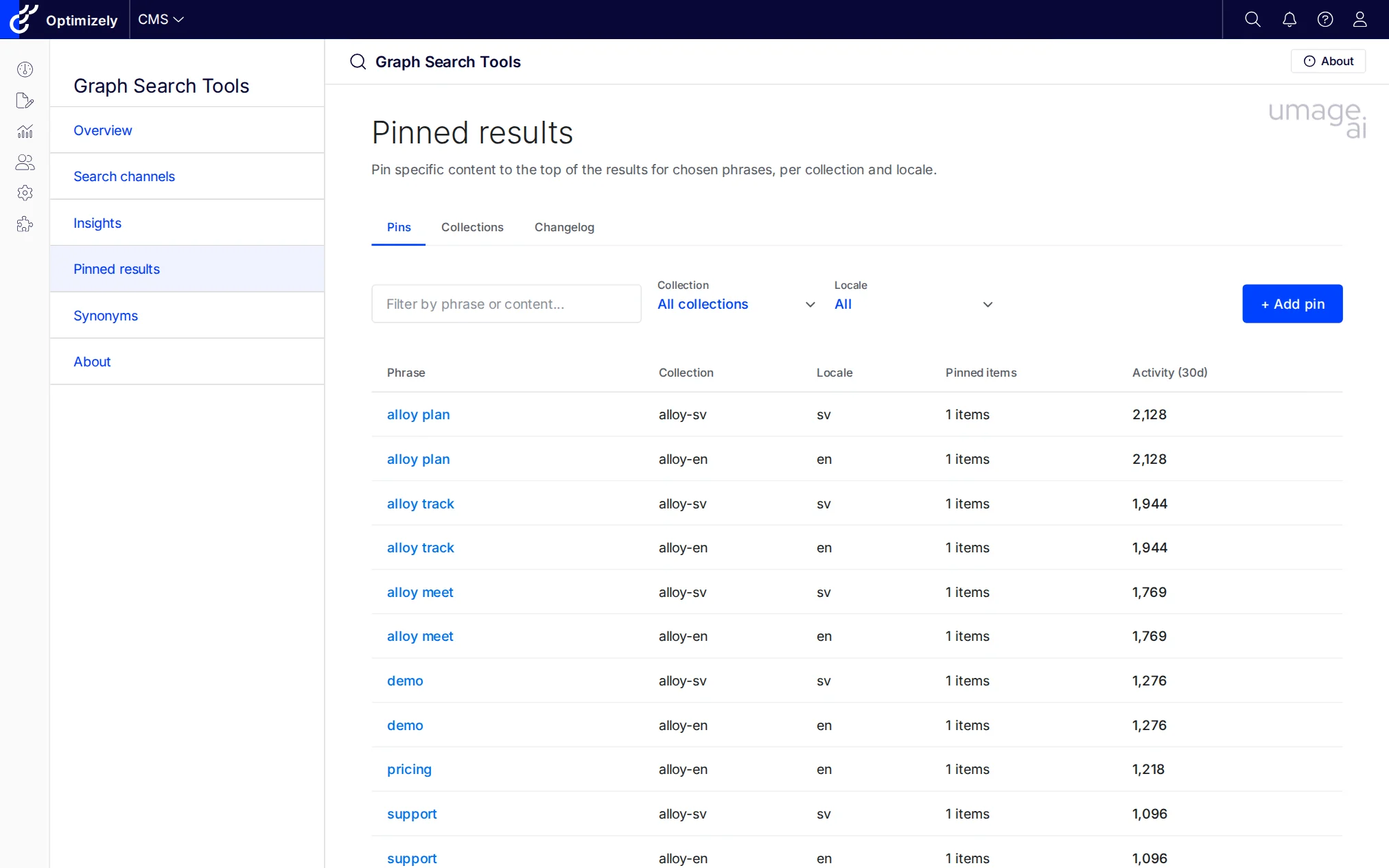
Tenant-wide pin browser. The Pins tab lists one row per (phrase, collection, locale) with the resolved channel link, item count, and last-30-days activity from search logs; a sibling Collections tab manages the underlying pinned-result collections, and Changelog records every create / update / delete sent to Graph.
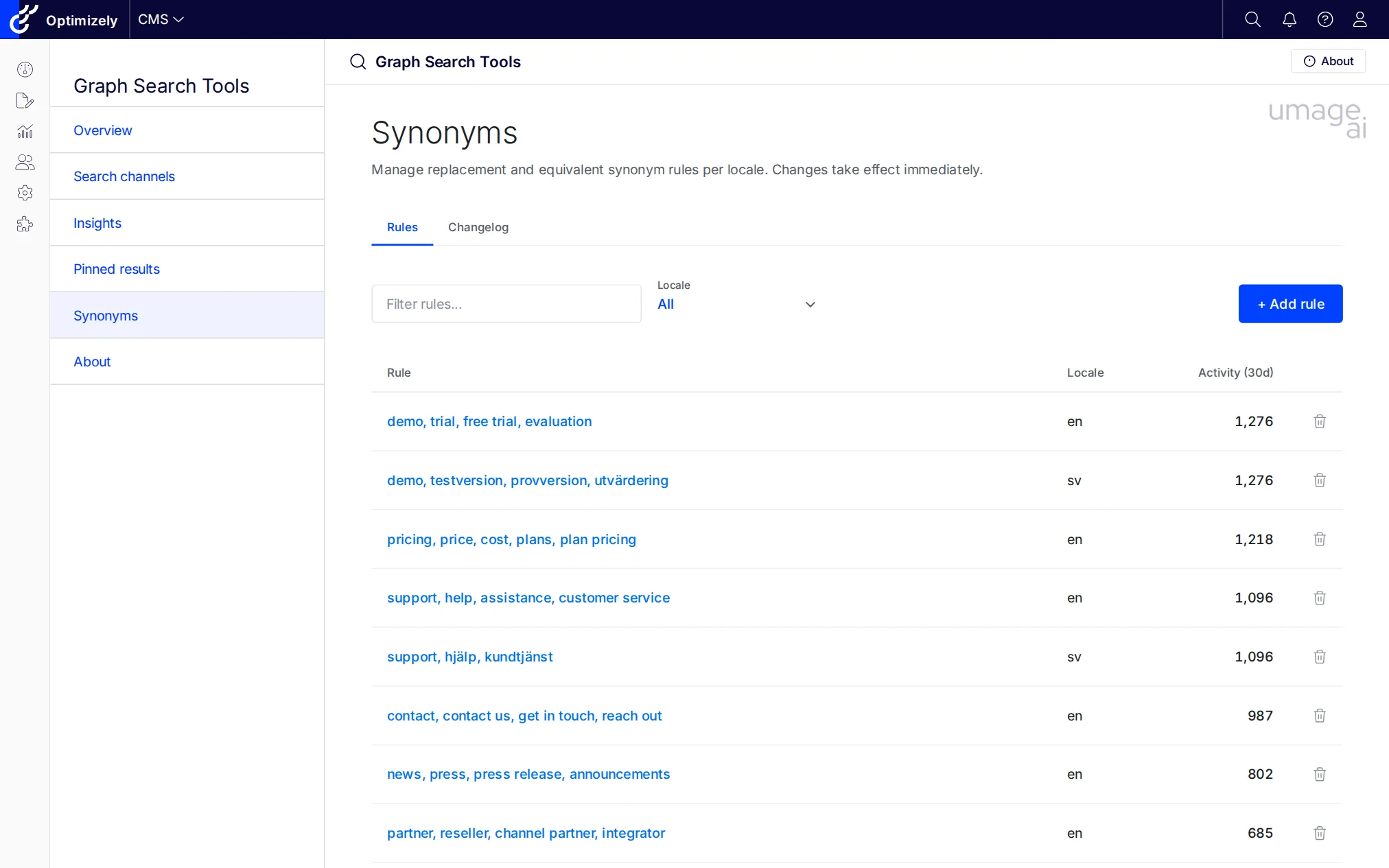
Replacement and equivalent rules per locale, with last-30-days activity. Graph synonyms live in a tenant-global pool, so this surface is channel-agnostic by design.
A search channel is a developer-declared description of one search surface in the customer solution (header search, product listing, knowledge base, …). Channels are registered at startup and scope the marketer-facing Pinned editor to the keys the production GraphQL query actually consumes — so a pinned result added in the CMS shell is guaranteed to fire in the live query rather than disappearing into a tenant-global collection nobody reads.
Register channels with the fluent AddSearchChannel(...) extension on the builder returned by AddGraphSearchtools:
// src/GraphSearchtools.SampleSite/Startup.cs
services.AddGraphSearchtools()
    .AddSearchChannel("alloy-search", p => p
        .DisplayName("Alloy site search")
        .Description("Header search across the Alloy demo content.")
        .LocalesFromCmsLanguages()
        .SearchedFields("Name", "MetaDescription", "MainBody")
        .UsesPinnedKey("alloy-{locale}")
.GraphQLDocumentInline(AlloySearchService.SampleHitsQueryDocument));| Builder method | What it does |
|---|---|
DisplayName(string|LocalizedString) |
Display name shown on the Channels index and detail header. Accepts a literal string or a localization key. |
Sites(params string[]) |
SiteDefinition.Name values this channel applies to. Empty list (default) means "all sites". |
Locales(params string[]) / LocalesFromCmsLanguages() |
BCP-47 language codes that drive the locale picker. Use the CMS-derived helper to track enabled language branches automatically. |
SearchedFields(params string[]) |
Field names searched by the production query. Surfaced on the Channel detail page so the admin matches what the live storefront queries. |
UsesPinnedKey(string | Func<string,string>) |
The Graph pinned-collection key formula. String templates may contain {locale}, e.g. "alloy-{locale}"; pass a Func<string,string> for fully dynamic per-locale keys. |
GraphQLDocument(string path) / GraphQLDocumentInline(string body) |
The GraphQL document the production code uses for this surface. Optional — when omitted the Try-it side panel is disabled but Pinned editing still works. The Channel detail page reads the document's _ranking / _semanticWeight arguments to label the ranking pill, so what's shown matches what the storefront actually asks Graph for. |
Variables(object | IDictionary<string,object?>) |
Default variables passed to the GraphQL document in addition to the runner-controlled ones (q, locale, limit, …). |
When no channels are registered the addon synthesises a single Generic channel so zero-config installs keep working: the Channels index shows one row, and the Pinned tab on it falls back to the legacy free-form collection-name editor.
GraphSearchtools is multi-targeted: the same NuGet package supports both Optimizely CMS 12 (.NET 8) and CMS 13 (.NET 10). The addon talks to Optimizely Graph directly over HTTP — it does not depend on Optimizely.ContentGraph.Cms (CMS 12) or Optimizely.Graph.Cms.ContentSources (CMS 13), so it works against any tenant the host can reach, however the host wires up content sync.
| CMS 12 | CMS 13 | |
|---|---|---|
| Target framework | net8.0 | net10.0 |
| Host package for content sync | Optimizely.ContentGraph.Cms 4.x |
Optimizely.Graph.Cms.ContentSources 13.x |
| Shell base path | /EPiServer/CMS/ |
/Optimizely/CMS/ |
| Addon API surface | identical | identical |
The repo ships two reference sample sites — src/GraphSearchtools.SampleSite (CMS 12) and src/GraphSearchtools.SampleSiteCms13 (CMS 13) — to use as templates for either platform version.
dotnet add package UmageAI.Optimizely.GraphSearchToolsIn your Startup.cs:
public void ConfigureServices(IServiceCollection services)
{
    // ... other services

    services.AddGraphSearchtools(options =>
        {
            // Optional: configure roles with full access
            // (defaults cover standard CMS-admin and edit-mode groups).
            options.AuthorizedRoles = ["WebAdmins", "Administrators"];

            // Optional: disable per-tool access control
            // (default: true; granular permissions via CMS admin UI).
            options.CheckPermissionForEachFeature = true;
        })
        .AddSearchChannel("alloy-search", p => p
            .DisplayName("Alloy site search")
            .LocalesFromCmsLanguages()
            .SearchedFields("Name", "MetaDescription", "MainBody")
            .UsesPinnedKey("alloy-{locale}")
            .GraphQLDocument("Queries/AlloySearch.graphql"));
}

public void Configure(IApplicationBuilder app)
{
    // ... other middleware

    app.UseEndpoints(endpoints =>
    {
        endpoints.MapContent();
        endpoints.MapGraphSearchtools(); // Required: maps tool routes
    });
}{
"Optimizely": {
"ContentGraph": {
"GatewayAddress": "https://cg.optimizely.com",
"AppKey": "...",
"Secret": "...",
"SingleKey": "..."
}
},
"UmageAI": {
"GraphSearchTools": {
"AuthorizedRoles": ["WebAdmins", "Administrators"],
"CheckPermissionForEachFeature": true,
"Features": {
"Overview": true,
"Channels": true,
"Insights": true,
"Pinned": true,
"Synonyms": true,
"PinnedCoverage": true,
"SynonymCoverage": true,
"SearchLogs": true,
"Telemetry": true
}
}
}
}The addon reuses the host's Optimizely:ContentGraph credentials by default. Per-environment overrides can be set under UmageAI:GraphSearchTools:Graph; any value left blank falls back to the host's block.
Three-layer permission model:
- Feature toggles — Enable/disable individual tools via the
Featuresblock in configuration. A disabled tool is hidden from the menu and its routes return 404. - Role-based access —
AuthorizedRolesgrants full access (defaults cover the standard CMS-admin and edit-mode groups). - Permissions For Functions — With
CheckPermissionForEachFeature = true(default), each tool can be granted to specific users/roles in the CMS admin UI under "Permissions For Functions". The full set isChannels,Insights,Pinned,PinnedEdit,Collections,Synonyms,SynonymsEdit.Synonymssplits view + edit;Pinnedsplits three ways (view, item-edit, andCollectionsfor the collection shells themselves);Insightsis the umbrella permission for every read-only analytics surface (Insights dashboard, per-channel Insights tab, coverage signals). On first bootPermissionSeedergrants every permission to the configuredAuthorizedRolesso a fresh install never locks anyone out.
| Job | Purpose |
|---|---|
| Graph Search Tools — Telemetry retention | Trims aged buckets from the local search-log store and ages out the per-instance forensic raw ring. Configure retention via UmageAI:GraphSearchTools:Telemetry:BucketRetention (a TimeSpan, default 90 days). |
Run on demand from the CMS admin Scheduled Jobs page.
- Integrator quickstart — install, register a search channel, and see a telemetry event in Insights.
- Server-rendered ASP.NET pattern — inject
ITelemetrySinkand emit events from your search controller. - Headless deployment pattern — beacon events from a SPA/SSR frontend to the public ingest endpoint.
- 3rd-party telemetry pattern — decorate
ITelemetrySinkto fan out, or replaceITelemetryReaderto source aggregates from your own warehouse. - Design system — shared visual patterns and components.
- Personas — who the addon is designed for.
- Optimizely Graph research notes — reference docs on Graph capabilities, relevancy, and authentication.
- .NET 8 / .NET 10 / C# / Optimizely CMS 12 and CMS 13 (single multi-targeting NuGet package)
- Vanilla JavaScript and CSS (no framework dependencies, no build step)
- Razor SDK class library with embedded views and static assets
- DynamicDataStore (DDS) for persistence
- Protected module integration with the CMS shell
- 11 language files included for localization (en, da, sv, no, de, fi, fr, es, nl, ja, zh-CN)
See CLAUDE.md for architecture patterns and conventions.
MIT — see LICENSE.
Powered by umage.ai.