Can't able to auto create the controller for SP with primary key
Provide steps to reproduce
step 1=>After completing "Reverse Engineer" process in EF core power tool, "Right click" the controller to add a new controller.
step 2=>Click "Add" & click "Controller".
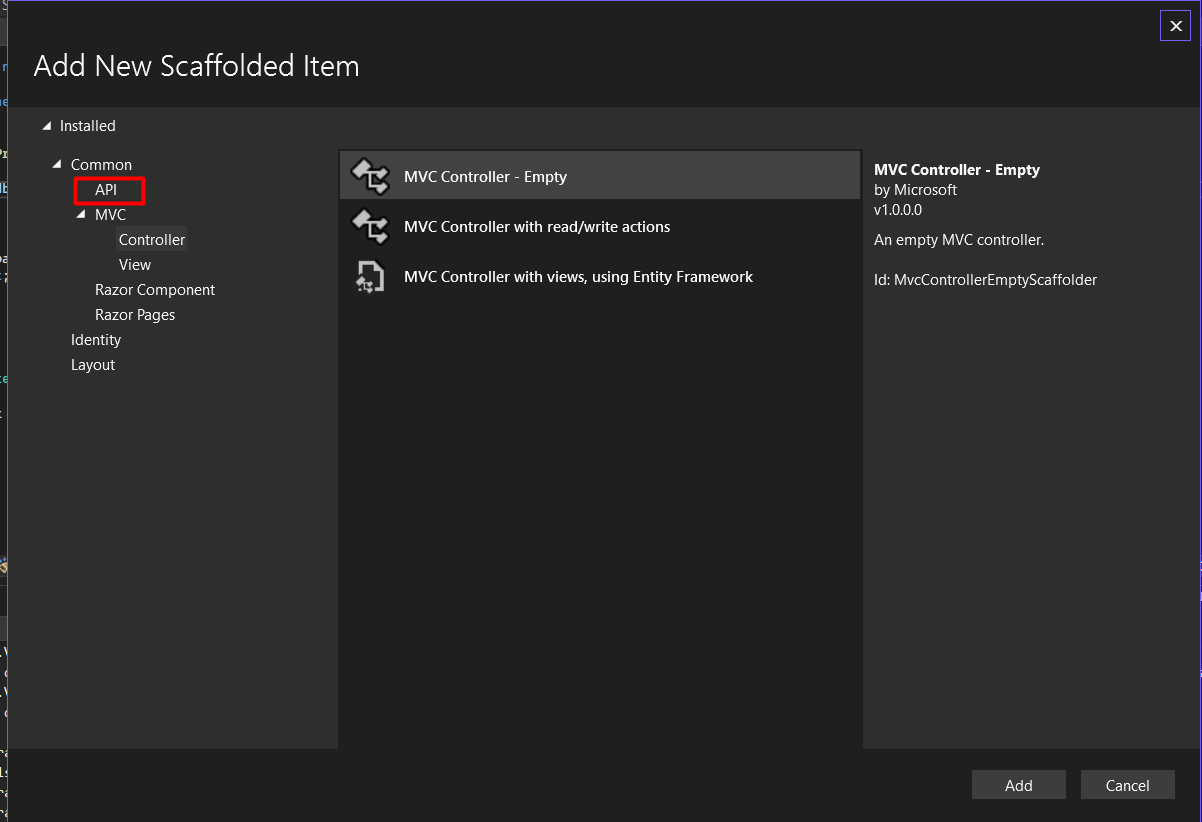
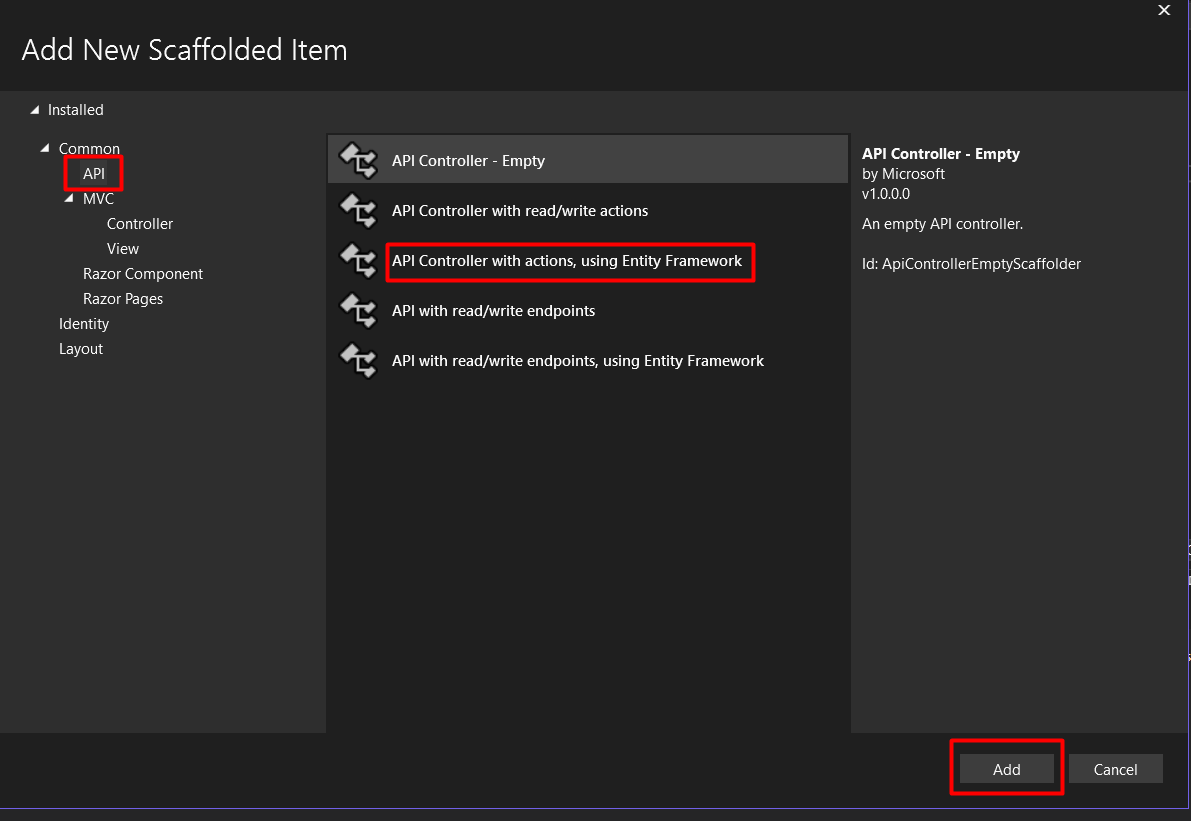
step 3=>Click "API" then click "API controller with actions, using entity framework".
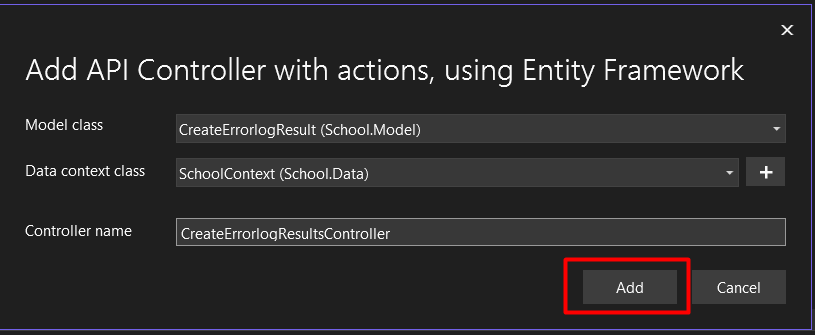
step 4=>Click "Add" Button then give "Model class", "Data context class" & " Controller name".
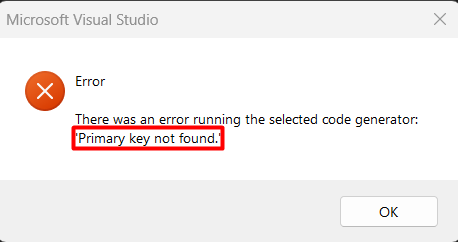
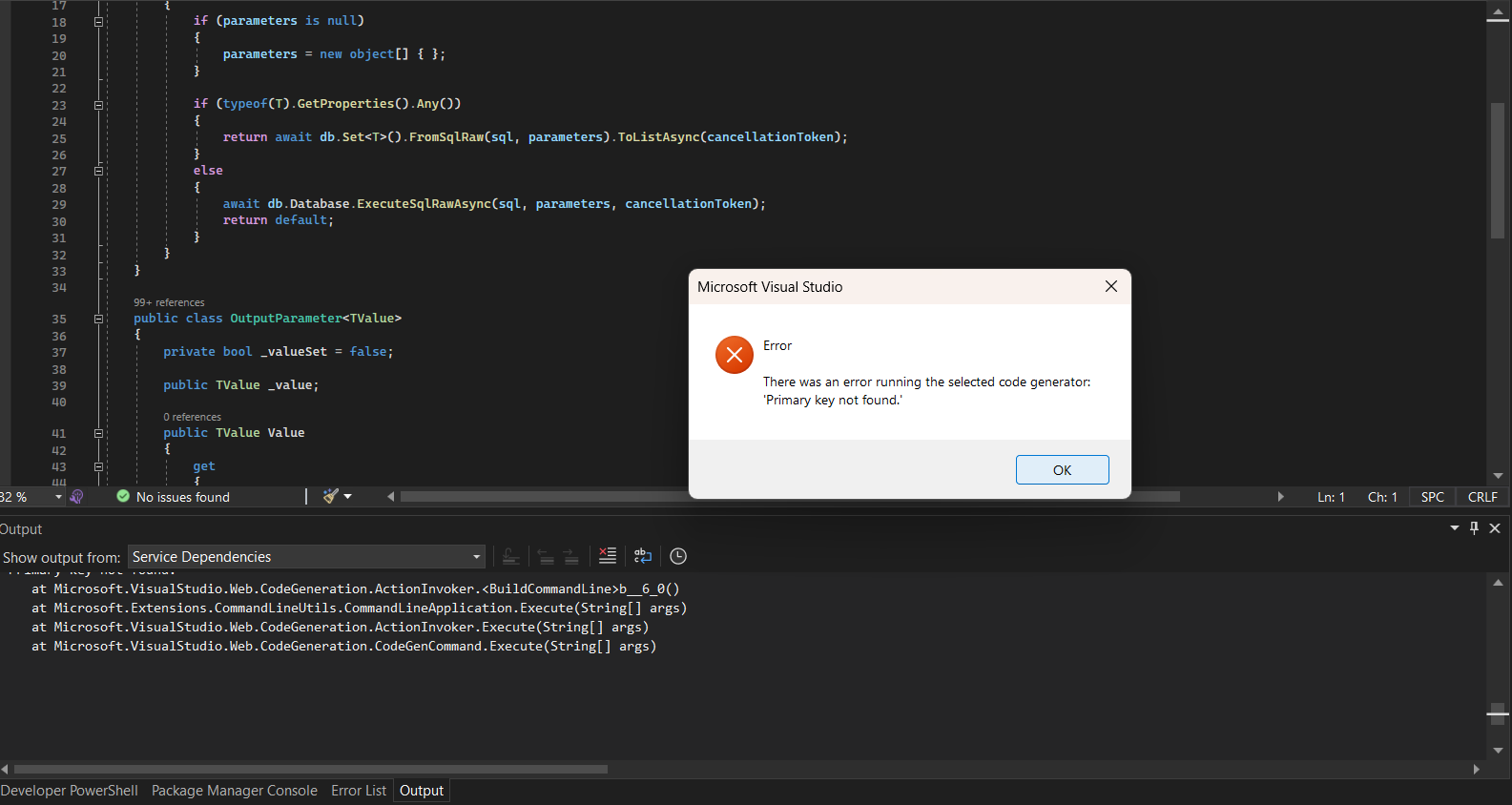
step 5=>Click "Add" Button & it start scaffolding the code & it shows the error "Primary Key not found" even it have a primary key in its model.
EF Core Power Tools version: (7.0)
Database engine: (SQL Server)
Visual Studio version: (Visual Studio Community 2022 (17.4.3) )

Can't able to auto create the controller for SP with primary key

Provide steps to reproduce

step 1=>After completing "Reverse Engineer" process in EF core power tool, "Right click" the controller to add a new controller.
step 2=>Click "Add" & click "Controller".
step 3=>Click "API" then click "API controller with actions, using entity framework".

step 4=>Click "Add" Button then give "Model class", "Data context class" & " Controller name".

step 5=>Click "Add" Button & it start scaffolding the code & it shows the error "Primary Key not found" even it have a primary key in its model.

EF Core Power Tools version: (7.0)
Database engine: (SQL Server)
Visual Studio version: (Visual Studio Community 2022 (17.4.3) )