-
Notifications
You must be signed in to change notification settings - Fork 0
Expand file tree
/
Copy pathPKG-INFO
More file actions
71 lines (51 loc) · 2.1 KB
/
PKG-INFO
File metadata and controls
71 lines (51 loc) · 2.1 KB
1
2
3
4
5
6
7
8
9
10
11
12
13
14
15
16
17
18
19
20
21
22
23
24
25
26
27
28
29
30
31
32
33
34
35
36
37
38
39
40
41
42
43
44
45
46
47
48
49
50
51
52
53
54
55
56
57
58
59
60
61
62
63
64
65
66
67
68
69
70
71
Metadata-Version: 2.1
Name: odoolv
Version: 1.0.0
Summary: view odoo logs on a http server
Home-page: https://github.com/odoo-app-dev/odoolv
Author: Arash Homayounfar
Author-email: homayounfar@msn.com
Classifier: Programming Language :: Python :: 3
Classifier: License :: OSI Approved :: MIT License
Classifier: Operating System :: OS Independent
Requires-Python: >=3.7
Description-Content-Type: text/markdown
License-File: LICENSE
# odoo log viewer
This package help you to view [odoo](https://www.odoo.com/) log file online in a browser
As an odoo developer you might need to know what is going on in your odoo log file.
odoo log files are stored in ``` /var/log/odoo/``` folder in a linux server.
This package is created based on http.server of python. All needed files such as html and javascript files are embeded
to the package.
## Instructions
### 1. Install:
```
pip install odoolv
```
### 2. run program:
2.1 from python:
```python
import odoolv
odoolv.run()
```
2.2 from linux console:
```shell
$odoolv
server started on :9000
x.x.x.x - - [24/Jan/2023 19:55:04] "GET / HTTP/1.1" 200 -
x.x.x.x - - [24/Jan/2023 19:55:04] "GET /log.js HTTP/1.1" 200 -
```
### 3. browse the following address:
```html
http://<your_server_address>:9000
```
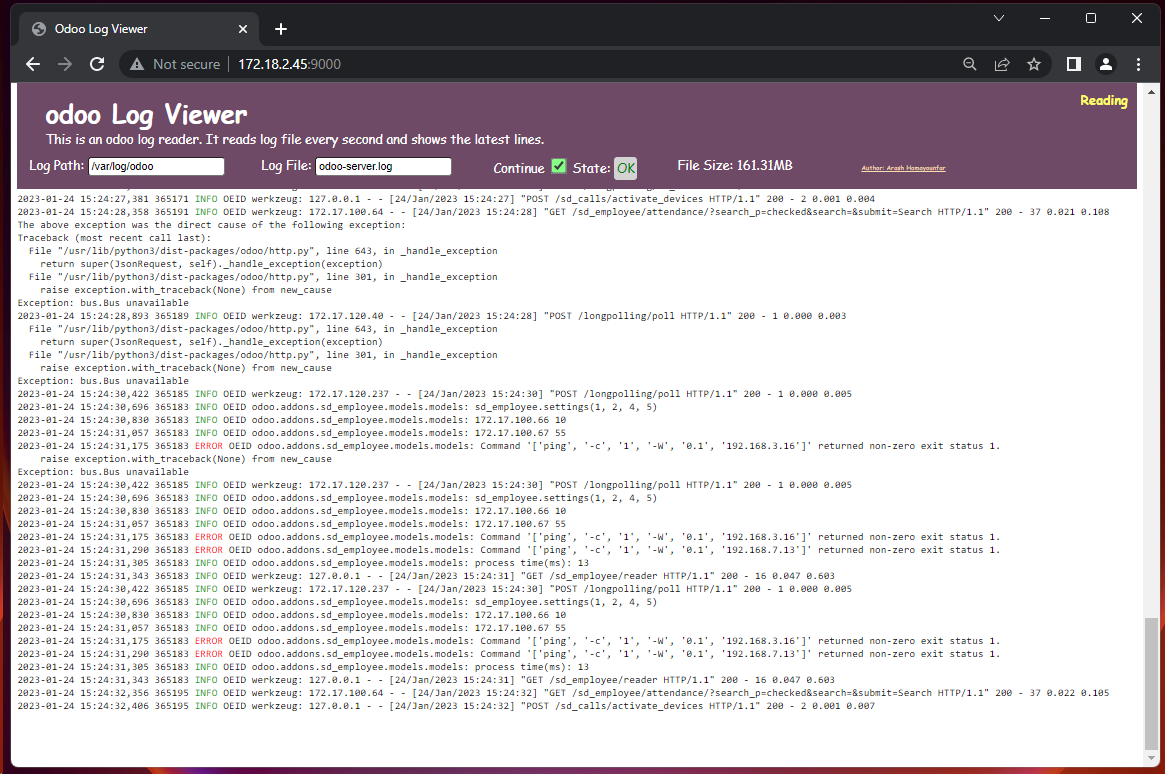
### 4. How to use
While server is installed and running, you can have access as an http connection on port 9000.
odoo default log folder and log file name are embedded as default value. So, you will receive logs immediately.
Each time you refresh your server page on ```http://<your_server_address>:9000```, you will receive the last 10 records
of the log file. After that, it will fetch all new log records, every second.
This package is simulating pycharm run view. This way, it always keeps the scroll the page on bottom automatically.
If you scroll up a little, the reading process would be stopped. It means that you would not be intrupted by data refresh
while you are reading some lines.
Besides, on the page header, there is a checkbox which you make you able to stop the auto fetch process.