Follow these steps to set up the student portal. Screenshots are provided for additional guidance.
- Download the Zip File
Download the zip file nameddist.zipfrom the provided source.
- Extract the Zip File
Extract the contents of thedist.zipfile to a folder of your choice.
-
Open the Dist Folder
Navigate to the extracted folder nameddist.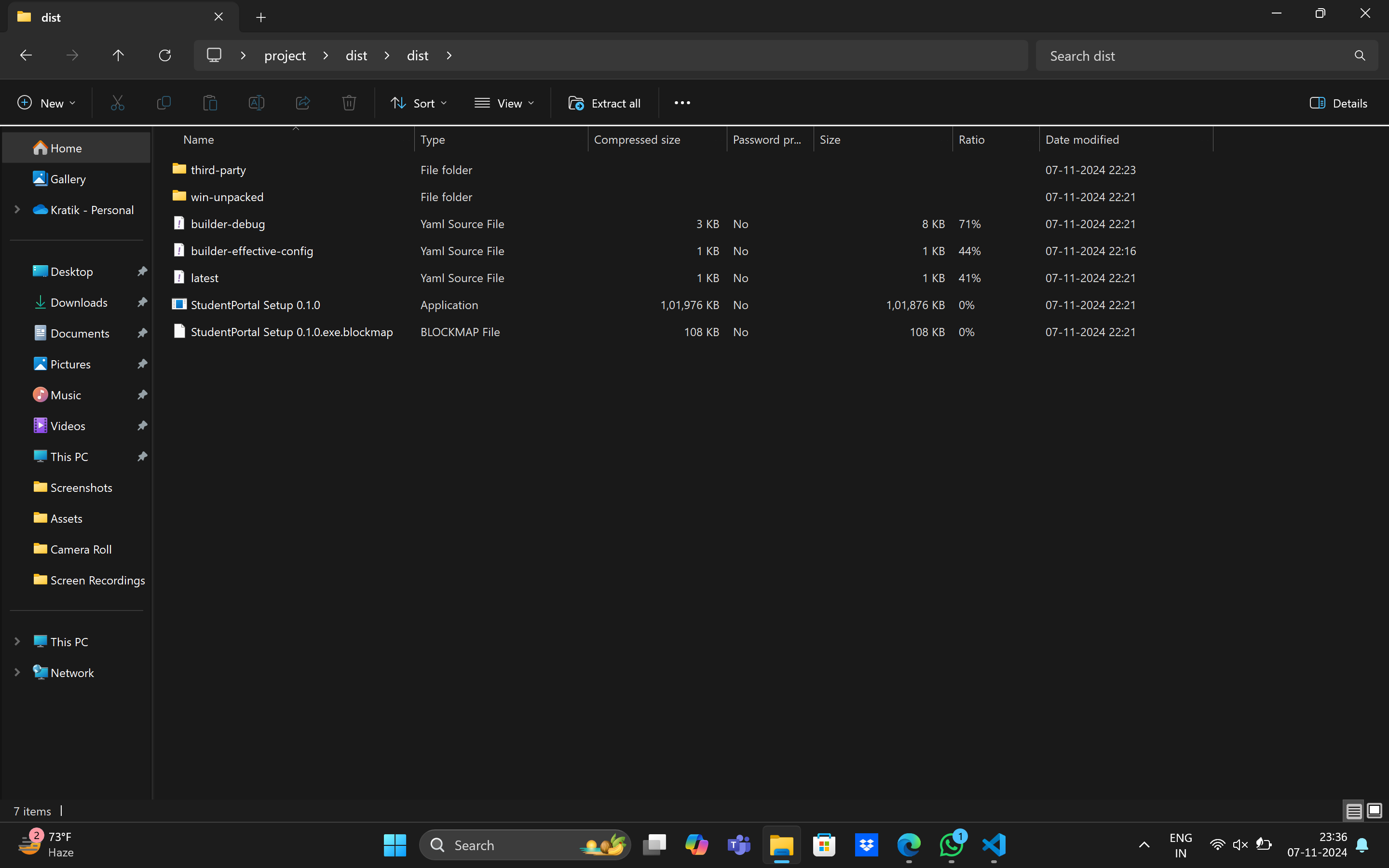
-
Install the Hot Key
In thethird partyfolder, locate and install the Hot Key_1.137 application by following the on-screen prompts.
-
Return to the Main Folder
Go back to the maindistfolder.
-
Run the Setup Application
In thedistfolder, find and run the application namedStudentPortal_Setup_0.1.0. Follow the setup instructions provided by the installer.
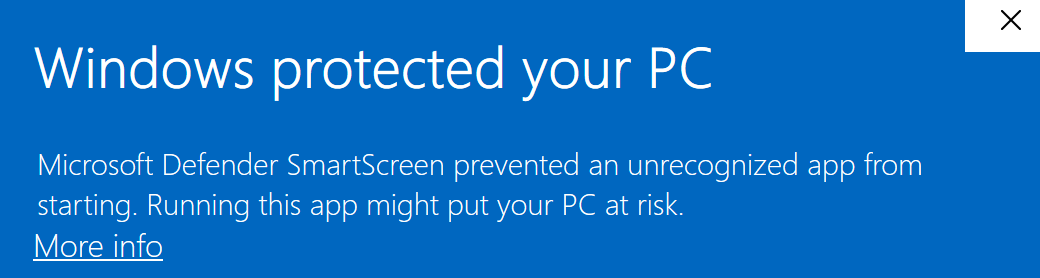
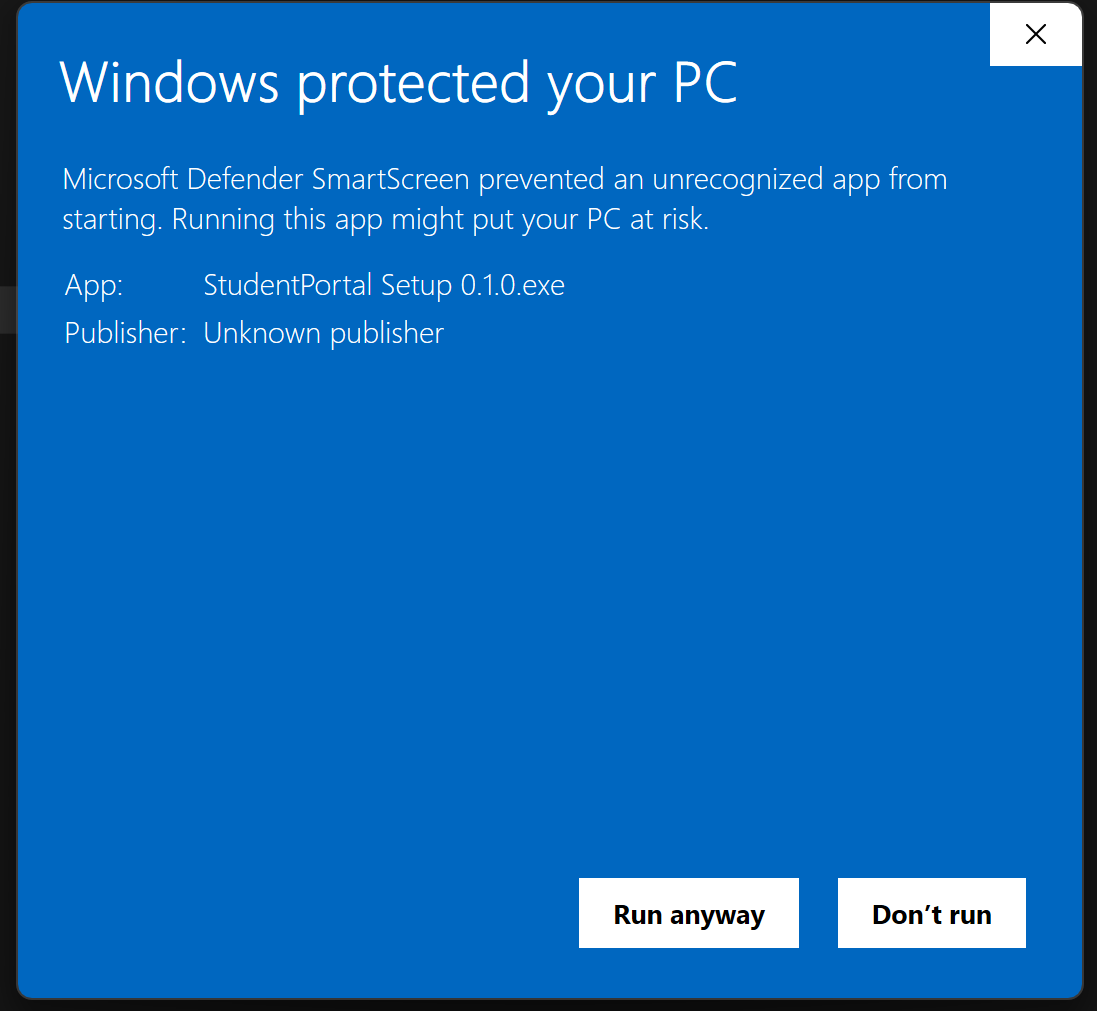
After installation begins, you may see a "Windows protected your PC" prompt. Click on More info, then select Run anyway to proceed.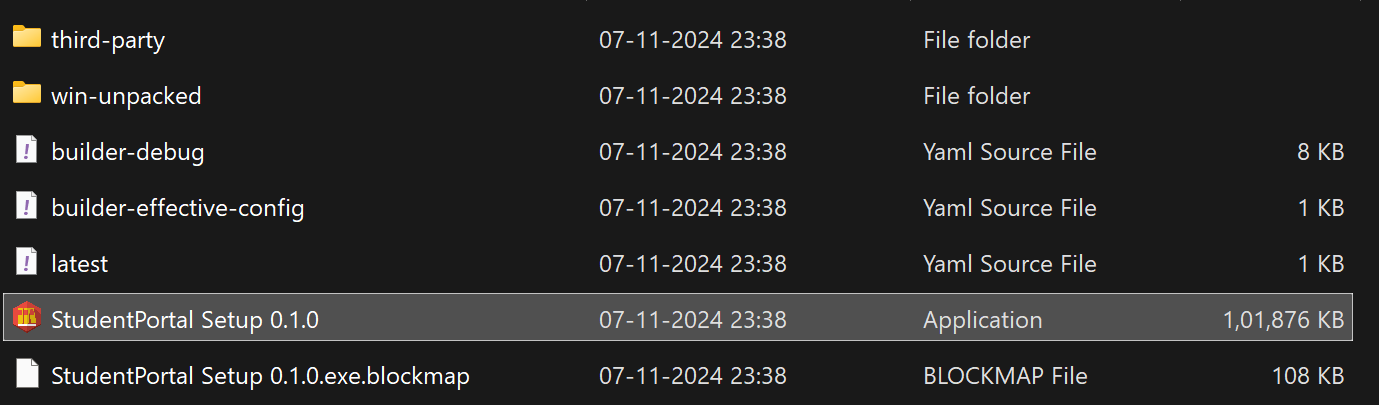
- Setup Complete!
Congratulations! You are now ready to use the Student Portal.
If you encounter any issues, please reach out to support.
<style> img { width: 100%; height: 400px; object-fit:contain } </style>