




|
Claude RTL Responder is a comprehensive browser extension (Firefox & Chrome) that enhances the Claude.ai experience for Arabic-speaking users. It automatically detects Arabic text and applies the correct RTL direction, while preserving LTR for code blocks, technical content, and English terms within Arabic contexts. Built on the browser's native Unicode Bidirectional Algorithm with intelligent mixed-content handling, the extension offers full customization of font size, line spacing, and visual indicators through a dedicated settings page. |
Claude RTL Responder إضافة متصفح متكاملة (Firefox و Chrome) تُحسِّن تجربة استخدام Claude.ai للمستخدمين الناطقين بالعربية. تكتشف الأداة النصوص العربية تلقائياً وتُطبِّق اتجاه RTL الصحيح، مع الحفاظ على اتجاه LTR لكتل الكود والمحتوى التقني والمصطلحات الإنجليزية داخل السياق العربي. تعتمد الإضافة على خوارزمية Unicode ثنائية الاتجاه المدمجة في المتصفح مع معالجة ذكية للمحتوى المختلط، وتوفر تخصيصاً كاملاً لحجم الخط، وتباعد الأسطر، والمؤشرات البصرية عبر صفحة إعدادات مخصصة. |

🔧 Loading Extension / تحميل الإضافة

|
📦 Extension Installed / الإضافة مُثبَّتة

|
|
⚙️ Advanced Settings Page / صفحة الإعدادات المتقدمة 
|
|
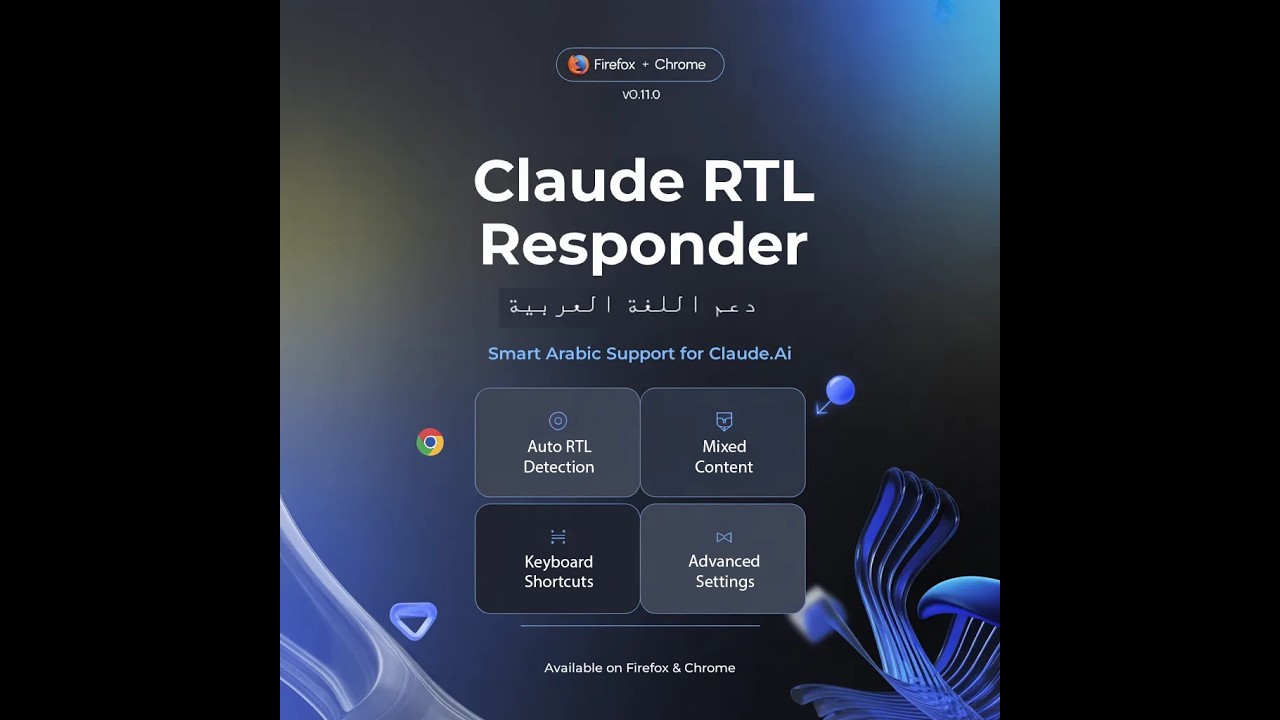
فيديو توضيحي شامل — يعرض كيفية استخدام الإضافة لتحسين تجربة Claude.ai بالعربية Full demo video — showcasing how to use the extension to enhance Claude.ai experience in Arabic
|
|
|
Automatically detects Arabic text using Unicode BiDi algorithm and first-strong character analysis. No manual intervention needed. يكتشف النصوص العربية تلقائياً باستخدام خوارزمية Unicode ثنائية الاتجاه وتحليل الحرف الأول القوي. |
Intelligently handles Arabic text with embedded English terms, code snippets, and technical content. يتعامل بذكاء مع النصوص العربية المتضمنة لمصطلحات إنجليزية ومقتطفات برمجية. |
|
Code blocks, inline code, and technical content always remain left-to-right for proper readability. تبقى كتل الكود والمحتوى التقني بالاتجاه الأيسر-لليمين دائماً للقراءة السليمة. |
Three font size options: Small, Medium, Large. Changes apply instantly to Claude.ai responses. ثلاثة خيارات لحجم الخط: صغير، متوسط، كبير. التغييرات تُطبَّق فوراً. |
|
Three spacing options: Compact, Normal, Relaxed. Improves reading comfort for longer responses. ثلاثة خيارات للتباعد: مُدمج، عادي، مريح. يُحسِّن راحة القراءة للردود الطويلة. |
Visual dot indicator on RTL-applied elements with customizable color picker. مؤشر نقطة بصري على العناصر المُطبَّق عليها RTL مع منتقي ألوان. |
|
Alt+G toggles Arabic/English mode. Alt+O opens the popup. Alt+G لتبديل الوضع. Alt+O لفتح النافذة. |
Full dark mode support across popup and options page, following system preferences. دعم كامل للوضع الداكن في النافذة وصفحة الإعدادات حسب تفضيلات النظام. |
|
Complete Arabic and English interface. Switch languages instantly in the options page. واجهة كاملة بالعربية والإنجليزية. تبديل فوري للغة في صفحة الإعدادات. |
All preferences saved locally and persist across browser sessions. جميع التفضيلات محفوظة محلياً وتستمر عبر جلسات المتصفح. |

🔜 قريباً على متجر إضافات Firefox / Coming soon to Firefox Add-ons Store
|
Installation Steps:
|
خطوات التثبيت:
|
|
Installation Steps:
|
خطوات التثبيت:
|
⚠️ Note: Temporary/unpacked extensions are removed when the browser restarts. For permanent installation, use the browser store versions (coming soon).ملاحظة: الإضافات المؤقتة تُحذف عند إعادة تشغيل المتصفح. للتثبيت الدائم، استخدم نسخ المتاجر (قريباً).
|
Using the Popup:
|
باستخدام النافذة:
|
Keyboard Shortcut: Press Alt+G to toggle between Arabic and English modes without opening the popup.
اختصار لوحة المفاتيح: اضغط Alt+G للتبديل بين الوضعين بدون فتح النافذة.
- From Popup: Click "إعدادات متقدمة / Advanced Settings" button
- Keyboard: Press Alt+O to open the popup
- من النافذة: انقر على زر "إعدادات متقدمة / Advanced Settings"
- لوحة المفاتيح: اضغط Alt+O لفتح النافذة
| Setting | Options | الإعداد |
|---|---|---|
| Font Size | Small / Medium / Large | حجم الخط |
| Line Spacing | Compact / Normal / Relaxed | تباعد الأسطر |
| RTL Indicator | Toggle + Color Picker | مؤشر RTL |
| Shortcut | Action | الإجراء |
|---|---|---|
| Alt+G | Toggle Arabic/English mode | تبديل الوضع عربي/إنجليزي |
| Alt+O | Open extension popup | فتح نافذة الإضافة |
📋 Click to expand technical specifications
| Specification | Value |
|---|---|
| Manifest Version | MV3 (Manifest V3) |
| Firefox Minimum | 109+ |
| Detection Algorithm | Unicode BiDi + First-Strong Character Analysis |
| Performance | RAF-debounced MutationObserver, WeakSet tracking |
| Storage | browser.storage.local (sync-compatible) |
U+0600–U+06FF    Arabic
U+0750–U+077F    Arabic Supplement
U+08A0–U+08FF    Arabic Extended-A
U+FB50–U+FDFF    Arabic Presentation Forms-A
U+FE70–U+FEFF    Arabic Presentation Forms-B
The extension uses isolated modules for maintainability:
detector.js— Arabic text detection with Unicode analysisobserver.js— MutationObserver for dynamic contentcontent.js— Main content script orchestrationbackground.js— Service worker for keyboard shortcutspopup/— Mode switcher UIoptions/— Full settings page with live preview
📂 Click to expand file tree
claude-rtl-responder/
├── src/                          # Extension source files
│   ├── manifest.firefox.json     # Firefox manifest (MV3)
│   ├── manifest.chrome.json      # Chrome manifest (MV3)
│   ├── background.js             # Service worker
│   ├── common/
│   │   └── browser-polyfill.js   # Cross-browser API polyfill
│   ├── content/
│   │   ├── detector.js           # Arabic text detection
│   │   ├── observer.js           # DOM mutation observer
│   │   └── content.js            # Main content script
│   ├── popup/
│   │   ├── popup.html            # Popup UI
│   │   ├── popup.css             # Popup styles
│   │   └── popup.js              # Popup logic
│   ├── options/
│   │   ├── options.html          # Settings page
│   │   ├── options.css           # Settings styles
│   │   └── options.js            # Settings logic
│   ├── styles/
│   │   └── rtl.css               # RTL injection styles
│   ├── icons/
│   │   ├── icon-48.png           # Toolbar icon
│   │   └── icon-96.png           # High-DPI icon
│   └── INSTALL.txt               # Quick installation guide
├── scripts/
│   └── build.js                  # Cross-browser build script
├── dist/                         # Build output (gitignored)
├── docs/
│   └── screenshots/              # README screenshots
├── package.json                  # Build configuration
├── README.md                     # This file
├── LICENSE                       # MIT License
├── CHANGELOG.md                  # Version history
├── CONTRIBUTING.md               # Contribution guidelines
├── SECURITY.md                   # Security policy
└── .gitignore                    # Git ignore rules
|
|
| Browser / Platform | Support | الدعم |
|---|---|---|
| Firefox 109+ | ✅ Fully Supported | مدعوم بالكامل |
| Firefox Developer Edition | ✅ Supported | مدعوم |
| Firefox ESR (109+) | ✅ Supported | مدعوم |
| Chrome 88+ | ✅ Fully Supported | مدعوم بالكامل |
| Edge (Chromium) | ✅ Supported | مدعوم |
| Safari | ❌ Not Supported | غير مدعوم |
| claude.ai | ✅ Target Site | الموقع المستهدف |
| Other websites | ❌ Not Affected | غير متأثرة |
💡 Both Firefox and Chrome/Edge are fully supported with Manifest V3.
يدعم المتصفحان Firefox و Chrome/Edge بالكامل مع Manifest V3.
|
Contributions are welcome! Here's how you can help:
See CONTRIBUTING.md for detailed guidelines. |
المساهمات مرحب بها! إليك كيف يمكنك المساعدة:
راجع CONTRIBUTING.md للإرشادات التفصيلية. |

- ✨ Automatic Arabic RTL detection
- ✨ Mixed-content intelligent handling
- ✨ Code block LTR preservation
- ✨ Font size customization (3 options)
- ✨ Line spacing customization (3 options)
- ✨ Optional RTL indicator with color picker
- ✨ Keyboard shortcuts (Alt+G, Alt+O)
- ✨ Dark mode support
- ✨ Bilingual UI (Arabic/English)
- ✨ Persistent settings storage
See CHANGELOG.md for full version history.
Application Developer & AI Specialist
مطوّر تطبيقات ومتخصص في الذكاء الاصطناعي
MONER INTELLIGENCE SYSTEMS


| Project | Description | الوصف |
|---|---|---|
| Ghost Protocol Helpdesk | Enterprise incident management system | نظام إدارة حوادث للمؤسسات |
| DeadBYTE | Smart system analysis & cleanup for Windows | أداة تحليل وتنظيف ذكية لـ Windows |
| MyWorld Password Manager | Secure local password manager | مدير كلمات مرور محلي آمن |
| Professional Label Design Print | Professional label design & printing | تصميم وطباعة ملصقات احترافية |
# Clone the repository
git clone https://github.com/moner-dev/Claude-RTL-Responder.git
cd Claude-RTL-Responder

# Build for Firefox
node scripts/build.js firefox

# Build for Chrome
node scripts/build.js chrome

# Build both
node scripts/build.js all
Output:
|
# استنساخ المستودع
git clone https://github.com/moner-dev/Claude-RTL-Responder.git
cd Claude-RTL-Responder

# البناء لـ Firefox
node scripts/build.js firefox

# البناء لـ Chrome
node scripts/build.js chrome

# بناء الاثنين
node scripts/build.js all
المخرجات:
|
Requirements: Node.js 14+ | المتطلبات: Node.js 14+
|
|
Claude RTL Responder v0.1.0
© 2026 MONER INTELLIGENCE SYSTEMS
Crafted with precision and passion for Arabic-speaking developers


