High-resolution historical map images typically contain a large amount of detail, which can result in very large file sizes. This can pose a challenge when working with the images, due to the large memory required.
To overcome this challenge, we crop the map images into smaller tiles, where each tile contains only a portion of the overall image. In our case, the tiles are 1000x1000 pixels in size.
Processing the tiles with text spotting model in parallel means that multiple tiles are processed simultaneously, which can significantly reduce the amount of time it takes to work with the images. For example, with batch_size=24, the spotting model can detect and recognizes the text in 24 map tiles in the same time.
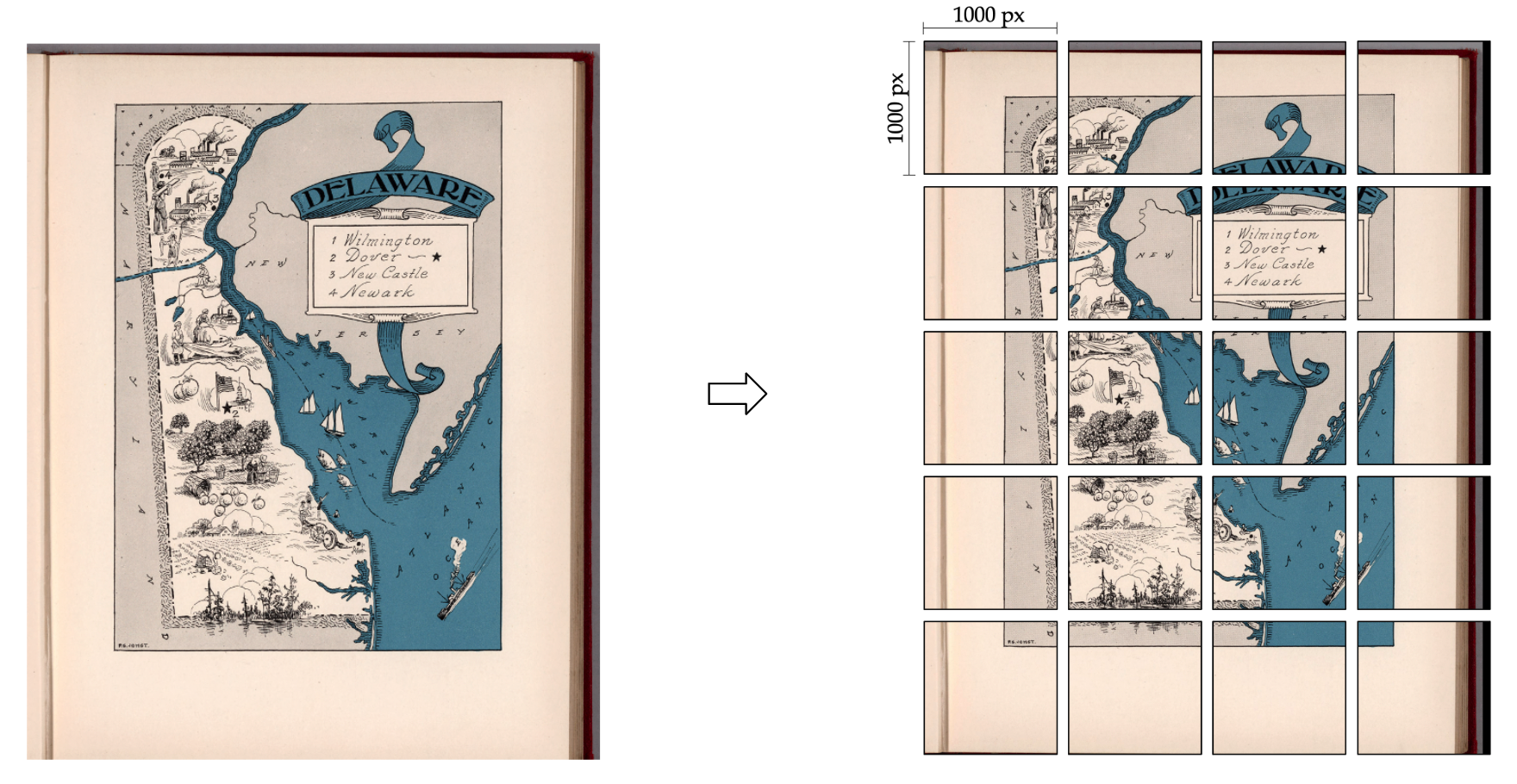
To run cropping, you can call run.py with the following command:
python3 run.py --sample_map_csv_path='/home/maplord/maplist_csv/luna_omo_metadata_56628_20220724.csv' --expt_name='57k_maps' --module_cropping
where
--sample_map_csv_pathstores the metadata of the input map, a sample file can be found here.--module_croppingturns on the cropping module in this run
If you do not have a metadata csv file, or wish to specify the input path of image directly, you can use crop_img.py in m2_detection_recognition folder.
Sample command:
python3 crop_img.py --img_path='8628000.jp2' --output_dir='/100_maps_crop/'