Describe the bug
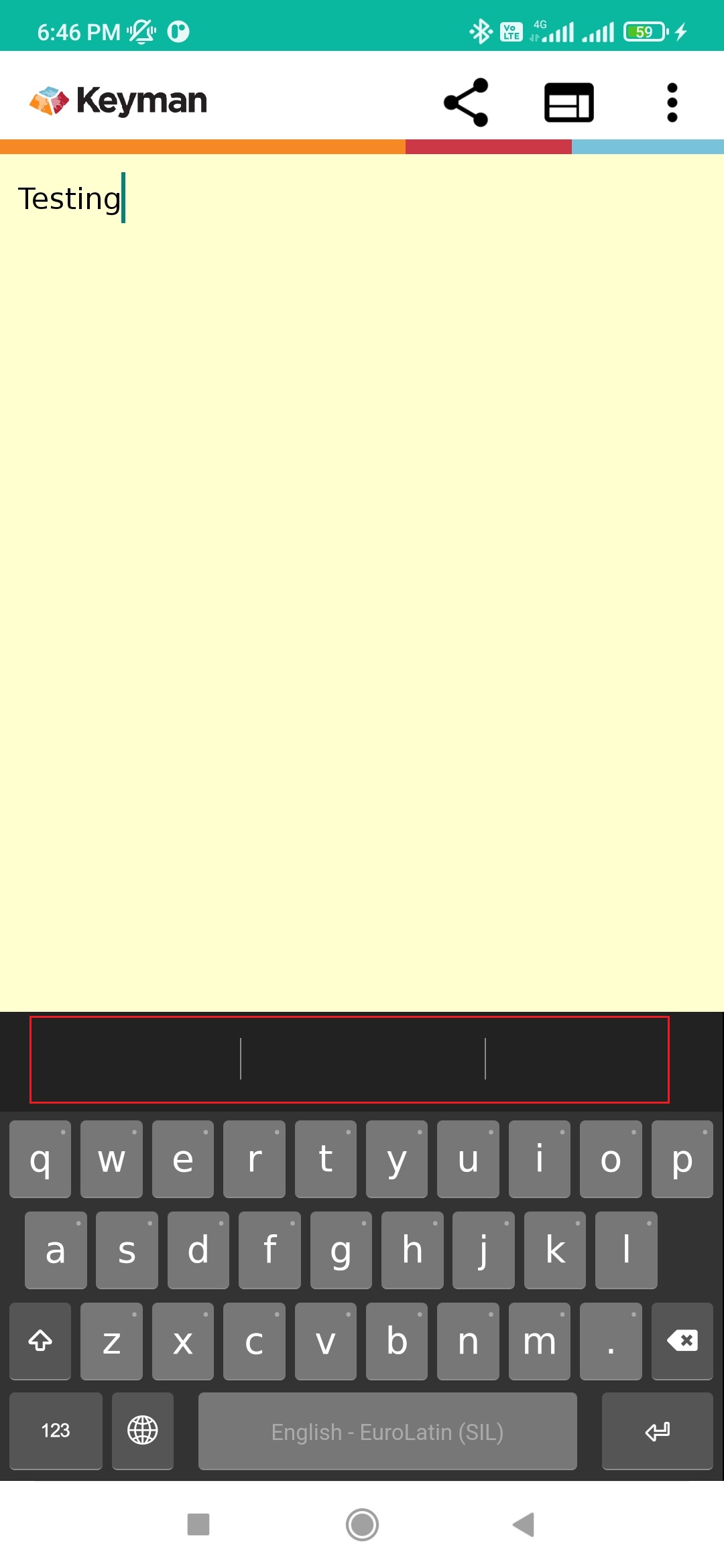
After randomly typing some letters on the text pane, I entered some valid text (eg., testing) and noticed that the predictive text is not working on the suggestion bar.
To Reproduce
- Install Keyman 16.0.61-alpha build.
- In Keyman, type 'Aqua' and we may notice that the related text appears on the suggestion bar.
- Enter some random letters on the text pane.
- Enter a spacebar key.
- Type a word 'testing'
- No predictive text appear on the suggestion bar.
- Clear text
- Type 'testing'. Here, I noticed that the predictive text is missing on the suggestion bar.
Expected behavior
Predictive text should appear after clearing the text in the text pane.
Screenshots
Keyman for Android:
- Device: Redmi Note 8 Pro
- OS: Android 11.0
- Keyman version: 16.0.61-alpha
- Target Application: Keyman In-App
Keyboard
- Keyboard name: English - EuroLatin(SIL)
- Keyboard version: 2.0
- Language name: English


Describe the bug
After randomly typing some letters on the text pane, I entered some valid text (eg., testing) and noticed that the predictive text is not working on the suggestion bar.
To Reproduce
Expected behavior
Predictive text should appear after clearing the text in the text pane.
Screenshots
Keyman for Android:
Keyboard