Send OSC values over WiFi based on an analog Arduino input
Developed for an Arduino Nano RP2040 with an adafruit Short Flex Sensor.
Create a voltage divider circuit with the flex sensor. In my testing, I used a 44k Ohm resistor. Power can be provided to the circuit from the built-in 5v pin. This guide has a handy wiring diagram, though note that A0 is used as the input in the program.
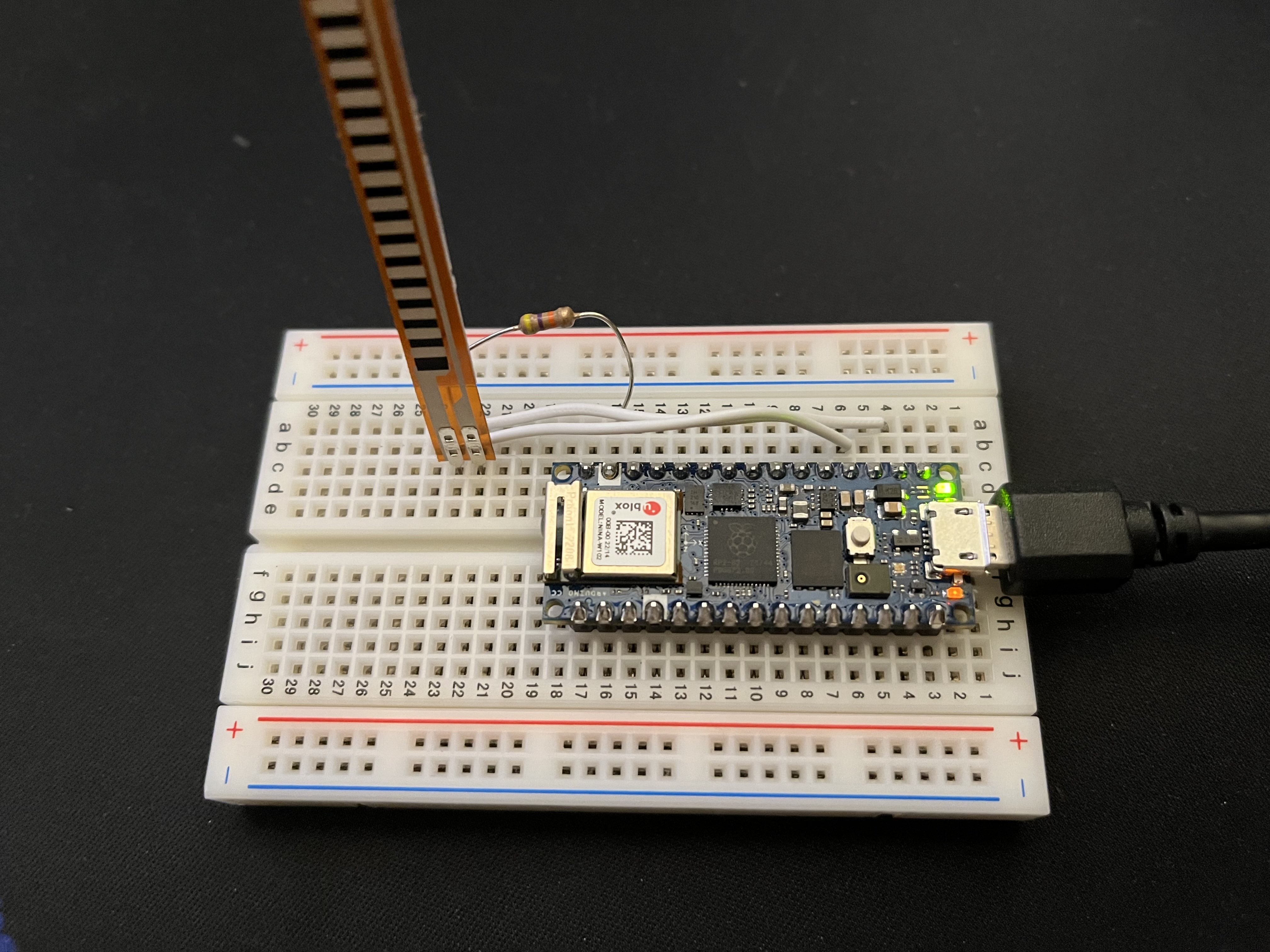
Set your SSID name and password in the arduino_secrets.h file.
The program will automatically find the high and low range of the sensor by tracking min and max, and sends an OSC float in relation to these limits
You must also set the destination IP variable to match that of your OSC destination.
The delay function may be adjusted to modify update rate. It is currently set to 20 Hz
For testing, the serial print function may be enabled. This will display the sensor values calculated by the program before they are sent over WiFi.
For testing OSC quickly, Protokol is useful.
The program is built to send an OSC message to VRChat. A float is sent to the FootLeftFloat parameter. This can be used to drive an animation on your avatar, for example to move toe position realistically.

- Troubleshoot performance issues related to WiFi?
- Develop portable power and mounting solution
- Robustly mount flex sensor to shoe
- Test other/cheaper SOC such as the Nano 33 IoT