Refer to the following articles on the basics of Git and Github and can also contact the Project Mentors, in case you are stuck:
- Watch this video to get started, if you have no clue about open source
- Getting started with Git and GitHub
- Forking a Repo
- Cloning a Repo
- How to create a Pull Request
This documentation contains a set of guidelines to help you during the contribution process. When contributing to this repository, please first discuss the change you wish to make via issue, email, or any other method with the owners of this repository before making a change.
- Take a look at the Existing Issues or create your own Issues!
- Wait for the Issue to be assigned to you after which you can start working on it.
- Note: Every change in this project should/must have an associated issue.
Click the Fork button at the top right corner of the screen.
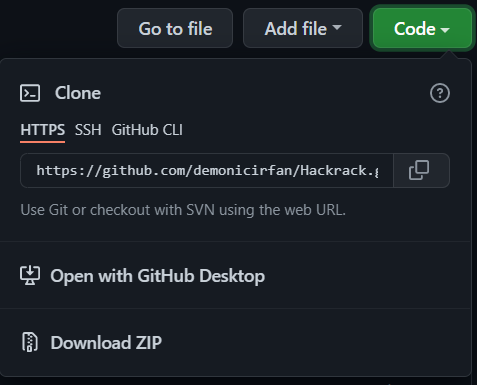
- 1. Clone the repository :
-
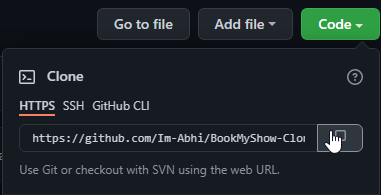
2. ON YOUR FORKED REPOSITORY, copy the link by pressing the clipboard and on your local git, copy the link in. If you are unable, use the link below and replace
usernamewith your GithHub username :git clone https://github.com/username/Hackrack.git -
3. Navigate to your project directory.
cd Hackrack- 4. Create a new branch. Use its name to identify the issue your addressing.
git checkout -b branch_nameNOTE: Replace the branch_name with the name of the issue you are addressing.
- 5. Add all the files/folders needed.
To add all new files to branch Branch_Name:
git add . To add only a few files to Branch_Name:
git add <some files>NOTE: Replace <some files> with the files you want to add to the branch. You can check the untracked/modified files by running the following command:
git status- 6. Give a descriptive message for the convenience of reviewer by:
git commit -m "message" NOTE: Replace message with the message you want to give to the reviewer.
- 7. Push your changes to the remote repository. To push your changes to the remote forked repository use the command
git push -u origin <branch_name>NOTE: Replace <branch_name> with the name of the branch you are pushing.
- Go back to your remote Forked version of the repo and click :

- After, add a description to your PR and then click
Create Pull Request:

- Create a Pull Request which will be reviewed and suggestions would be added to improve it.
- Add Screenshots to help us know what this enhancement/implementation is all about.
- Add your assigned issue number in the PR by writing in description
#issue_number. Try to use inclusive words as well. Eg:Fixes #15.
Time to celebrate you have successfully submitted a PR. Thank you for contributing.
- Don't make unnecessary/spammy PR otherwise it will be reported as SPAM.
- Give some time to maintainers to review your PR, have some patience.
- Please don't make a PR for a feature that is already implemented.
- If you're not assigned to an issue, then please don't randomnly create PRs. If you want to work on an issue, please comment on an issue and wait for it to be assigned to you. If you don't find that issue, please create one.
- Please give a descriptive message for the convenience of reviewer. Wait for the reviewer to comment on your PR.
- Please make sure you are following the guidelines before making a PR. No spammy PRs will be accepted.