Responsive-method deletes components in layout after drawer opened and closed (iPhone) #12

Description

Expected Behavior
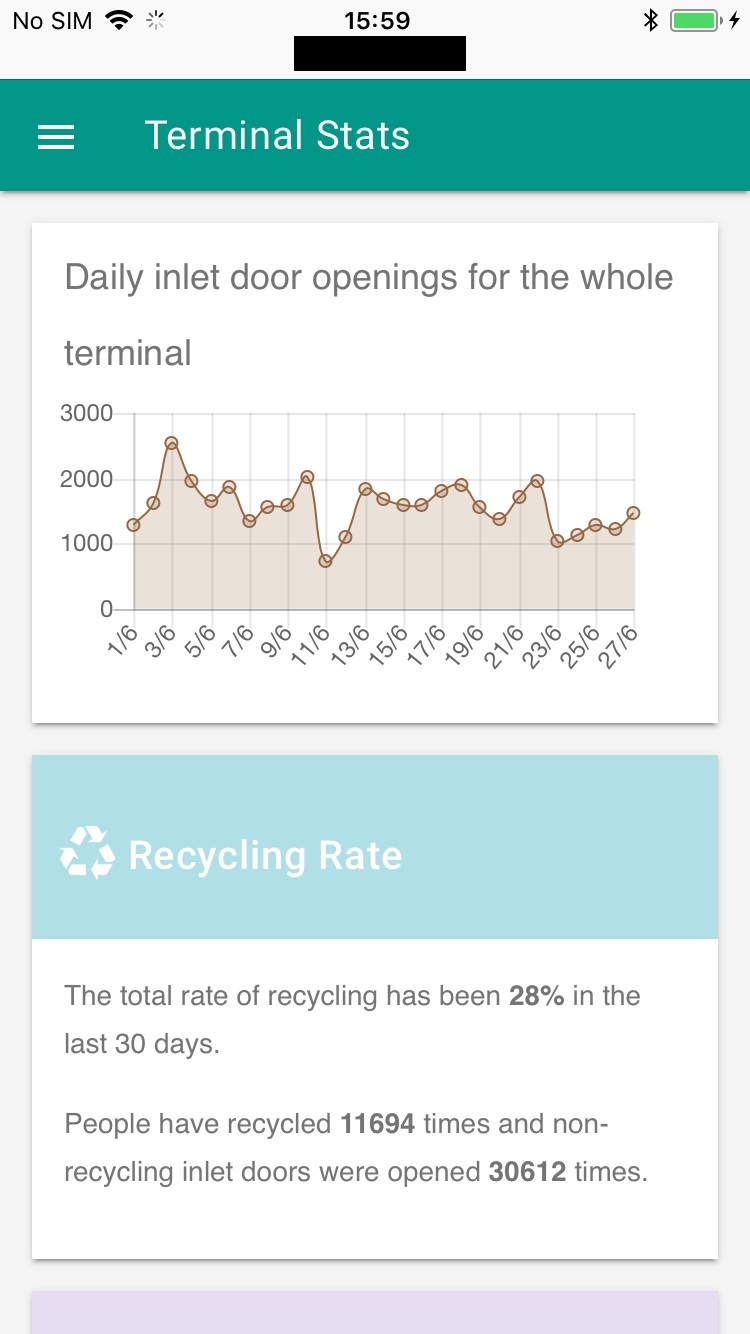
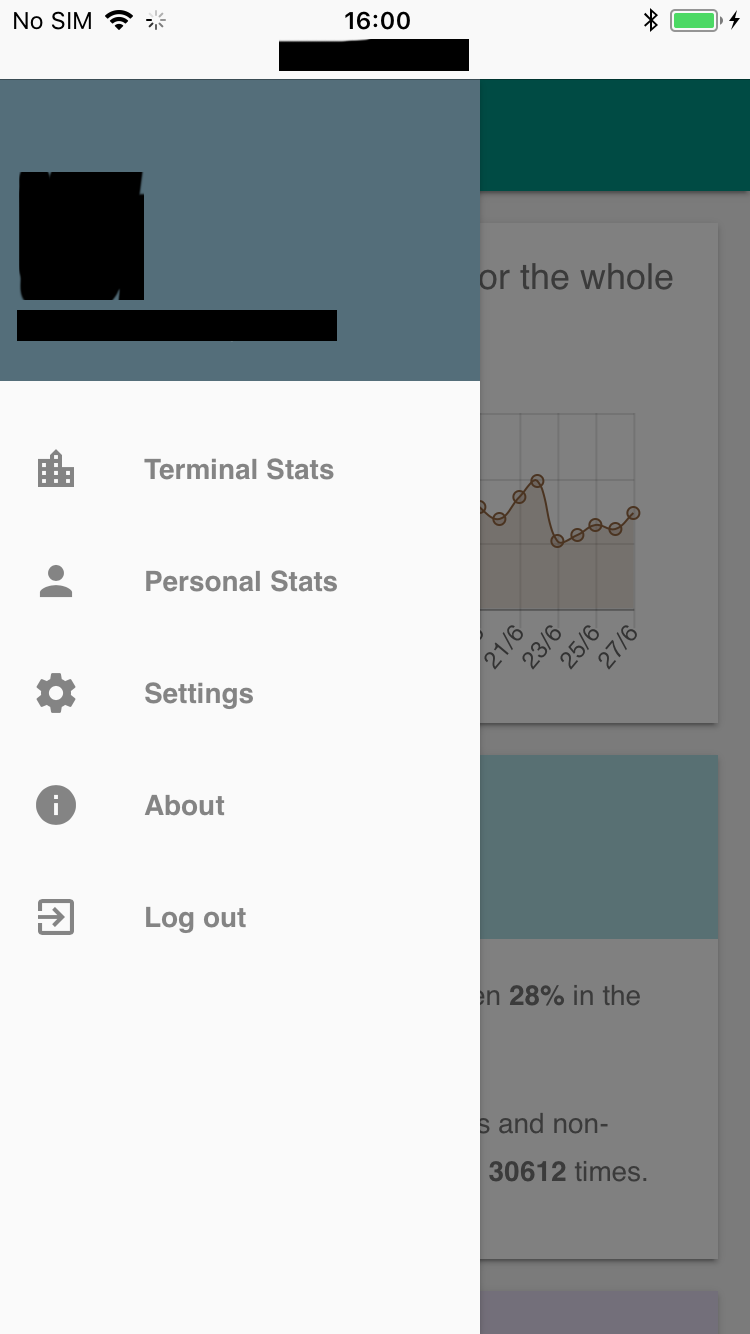
When I open the drawer (Material Design Light) and close it, the components should be shown exactly as before I opened and closed the drawer.
Current Behavior
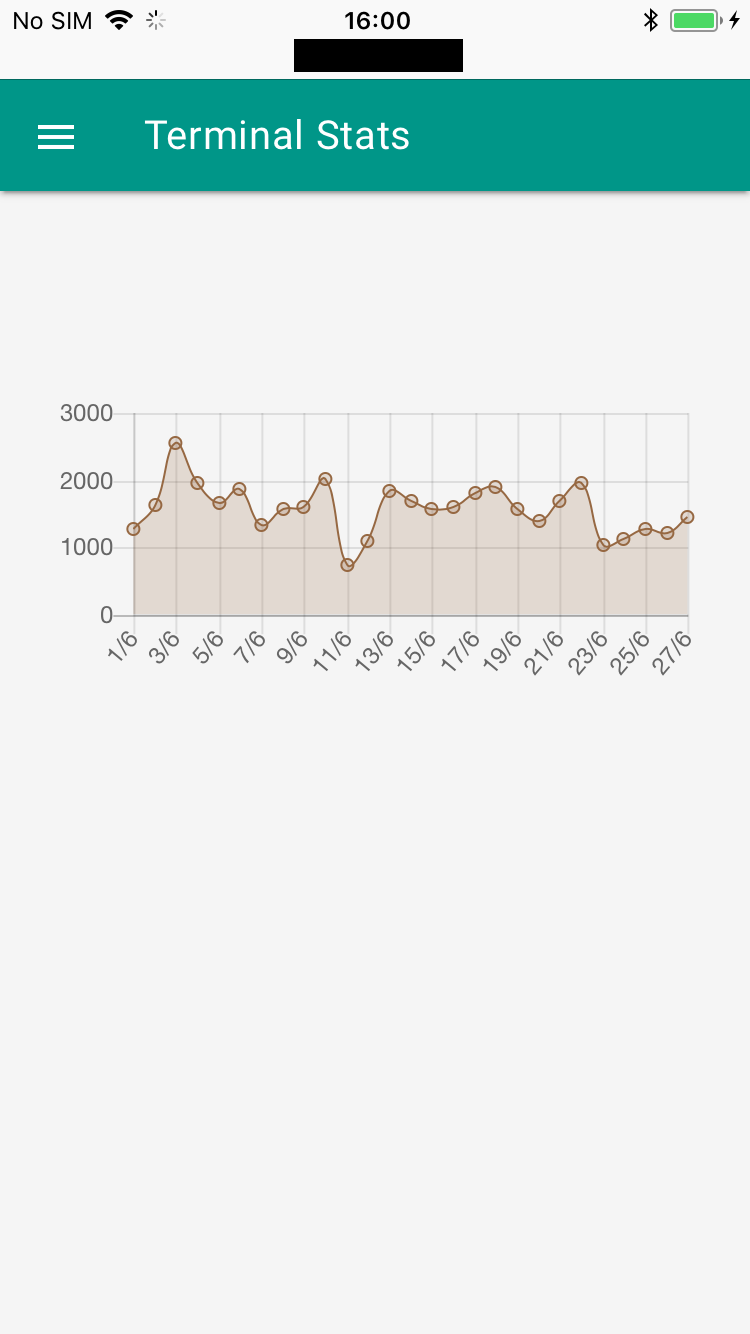
What currently happens when I open and close the drawer is that all of the components in the layout are lost, besides the chart that I am showing.
Possible Solution
I set responsive to false and it works as it should. So definitely has something to do with the responsive option.
Steps to Reproduce (for bugs)
I am using react-mdl drawer and layout. Here are some screenshots of what is happening:
And here is the code for it:
  <div
    className={`charts mdl-color--white
      mdl-shadow--2dp
      mdl-cell
      mdl-cell--12-col mdl-grid
      ${s.container}`}
  >
    <div style={{ marginBottom: 5 }}>
      <div className={s.graphTitle}>{this.props.title}</div>
      {this.props.chooseInlet &&
      <Dropdown
        className={s.dropdown}
        dropdownValues={this.props.dropdownValues}
        update={this.props.updateGraph}
      />
      }
    </div>
    <div style={{ height }}>
      <RC2
        ref={(c) => {
          this.canvas = c;
        }} data={data}
        options={chartOptions}
        type="line"
      />
    </div>
  </div>
This code is in ReactJS and I am using react-chartjs2.
I have tested wrapping the chart in a <div> as instructed but I get the same result.
Context
I think it's quite clear from the screenshots, I am just trying to show all content of the website correctly.
Environment
- Chart.js version: 4.1.2
- Browser name and version: Tried on Safari 11.0.2 and Chrome version 63.0.32.39.73 on iOS.