
EP is an open specification, Python SDK, pytest wrapper, and suite of tools that provides a standardized way to write evaluations for large language model (LLM) applications. Start with simple single-turn evals for model selection and prompt engineering, then scale up to complex multi-turn reinforcement learning (RL) for agents using Model Context Protocol (MCP). EP ensures consistent patterns for writing evals, storing traces, and saving results—enabling you to build sophisticated agent evaluations that work across real-world scenarios, from markdown generation tasks to customer service agents with tool calling capabilities.
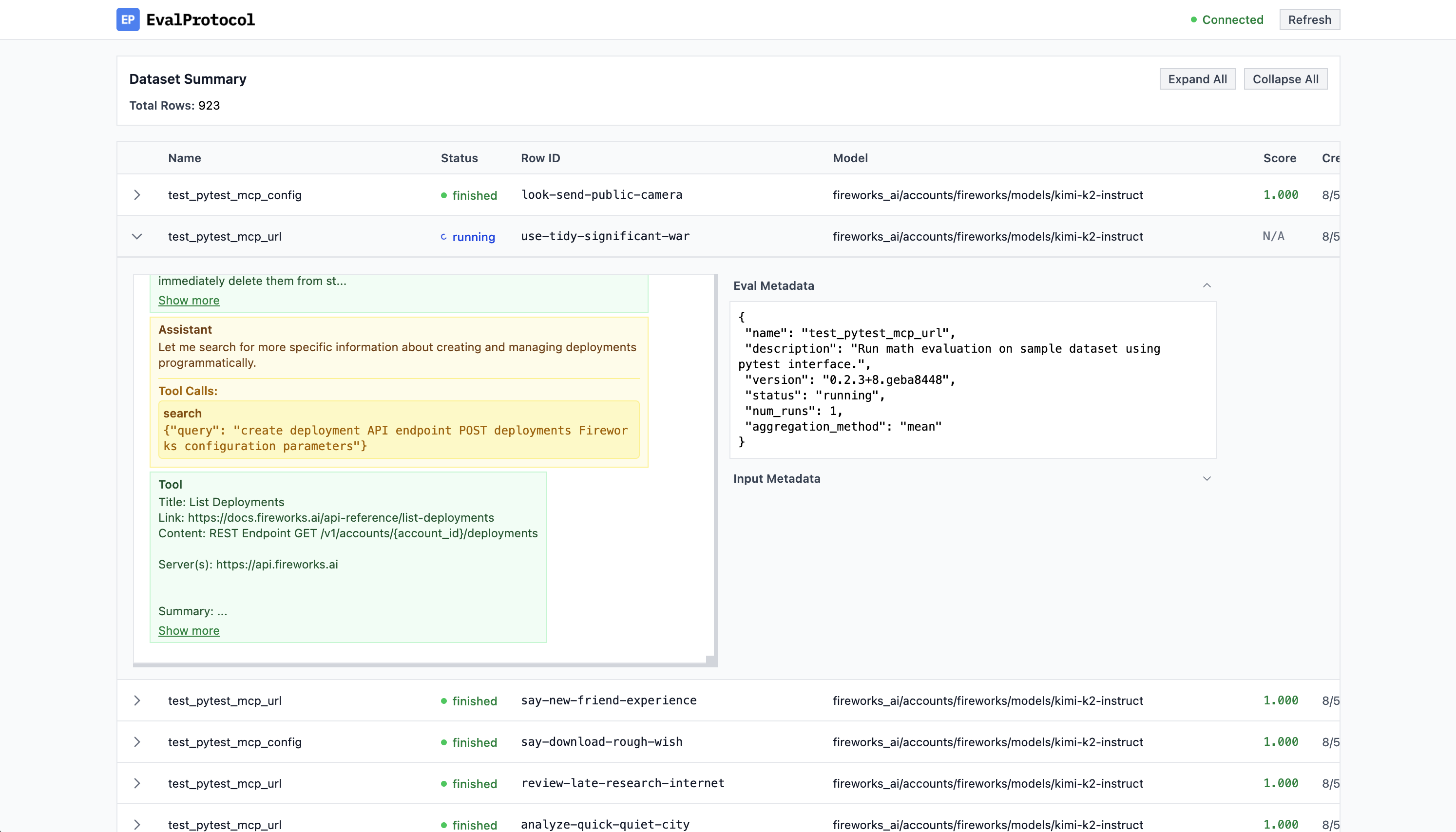
Log Viewer: Monitor your evaluation rollouts in real time.
Here's a simple test function that checks if a model's response contains bold text formatting:
from eval_protocol.models import EvaluateResult, EvaluationRow, Message
from eval_protocol.pytest import SingleTurnRolloutProcessor, evaluation_test

@evaluation_test(
    input_messages=[
        [
            Message(role="system", content="You are a helpful assistant. Use bold text to highlight important information."),
            Message(role="user", content="Explain why **evaluations** matter for building AI agents. Make it dramatic!"),
        ],
    ],
    completion_params=[{"model": "accounts/fireworks/models/llama-v3p1-8b-instruct"}],
    rollout_processor=SingleTurnRolloutProcessor(),
    mode="pointwise",
)
def test_bold_format(row: EvaluationRow) -> EvaluationRow:
    """
    Simple evaluation that checks if the model's response contains bold text.
    """

    assistant_response = row.messages[-1].content

    # Check if response contains **bold** text
    has_bold = "**" in assistant_response

    if has_bold:
        result = EvaluateResult(score=1.0, reason="✅ Response contains bold text")
    else:
        result = EvaluateResult(score=0.0, reason="❌ No bold text found")

    row.evaluation_result = result
return rowSee our documentation for more details.
This library requires Python >= 3.10.
Install with pip:
pip install eval-protocol
Use the CLI to sign in without gRPC.
# API key flow
eval-protocol login --api-key YOUR_KEY --account-id YOUR_ACCOUNT_ID --validate

# OAuth2 device flow (like firectl)
eval-protocol login --oauth --issuer https://YOUR_ISSUER --client-id YOUR_PUBLIC_CLIENT_ID \
  --account-id YOUR_ACCOUNT_ID --open-browser
- Omit
--api-keyto be prompted securely. - Omit
--account-idto save only the key; you can add it later. - Add
--api-base https://api.fireworks.aifor a custom base, if needed. - For OAuth2, you can also set env vars:
FIREWORKS_OIDC_ISSUER,FIREWORKS_OAUTH_CLIENT_ID,FIREWORKS_OAUTH_SCOPE.
Credentials are stored at ~/.fireworks/auth.ini with 600 permissions and are read automatically by the SDK.
Note: Model/LLM calls still require a Fireworks API key. OAuth login alone does not enable LLM calls yet; ensure FIREWORKS_API_KEY is set or saved via eval-protocol login --api-key ....