#Everton Gardiner ##Software Development II ####Final Paper
During my time in Software Development II I learned alot about the Ruby and Rails framework. This experience has taught me alot about how different technologies interact to make powerful web apps that are backed with databases. In my paper I plan to discuss how to initially create a rails app, and how useful the MVC design pattern can be . During the entire process, the most important thing that i learned is the MVC pattern. It was very frustrating to learn and understand and I wanted to throw my computer across the room plenty of times. However, I gained alot of irreplaceable knowledge thorough the process.

I now understand why this model is important and efficient while developing rails web apps.
##The Model According to betterexplained.com models are Ruby classes that talk to the database, store and validate data, perform the business logic. Below is some code that will provide an example of a Rails model
class User < ActiveRecord::Base
   has_secure_password
   validates_uniqueness_of :email
   has_many :posts
   has_many :comments
end
##The View According to betterexplained.com the views are what the user sees: HTML, CSS, XML, Javascript, JSON. Below is some HTML that displays Rails view. Views are attached to the model and gets data necessary for the presentation from the model by asking questions.
<!DOCTYPE html>
<html>
<head>
  <title>Fanblog</title>
  <%= stylesheet_link_tag    'application', media: 'all', 'data-turbolinks-track' => true %>
  <%= javascript_include_tag 'application', 'data-turbolinks-track' => true %>
  <%= csrf_meta_tags %>
</head>
<body>
<div class="jumbotron">
 <div class="other">
    <h1>The New Fantasy Sports Hub</h1>
    <p><strong>Our mission is to transform sports with daily fantasy sport topics and discussions.
    We're passionate about sports and creating a platform where fans can come to express
    opinions and daily fantasy picks. Fantasy Sports Blog was created for as a project for a
    Software Development course at Georgia Gwinnett College.</strong></p>

    <br/>
    <br/>


  </div>
</div>

<%= yield %>

</body>
</html>
##The Controller Accordingng to betterexplained.com the controller is responsible for parsing user requests and data submissions, cookies, sessions. A controller is the link between a user and the system by translating the appropriate messages and passes the message on to one or more of the views. Below is some code that displays a Rails Controller.
    class UsersController < ApplicationController
  def index
    redirect_to new_user_path
  end

  def new
    @user = User.new
  end

  def create
    @user = User.new(params.require(:user).permit(:email,:password,:password_confirmation))
    if @user.save
      redirect_to root_path, notice: "Thanks for signing up!"
    else
      render "new"
    end
  end
end
##How do they all work together?
The MVC begins by first splitting applications into three primary tasks
- Receive User Input
- Handled By the Controller
- Process Data
- If needed handled by the Model
- Displaying Output
- Handled By the View
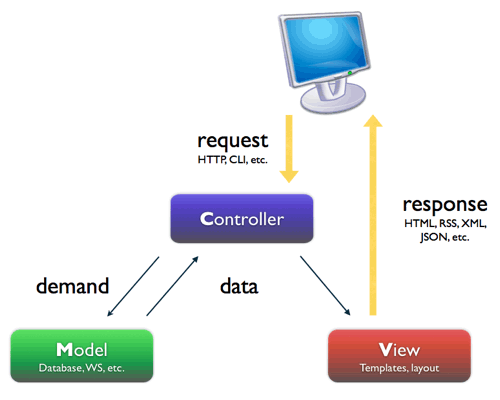
The Browser directly talks to the controller which will make a decision on what do to based on the request. If the user interactions needs something from the database then the model will be used to interact with the database. The data from the database is then sent to the model then to the controller and finally rendered in the view for the user.
##Creating a Rails App When creating a Rails app the first thing you should do make sure that you have the right version of rails installed then type "rails new AppName" in the terminal (AppName is the name of the app that you want to create) Numerous files and folders will be automatically generated but the most important at this time is the "app" folder which contains the controllers, models and views folder.
##Start the server In order to activate the view type
rails server -b $IP -p $PORT
Rails will genrate a local host link to your web app, click the link and your view should look like the picture below.
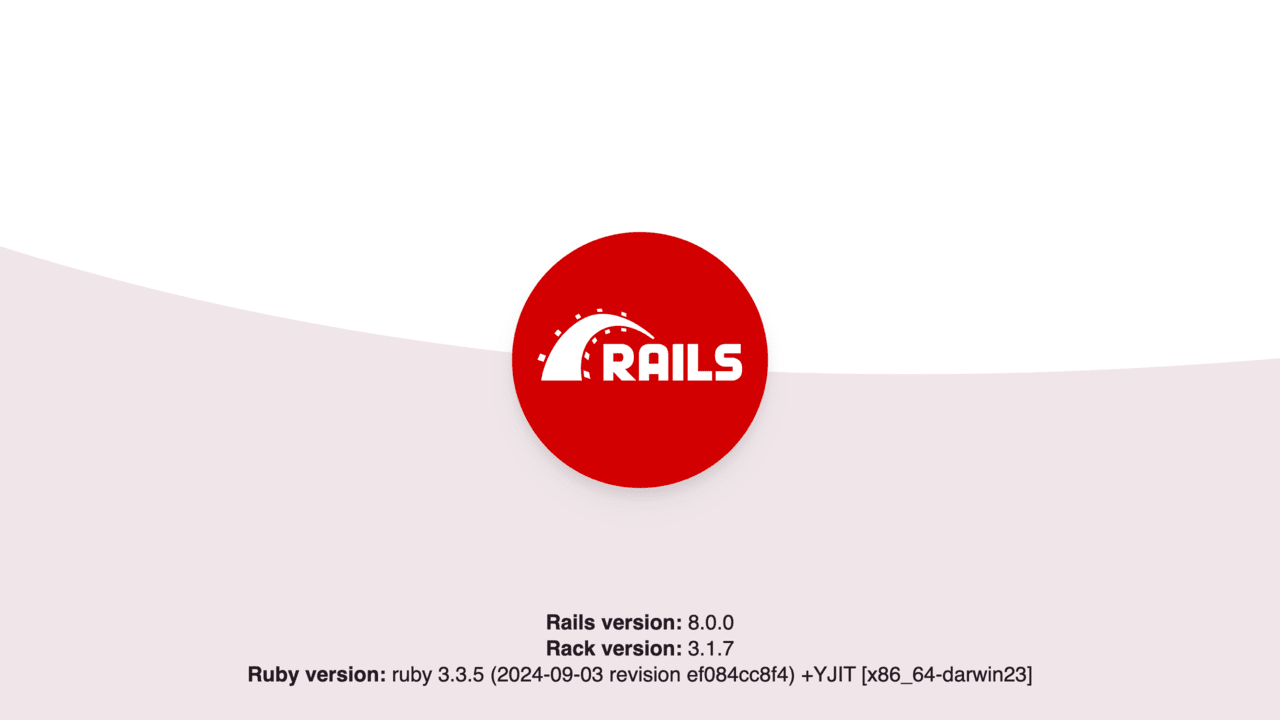
As you can see its a very generic plain view of the app. To change what the user will see we will need to generate a controller. Which will generate a view automatically. If we type
rails generate controller welcome index
into the terminal rails will generate a few files for you as seen below some of the files are html.erb files which will render a view to the user.

##Updating the View Located in the
app/views/welcome/index.html.erb
file delete all the code and type.
<h1> Home Page </h1>
Now we will have to create a route so that the user can view the index.html.erb file that was created Open the file config/routes.rb and type
root 'welcome#index'
This will tell Rails to map all request to the welcome controllers index
##Updating the Model As stated previously the model is primarily used to store and manipulate data in most cases in a database. After generating your controller run a migration by typing
rake db:migrate
into the terminal. This command will apply all the new changes in the model to the schema. All of the different relationships that have been update or created will all be applied to the schema.
##Updating the Controller The controllers for all ruby classes can be found under app/controllers In the example provided
    class UsersController < ApplicationController
  def index
    redirect_to new_user_path
  end

  def new
    @user = User.new
  end

  def create
    @user = User.new(params.require(:user).permit(:email,:password,:password_confirmation))
    if @user.save
      redirect_to root_path, notice: "Thanks for signing up!"
    else
      render "new"
    end
  end
end
The UserController is used to 'control' where the user goes when certain actions occur. If the user click a button that is routed to the new method in the UserController a new User is created. In the def create method above if the user is a new user is created with different parameters. Updating the controller is solely based on developers want the controller to control.
##Conclusion Model View Controller design pattern is a very sucessful design because it seperates functionality into three sections
- Receive User Input
- Handled By the Controller
- Process Data
- If needed handled by the Model
- Displaying Output
- Handled By the View I learned that Rails makes it easy to generate controllers and models that can be easily manipulated to create powerful web apps that are backed with databases. Views are the things that the users can see, Models are the persistent data and database information and the Controller is the middleman that directs where the user interaction goes.
##References