


English | 中文
A Visual Studio Code extension for visualizing 1/2/3D data structures during C++ debugging.
Inspired by Image Watch for Visual Studio.
📂 Example Project:
test_cpp/Complete demo with ALL supported types! Build and debug to see C++ DebugMate in action.
⚠️ Dependencies Required to Build the Demo:
- OpenCV (Required):
brew install opencv/apt install libopencv-dev- PCL (Optional, for 3D demos):
brew install pcl/apt install libpcl-dev# macOS / Linux cd test_cpp && ./build.sh && code . # Windows PowerShell cd test_cpp; .\build.ps1; code .
| Category | Type | Viewer |
|---|---|---|
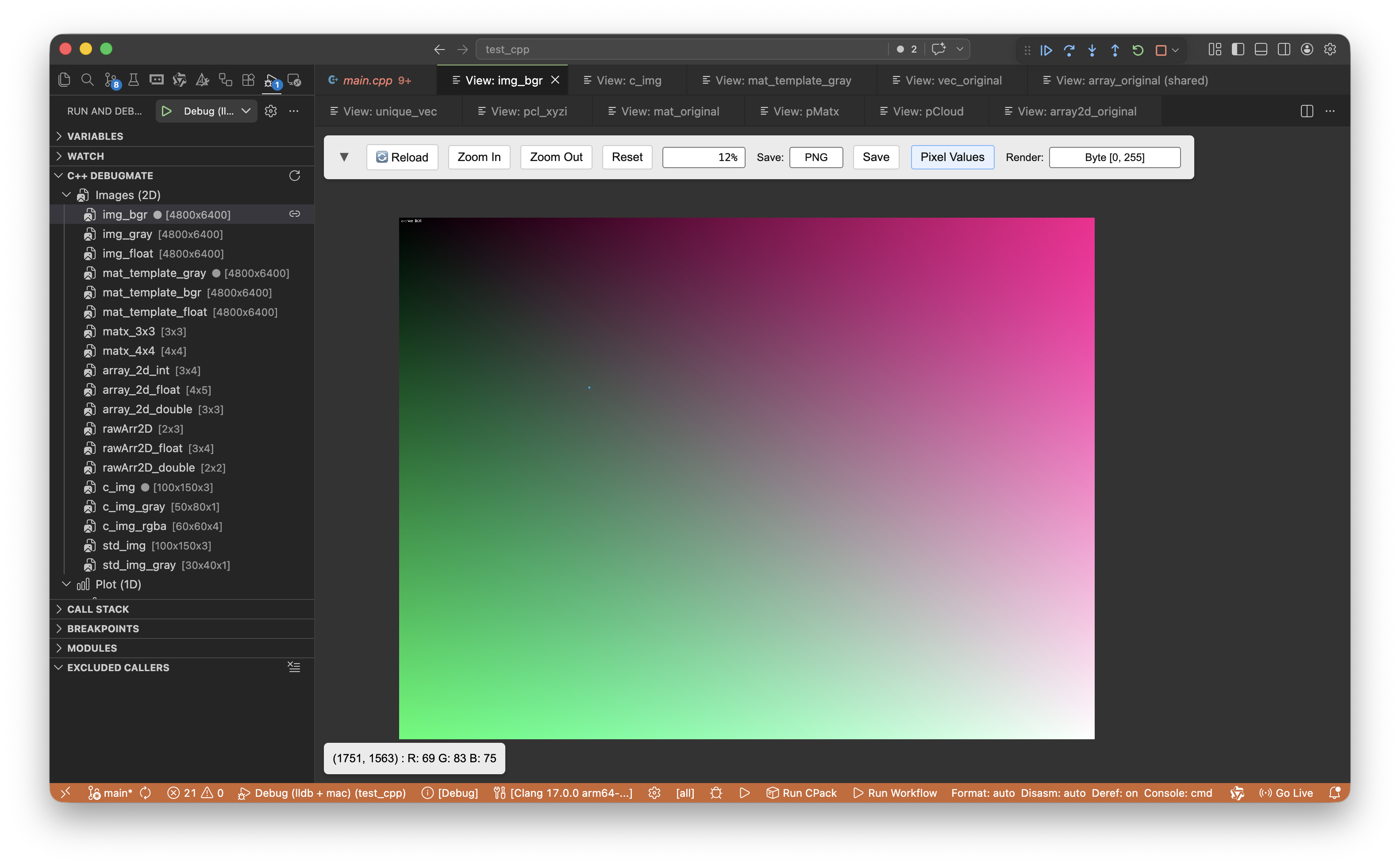
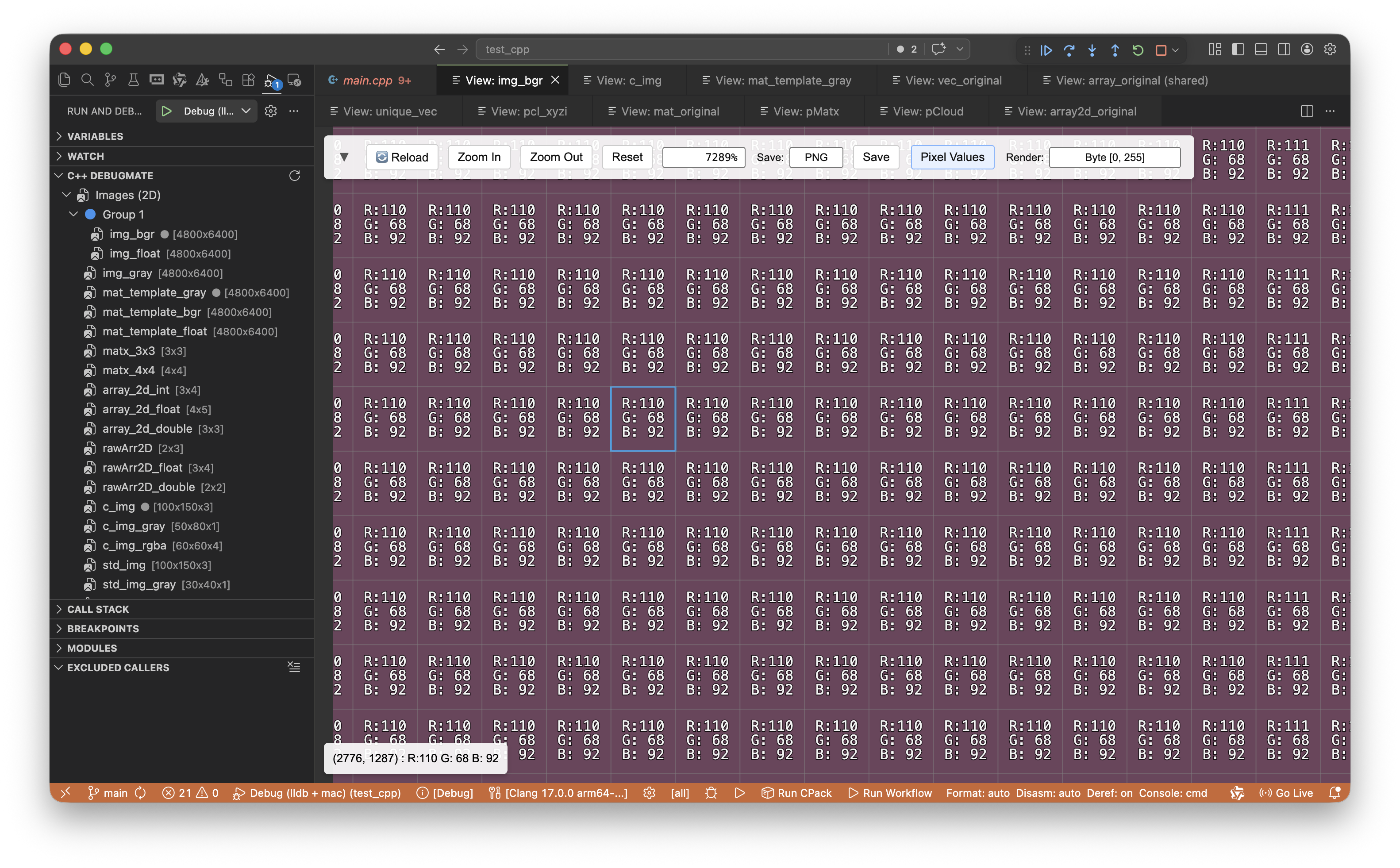
| Image (2D & 3D) | cv::Mat, cv::Mat_<T> |
🖼️ Image Viewer |
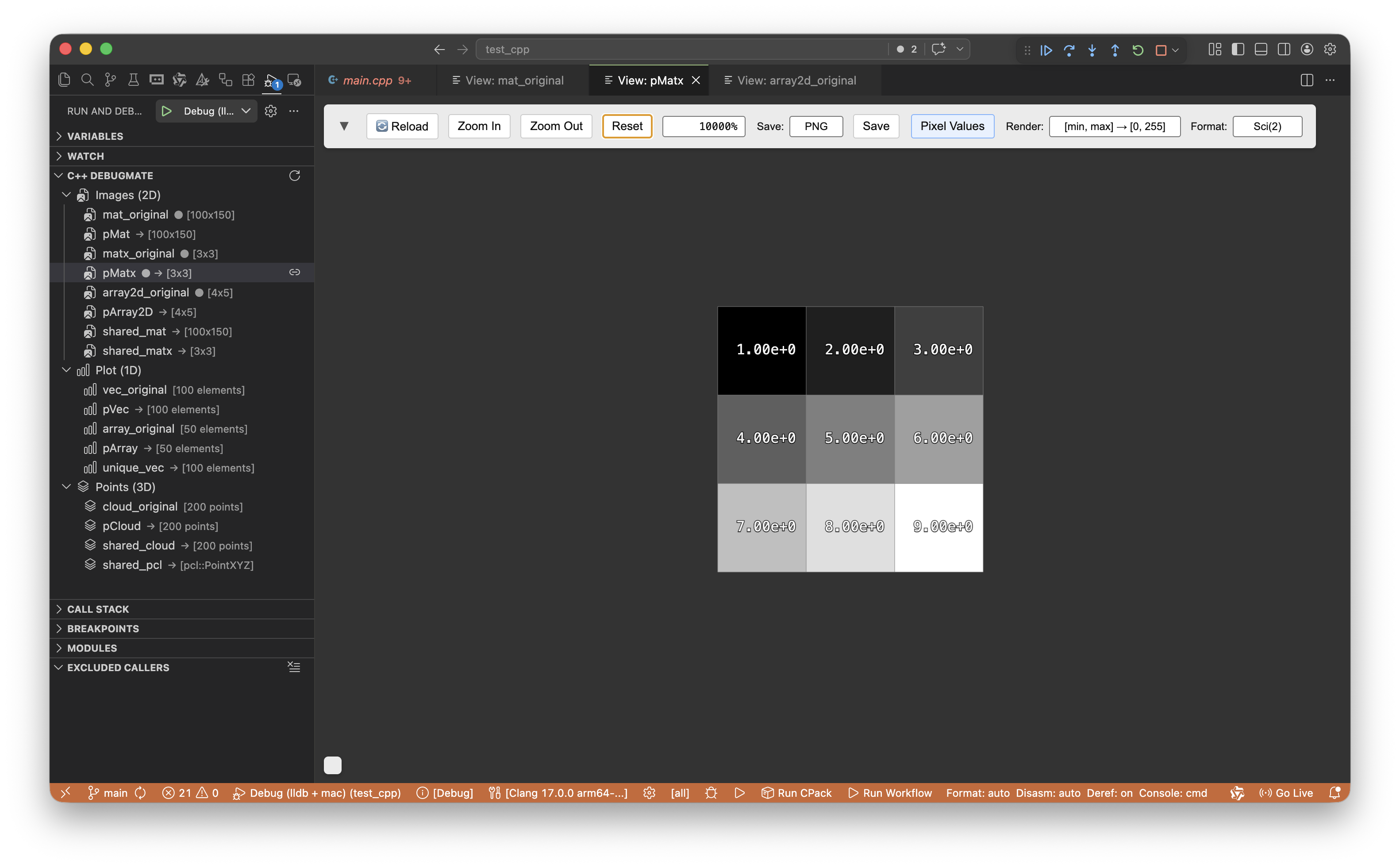
cv::Matx (Matx33f, Matx44d, etc.) |
🖼️ Image Viewer | |
std::array<std::array<T, cols>, rows> |
🖼️ Image Viewer | |
T[rows][cols] (C-style 2D array) |
🖼️ Image Viewer | |
T[H][W][C] (C-style 3D array, C=1,3,4) |
🖼️ Image Viewer | |
std::array<...<T, C>, W>, H> |
🖼️ Image Viewer | |
| Point Cloud (3D) | pcl::PointCloud<T> (XYZ, RGB, Normal, etc.) |
✨ 3D Viewer |
std::vector<cv::Point3f / cv::Point3d> |
✨ 3D Viewer | |
std::array<cv::Point3f / cv::Point3d, N> |
✨ 3D Viewer | |
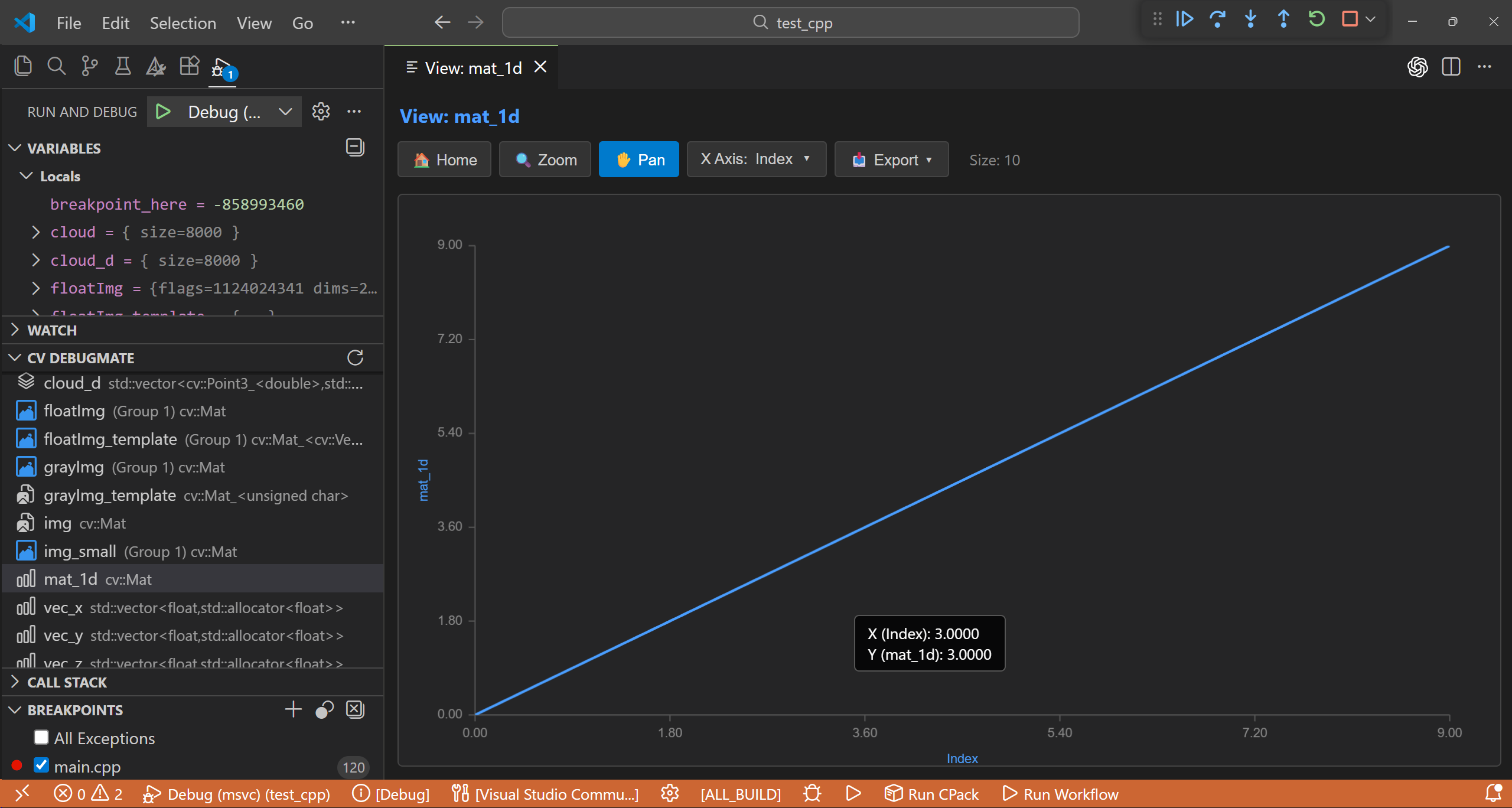
| Plot (1D) | std::vector<T>, std::array<T, N> |
📈 Plot Viewer |
T[N] (C-style 1D array), std::set<T> |
📈 Plot Viewer | |
cv::Mat (1×N or N×1, single channel) |
📈 Plot Viewer | |
| Pointers | cv::Mat*, pcl::PointCloud<T>::Ptr |
Auto-deref |
std::shared_ptr<T>, std::unique_ptr<T> |
Auto-deref |
Numeric types:
int,float,double,uchar,short,long,int8_t,uint8_t,int16_t,uint16_t,int32_t,uint32_t,int64_t,uint64_t, etc.
Image depth:
CV_8U,CV_8S,CV_16U,CV_16S,CV_32S,CV_32F,CV_64F
Pointer & Smart Pointer Support: Raw pointers (
cv::Mat*) and smart pointers (std::shared_ptr<cv::Mat>,std::unique_ptr<std::vector<float>>,boost::shared_ptr) are natively supported. The extension automatically unpacks the smart pointer and visualizes the underlying 1D/2D/3D data. Pointers and their pointees pointing to the same memory will share a single visualization tab to save space.
| Feature | Description |
|---|---|
| 📈 1D Plot | Line/Scatter/Histogram plotting, custom X-axis, box-zoom, pan, export to PNG/CSV |
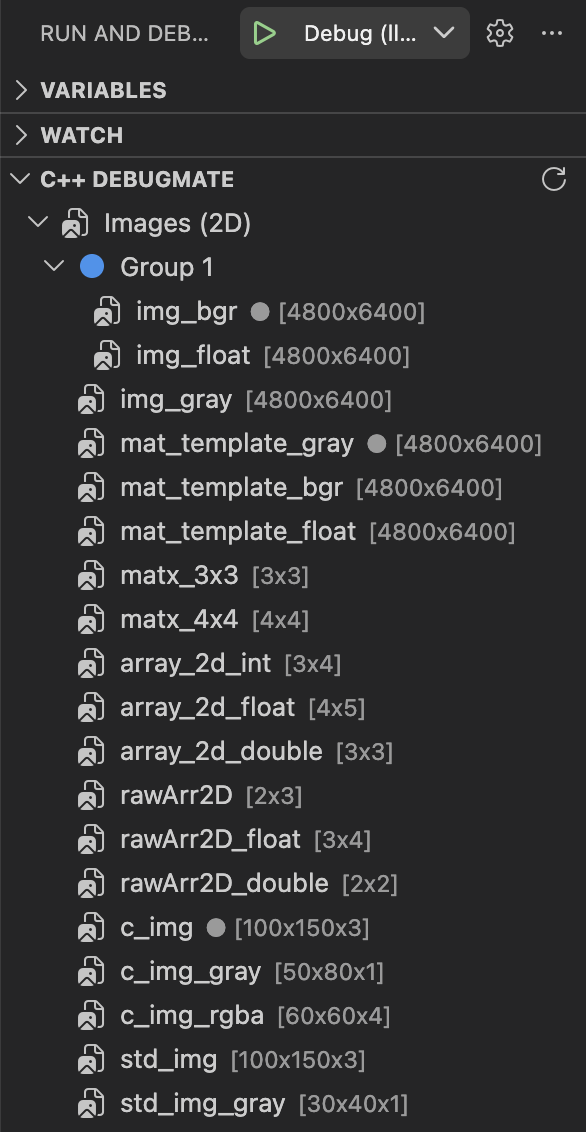
| 🖼️ 2D Image | Multi-channel visualization, auto-normalization, colormaps, high-ratio zoom, pixel inspection |
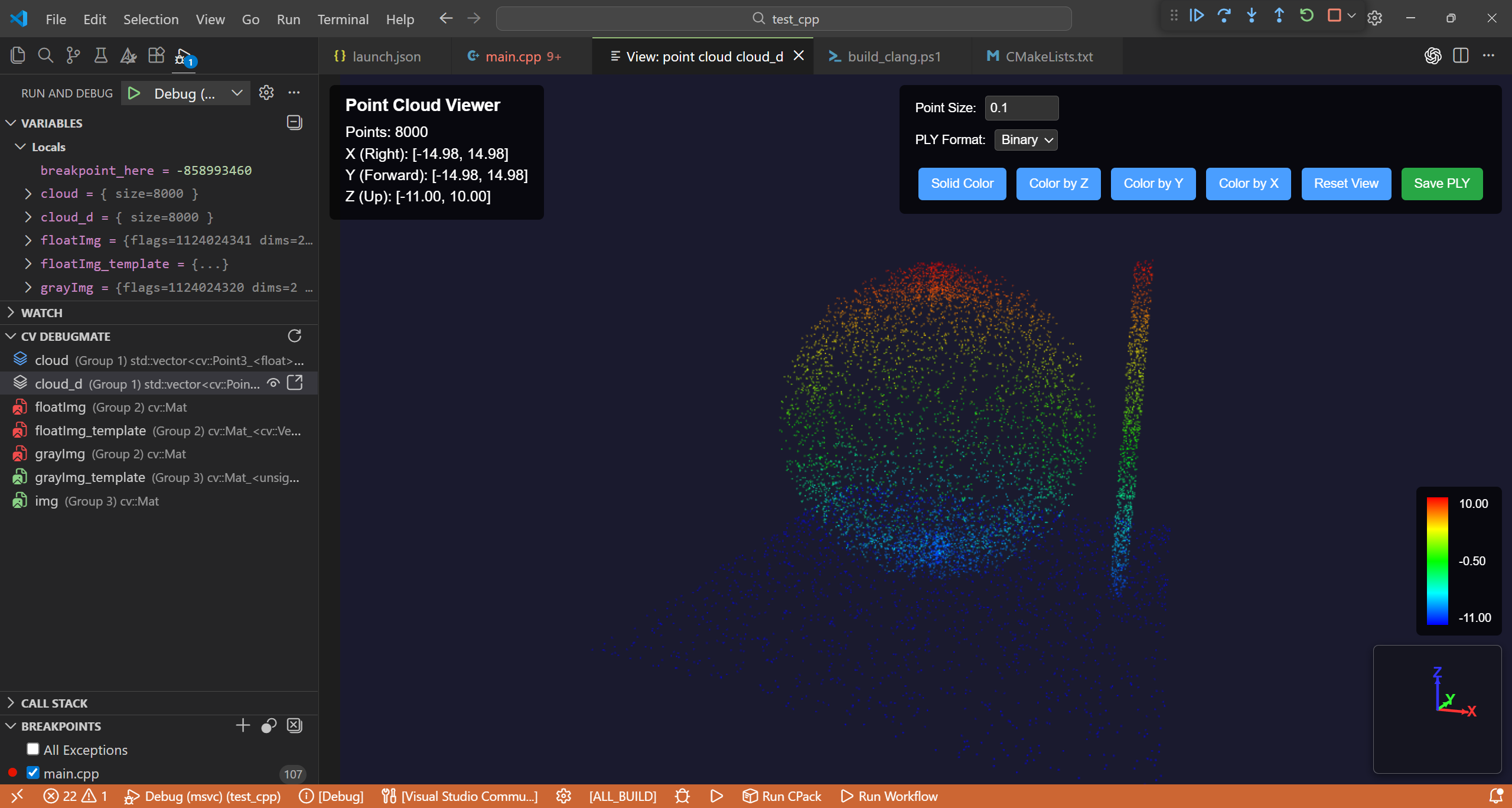
| ✨ 3D Point Cloud | Supports pcl::PointCloud and OpenCV points! Three.js powered, color by RGB/Intensity/XYZ, adjustable point sizes, export to PLY & PCD |
| 🔗 View Sync | Pair multiple variables together for synchronized zoom / pan / rotation |
| 🔍 Auto Detection | The sidebar panel auto-detects all visualizable variables within scope context |
| 🔄 Auto Refresh | Webviews automatically update in real-time as you step through the code |
| Compiler | Extension | 1D Data | cv::Mat | Point Cloud | Notes |
|---|---|---|---|---|---|
| MSVC | C/C++ (cppvsdbg) | ✅ | ✅ | ✅ | Windows |
| GCC | C/C++ (cppdbg) | ✅ | ✅ | ✅ | Windows MinGW |
| Clang+MSVC | CodeLLDB | ✅ | ❌ | LLDB can't parse MSVC STL | |
| Clang | CodeLLDB | ✅ | ✅ | ✅ | macOS |
- Start a C++ debug session
- Open "Run and Debug" sidebar
- Find C++ DebugMate section
- Click variable name to view
Right-click a variable → "View by C++ DebugMate"
| Action | Control |
|---|---|
| Zoom | Scroll wheel |
| Pan | Drag |
| Reset | Click "Reset" |
| Export | Save PNG / TIFF |
| Action | Control |
|---|---|
| Rotate | Left-click Drag |
| Pan | Right-click Drag |
| Zoom | Scroll wheel |
| Color | Extracted RGB/Intensity, or X/Y/Z heatmaps |
| Export | Save to ASCII/Binary PLY & PCD |
| Action | Control |
|---|---|
| Zoom | Rectangle select or scroll |
| Pan | Drag |
| Mode | Line / Scatter / Histogram |
| Export | Save PNG / CSV |
- Download
.vsixfile - Extensions view (
Ctrl+Shift+X) →...→ "Install from VSIX..."
git clone https://github.com/dull-bird/cv_debug_mate_cpp
cd cv_debug_mate_cpp
npm install
npm run compile
# Press F5 to run- VS Code 1.93.0+
- C++ debugger: C/C++ Extension or CodeLLDB
Inspired by Image Watch for Visual Studio.
MIT
Issues and PRs welcome!