Plot fails for some off-wafer die #41

Description

From Miguel Daal:
Plotting fails because Cell grid isn’t large enough for all die.
The issue is that your plot function defines its own valid dies — the dies for which it labels row and column numbers — and these valid dies are not inclusive of all the true “valid” dies.
Some possible fixes:
- Plot func should get “valid dies” using the new
Cell.get_valid_cells()function I recently added, so they're using the same code/calcs. - Also should catch error if it tries to plot off-wafer, so Plot function doesn't fail.
- OR just allow plotting of any off-wafer die no matter what, and ensure axis scales to show it, and Optionally mark the die in RED indicating a potential error (if the plotted die is not in the
valid_cellslist.
—————
I believe I get this error because I want the center of the image to be outside of the cell / die.
This is because the image is a dicing alignment cross. Which should go in the center of the cut streets.
I can fix it by putting the alignment cross in the adjacent cell which is not valid (portion of the cell is off the wafer)
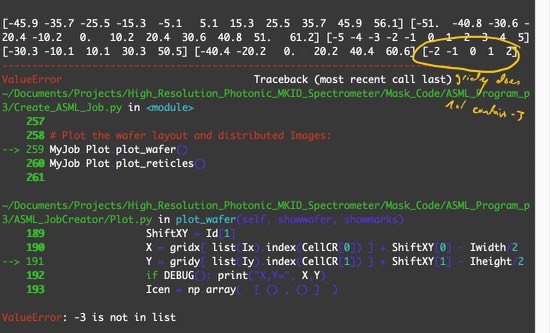
But when I do this, I get another error from your plot_wafer() method. Telling me that the cell is not in the plot grid generated by the plot function.
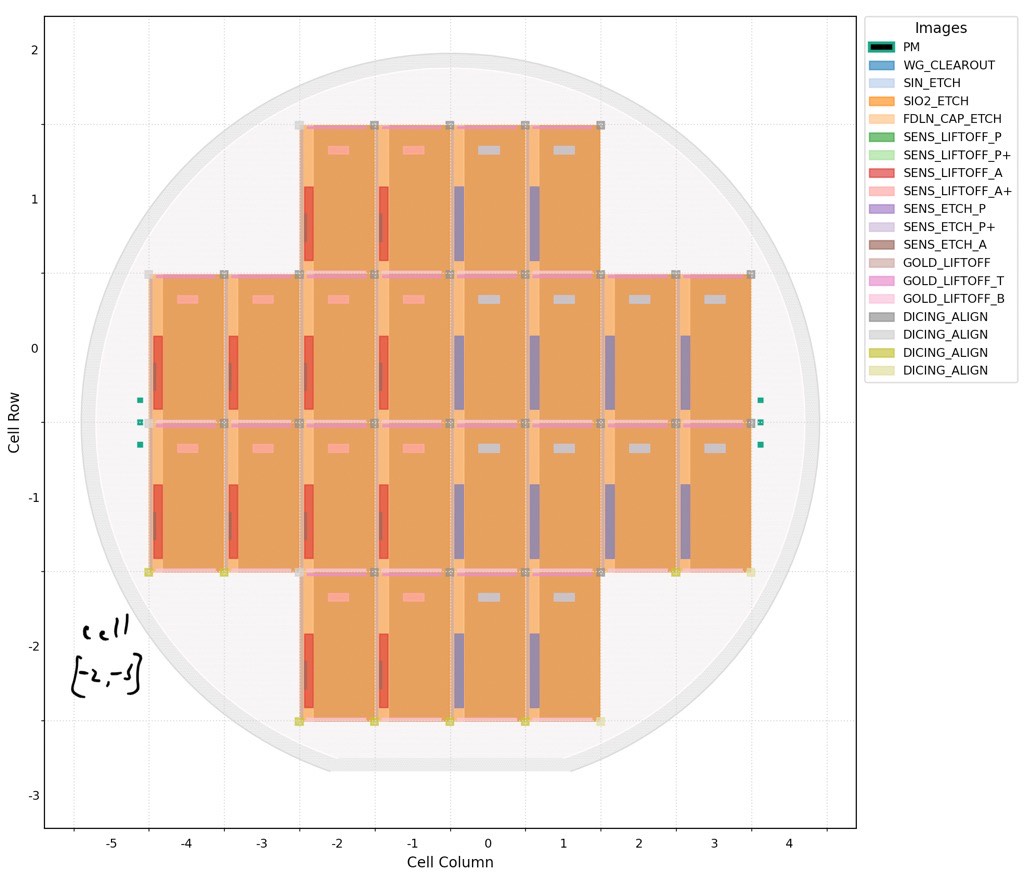
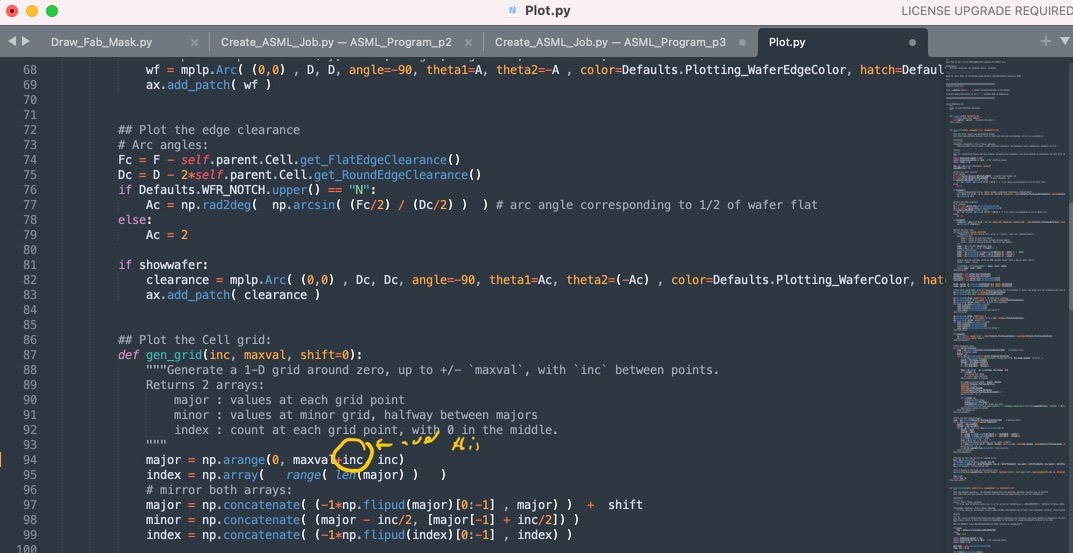
This is not an ASML error. I believe you should modify your code to allow the grid to extend beyond the valid die. I have done. Here are screen shots of the error, your code with the modification I suggest, and wafer plot with the extended grid to allow me to use the invalid die.
Miguel's fix:
Plot.py.zip