
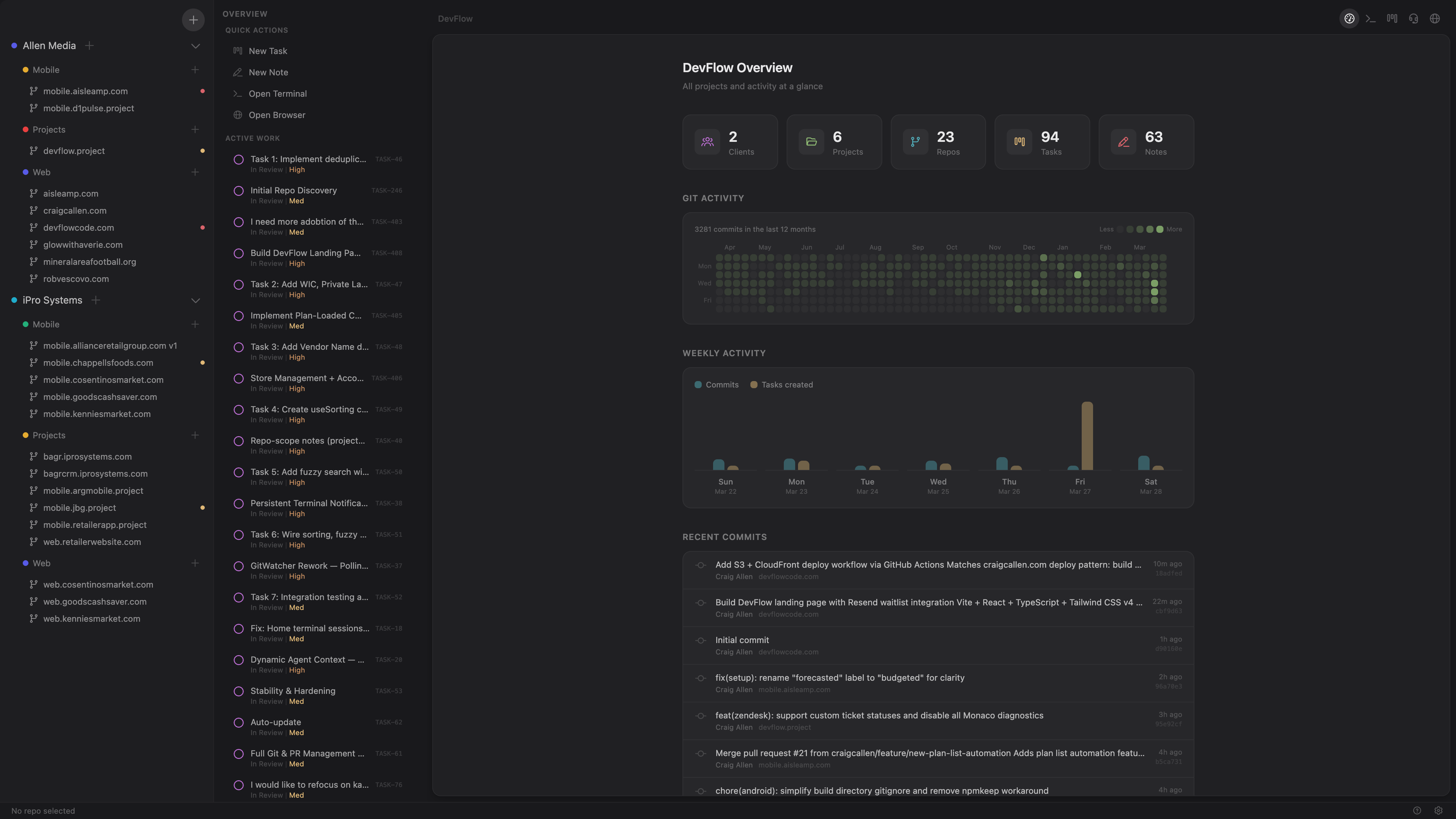
DevFlow is the AI-native desktop workspace that keeps Claude Code, Codex, and Gemini working from the same knowledge — your tasks, your decisions, your codebase memory. All in one place.
Built for developers and technical leads who use AI agents daily and need a single source of truth that every agent can read.
Unlike scattered tools and manual prompts, DevFlow runs a local MCP server that gives every agent instant access to your full project context — no re-explaining.
- MCP Server — Live repo context for any AI agent, scoped to the active repo automatically
- Agent Handoff — Drag a card to "In Progress" and an agent launches with full context
- Agent Launcher — Claude Code, Codex, Gemini in one dropdown, one-click launch
- One-Click Agent Setup — Copy MCP config per agent — paste it, connect, done
- Idea Center — Brainstorm to task in a single click
- Auto-Learning — 5 triggers capture decisions and patterns, zero manual effort
- PR Workflow — GitHub & Bitbucket review without leaving the app
- Cmd+K — Everything, instantly — tasks, notes, agents, settings
- Connect — Copy DevFlow's MCP config into your agent (Claude Code, Codex, Gemini). One paste per agent.
- Build context — Track tasks, capture notes, and let Auto-Learning store decisions as you work. DevFlow becomes the single source of truth.
- Launch agents — Drag a task to "In Progress" and your agent starts with full project context — tasks, notes, learning entries, PR history. No re-explaining.


DevFlow is in free beta for macOS.
Request early access at devflowcode.com →
Built by Allen Media. Built inside DevFlow.