Feature request: Battery Calibration for advanced battery monitors #5

Description

Components
The following are the feature components that I want to recommend:
- Battery Calibration
Points to be added:
- Calibrate
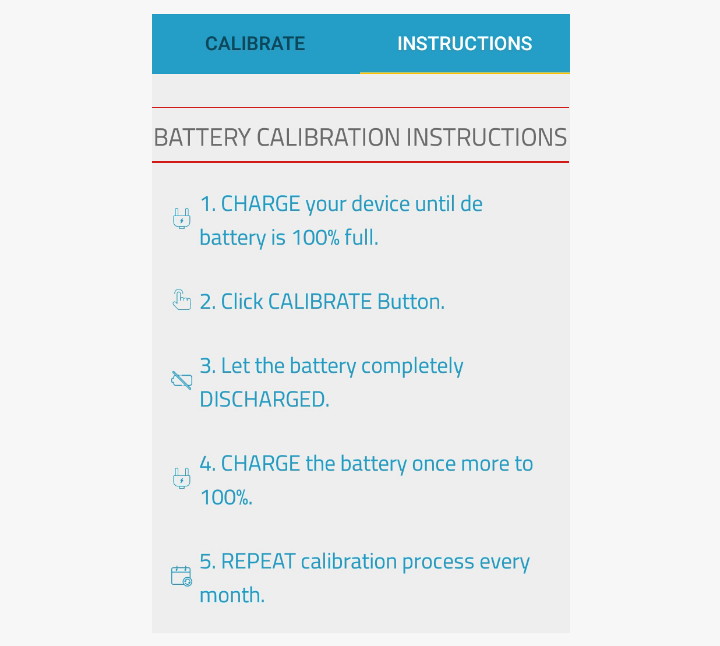
- Instructions
Proposal descriptions
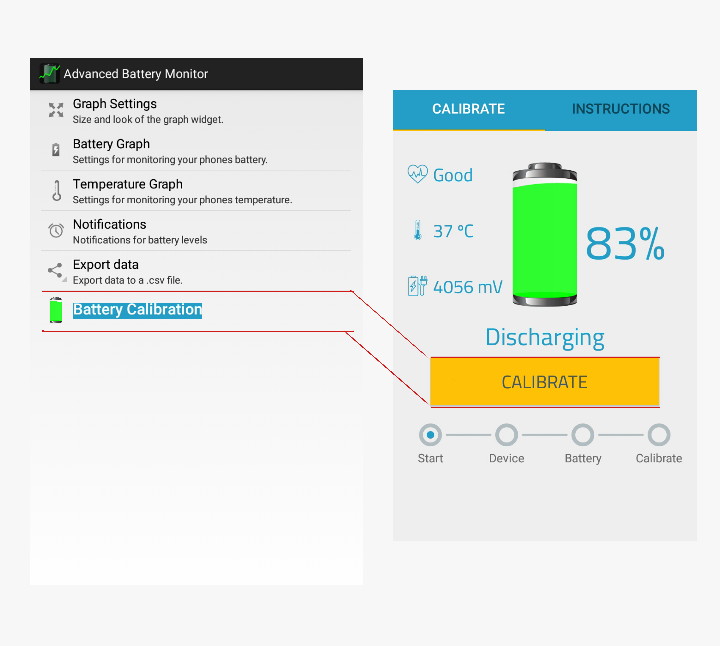
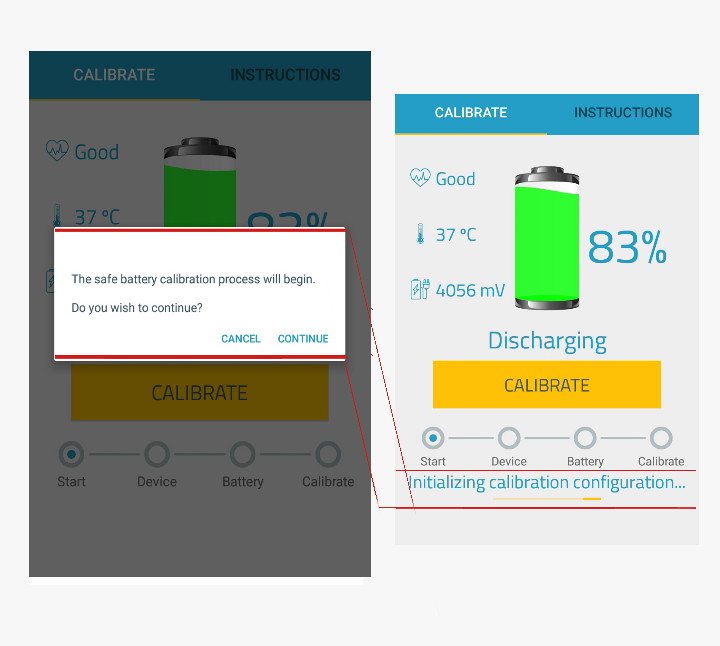
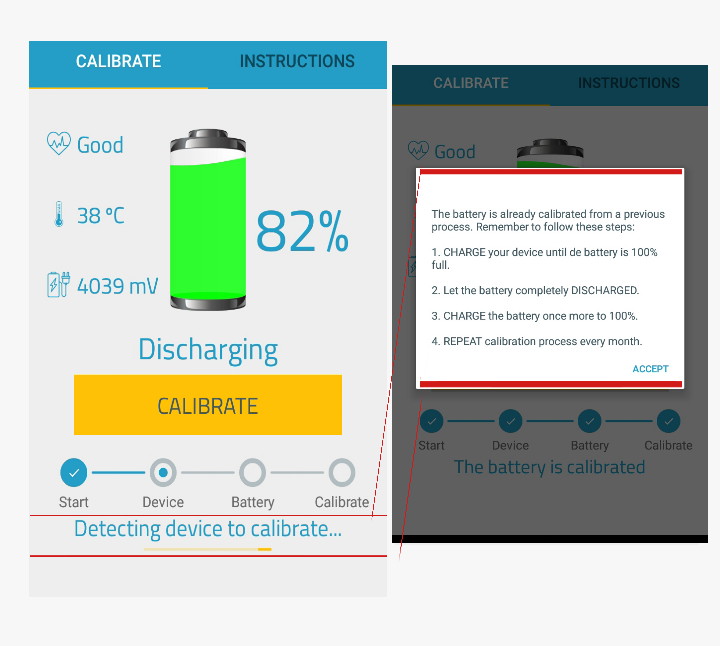
Add the "Battery Calibration" feature in the options menu that can be used, the developer must add the "Calibration" and "Instructions" features in it. And gives users access to battery calibration to restore the accuracy of battery level readings. The damaged battery from the software side is usually the percentage value of the battery level that is read does not show the actual number, information on the number of percentages seen can be greater than the actual, can be seen 80%, even if only 40% is filled, so the battery is problematic. Developers must provide separate battery level information, users can fill up to 100% full, then after full, the user simply presses the calibration button. In this way, the previous battery capacity data will be replaced with the latest according to the size informed by the Advanced battery monitor.
Mockups / Examples
Benefits
Calibration is very necessary to restore the accuracy of battery level readings. The expected effect is that the battery level measurement becomes more accurate. This calibration is needed by proving that the results of the desired measurements are accurate and consistent in other instruments.
-
In order to show the remaining battery percentage icon on our Android phone screen accurately. Sometimes it looks full, even though it only has 20-30% left and almost gone. Or vice versa, it looks like it's gone 20-30% but the real capacity is still 50-60%.
-
To stabilize battery performance and restore battery health as before, because it activates electron cells that are not used for a long time because they are not calibrated.
-
Extends the life of the battery and makes the Android phone durable.