| title | author | date | output | vignette |
|---|---|---|---|---|
Recursive Shiny Module for Functionals |
Keon-Woong Moon |
2017-11-03 |
rmarkdown::html_vignette |
%\VignetteIndexEntry{textFunctinoInput} %\VignetteEngine{knitr::rmarkdown} %\VignetteEncoding{UTF-8}
|
There are many functions that takes a function as an input : Functionals. To handle a functional in a shiny app, you have to make a shiny module that allows recursive call. I have included an recursive shiny module textFunction in my package ggplotAssist. The UI of textFunction shiny module is textFunctionInput and the server function is textFunction. I also included two toy shiny apps to demonstrate the recursive shiny module.
You have to install the developmental version of R package editData from github.
#install.packages("devtools")
devtools::install_github("cardiomoon/editData")You have to install the developmental version of ggplotAssist package from github.
devtools::install_github("cardiomoon/ggplotAssist")After install the package ggplotAssist, you can run the first example app by the following R code.
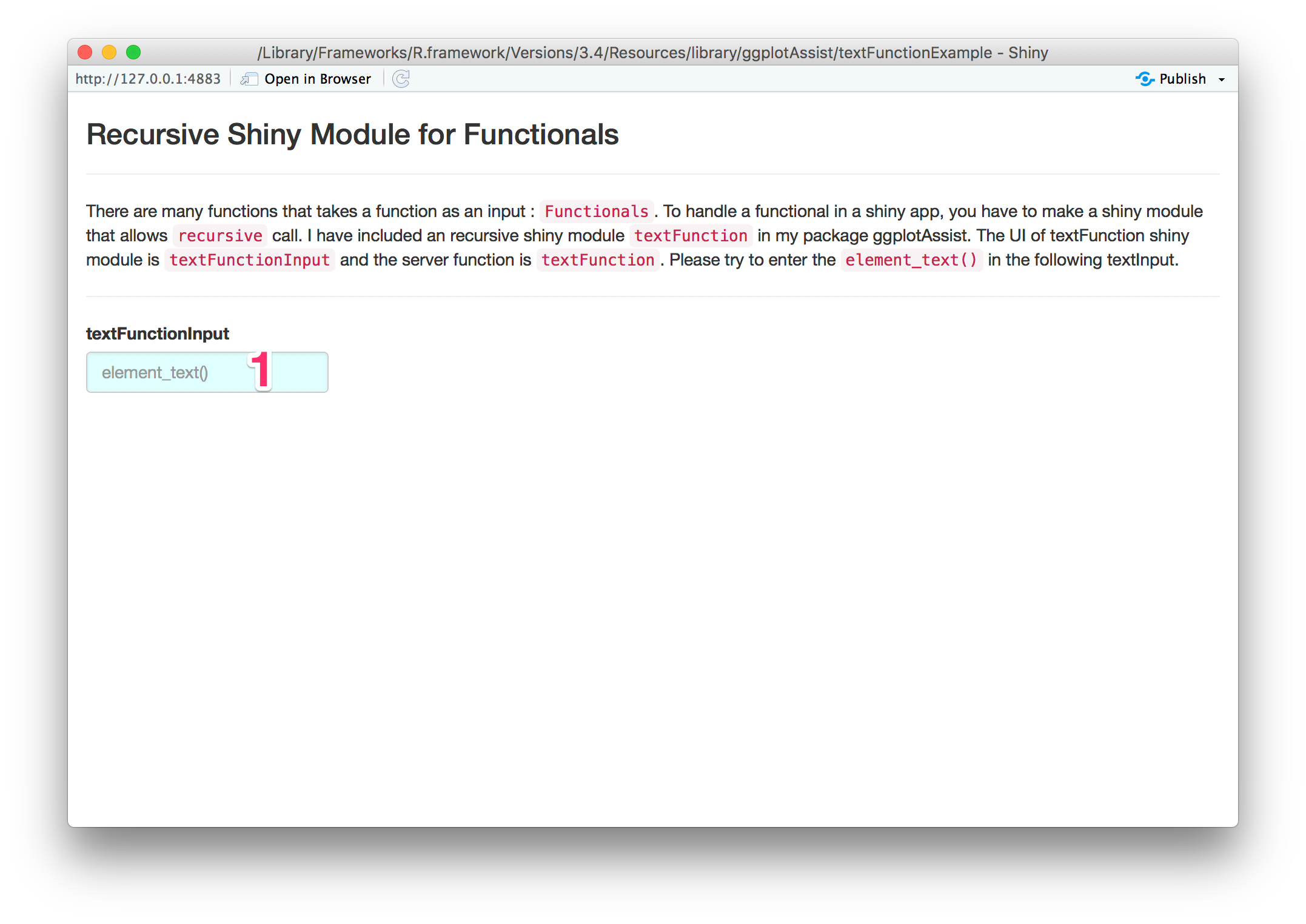
shiny::runApp(system.file('textFunctionExample',package='ggplotAssist'))Enter element_text() in the textInput(1).
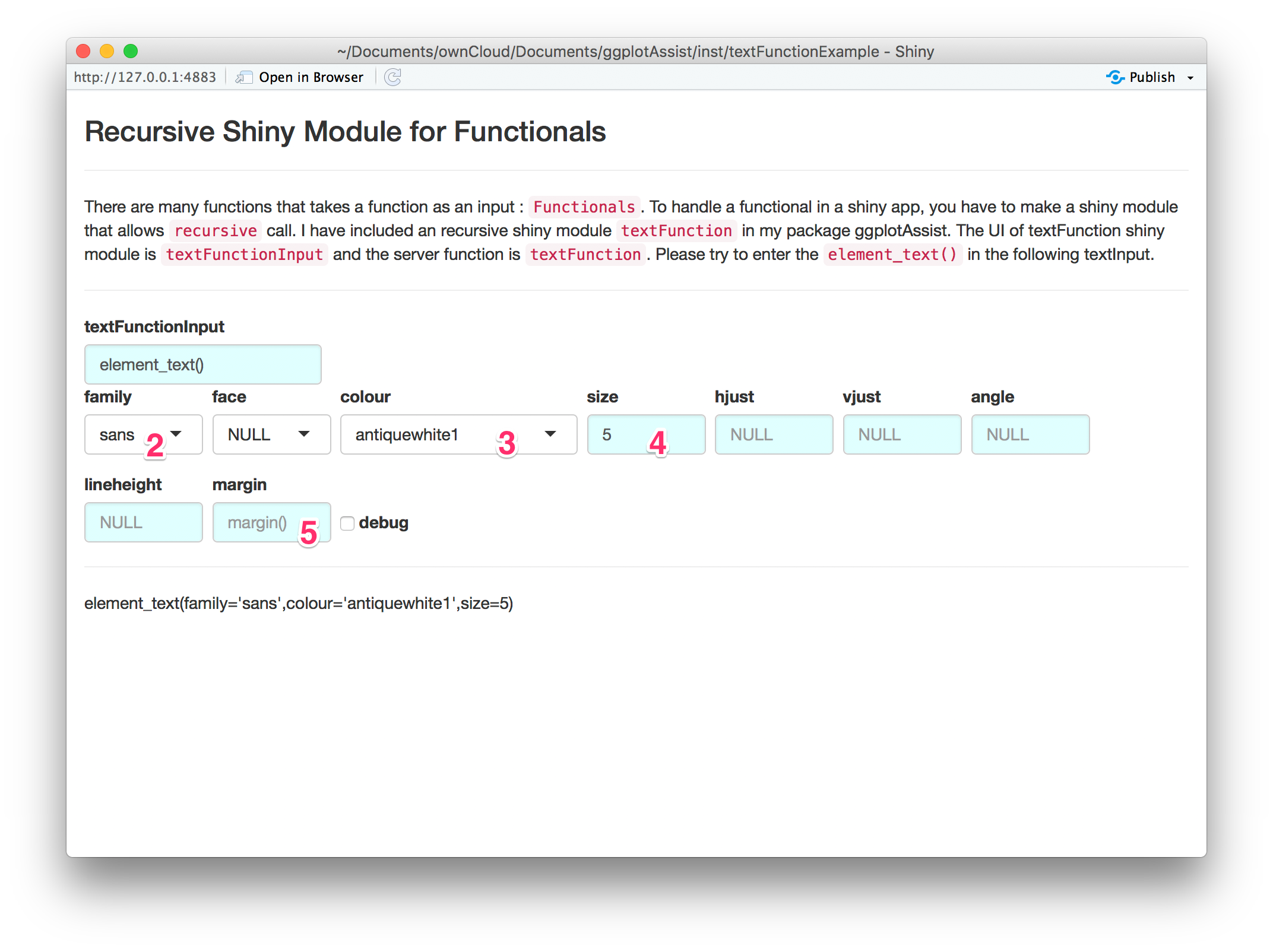
You can select font family(2) or colour(3). You can enter size(4). To adjust margin, enter margin() at the margin textInput(5).
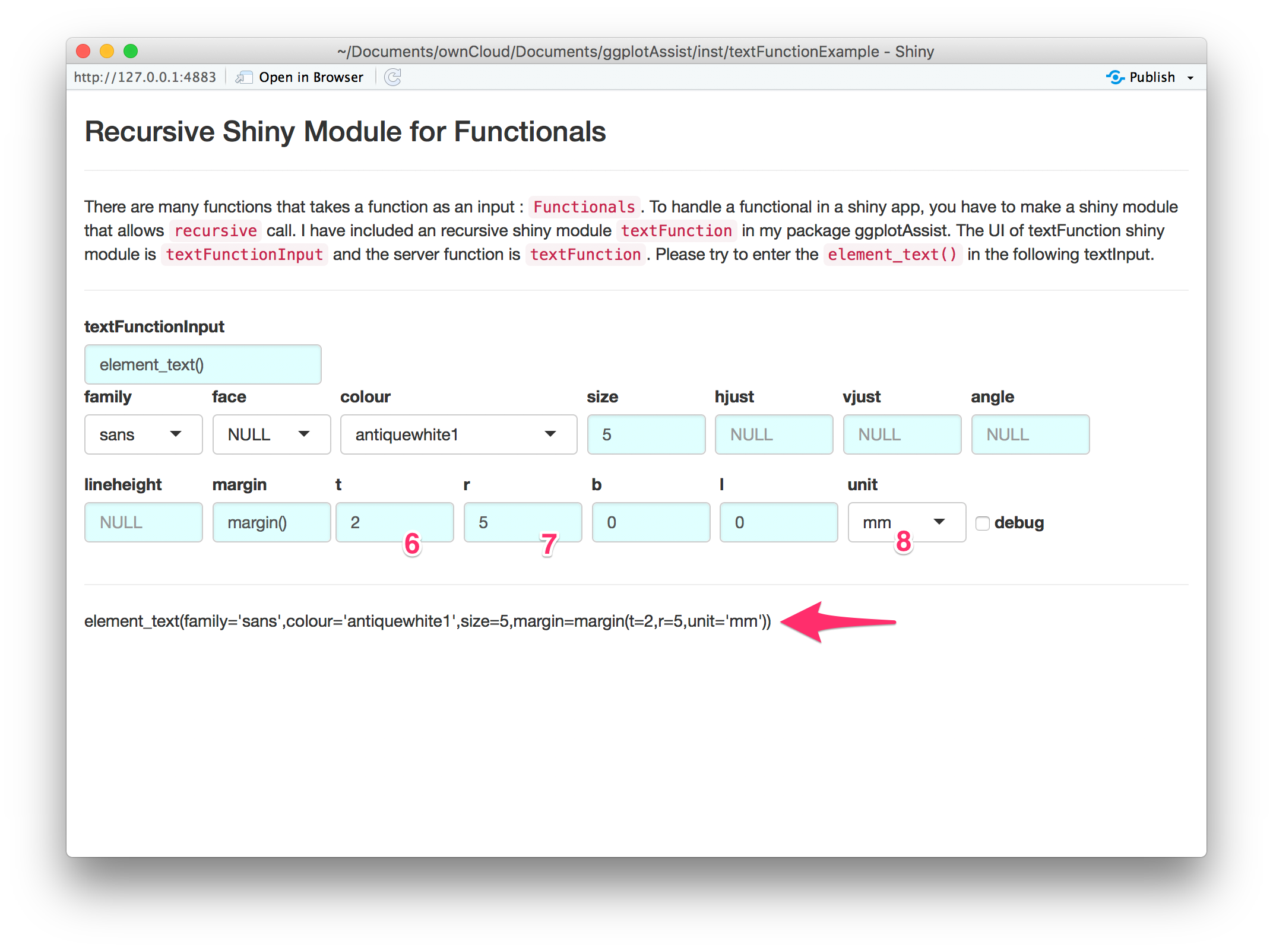
You can adjust dimensions of each margin(6,7) or ajdust default units of dimension(8). You can see the resultant R code for this function(arrow).
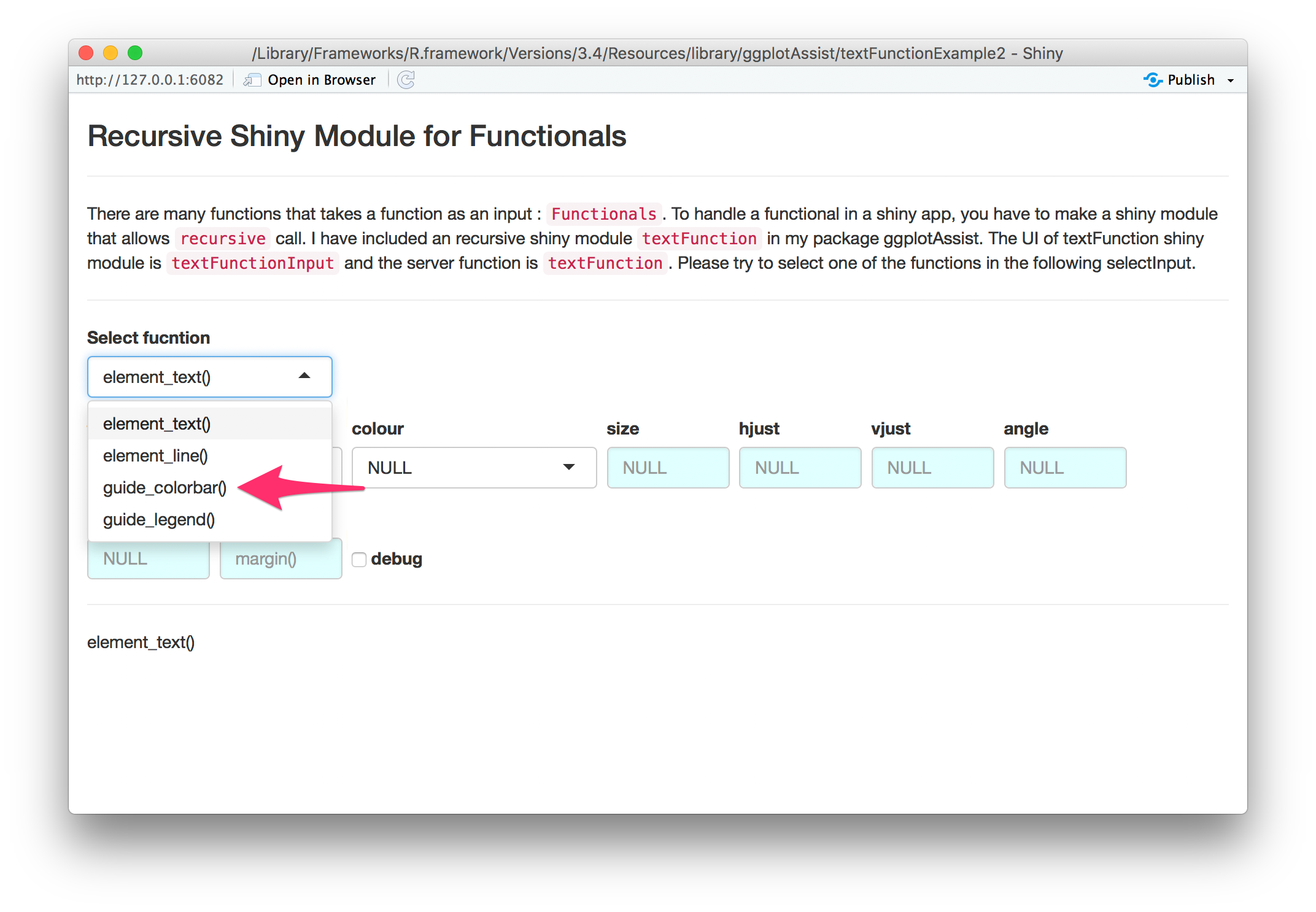
You can use textFunctionInput as a selectInput. Please run the second example app by the following R code.
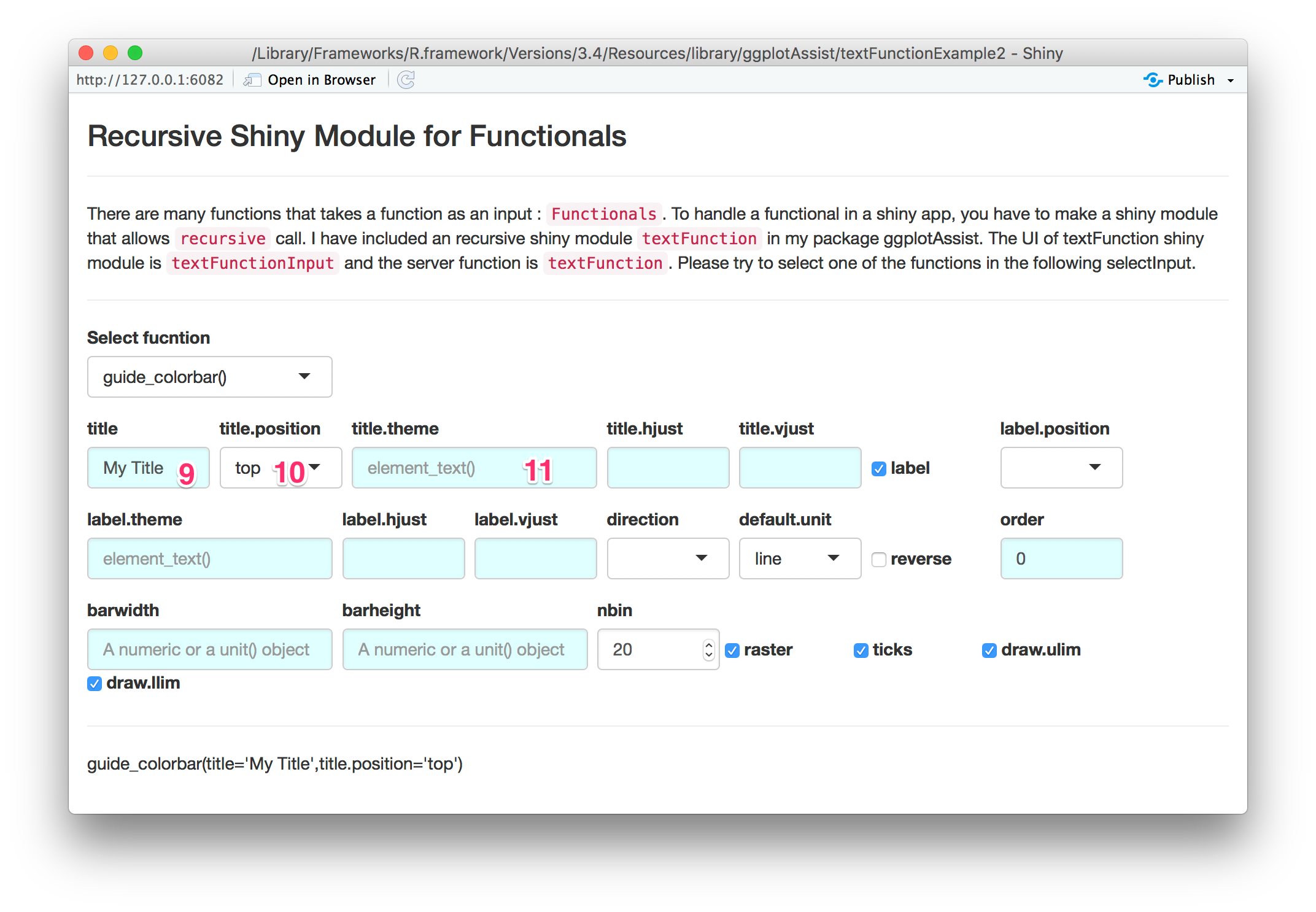
shiny::runApp(system.file('textFunctionExample2',package='ggplotAssist'))Select guide_colorbar() among the selectInput(arrow).
You can enter title(9) or select title.position(10). You can set the title.theme by enter element_text() in the textInput(11).
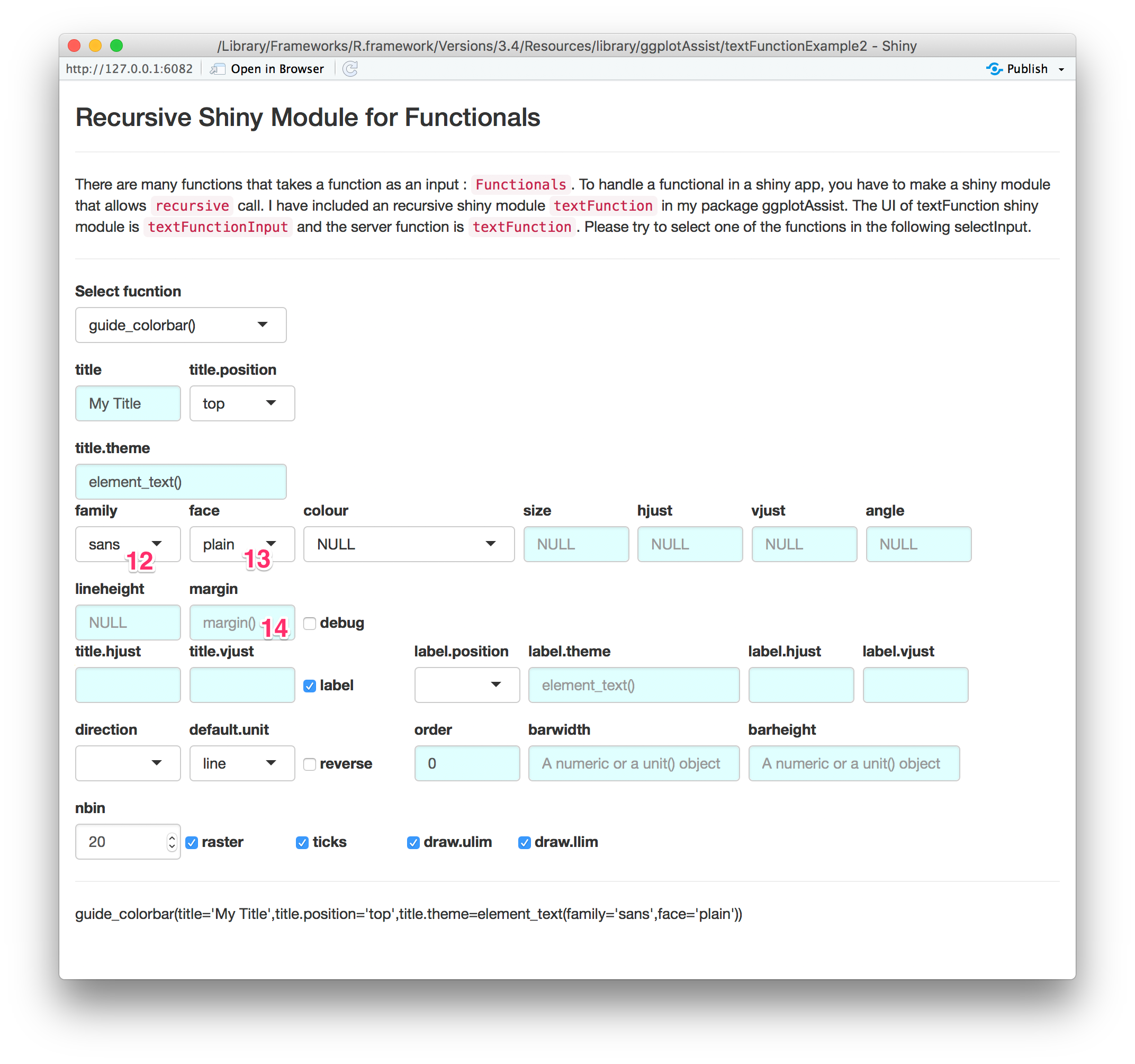
You can adjust font family(12) or font face(13). Also you can set the margin by entering margin() in the textInput(14).
You can see the source R code at the github page of package ggplotAssist: https://github.com/cardiomoon/ggplotAssist.