-
npm install react-native-background-fetch --save -
In the XCode's
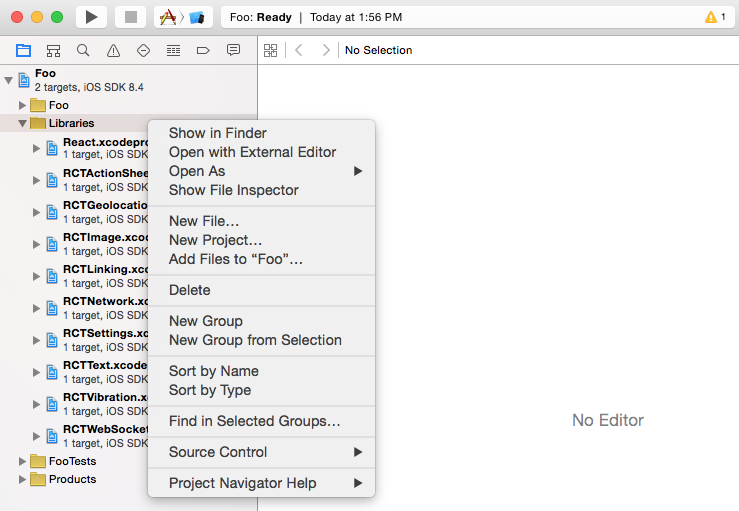
Project navigator, right click on project's name ➜Add Files to <...> -
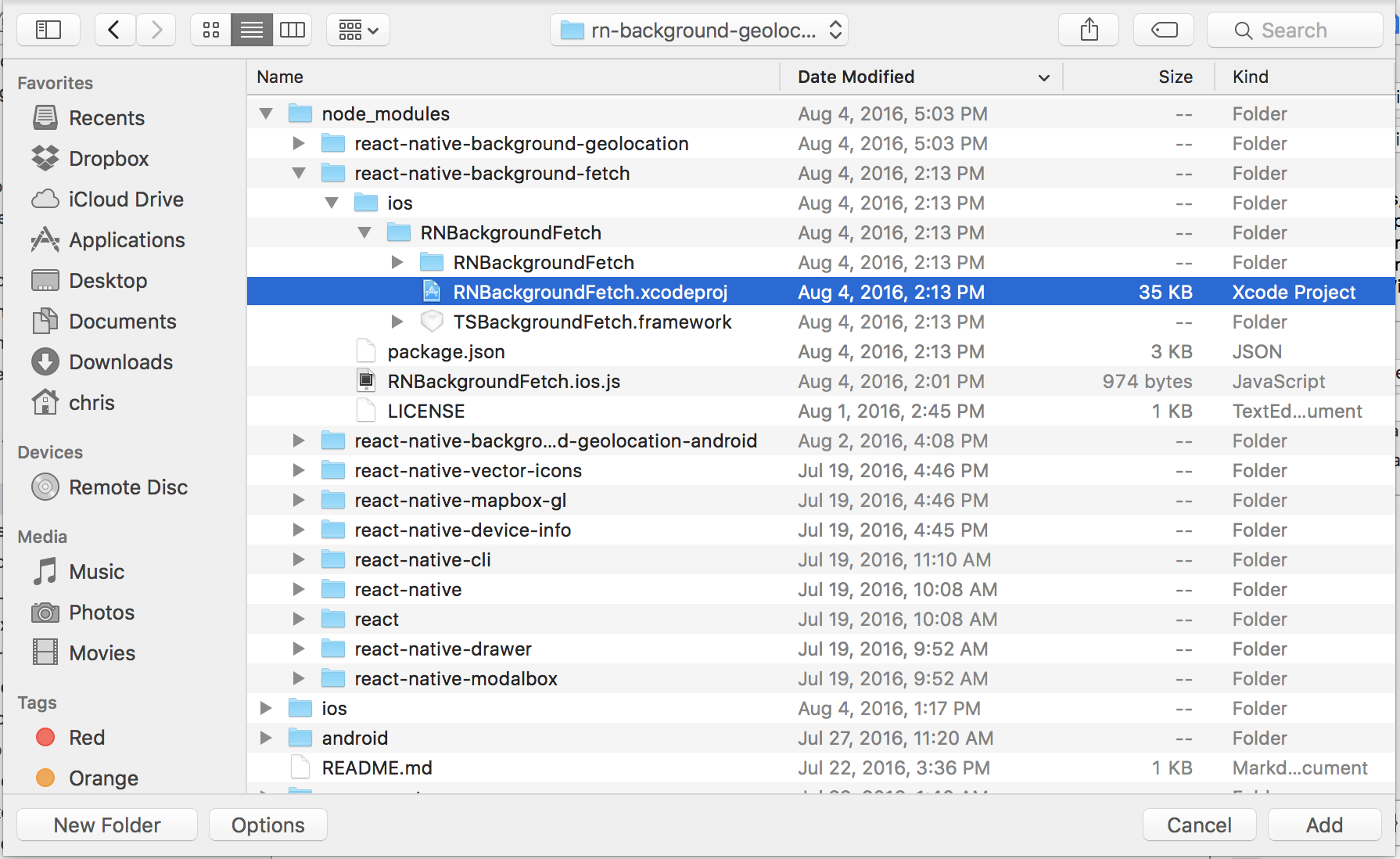
Add
node_modules/react-native-background-fetch/ios/RNBackgroundFetch.xcodeproj
-
Select your project in the
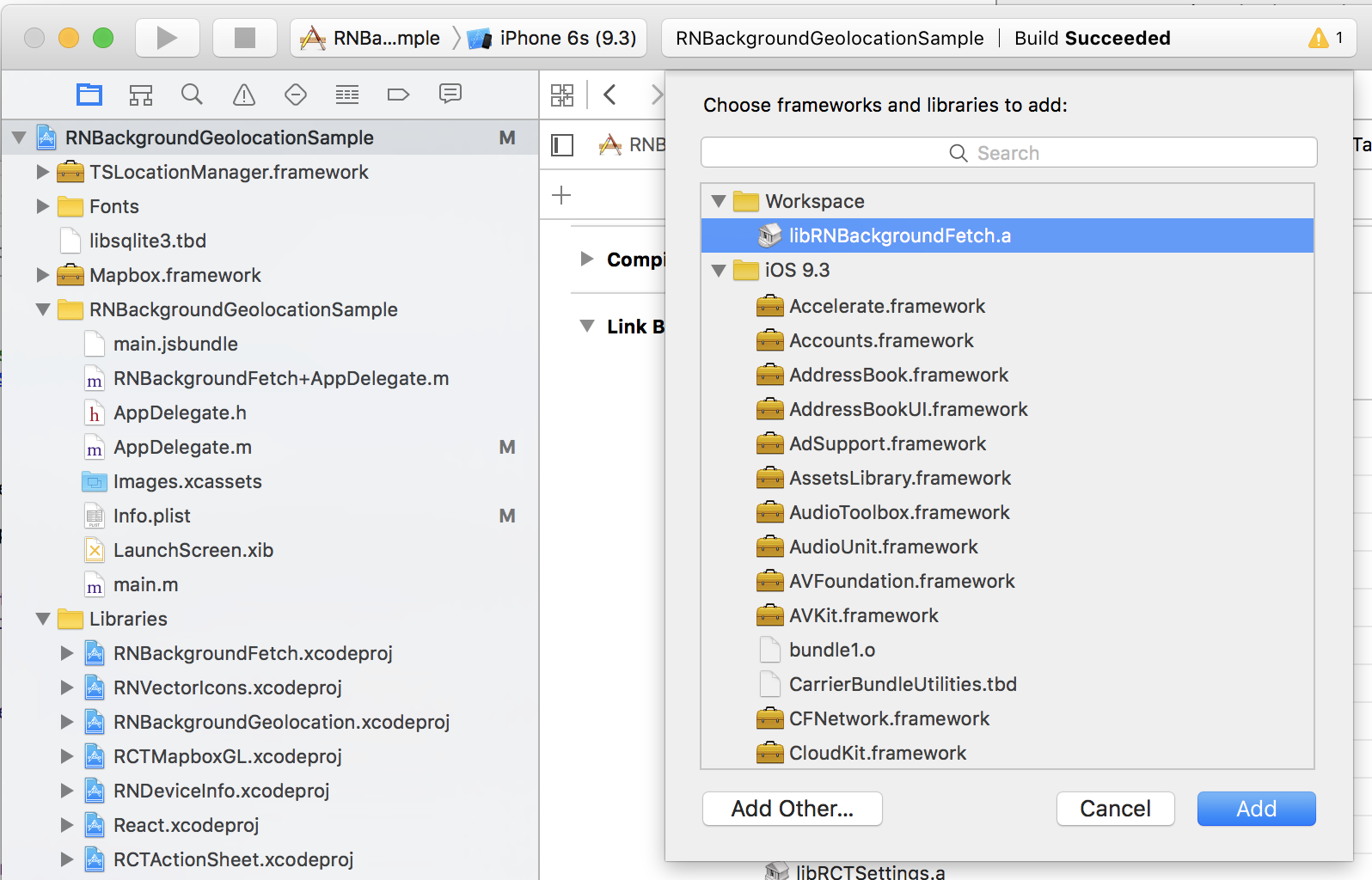
Project navigator. ClickBuild PhasesthenLink Binary With Libraries. Add the following static library: -
libRNBackgroundFetch.a. -
BackgroundGeolocation includes custom iOS framework. This needs to be added manually, unfortunately.
- Click
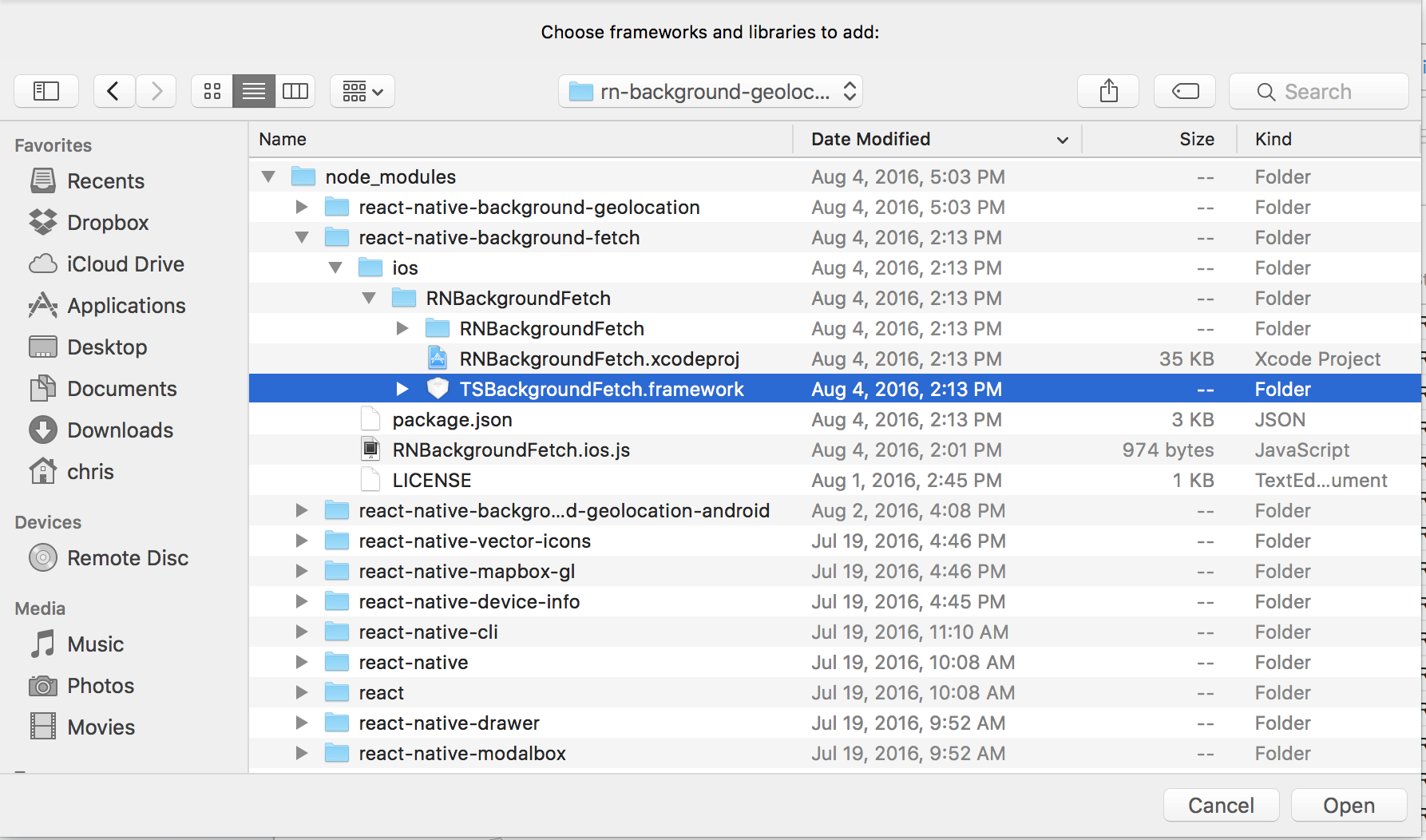
[Add Other...]. - Navigate:
node_modules/react-native-background-fetch/ios/RNBackgroundFetch. - Add
TSBackgroundFetch.framework.
- Click
- In order to the find the
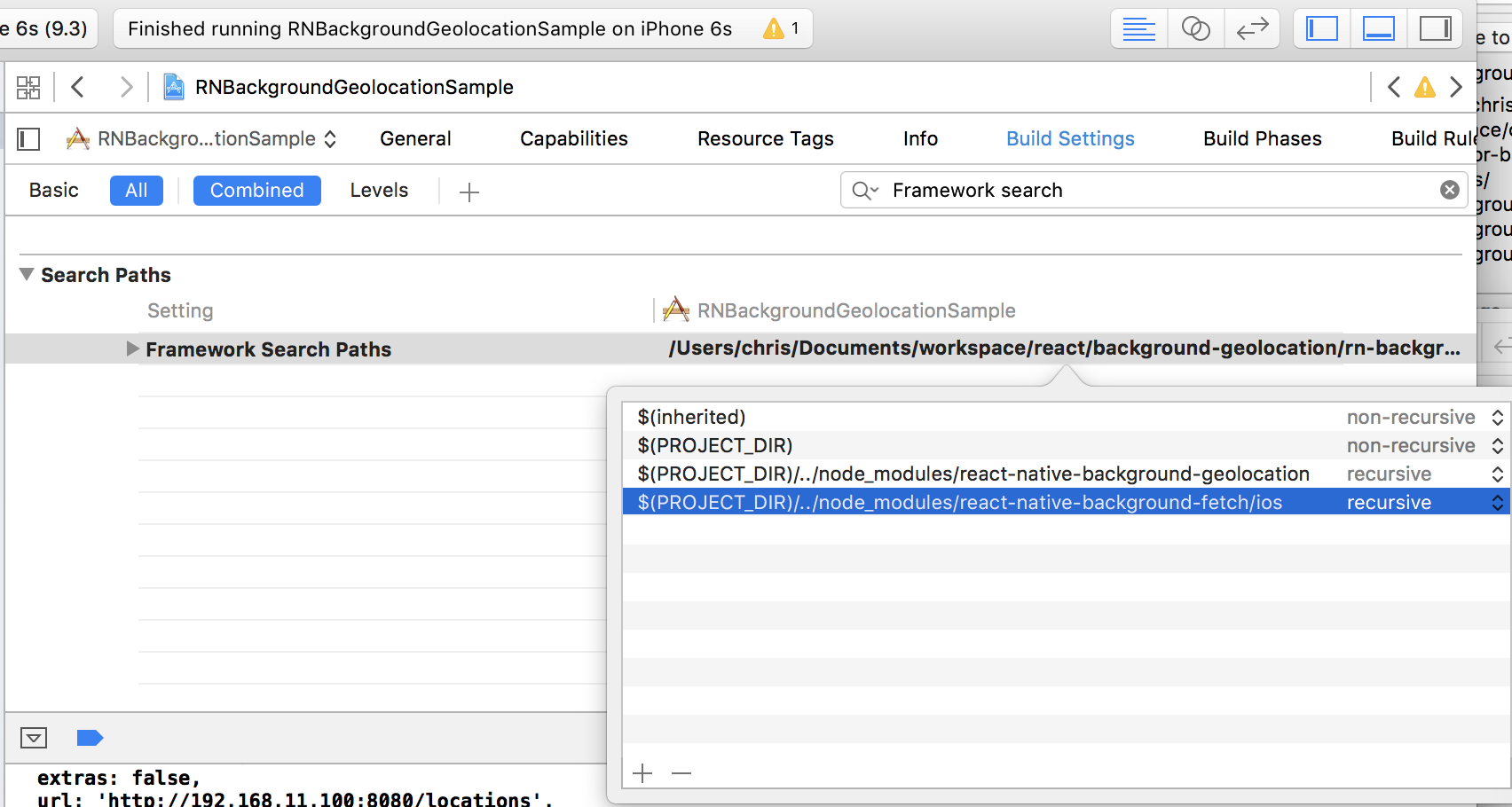
TSBackgroundFetch.frameworkyou just added, you have to tell Xcode where it can find it:- Go to Build Settings and search for "framework search path".
- Add the following paths (select recursive [v]):
$(PROJECT_DIR)/../node_modules/react-native-background-fetch/ios
-
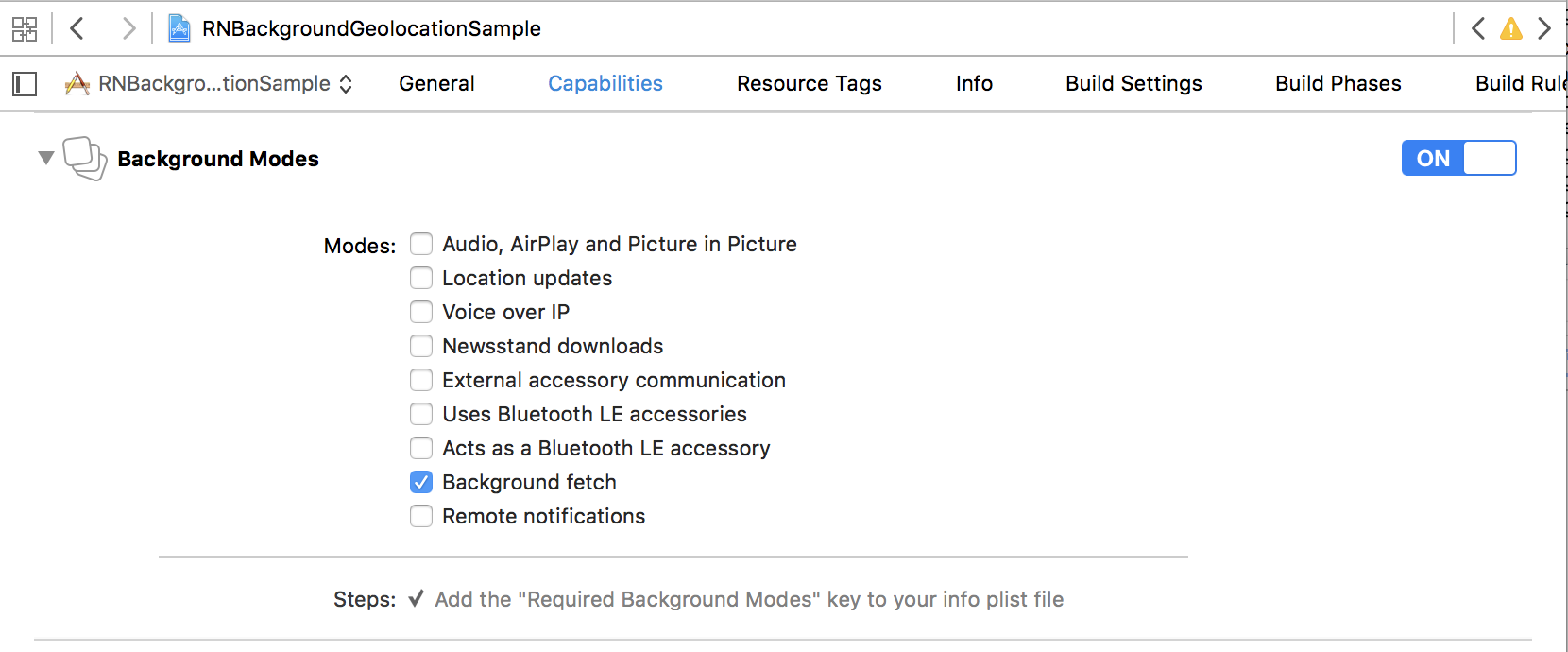
Select the root of your project. Select Capabilities tab. Enable Background Modes and enable the following mode:
-
Background fetch
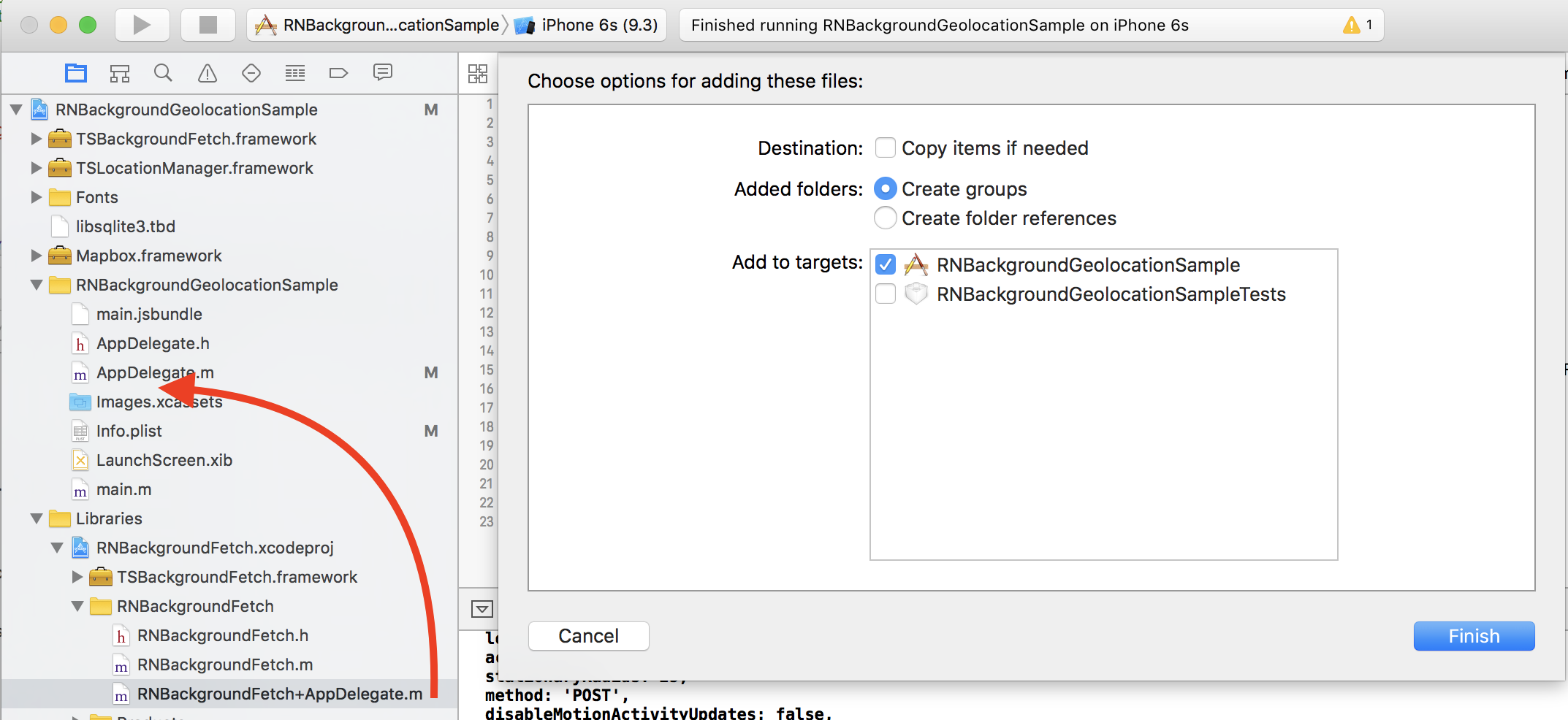
BackgroundFetch implements an AppDelegate method didPerformFetchWithCompletionHandler. You must manually add this file to the same folder where your AppDelegate.m lives:
- Expand the
RNBackgroundFetchproject and drag/drop the fileRNBackgroundFetch+AppDelegate.mand place the file to exist in the same folder as your app'sAppDelegate.m.
You can now import and build